Adaptivecards: [Designer] Does the templating system support simple string arrays? e.g. ["Red","Blue","Yellow"]
My JSON data model looks like:
{
    "image" : "hazelnut.jpg",
    "clade" : [
        "Tracheophytes",
        "Angiosperms",
        "Eudicots",
        "Rosids"
    ],
    "name" : "American Hazelnut",
    "order" : "Fagales",
    "family" : "Betulaceae",
    "genus" : "Corylus",
    "species" : "Corylus Americana"
}
How do I map the array value of clade to the text property on an adaptive card's items array?
This is what I'm trying to do:
https://docs.microsoft.com/en-us/adaptive-cards/templating/language#repeating-items-in-an-array
 ClairelyClaire
All 8 comments
@dclaux / @matthidinger could you help with the question here?
 shalinijoshi19
on 13 Jan 2020
shalinijoshi19
on 13 Jan 2020
Indeed this should work! The syntax is a bit strange when binding to an array of strings directly, you have to use {$data} to access the raw value.
With the data you provided above, I pasted it into the Designer Sample Data field and built the card. Setting $data on a key causes the element to repeat, then you use {$data} as a value in order to access individual items within the array.
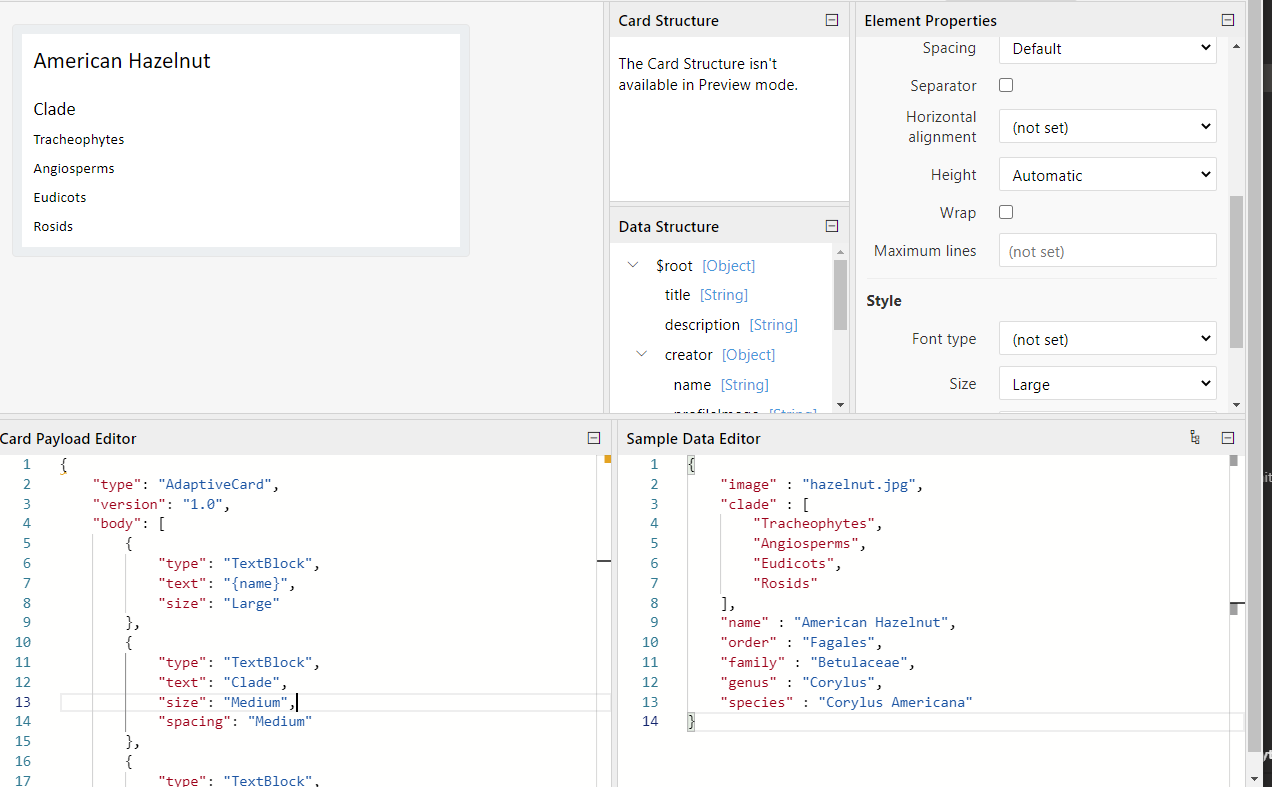
{
    "type": "AdaptiveCard",
    "version": "1.0",
    "body": [
        {
            "type": "TextBlock",
            "text": "{name}",
            "size": "Large"
        },
        {
            "type": "TextBlock",
            "text": "Clade",
            "size": "Medium",
            "spacing": "Medium"
        },
        {
            "type": "TextBlock",
            "$data": "{clade}",
            "text": "{$data}"
        }
    ],
    "$schema": "http://adaptivecards.io/schemas/adaptive-card.json"
}
Let me know if that helps, or if I misunderstood the question!
 matthidinger
on 13 Jan 2020
matthidinger
on 13 Jan 2020
I was looking at this last night (too late to respond, sorry) and I must have broken something in https://vnext.adaptivecards.io/designer as this doesn't work anymore. I will have to look at it and fix.
 dclaux
on 13 Jan 2020
dclaux
on 13 Jan 2020
@matthidinger that did indeed work for me. Can the documentation I linked also be updated to include this information? Thanks!
ClairelyClaire
on 14 Jan 2020
@ClairelyClaire tried to add some clarification, does this help? https://github.com/MicrosoftDocs/AdaptiveCards/commit/cec9a10a02e26e0ea8c49b976082a765238f4d60
matthidinger
on 14 Jan 2020
That's perfect, thanks!
ClairelyClaire
on 14 Jan 2020
Thanks @dclaux, is this still a bug we need to track then? I"ve gone ahead repurposed it for the time being from a question to an actual bug. So as I understand it, vnext designer is broken but adaptivecards.io/designer is working as expected?
shalinijoshi19
on 17 Jan 2020
On my machine the bug doesn't repro. I think it's just a matter of updating vnext to the current code base in js/renderer-refactor
dclaux
on 17 Jan 2020
Related issues
 rajjagani021
·
4Comments
rajjagani021
·
4Comments
 serialoverflow
·
4Comments
serialoverflow
·
4Comments
 schemburkar
·
4Comments
schemburkar
·
4Comments
 summertony15
·
3Comments
summertony15
·
3Comments
 dsanvita
·
3Comments
dsanvita
·
3Comments