Adapt_framework: Notify obstructing access to content
Subject of the issue/enhancement/features
Notify popups that exceed available screen height cannot be scrolled (on non-touch devices). In Firefox a secondary scrollbar appears and it is possible to drag this scrollbar or use the page up/down keys to scroll the entire popup, but mouse wheel and cursors cannot be used. In IE11 and Chrome there is no secondary scrollbar and there is no method to scroll through the popup.
Your environment
- version v4.4.x, release/v5
- all browsers
- all platforms
 chris-steele
All 6 comments
@oliverfoster after a little consideration I could do with your eyes on this issue if possible?
chris-steele
on 13 Nov 2019
Could you split into 2 separate issues? Both are going to require some discussion.
 oliverfoster
on 13 Nov 2019
oliverfoster
on 13 Nov 2019
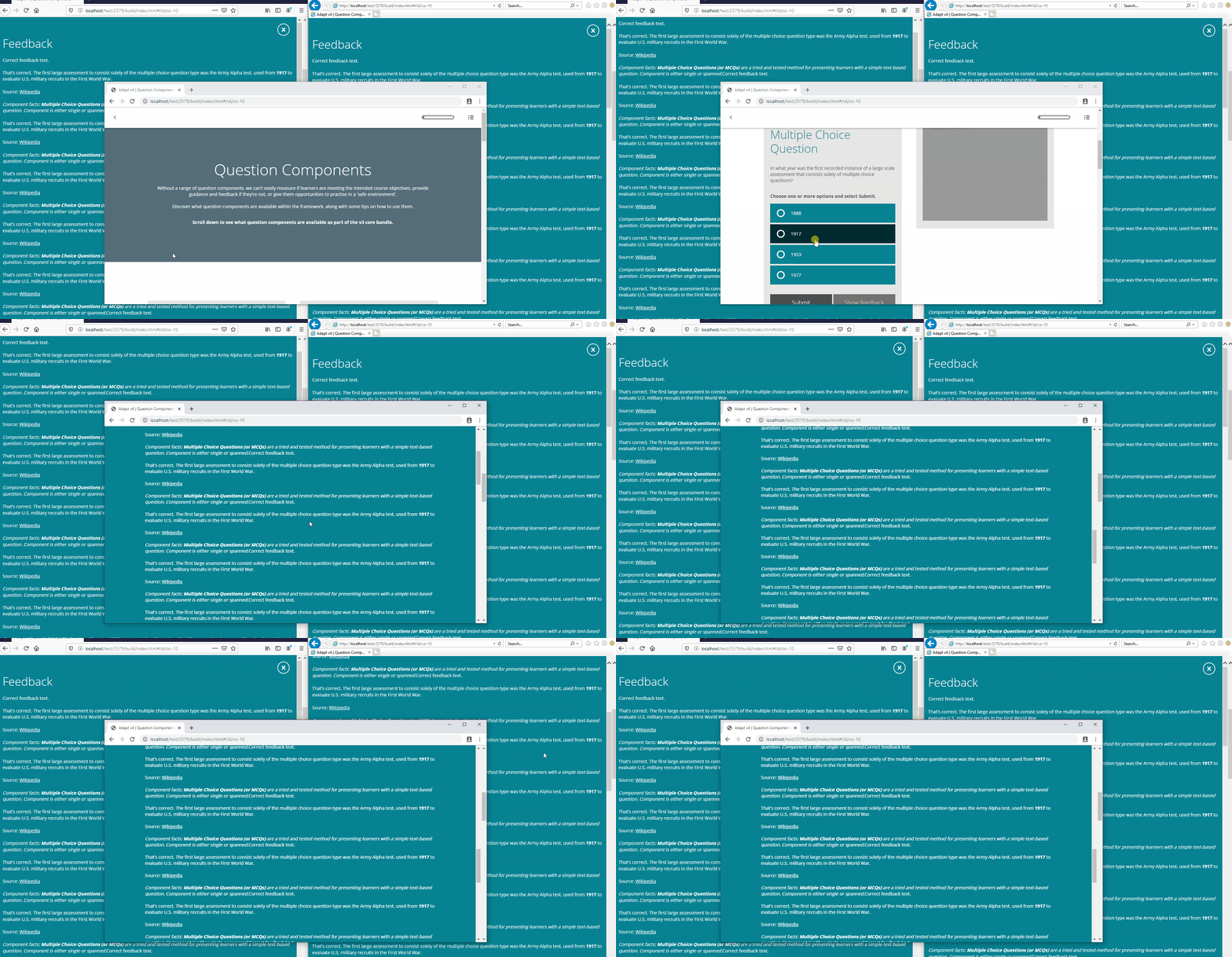
I can't replicate in 4.4 on Firefox, Chrome or IE11 with a normal but large bodied notify. Can I have some more context?
oliverfoster
on 13 Nov 2019
Looks like the context is hot graphic (or components like it that use a notify subview).
chris-steele
on 13 Nov 2019
Prevent scroll here checks for pointer-events: none; which is present here in the hotgraphic styling.
That styling is needed so that the click events trigger on the notify shadow for the notify close event, as the hotgraphic styling is so different from the usual notify in that it isn't full width, the user might expect to click the empty space either side of the hotgraphic dialogue to close the popup. We've allowed this by preventing the notify div from receiving click events and instead the notify-shadow takes them.
I'm not sure there is a simple fix. It's either the left+right side close to click, or scroll or a big styling amend.
It might be time to revert to traditional notify styling.
A side-issue....
It also turns out that scrolling over a directly scrollable element will be blocked by the prevent scroll behaviour as it's only checking for scrollable parents.... So if you took off the hotgraphic pointer-events:none; styling, and tried to scroll either side of the hotgraphic popup it won't scroll, but it will scroll over the hotgraphic popup. It turns out this line should really be var parents = $([$target[0]].concat($target.parents().toArray())); - which just adds the original element to the front of the parents array as a potential scrollable element.
oliverfoster
on 13 Nov 2019
I believe the pointer-events issue is only present in v4 of the framework. I have tested v5 and cannot replicate the pointer events issue (they've been removed).
The vertical alignment issue is present in both v4 and v5 of the framework.
 guywillis
on 27 Nov 2019
guywillis
on 27 Nov 2019
Related issues
 ryanlynch717
·
4Comments
ryanlynch717
·
4Comments
 kirsty-hames
·
5Comments
kirsty-hames
·
3Comments
chris-steele
·
4Comments
guywillis
·
6Comments
kirsty-hames
·
5Comments
kirsty-hames
·
3Comments
chris-steele
·
4Comments
guywillis
·
6Comments