Adapt_framework: adapt-contrib-trickle: fails to detect completion of first block when it only contains a text component
I believe this is inconsistent behaviour; perhaps I'm misunderstanding how Trickle works??
Subject of the issue/enhancement/features
When first block in page has Text and Graphic and Trickle is enabled, Trickle button appears and prevents progress. When Graphic component is eliminated, Trickle button never appears and the learner has access to the first and second blocks.
Your environment
- Framework v4.1.0
- Chrome Version 73.0.3683.86 (Official Build) (64-bit)
- Windows 10
- FW v410
- config.json:
"_completionAttribute": "_isComplete"
Steps to reproduce
- Standard install of FW v410
- Add Trickle to the first two blocks
"_trickle": {
            "_isEnabled": true
        }
- Build and see that the Trickle button is displayed.
Compare with:
- Remove Graphic component from the first block
- Build and see that the Trickle button is not displayed.
Expected behaviour
I'd expect both scenarios to behave the same--preferably with Trickle displayed in both cases.
Actual behaviour
Trickle was not displayed when Text was the only component.
Screenshots (if you can)
further below
My motivation
(Client is using FW v322) Client wants the first section of the page to be Trickled. It will contain a title (phrase) and a background video. Trickle cannot be applied to a page header, so I want to minimize/hide page header elements and allow the first block to be the first visible section. I would put a Text component in that first block with opening text (displayTitle or Body). Then I'd apply a class to the block's Trickle button to set it apart from the subsequent buttons. As it stands, I have been unable to get the Trickle button to appear on the first block when there is only a Text component. Am I misunderstanding Trickle's behaviour??
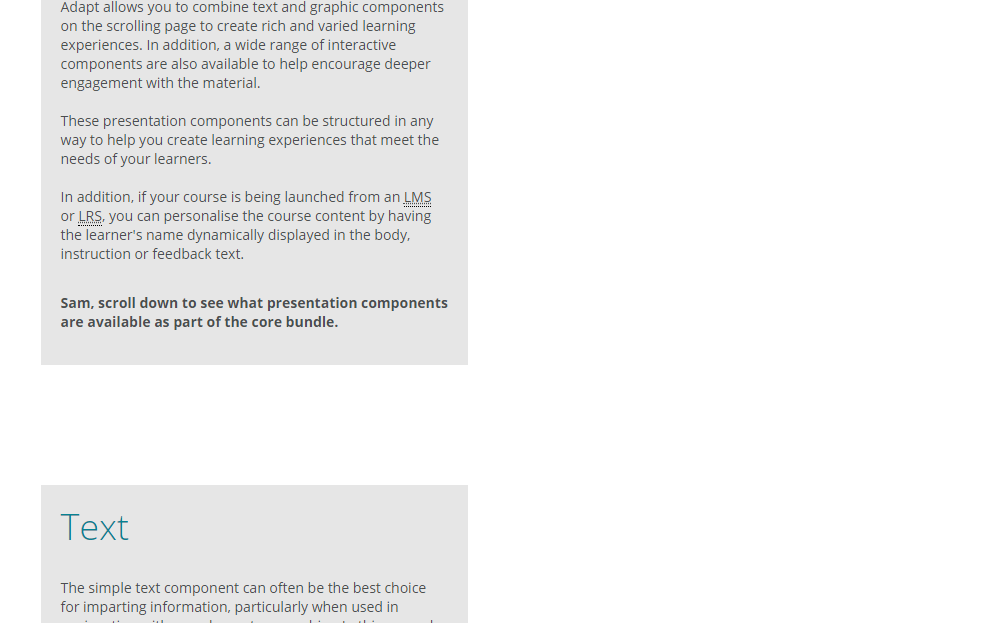
First case:

Second case:
 chucklorenz
All 5 comments
Restarted my computer and tested it again with a separate install. Same results.
chucklorenz
on 5 Apr 2019
Wondering if Trickle needs the Graphic's download time in order to render/deploy correctly.
chucklorenz
on 5 Apr 2019
More evidence that this seems to be an issue of the time Trickle needs to get the first block right:
- Replaced Text with Narrative; Trickle always appeared as one would guess since it is interactive
- Replaced Text with Graphic (total 2 Graphics side by side); Trickle button appeared as expected
- Replaced Graphic with Blank; Trickle button did not appear (same as when Text alone)
- Replaced Graphic with Text (total 2 Texts side by side); Trickle button did not appear (same as when one Text)
chucklorenz
on 5 Apr 2019
I think it's because those components complete before trickle has finished setting up and so it ignores them.
 oliverfoster
on 5 Apr 2019
oliverfoster
on 5 Apr 2019
fixed with above pr
oliverfoster
on 16 Jun 2021
Related issues
 kirsty-hames
·
3Comments
kirsty-hames
·
3Comments
 ryanlynch717
·
4Comments
ryanlynch717
·
4Comments
 moloko
·
4Comments
moloko
·
4Comments
 canstudios-nicolaw
·
3Comments
canstudios-nicolaw
·
3Comments
 sarveshwar-gavhane
·
3Comments
sarveshwar-gavhane
·
3Comments
Most helpful comment
I think it's because those components complete before trickle has finished setting up and so it ignores them.