There might have been many of reports related to the issue I'm having but just in case I want to report it anyway. Let me explain something first, GeForce Now is a cloud gaming service where people can play games such as Arma 3 at 60fps but sometimes it fails to do so. It doesn't give you full desktop access but only will give you the Arma 3 launcher and game but it still works good. Now to the main issue, I can load and update Ace3 just fine but when I launch the game, it will crash the session. This only happens with Ace3 which I need for a lot of mods I use. I read online about due to how Ace changes the games settings and stuff GFN causes it to crash. You can feel free to test this out yourself as GeForce now is free but you can only use for 1 hour per session
 geoduck112
All 19 comments
Most likely blocked because of extensions. Can you try removing all extensions (.dll) files from ACE3?
 jonpas
on 30 Nov 2020
jonpas
on 30 Nov 2020
This is from my testing a month ago
just like they said it throws some kind of error, but I think it was before it goes full screen, so I think before preStart even
we don't do any extension stuff until preInit, so I don't think it's that
But I'm not sure. The session closes when there is a problem, so there is no RPT to check.
I sorta hacked open a file browser in the geforce session, but there doesn't seem to be any file system at all?
So the only way to try to figure out this problem is brute guess and test,
and with a 15? minute queue time for me it really unfun to do.
If someone is willing to do the legwork,
- start with a ace full release,
- strip out the dlls and everything besides ace_main and ace_common.pbo,
- upload it to steam WS and see if it will boot.
Then re-add pbos and dlls, reupload and retest and retest until we find a failure point.
 PabstMirror
on 30 Nov 2020
PabstMirror
on 30 Nov 2020
Most likely blocked because of extensions. Can you try removing all extensions (
.dll) files from ACE3?
The game launches but heading into eden editor and starting the scenario will cause the session to crash. Also GFN doesn't exactly support access to files so I had to do the whole thing through CMD and hypothetically if the method did work i would have to do it over and over again whenever I start a new session
geoduck112
on 30 Nov 2020
Can you try another mod with extensions, like just CBA+ACRE (I'm not sure how acre will handle the TS install)
PabstMirror
on 30 Nov 2020
This is from my testing a month ago
just like they said it throws some kind of error, but I think it was before it goes full screen, so I think before preStart even
we don't do any extension stuff until preInit, so I don't think it's thatBut I'm not sure. The session closes when there is a problem, so there is no RPT to check.
I sorta hacked open a file browser in the geforce session, but there doesn't seem to be any file system at all?So the only way to try to figure out this problem is brute guess and test,
and with a 15? minute queue time for me it really unfun to do.If someone is willing to do the legwork,
- start with a ace full release,
- strip out the dlls and everything besides ace_main and ace_common.pbo,
- upload it to steam WS and see if it will boot.
Then re-add pbos and dlls, reupload and retest and retest until we find a failure point.
I have founders so i can try taking out the dlls and pbos and testing it. If it works I will do the same on my main pc and upload the edited version to the workshop
geoduck112
on 30 Nov 2020
Unfortunately some stuff might break if you just remove the DLLs (I don't think advanced ballistics works without extensions for example). But it would be great to know if they are the main cause of this problem.
 BaerMitUmlaut
on 30 Nov 2020
BaerMitUmlaut
on 30 Nov 2020
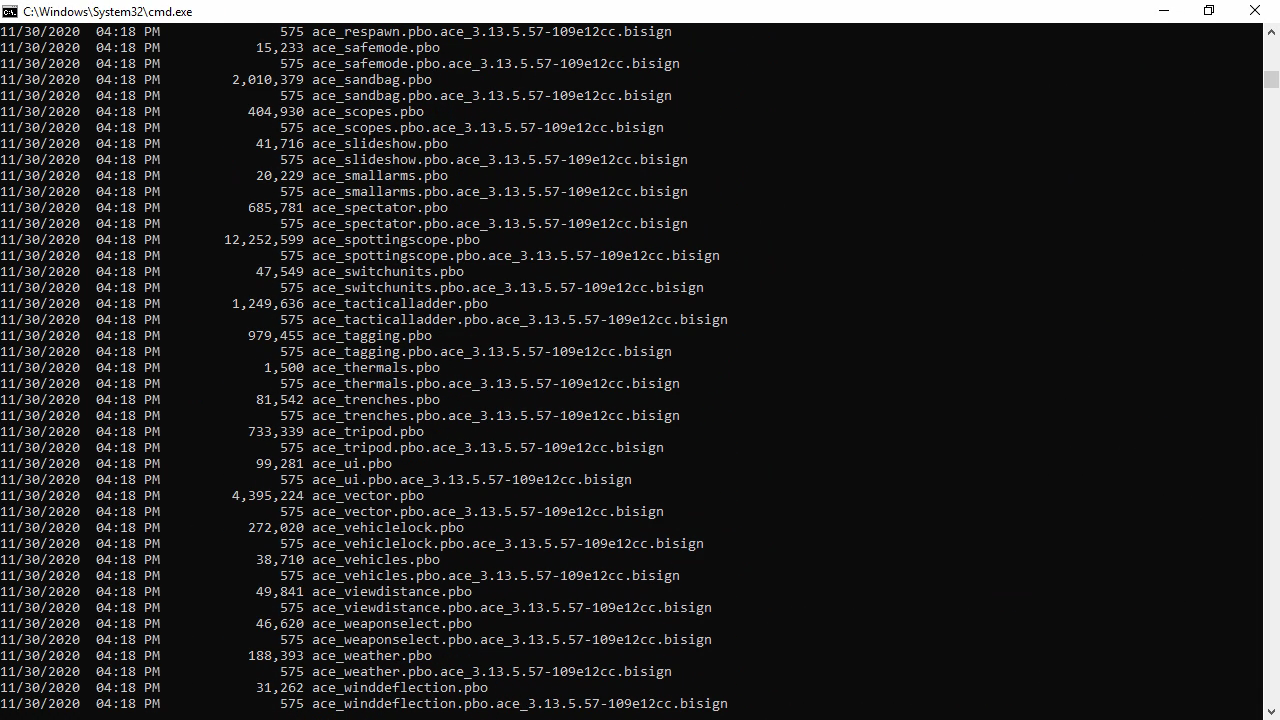
big problem, in order to delete the pbos i have to go through everything unless theres a shorter way through cmd. Though i can try doing it on my main pc
geoduck112
on 30 Nov 2020
I think the best solution is to subscribe to a cloud computing service like Shadow Tech since most Arma community use radio mod which require a Teamspeak local to Arma
 Vdauphin
on 1 Dec 2020
Vdauphin
on 1 Dec 2020
I found the solution to the problem. I tried testing if i can get more disk space for arma mods by opening arma on a steam session instead of directly and it worked! I was able to load every cup mod and a lot more. Idk if steam sessions give more space or its the fact i downloaded DCS before going to arma but whatever. I decided to also check if ACE would work as well and once i launched the game, it also worked!
geoduck112
on 3 Dec 2020
got my hopes up didnt work. Didnt appear in the addon options and leaving the editor crashed
geoduck112
on 3 Dec 2020
There is nothing we can do about bugs in this service. Since it is a paid service, there will be a customer support. You should ask those people about your problem. They are paid to do that.
Close?
 commy2
on 4 Dec 2020
commy2
on 4 Dec 2020
Leave open (for now), we can at least track it in one issue.
And it's not a fully paid service if there are free tiers (which I assume nobody uses for Arma though).
jonpas
on 4 Dec 2020
Customer support wont help at all. I've asked about mods before and they just said, "Mods aren't supported" which doesn't stop anyone from using them. If I ask about ace they're just gonna give me some BS answer. I might get boosteroid instead, its customer support is way better thought the service is a bit more expensive
geoduck112
on 4 Dec 2020
Well there you go. Mods are not supported. Nothing we can do.
I'm for closing this.
commy2
on 4 Dec 2020
I think its time i closed this because the discussion is dead and nvidia just made it so that you cant get workshop mods in GFN. Thanks to anyone who tried to help
geoduck112
on 10 Dec 2020
Did they change that today?
commy2
on 10 Dec 2020
not today but i think 3 or 4 days ago.
geoduck112
on 10 Dec 2020
Wow that sucks. Oh well.
BaerMitUmlaut
on 10 Dec 2020
As I said, they never intended to. The bug was letting people download mods in the first place. If I were renting my machines, I wouldn't want people to download unsecure software from Steam either.
commy2
on 10 Dec 2020
Related issues
 ItayNoyman
·
3Comments
ItayNoyman
·
3Comments
 austinjames314
·
4Comments
austinjames314
·
4Comments
 lividsubset3
·
3Comments
lividsubset3
·
3Comments
 Herbiie
·
3Comments
Herbiie
·
3Comments
 Snak3Doc
·
4Comments
Snak3Doc
·
4Comments