Accessibility-insights-web: Issue filing fails for some ADO project configurations
Describe the bug
When configuring Azure issue filing, the user is given the option to put issue details in either the "description" or "repro steps" field. Depending on which option they choose, filing an issue will create either a Bug or an Issue.
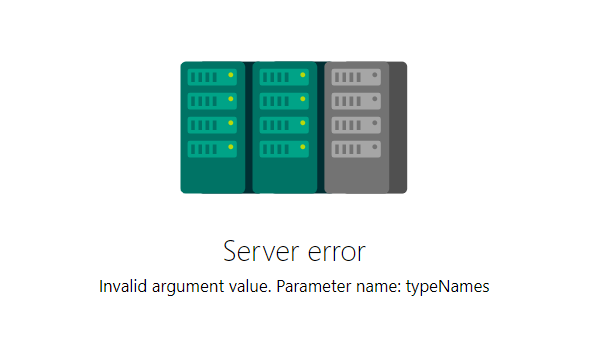
However, some ADO project may be configured to with different work item types. If the user tries to file an issue with a type that does not exist for that project, they will get a "server error" screen.
To Reproduce
- Create a new ADO project with the process "scrum" (this setting does not include the Issue work item type)
- Open Accessibility Insights for Web
- Click the settings gear and scroll down to "Issue filing"
- Select "Azure boards," enter the URL for the new test project you have created, and select "Description" for the issue details field (normally, this would attempt to create an Issue in that ADO project)
- Run fastpass and attempt to file a bug for one of the issues
- The newly opened page will display this error screen:
Expected behavior
Issue filing works as expected regardless of the settings of the ADO project
Additional context
This bug was created using details from this Stack Overflow post
 pownkel
All 22 comments
This issue has been marked as ready for team triage; we will triage it in our weekly review and update the issue. Thank you for contributing to Accessibility Insights!
![msftbot[bot] picture](https://avatars.githubusercontent.com/in/26612?v=4&s=40) msftbot[bot]
on 5 Feb 2021
msftbot[bot]
on 5 Feb 2021
This looks useful--ADO provides an API to get available work item types for a given project:
https://docs.microsoft.com/en-us/rest/api/azure/devops/wit/work%20item%20types/list?view=azure-devops-rest-6.0
Maybe we could provide a dropdown list of work item types for the user to choose from?
pownkel
on 5 Feb 2021
@pownkel what does the scrum setting in ADO has for issues & bugs tracking by default?
 ferBonnin
on 5 Feb 2021
ferBonnin
on 5 Feb 2021
@pownkel what does the scrum setting in ADO has for issues & bugs tracking by default?
it has the "Bug" type, just not "Issues."
pownkel
on 5 Feb 2021
with the bug type, if you choose _Repro steps_ in the dropdown does it still fails?
ferBonnin
on 5 Feb 2021
related to #2920 & #1009
ferBonnin
on 5 Feb 2021
with the bug type, if you choose _Repro steps_ in the dropdown does it still fails?
It does work with Repro Steps, but it's not immediately clear that that is a solution to the problem
pownkel
on 5 Feb 2021
thanks @pownkel!
Last time we received this issue we updated our documentation. could we ask the user if this clarification helps unblock them? I suggestleaving this open to discuss at bug triage if we want to add additional functionality to clarify this in the settings :)
ferBonnin
on 5 Feb 2021
per conversation with Peter, lets add a clarification of what to do if a user receives _server error_ when filing bugs, in the docs > Web > Issue filing (or FAQ) for this. @LiLoDavis can you help us draft this, please?
At this moment we don't believe changes in the extension UI are needed.
ferBonnin
on 8 Feb 2021
This issue requires additional investigation by the Accessibility Insights team. When the issue is ready to be triaged again, we will update the issue with the investigation result and add "status: ready for triage". Thank you for contributing to Accessibility Insights!
msftbot[bot]
on 8 Feb 2021
@ferBonnin I'll be happy to write this up.
 LiLoDavis
on 9 Feb 2021
LiLoDavis
on 9 Feb 2021
The user got back to me, and said that using "Repro steps" is failing for them as well. We may need to note that the ADO project must have the Bug or Issue work item type enabled
pownkel
on 9 Feb 2021
@pownkel interesting! I see that you ask them what they use to file bugs but would be good to add this in the instructions too @LiLoDavis
ferBonnin
on 9 Feb 2021
The team requires additional author feedback; please review their replies and update this issue accordingly. Thank you for contributing to Accessibility Insights!
msftbot[bot]
on 22 Feb 2021
marking this as needs more info to track the need of knowing how else do teams file bugs/ issues
ferBonnin
on 22 Feb 2021
@pownkel and @ferBonnin the Web > Issue filing page currently includes the following instructions:
To resolve this problem:
- In Accessibility Insights, go to Settings > Issue filing > Select a field for issue details, and choose a different option.
- If the problem persists, make sure the bug or issue work item type is enabled in Azure DevOps.
Is there something else you recommend adding?
LiLoDavis
on 22 Feb 2021
BTW, I've updated only the documentation for web. Is this relevant to Android and Windows, too?
LiLoDavis
on 22 Feb 2021
@LiLoDavis yes for Android. unsure on Windows @peterdur?
ferBonnin
on 22 Feb 2021
@ferBonnin Verified that Windows successfully displays the work item form when doing a File Issue to a Scrum project. It doesn't look like you can disable system work item types.
 peterdur
on 22 Feb 2021
peterdur
on 22 Feb 2021
@ferBonnin So the changes I made to the Web > Issue filing page also need to be made to the Android > Issue filing page, correct?
LiLoDavis
on 23 Feb 2021
yes, please!
ferBonnin
on 23 Feb 2021
This issue has been automatically marked as stale because it is marked as requiring author feedback but has not had any activity for 4 days. It will be closed if no further activity occurs within 3 days of this comment. Thank you for contributing to Accessibility Insights!
msftbot[bot]
on 28 Feb 2021
Related issues
 gatosocal
·
9Comments
gatosocal
·
9Comments
 haonliu
·
8Comments
ferBonnin
·
5Comments
LiLoDavis
·
3Comments
ferBonnin
·
9Comments
haonliu
·
8Comments
ferBonnin
·
5Comments
LiLoDavis
·
3Comments
ferBonnin
·
9Comments