Accessibility-insights-web: [Accessibility Insights Tool] "Color as a meaning test" clears the whole page except top navigation bar.
Describe the bug
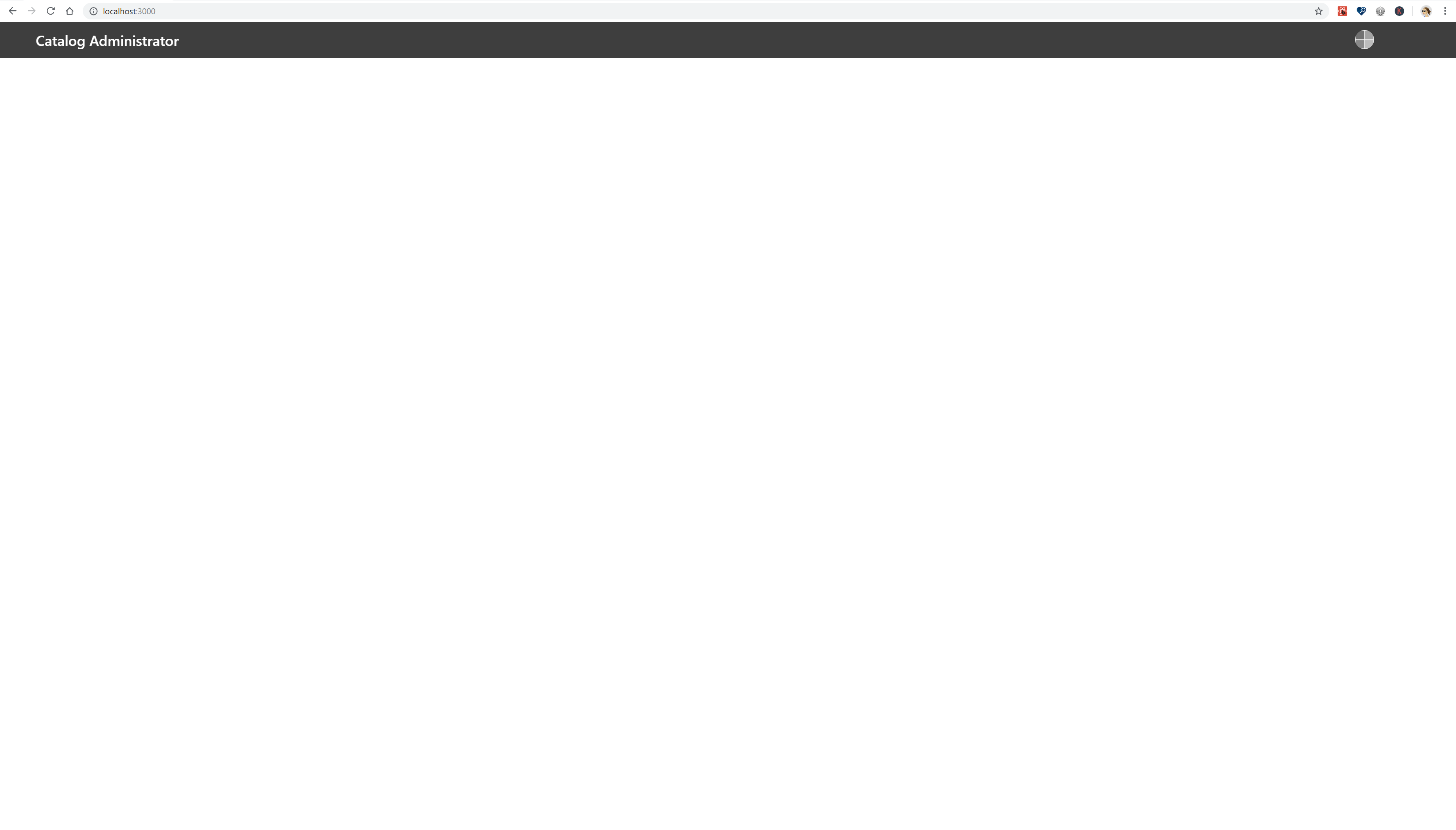
When the "Color as a meaning" test is performed on this page, the entire page disappears except the top navigation bar. This bug is also filed as an issue with the Office UI Fabric Team but they are not facing this issue. Hence it has been re-directed to the "Accessibility Insights Team" to ensure that the tool is working fine.
To Reproduce
Steps to reproduce the behavior:
Accessibility Insights Tool > Assessment > Sensory > Color as a meaning
-The visual helper for this requirement displays the target page in grayscale.
Examine the target page to identify any instances where color is used to communicate meaning, such as:
-Communicating status
-Prompting a response
-Identifying an error
-For each instance, verify that at least one of these visual alternatives is also provided:
-On-screen text that identifies the color itself and/or describes the meaning conveyed by the color
-Visual differentiation (e.g., shape, position, size, underline) and a clear indication of its meaning
-Record your results:
-If you find any failures, select Fail, then add them as failure instances.
Otherwise, select Pass.
CodePen repro example
https://codepen.io/taparikh/pen/RXoGJR
The above codepen just shows the CentralGrid component (DetailsList) which completely disappers when this test is performed.
Expected behavior
Expected behavior:
When the same test was run on the office ui fabric website page > DetailsList - the result is as expected.

Screenshots
Examples of the results after running test on our UI:
-
Extension (please complete the following information)
- OS: [e.g. Windows/Mac] : Windows 10 Enterprise
- Version [e.g. 1.140.1] : 1903
- Browser Version [e.g Chrome 71.0] Chrome 75.0.3770.142
- Target Page [e.g www.bing.com] local environment of dev
Are you willing to submit a PR?
Did you search for similar existing issues?
Additional context
 taparikh
All 11 comments
@taparikh I could not see anything in your codepen even without running accessibility insights color test. Can you please provide a correct repro for this issue? I am unable to replicate this.
 Shobhit1
on 30 Jul 2019
Shobhit1
on 30 Jul 2019
The team requires additional author feedback; please review their replies and update this issue accordingly. Thank you for contributing to Accessibility Insights!
 msft-github-bot
on 30 Jul 2019
msft-github-bot
on 30 Jul 2019
Hi @Shobhit1 - unfortunately I cannot repro the whole page as it is data driven. Can we hop on a Teams call and I can show you& we can debug ?
taparikh
on 31 Jul 2019
Hi @Shobhit1 - unfortunately I cannot repro the whole page as it is data driven. Can we hop on a Teams call and I can show you& we can debug ?
Sure. I will ping you today.
Shobhit1
on 31 Jul 2019
@Shobhit1 Can I block some time on your calendar today?
taparikh
on 31 Jul 2019
After discussing this offline, found out that its because of our injected css using filter property for color as a meaning test.
Basically, when we apply filter css using insights-grey-scale-container class; it creates a containing block for absolute and fixed positioned descendants unless the element it applies to is a document root element in the current browsing context; where the list of functions are applied in the order provided.
So, whenever a page which as layout with position: absolute or fixed tries color as a meaning test; the components might not be displayed in some cases because your position:fixed/absolute element will be positioned relatively to the filtered container and no more the viewport. In other words, it's still fixed but inside its new containing block (the filtered container)
reference: https://drafts.fxtf.org/filter-effects/#FilterProperty
Shobhit1
on 31 Jul 2019
This issue has been marked as ready for team triage; we will triage it in our weekly review and update the issue. Thank you for contributing to Accessibility Insights!
msft-github-bot
on 31 Jul 2019
Some examples:
Codepen: https://codepen.io/shobhit111/pen/XvgNeY?editors=1100
JSFiddle: https://jsfiddle.net/shobhit7/km79s0hb/3/
The codepen shows that the container div which has a filter style starts to go out of the viewport when you scroll, because it then becomes fixed with regards to the containing block thats added as part of our greyscale filter
Shobhit1
on 31 Jul 2019
Hi @Shobhit1 Just wanted to follow up on this bug and ask if you need any more time for me
taparikh
on 12 Aug 2019
This issue has been marked as being beyond the support scope of Accessibility Insights. It will now be closed automatically for house-keeping purposes.
msft-github-bot
on 12 Aug 2019
Based on the unusual cause of this bug (having a layout with position: absolute or fixed in the whole page) and the difficulty of fixing based on initial investigation, we will not fix this issue.
Our recommendation is to remove position:absolute from the page or do the _Color as a meaning_ requirement without the aid of the visual helper (The instructions are still valid without making the page go grayscale)
 ferBonnin
on 12 Aug 2019
ferBonnin
on 12 Aug 2019
Related issues
 LiLoDavis
·
7Comments
LiLoDavis
·
3Comments
LiLoDavis
·
7Comments
LiLoDavis
·
3Comments
 karanbirsingh
·
8Comments
karanbirsingh
·
8Comments
 pshrmn
·
5Comments
ferBonnin
·
3Comments
pshrmn
·
5Comments
ferBonnin
·
3Comments