Accessibility-insights-web: Missing stylesheet with Chromium on Linux
Describe the bug
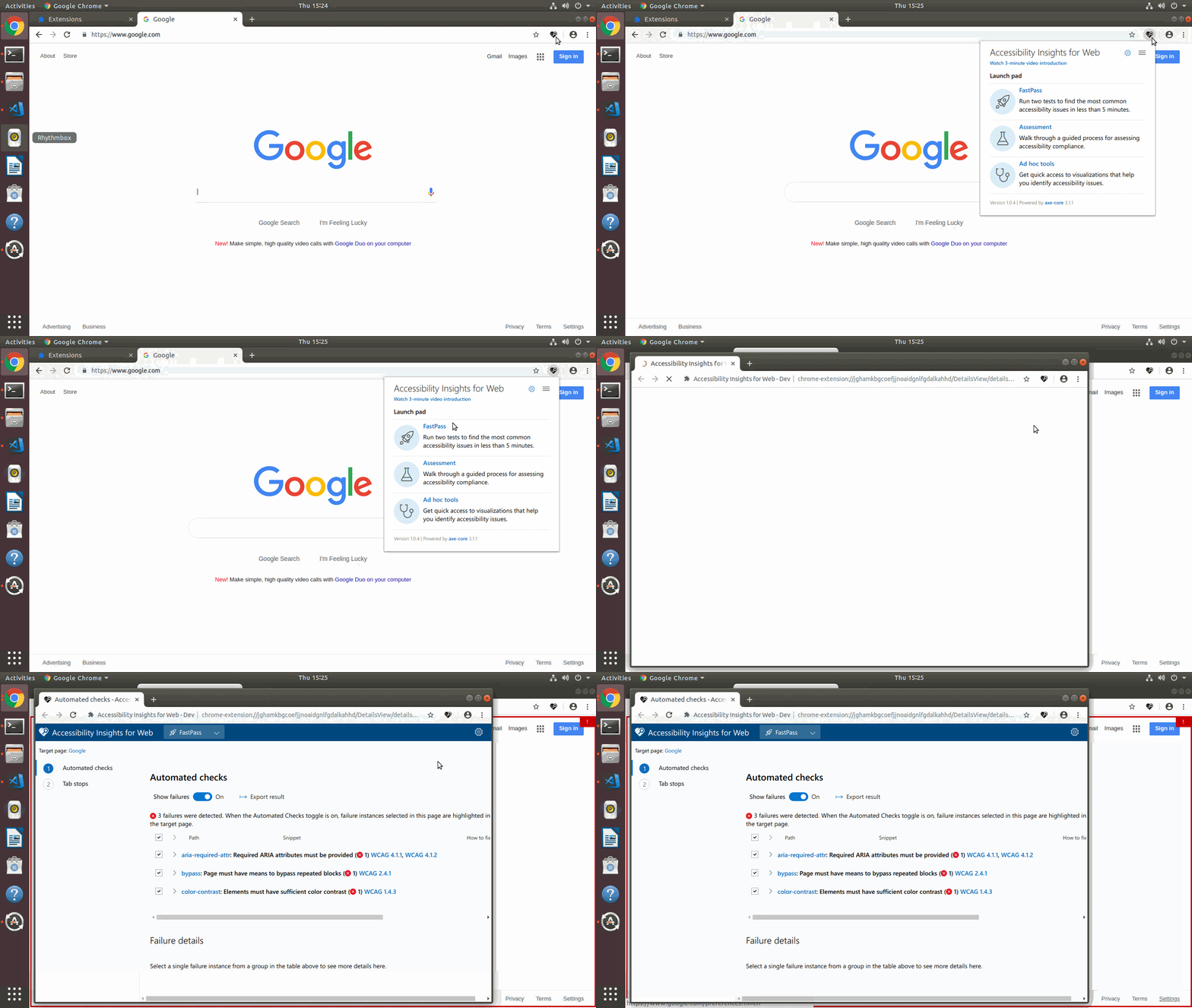
When I try to run the extension on Chromium, I am running into various styling issues. This has occurred with both the Production and Canary extensions.
In the console for the "fast pass" window, I see a file not found error for /Styles/default/detailsview.css.
Style Issues:
- The popup (what is shown when you click the favicon) is too narrow. I have a feeling that there is another stylesheet that fails to load, but I do not see an error for it.
- The details view (the screen that is opened when you click on the
FastPassorAssessmentoptions in the popup) fails to load thedetailsviewCSS file.
I found the extension source code on my local filesystem, and the Styles/default/detailsview.css file exists there, so I'm not sure why Chromium cannot load it.
Screenshots


Extension
- OS: Linux Mint
- Version 19.1
- Chromium Version 72.0.3626.121
- Target Page: any page
Are you willing to submit a PR?
If asked, will you be willing to submit a PR to fix this bug? Yes
Did you search for similar existing issues?
Did you search for similar issues in our github issues or on stackoverflow? Yes
 pshrmn
All 5 comments
Hi @pshrmn
Thanks for your interest on Accessibility Insights for Web.
You've mention you found "various styling issues", can you update the description of the issues, add the details of all the styling issues?
We'll triage once we get this information.
 smoralesd
on 14 Mar 2019
smoralesd
on 14 Mar 2019
Hey @pshrmn, the styling issues are now fixed on master branch. Stay tune for extension updates to get this fixes.
smoralesd
on 14 Mar 2019
Aha, those darn Linux case sensitive paths! Thanks for the quick fix @smoralesd!
pshrmn
on 14 Mar 2019
Hi @pshrmn This issues should be fixed on release [v2.0.5](https://github.com/Microsoft/accessibility-insights-web/releases/tag/v2.0.5. Download the extension from here.
smoralesd
on 18 Mar 2019
Works like a charm now!
pshrmn
on 18 Mar 2019
Related issues
 ferBonnin
·
5Comments
ferBonnin
·
3Comments
ferBonnin
·
5Comments
ferBonnin
·
3Comments
 LiLoDavis
·
3Comments
ferBonnin
·
10Comments
LiLoDavis
·
3Comments
ferBonnin
·
10Comments
 mhulse
·
4Comments
mhulse
·
4Comments
Most helpful comment
Aha, those darn Linux case sensitive paths! Thanks for the quick fix @smoralesd!