Zwavejs2mqtt: [bug] Issue with HASS discovery
Before submitting a bug please read: https://zwave-js.github.io/zwavejs2mqtt/#/troubleshooting/bug_report
Version
Build/Run method
- [x] Docker
- [ ] PKG
- [ ] Manually built (git clone - npm install - npm run build )
zwavejs2mqtt version: 1.0.5
zwavejs version: 6.1.2
Describe the bug
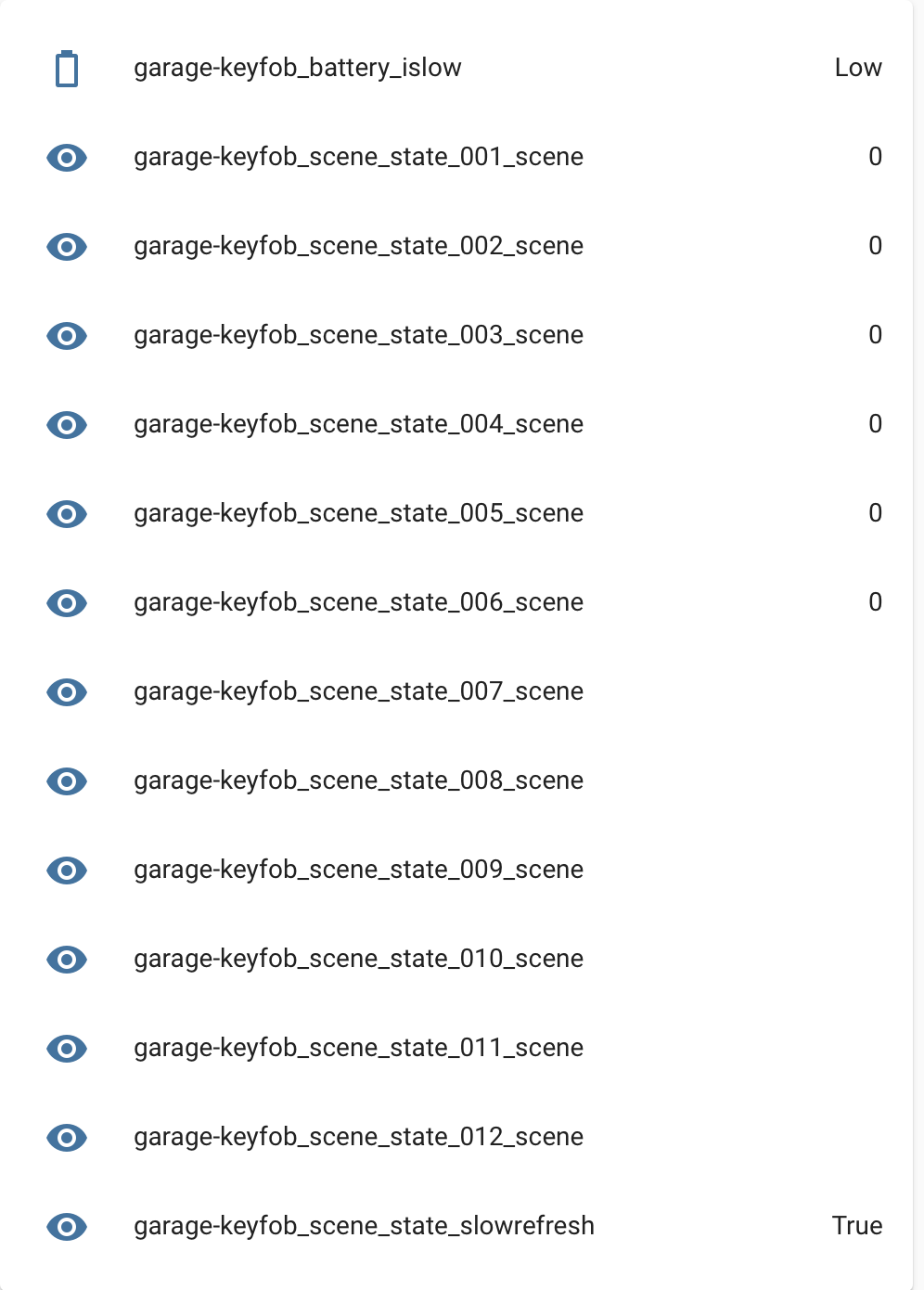
After zwavejs2mqtt restart states will be repopulated in HASS and then retrigger automations.
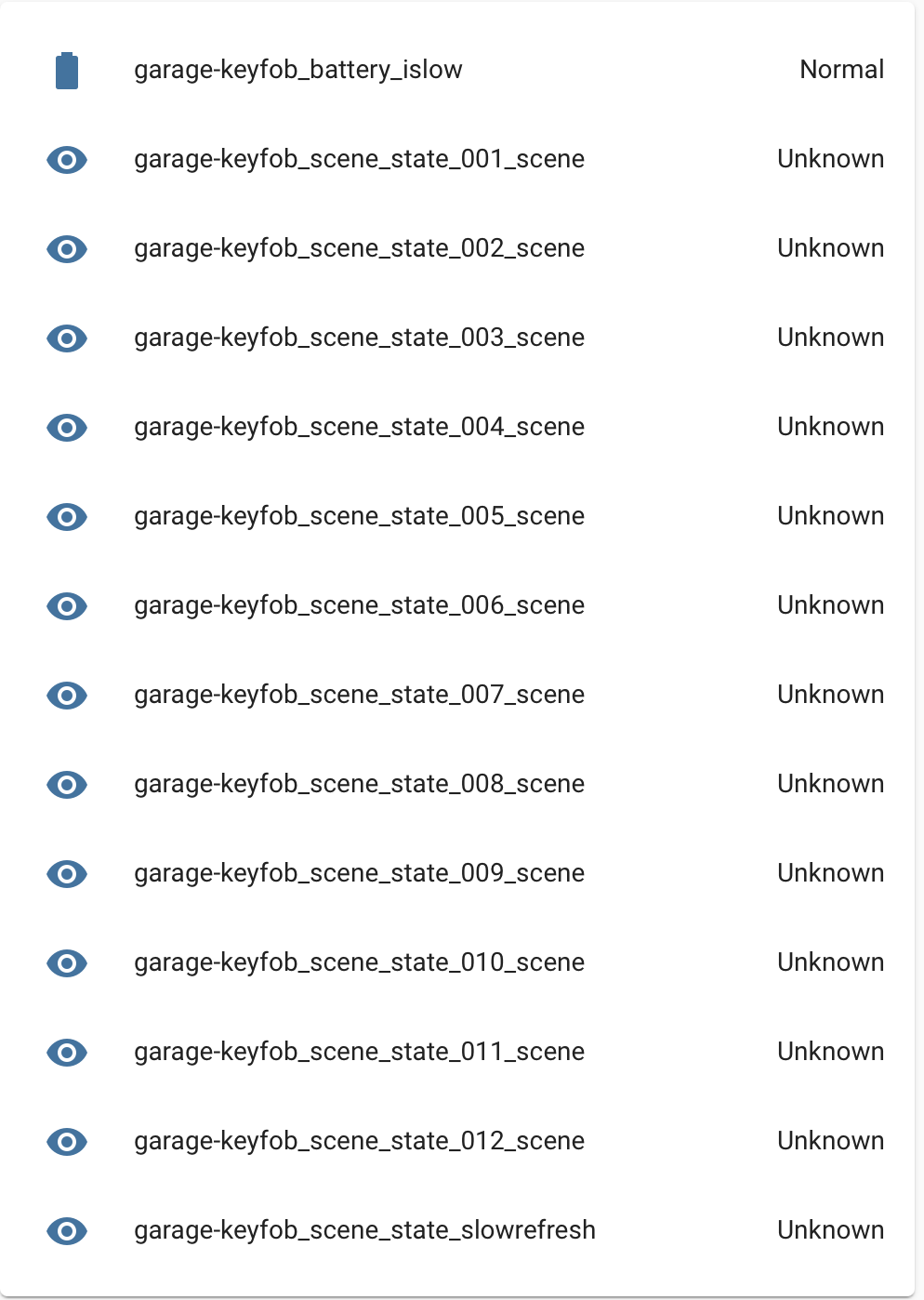
Screenshot below is after delete data of device in mqtt explorer:
Screenshot below is after zwavejs2mqtt restart.
It has been a bit back and forth with this issue, and where to post it, so I hope I am doing it right 😊
 haavardNO
All 12 comments
After HASS first official release of zwave-js the number of issues have increased a lot. For this reason I have decided to focus on the issues related to the control panel functionalities and automatically close the ones related to MQTT discovery. I will not remove MQTT discovery support, I just prefer to focus on the control panel as the discovery is the focus of the zwavejs server now
 robertsLando
on 8 Feb 2021
robertsLando
on 8 Feb 2021
@billiaz Did you have a chance to look at this?
I have had to disable my garage remote due to this behavior.
Can't risk my garage open in the middle of the night 😊
haavardNO
on 15 Feb 2021
@haavardNO you are using MQTT discovery i suspect?
if so please export the Node using export button, next to the node causing this issue.
I remember we need to set a default value for HASS to understand if state is 0! but I am curious how HASS stays on 0
Giving me that ZIP can probably help me get it
 billiaz
on 15 Feb 2021
billiaz
on 15 Feb 2021
Can get you that zip later today.
haavardNO
on 15 Feb 2021
@billiaz see below.
node_71.json.zip
haavardNO
on 16 Feb 2021
@billiaz Did you get the needed info from the zip? Let me know if there is anything else I can do to help
haavardNO
on 20 Feb 2021
omg! I forgot this! yes and no. let me make a payload patch( and see if works). Will try to post asap the new payload
billiaz
on 20 Feb 2021
I have now actually put a small test environment with a dedicated pi and z-stick, so I can test on these devices without messing with the live z-wave network. So I am ready :)
haavardNO
on 21 Feb 2021
@haavardNO I am still scrambled :)
this is a sensor! and should translate all possible states to a name not number! but I see numbers.
I want to be sure you run a recent version!
Also when value is empty, what do you believe is the state we should show?
billiaz
on 8 Mar 2021
I am running the latest version.
When I was using zwave2mqtt the scene state would be set to "inactive" until a button was pressed, then it would represent pressed / hold / release etc... And after a second or so it would return to inactive.
haavardNO
on 12 Mar 2021
This issue is stale because it has been open 90 days with no activity. Remove the stale label or comment or this will be closed in 5 days. To ignore this issue entirely you can add the no-stale label
![github-actions[bot] picture](https://avatars.githubusercontent.com/in/15368?v=4&s=40) github-actions[bot]
on 11 Jun 2021
github-actions[bot]
on 11 Jun 2021
This issue is now closed due to inactivity, you can of course reopen or reference this issue if you see fit.
github-actions[bot]
on 17 Jun 2021
Related issues
 Illsley
·
4Comments
Illsley
·
4Comments
 jkaberg
·
7Comments
jkaberg
·
7Comments
 decairn
·
3Comments
decairn
·
3Comments
 Lopton
·
5Comments
Lopton
·
5Comments
 jmgiaever
·
5Comments
jmgiaever
·
5Comments