Zotero-better-bibtex: Better bibtex does not seem to start after update to 5.4.16
edit by @retorquere if you have urgent work, grab 5.4.14. I'm debugging the problem, I expect a fix today
I open zotero almost everyday, and every day it works perfectly.
Except today :)
The problem is simple to reproduce:
- Open zotero
- Fail to see the familiar better bidlatex initialization popup
- Fail to see the citekey column in the references list.
- Fail to see the citekey field in the reference view.
I'm sure this was introduced in the latest version (5.4.16), since I've in the meantime reverted back to 5.4.15 and everything is working fine.
The error log consists of many messages, similar to this one:
[JavaScript Error: "Error: Invalid field 'citekey" for base field" {file: "chrome://zotero/content/xpcom/data/itemFields.js" line: 280}]
getFieldIDFromTypeAndBase@chrome://zotero/content/xpcom/data/itemFields.js:280:13
Zotero.Item.prototype.getField@chrome://zotero/content/xpcom/data/item.js:246:19
Zotero.ItemTreeRow.prototype.getField@chrome://zotero/content/xpcom/itemTreeView.js:3500:10
Zotero.ItemTreeView.prototype.getCellText@chrome://zotero/content/xpcom/itemTreeView.js:1086:15
My app specs:
version => 5.0.96.2, platform => Win32, oscpu => Windows NT 10.0; WOW64, locale => en-US, appName => Zotero, appVersion => 5.0.96.2, extensions => Zotero LibreOffice Integration (5.0.25.SA.5.0.96.2, extension), Zotero Word for Windows Integration (5.0.19.SA.5.0.96.2, extension), Better BibTex for Zotero (5.4.16, extension)
Support log ID:
 clagms
All 65 comments
It looks like you did not upload an support log. The support log is important; it gives @retorquere your current BBT settings and a copy of the problematic reference as a test case so he can best replicate your problem. Without it, @retorquere is effectively blind. Support logs are useful for both analysis and for enhancement requests; in the case of export enhancements, @retorquere need the copy of the references you have in mind.
If you did try to submit a support log, but the ID looked like D<number>, that is a Zotero debug report, which @retorquere cannot access. Please re-submit a BBT debug log by one of the methods below. BBT support log IDs end in -apse or -euc. Support logs that include sample references will end in -refs-apse or -refs-euc; these are the type @retorquere needs for export or citekey issues.
This request is much more likely than not to apply to you, too, _even if you think it unlikely_, and even if it does not, there's no harm in sending a debug log that turns out to be unnecessary. @retorquere will usually just end up saying "please send a debug log first". Let's just skip over the unnecesary delay this entails. Sending a debug log is very easy, depending on your situation, follow one of these procedures::
If your issue relates to how BBT behaves around a specific reference(s), such as citekey generation or export, select at least one of the problematic reference(s), right-click it, and submit an BBT support log from that popup menu. If the problem is with export, please do include a sample of what you see exported, and what you expected to see exported for these references, either by pasting it in a comment here (if it is small) or attaching it as a
.txtfile (if it's large). These logs will have an ID that ends in-refs-apseor-refs-euc.If the issue does not relate to references and is of a more general nature, generate an support log by restarting Zotero with debugging enabled (
Help->Debug Output Logging->Restart with logging enabled), reproducing your problem, and selectingSend Better BibTeX debug report...from the help menu.
Once done, you will see a support log ID in red. Please post that support log id in an issue comment here.
Thank you!
![github-actions[bot] picture](https://avatars.githubusercontent.com/in/15368?v=4&s=40) github-actions[bot]
on 25 May 2021
github-actions[bot]
on 25 May 2021
I followed the instructions to send the better bibtex log report, and got nothing.
Support log ID:
clagms
on 25 May 2021
I have encountered the same issue.
 yhu266
on 25 May 2021
yhu266
on 25 May 2021
Are you both on Windows? I have it reproducible on Windows.
 retorquere
on 25 May 2021
retorquere
on 25 May 2021
Are you both on Windows? I have it reproducible on Windows.
I'm using the latest macOS.
yhu266
on 25 May 2021
Bummer. Maybe the windows problem gives a lead on the more general problem, but I'm on macos and I have no issue.
retorquere
on 25 May 2021
If you both just want to get on with your life, grab 5.4.14, but I'd hugely appreciate it if you both would be around to test, given that I can't reproduce on mac.
retorquere
on 25 May 2021
Thank you! I used the 5.4.15 version and it's working now.
I'd love to test it and offer more debugging info. Let me backup my files and test it with 5.4.16.
yhu266
on 25 May 2021
:robot: this is your friendly neighborhood build bot announcing test build 5.4.16.954 ("log startup errors")
Install in Zotero by downloading test build 5.4.16.954, opening the Zotero "Tools" menu, selecting "Add-ons", open the gear menu in the top right, and select "Install Add-on From File...".
github-actions[bot]
on 25 May 2021
Build 954 solves the startup problem on Windows for me.
retorquere
on 25 May 2021
I had the same issue on Ubuntu 20.04 and it seems to be working now with test build 5.4.16.954. Thank you for the quick fix.
 shackenberg
on 25 May 2021
shackenberg
on 25 May 2021
Build 5.4.16.954 solves the issue on macOS for me.
yhu266
on 25 May 2021
Test suite is running, release will be out in approx 10 minutes.
retorquere
on 25 May 2021
@clagms if you can confirm, we can close this issue.
retorquere
on 25 May 2021
I'm on Mac, Better BibTex 5.4.17 and there is still a problem.
From the log:
[JavaScript Error: "Error: Invalid field 'citekey" for base field" {file: "chrome://zotero/content/xpcom/data/itemFields.js" line: 280}]
getFieldIDFromTypeAndBase@chrome://zotero/content/xpcom/data/itemFields.js:280:13
Zotero.Item.prototype.getField@chrome://zotero/content/xpcom/data/item.js:246:19
Zotero.ItemTreeRow.prototype.getField@chrome://zotero/content/xpcom/itemTreeView.js:3500:10
Zotero.ItemTreeView.prototype.getCellText@chrome://zotero/content/xpcom/itemTreeView.js:1086:15
 gkwiatk
on 25 May 2021
gkwiatk
on 25 May 2021
Damn. Can you get me a full log? The actual problem happens before this.
retorquere
on 25 May 2021
Sure:
`[JavaScript Error: "Error: Invalid field 'citekey" for base field" {file: "chrome://zotero/content/xpcom/data/itemFields.js" line: 280}]
getFieldIDFromTypeAndBase@chrome://zotero/content/xpcom/data/itemFields.js:280:13
Zotero.Item.prototype.getField@chrome://zotero/content/xpcom/data/item.js:246:19
Zotero.ItemTreeRow.prototype.getField@chrome://zotero/content/xpcom/itemTreeView.js:3500:10
Zotero.ItemTreeView.prototype.getCellText@chrome://zotero/content/xpcom/itemTreeView.js:1086:15
gkwiatk
on 25 May 2021
That can't be a full log, a lot of stuff happens before the "invalid field" errors happen, and that's the real cause.
Please attach rather than paste logs, some of this I read on mobile and it's hard to find the surrounding text.
retorquere
on 25 May 2021
That can't be a full log, a lot of stuff happens before the "invalid field" errors happen, and that's the real cause.
Please attach rather than paste logs, some of this I read on mobile and it's hard to find the surrounding text.
retorquere
on 25 May 2021
Sorry for these problems people, but I cannot yet reproduce this, so I'm effectively blind here.
I know it's a lot to ask, but could I remote-desktop in to see the problem first hand?
retorquere
on 25 May 2021
Sorry, I don't know why it was shortened.
2021-05-25.txt
Is this ok?
gkwiatk
on 25 May 2021
Yes! I think this has the info I need - on it!
retorquere
on 25 May 2021
I downloaded the test build, but I'm still having the same problem as @gkwiatk.
I was using Zotero beta when I first noticed this problem, then I downgraded to Zotero 5.0.96.2, but the problem is still present.
If I install BBT, it initially works fine, but the Citekey column is empty. I go into Preferences > Better BibTeX > Citation keys, and I see that the Citation key format field is blank. If I try to populate it with the default key pattern [auth:lower][shorttitle3_3][year], nothing happens. The Citekey column is still empty, even if I attempt to refresh the BibTeX key on an individual file.
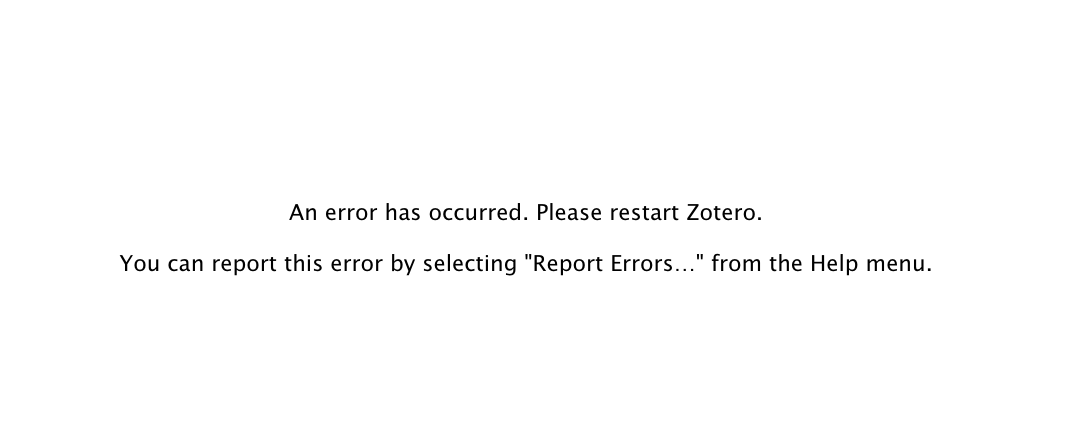
If I quit and restart Zotero, I get this in the library view:
Error log: Errors.txt
For now, reverting to BBT 5.4.14 works.
I'm on Mac OS Mojave.
 brienna
on 25 May 2021
brienna
on 25 May 2021
Actually mine looks exactly like @brienna
 jonnythemonster
on 25 May 2021
jonnythemonster
on 25 May 2021
The current test build isn't a full fix.
retorquere
on 25 May 2021
Can you go into the hidden prefs, look up extensions.zotero.translators.better-bibtex.citekeySearch, disable it, and restart Zotero?
retorquere
on 25 May 2021
Can you go into the hidden prefs, look up extensions.zotero.translators.better-bibtex.citekeySearch, disable it, and restart Zotero?
@retorquere It seems that nothing has changed.
gkwiatk
on 25 May 2021
To generate a full log, on macos or linux, you will need to do the following:
Type script on the command line. You will see
Script started, output file is typescript
and will be back at the prompt. There, type
/Applications/Zotero.app/Contents/MacOS/zotero -ZoteroDebugText
reproduce the error, and quit zotero. You should once again see the command prompt. Type exit, you will see
Script done, output file is typescript
and attach the file typescript it generated here.
retorquere
on 25 May 2021
Thanks for the instructions!
gkwiatk
on 25 May 2021
:robot: this is your friendly neighborhood build bot announcing test build 5.4.16.960 ("Merge branch 'gh-1811' into gh-1821")
Install in Zotero by downloading test build 5.4.16.960, opening the Zotero "Tools" menu, selecting "Add-ons", open the gear menu in the top right, and select "Install Add-on From File...".
github-actions[bot]
on 25 May 2021
I need a new log from 960. This will not fix it, I need more logging to see where the problem occurs.
retorquere
on 25 May 2021
5.4.16.960 still doesn't work for me
 xf15
on 25 May 2021
xf15
on 25 May 2021
Hi; I ran the log instructions to generate a file 'typescript'. Thanks for your work. Doug
typescript.txt
 GitHubDoug
on 25 May 2021
xf15
on 25 May 2021
GitHubDoug
on 25 May 2021
xf15
on 25 May 2021
The builds that will drop here will only be debug builds for now -- I still don't know what causes this.
This is driving me up the wall -- neither of those logs show any activity from BBT before the error hits.
retorquere
on 25 May 2021
I appreciate you guys being patient in helping suss out this problem. I wish I could replicate the problem on one of my systems, but I haven't been able to so far.
retorquere
on 25 May 2021
slight change: it's easier for me if the file is uploaded as
To generate a full log, on macos or linux, you will need to do the following:
Type script <your username>.txt on the command line. You will see
Script started, output file is <your username>.txt
and will be back at the prompt. There, type
/Applications/Zotero.app/Contents/MacOS/zotero -ZoteroDebugText
reproduce the error, and quit zotero. You should once again see the command prompt. Type exit, you will see
Script done, output file is <your username>.txt
and attach the file <your username>.txt it generated here
retorquere
on 25 May 2021
xf15
on 25 May 2021
We have activity! I'm trying to bisect where the problem could have occurred, but this helps massively.
retorquere
on 25 May 2021
Icanhazlog?
retorquere
on 25 May 2021
:robot: this is your friendly neighborhood build bot announcing test build 5.4.18.966 ("more logging")
Install in Zotero by downloading test build 5.4.18.966, opening the Zotero "Tools" menu, selecting "Add-ons", open the gear menu in the top right, and select "Install Add-on From File...".
github-actions[bot]
on 25 May 2021
xf15
on 25 May 2021
Ugh why is this so &^%@#&^%@# random! No BBT activity in that log before the error hits.
retorquere
on 25 May 2021
Anyone around here on discord? We can do much quicker turnaround that way. https://discord.gg/D6QsyJ74
retorquere
on 25 May 2021
I've narrowed down the problem to two candidate areas, if you have time, please drop by in the morning (EU time) on discord. I need to catch some ZZs right now.
retorquere
on 26 May 2021
Are you both on Windows? I have it reproducible on Windows.
I'm using the latest macOS.
Just as an FYI: I was having the same problem on Linux, so this is not just a Windows/MacOS issue. Downgrade to 5.4.14 has restored functioning again.
 TheVoroscope
on 26 May 2021
TheVoroscope
on 26 May 2021
Did you try the latest patch 5.4.18? It fixes the issue for me on macOS.
yhu266
on 26 May 2021
OK, will give it a go... 🤞
TheVoroscope
on 26 May 2021
Liftoff! 🚀
👍
TheVoroscope
on 26 May 2021
That's because it's 5.4.14 (check the addons pane) in disguise so as to not get every single BBT user on here.
I'm on discord. There's only two candidates for the problem now, but since I cannot reproduce the problem on any of my systems, I'll need help for the diagnosis. I'm on discord right now.
retorquere
on 26 May 2021
I try to join you later on in Discord. Unfortunately, the problem still exists for me. I cannot set a citation key and exporting is not possible.
jonnythemonster.txt
jonnythemonster
on 26 May 2021
Ah wait, I missed the new release. This one ist Working 🚀🚀🚀 Thanks man!
jonnythemonster.txt
jonnythemonster
on 26 May 2021
That's because it's actually 5.4.14 in disguise. But we're really close on discord.
retorquere
on 26 May 2021
:robot: this is your friendly neighborhood build bot announcing test build 5.4.18.968 ("this should be it")
Install in Zotero by downloading test build 5.4.18.968, opening the Zotero "Tools" menu, selecting "Add-ons", open the gear menu in the top right, and select "Install Add-on From File...".
github-actions[bot]
on 26 May 2021
Thank you. Working on PayPal contributions, your package is a major element of workflow in my group.
GitHubDoug
on 26 May 2021
super thanks for helping diagnose this one people! Tests for release are running.
retorquere
on 26 May 2021
@retorquere: I was just looking at
https://github.com/retorquere/zotero-better-bibtex/compare/v5.4.15...v5.4.16
https://github.com/retorquere/zotero-better-bibtex/compare/v5.4.15...master
clicking on "Files changed". There's this line which is probably unrelated to this issue, but it seems wrong, so you might want to change it:
brances.remote -> branches.remote.
(I was still on 5.4.15 when I read about the issue, so I didn't experience it.)
 qqobb
on 26 May 2021
qqobb
on 26 May 2021
Fixed, but indeed unrelated, it's a script I use the find stale branches.
retorquere
on 26 May 2021
retorquere
on 26 May 2021
(no need to manually install, it will update automatically, or you can request Zotero to update now)
retorquere
on 26 May 2021
Thank you so much for all the work maintaining this plugin!
clagms
on 26 May 2021
It is very much recommended to request to update now - while not catastrophic problems, fixing this issue also flushed out another bug, plus 5.4.19 has a rare addition of eye candy - see if you can find it ;)
retorquere
on 26 May 2021
Mind I have modest standards for what counts as eye candy - latex user after all.
retorquere
on 26 May 2021
Do you mean the "exporting" scroll bar near the top of the screen (for when it does auto-export)?
TheVoroscope
on 27 May 2021
That and the auto-exports show their progress, but for small exports they disappear pretty much before you'd notice them. It's mostly useful for people with fairly large exports.
Edit: for clarity's sake, because I would worry about the impression it might raise: this was already in the pipeline after the release of 5.4.16, so it got into the new release; I wouldn't have delayed a fix for #1821 to make this!
retorquere
on 27 May 2021
Related issues
 tea4or2wo
·
7Comments
tea4or2wo
·
7Comments
 Bubblbu
·
7Comments
Bubblbu
·
7Comments
 DrGo
·
6Comments
DrGo
·
6Comments
 SunHaozhe
·
3Comments
SunHaozhe
·
3Comments
 floriandierickx
·
5Comments
floriandierickx
·
5Comments
Most helpful comment
Thank you so much for all the work maintaining this plugin!