Zotero-better-bibtex: BetterBibTeX is exported to a wrong location if file path contains ampersand
Looks like one of the recent updates either in Zotero or this extension broke Better BibTeX exports into folders that contain & (at least on macOS). Repro steps are provided below.
Report ID:
~D692026383~
CQ6EWN7A-euc
Exporter used:
_Better BibTeX_
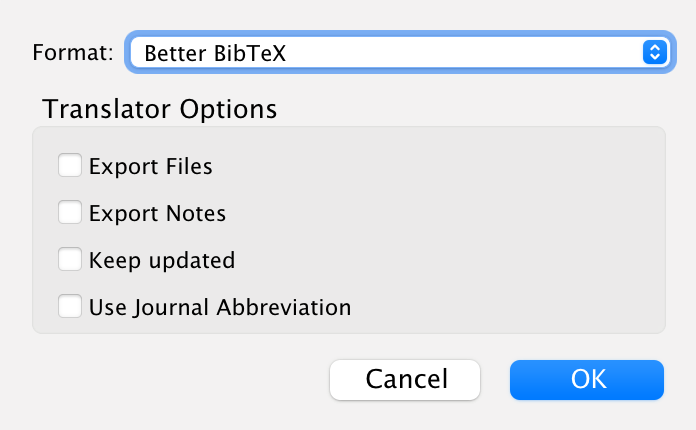
Expected behavior:
Check versions: _Zotero 5.0.96.1_, _Better BibTeX for Zotero 5.2.126_
Create two folders:
~/Desktop/zotero-export-mwe/hello world~/Desktop/zotero-export-mwe/hello&world
Export _My Library.bib_ twice via _Zotero_ → _Export library..._ → _Better BibTeX_:
~/Desktop/zotero-export-mwe/hello world/My Library.bib~/Desktop/zotero-export-mwe/hello&world/My Library.bib
Observe two new files on the disk in the expected locations.
Actual behavior:
Paths of two new files are:
~/Desktop/zotero-export-mwe/hello world/My Library.bib~/Desktop/zotero-export-mwe/hello.bib⚠️
Looks like & (and possibly other special chars) break the output path.
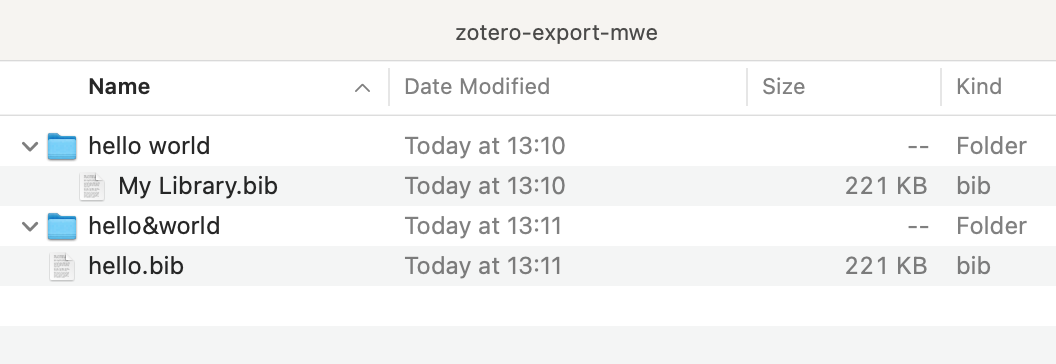
I was able to reproduce this behavior on two machines, one with macOS Big Sur and another with macOS Catalina. The bug looks like something pretty new – it was spotted about 7-10 days ago when Zotero stopped auto-updating a bib file in the thesis folder. Interestingly, when the extension is disabled and I export a normal bib, the problem with ampersand does not repeat.
 kachkaev
All 9 comments
It looks like you did not upload an debug report. The debug report is important; it gives @retorquere your current BBT settings and a copy of the problematic reference as a test case so he can best replicate your problem. Without it, @retorquere is effectively blind. Debug reports are useful for both bug analysis and enhancement requests; in the case of export enhancements, I need the copy of the references you have in mind.
If you did try to submit a debug report, but the ID looked like D<number>, that is a Zotero debug report, which I cannot access. Please re-submit a BBT debug log by one of the methods below.
This request is much more likely than not to apply to you, too, _even if you think it unlikely_, and even if it does not, there's no harm in sending a debug log that turns out to be unnecessary. @retorquere will more often than not just end up saying "please send a debug log first". Let's just skip over the unnecesary delay this entails. Sending a debug log is very easy:
If your issue relates to how BBT behaves around a specific reference(s), such as citekey generation or export, select at least one of the problematic reference(s), right-click it, and submit an BBT debug report from that popup menu. If the problem is with export, please do include a sample of what you see exported, and what you expected to see exported for these references.
If the issue does not relate to references and is of a more general nature, generate an debug report by restarting Zotero with debugging enabled (Help -> Debug Output Logging -> Restart with logging enabled), reproducing your problem, and selecting "Send Better BibTeX debug report..." from the help menu.
Once done, you will see a debug ID in red. Please post that debug id in the issue here.
Thank you!
![label-gun[bot] picture](https://avatars.githubusercontent.com/in/8859?v=4&s=40) label-gun[bot]
on 14 Mar 2021
label-gun[bot]
on 14 Mar 2021
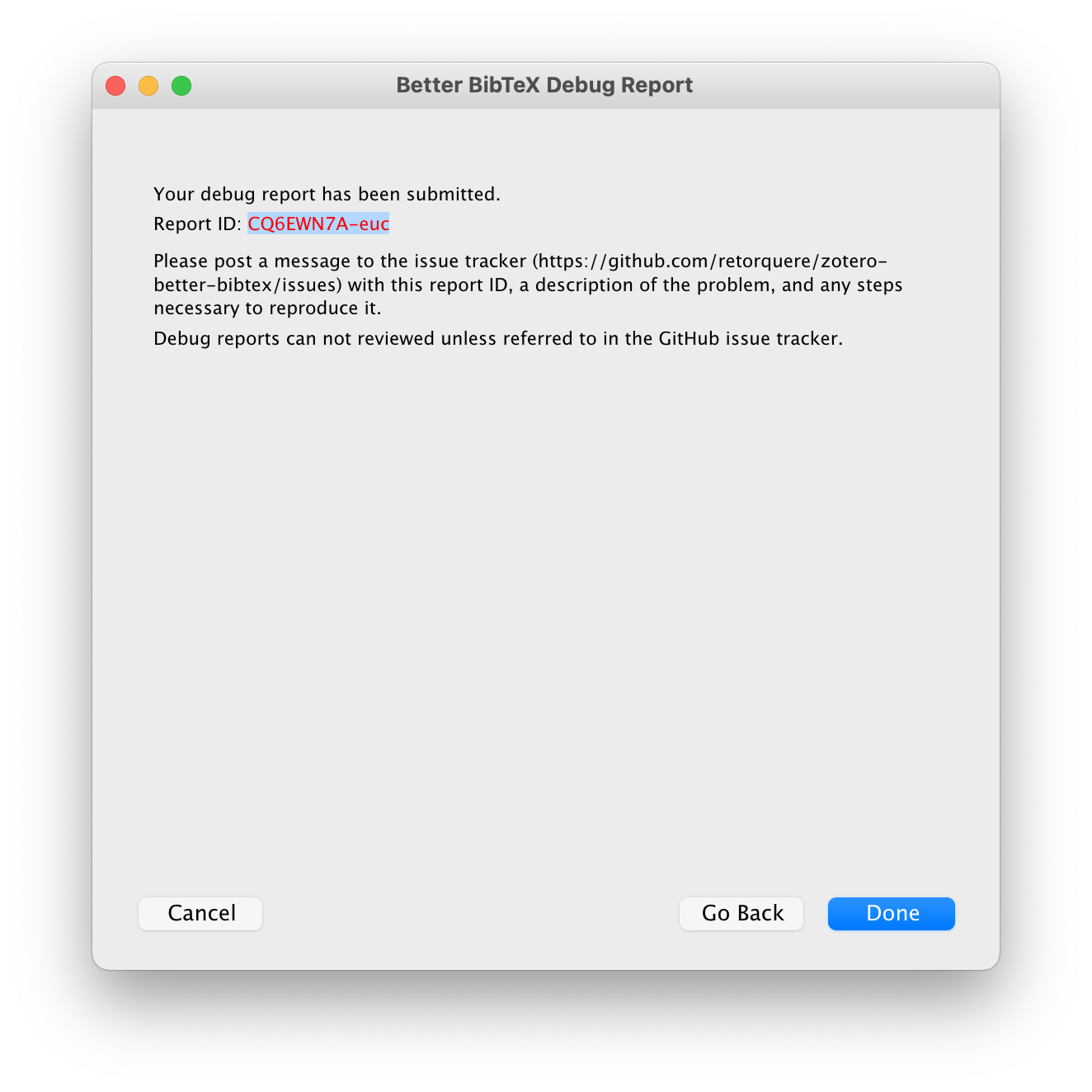
Sorry, I initially did not get the difference between Zotero reports and extension reports. Got the new report now, hope it is correct:
CQ6EWN7A-euc
kachkaev
on 14 Mar 2021
I can't find any "hello world" or "hello&world" mentions in the log file. What is the actual path you tried to save to?
 retorquere
on 14 Mar 2021
retorquere
on 14 Mar 2021
Wait, never mind, I see it happening now.
retorquere
on 14 Mar 2021
:robot: this is your friendly neighborhood build bot announcing test build 5.2.126.527 ("encodeURIComponent rather than encodeURI")
Install in Zotero by downloading test build 5.2.126.527, opening the Zotero "Tools" menu, selecting "Add-ons", open the gear menu in the top right, and select "Install Add-on From File...".
![github-actions[bot] picture](https://avatars.githubusercontent.com/in/15368?v=4&s=40) github-actions[bot]
on 14 Mar 2021
github-actions[bot]
on 14 Mar 2021
build 527 fixes it
retorquere
on 14 Mar 2021
Does 527 work for you?
retorquere
on 15 Mar 2021
Hi @retorquere! Sorry for a slight delay with the response. I just tried test build 5.2.126.527 and it worked 🎉
Many thanks for your quick fix and for maintaining the extension in general! 🙌
I’m going to keep the issue open as I don’t know when exactly you usually close them. However, I consider it resolved for myself 🙂
kachkaev
on 15 Mar 2021
Thanks for the confirmation, and yes, I like to keep issues open until I've merged them into the main release. Normally I'd do that tonight but GH has an outage, so my release pipeline is down right now.
retorquere
on 15 Mar 2021
Related issues
 TilmanHartley
·
6Comments
TilmanHartley
·
6Comments
 rolandproducts
·
5Comments
rolandproducts
·
5Comments
 richarddmorey
·
7Comments
richarddmorey
·
7Comments
 floriandierickx
·
5Comments
floriandierickx
·
5Comments
 alisonketz
·
6Comments
alisonketz
·
6Comments