Zotero-better-bibtex: Latest version stuck in "Waiting for Zotero translators"
Report ID:
V8V8CG2V-euc
Expected behavior:
Booting up Zotero and loading/initializing BBT
Actual behavior:
Stuck in "Waiting for Zotero translators" step.
Workaround while @retorquere looks for a fix:
Go into Zotero's hidden preferences, toggle automaticScraperUpdates from true to false, and restart Zotero.
 jrennstich
All 111 comments
Can you check whether the Zutilo option Copy item fields (you'll have to enable it in the Zutilo preferences) shows up for you in the right-click menu? Does it show up if you uninstall BBT and restart?
 retorquere
on 17 Aug 2020
retorquere
on 17 Aug 2020
Same problem here, thanks @jrennstich for reporting.
Copy item fiels does not show up with BBT but does show up when BBT is disabled.
 tea4or2wo
on 17 Aug 2020
tea4or2wo
on 17 Aug 2020
This looks to be a dup for #1620 and that just went away when plugins were enabled/disabled, so I'm not yet sure whether BBT actually causes this (or how BBT could). A build will drop here shortly that will push out the BBT init to the last phase of Zotero startup, but that also means there's a longer window where Zotero will seem operational but BBT isn't yet.
retorquere
on 17 Aug 2020
:robot: this is your friendly neighborhood build bot announcing test build 5.2.56.7002 ("man I hate the Z init procedure")
Install in Zotero by downloading test build 5.2.56.7002, opening the Zotero "Tools" menu, selecting "Add-ons", open the gear menu in the top right, and select "Install Add-on From File...".
 blip-bloop
on 17 Aug 2020
blip-bloop
on 17 Aug 2020
@daeh, @tea4or2wo, @jrennstich can you try 7002?
retorquere
on 17 Aug 2020
Same issue here, with the latest build.
Zotero ID : 395876455
BBT ID : YR7J9FZ3-euc
 weber-s
on 17 Aug 2020
weber-s
on 17 Aug 2020
I can't access Zotero IDs. Nothing of note in YR7J9FZ3-euc. Can you try disabling sync and starting again?
retorquere
on 17 Aug 2020
:robot: this is your friendly neighborhood build bot announcing test build 5.2.56.7003 ("lock tracing")
Install in Zotero by downloading test build 5.2.56.7003, opening the Zotero "Tools" menu, selecting "Add-ons", open the gear menu in the top right, and select "Install Add-on From File...".
blip-bloop
on 17 Aug 2020
I had the same issue but was able to resolve the issue by removing the extension from Zotero and then reinstalling BBT 5.2.56 and restarting Zotero. Copy item fields does show for me in the right-click context menu when enabled in Zutilo.
 stuartsoorholtz
on 17 Aug 2020
stuartsoorholtz
on 17 Aug 2020
I'm not really happy with that as it stands though. 7003 adds more tracing to the startup sequence, I'd appreciate a new log that replicates the problem. It's must be a race condition of sorts.
retorquere
on 17 Aug 2020
If "copy item fields" shows, the crucial lock (promise, technically) has been resolved, so then bbt will start too.
retorquere
on 17 Aug 2020
I'll definitely submit a log if the issue returns, but so far it has not.
 daeh
on 17 Aug 2020
daeh
on 17 Aug 2020
I really do hate transient errors. I'm going to bake the lock tracing into the next release because this won't be the last time I see this if 4 people in quick succession report this.
retorquere
on 17 Aug 2020
Does removing zutilo allow BBT to start? I see that zutilo doesn't wait for the all-clear promise from zotero for the majority of its functionality.
retorquere
on 18 Aug 2020
That enabling/disabling works can also be because it changes the load order of plugins. If something disturbs the startup and therefore the all-clear promise is never resolved, that would explain what we're seeing here, If BBT starts first.
retorquere
on 18 Aug 2020
Thanks for looking so actively into this! Alas, no change here from my side. I have disabled all extension (including the plug-ins for LibreOffice/Word), now I am stuck with the message "Waiting for Zotero database ..."
Report ID: YF88WXB8-euc
I can also confirm the solution provided by @stuartsoorholtz — thanks for that! — here's the report after deinstallation of BBT, reinstall of BBT 5.2.56.7003:
Report ID: 858TJZH5-euc
jrennstich
on 18 Aug 2020
Hello!
7003 solved it for me! Thank you very much for your very quick support!
Report ID : 6RRWLGA9-euc
weber-s
on 18 Aug 2020
Thanks for looking so actively into this! Alas, no change here from my side. I have disabled all extension (including the plug-ins for LibreOffice/Word), now I am stuck with the message "Waiting for Zotero database ..."
Did you restart after disabling? Without a restart, most plugins would still be running.
Report ID: YF88WXB8-euc
That shows a lot of activity that seem to relate to sync, and yet again the promise not resolving.
I can also confirm the solution provided by @stuartsoorholtz — thanks for that! — here's the report after deinstallation of BBT, reinstall of BBT 5.2.56.7003:
Report ID: 858TJZH5-euc
But that also shows the same kind of activity with BBT starting normally. So no further clues yet.
Does anyone still have a failing startup? If so, does removing Zutilo and restarting solve it?
retorquere
on 18 Aug 2020
Did you restart after disabling? Without a restart, most plugins would still be running.
If you mean restarting the app: y. If you mean restarting the MPB: n.
Does anyone still have a failing startup? If so, does removing Zutilo and restarting solve it?
I don't get the error after I have reinstalled BBT w 7003. Should I still give this a try and send the report?
jrennstich
on 18 Aug 2020
7003 solved it for me too! Thanks a lot for great support.
tea4or2wo
on 18 Aug 2020
@jrennstich I meant restart (cmd-q and restart if on Mac) of zotero only.
No, if BBT currently starts as normal, no log needed. I wish I could replicate this problem. I'm pretty sure that if Zutilo would wait on the same promise the problem would be solved - I had the exact same problem with odf/rtf scan and there an added wait for the all-clear promise solved the matter.
retorquere
on 18 Aug 2020
@tea4or2wo 7003 only added logging, didn't solve anything as such.
retorquere
on 18 Aug 2020
If it happens again: try uninstalling Zutilo and restarting Zotero. If that allows BBT to restart, here is a Zutilo 3.5.0 that waits for the all-clear promise before starting up. If that works, I can submit a pull request to Zutilo.
retorquere
on 18 Aug 2020
After temporarily resolving the issue (per my previous comment), I was able to replicate the issue.
I then disabled Zutilo, restarted Zotero with logging enabled, and the issue persisted. I then submitted BBT report with ID: UQVSC5YY-euc
stuartsoorholtz
on 18 Aug 2020
I have now also fully uninstalled Zutilo, restarted Zotero with logging enabled, and the issue still persists. Here is the BBT report for this scenario: XRFFWM88-euc
stuartsoorholtz
on 18 Aug 2020
I need a trace from 7003
retorquere
on 18 Aug 2020
I realized my previous two comments were regarding the 5.2.56 release and not 5.2.56.7003 with the updated logging. I subsequently uninstalled BBT, restarted Zotero, installed BBT 5.2.56.7003, then restarted Zotero with logging enabled. Upon startup of Zotero, the issue is not present. Also note that Zutilo was not installed during this test. I restarted Zotero again (for good measure) and the issue was still not present.
I proceeded to reinstall Zutilo 3.5.0, restarted Zotero, and the issue was not present. Once again, I restarted Zotero and the issue was still not present. I submitted a BBT report for good measure with ID: 5SQE2QA7-euc
stuartsoorholtz
on 18 Aug 2020
That may mean the late-start I added in 7003 actually does make a difference. I've scheduled a release with that just now on the off chance it does something.
retorquere
on 18 Aug 2020
:robot: this is your friendly neighborhood build bot announcing test build 5.2.57.7009 ("Merge branch 'master' into gh-1622")
Install in Zotero by downloading test build 5.2.57.7009, opening the Zotero "Tools" menu, selecting "Add-ons", open the gear menu in the top right, and select "Install Add-on From File...".
blip-bloop
on 18 Aug 2020
7009 is only useful if the problem reappears. It still has more logging than the 5.2.57 release.
retorquere
on 18 Aug 2020
Still doesn't mean the problem is solved necessarily because installing and re-installing could alter the load order of plugins. But if it works, it works.
retorquere
on 18 Aug 2020
Issue is back for me J2DJX2VC-euc.
daeh
on 18 Aug 2020
And with:
- Zutilo uninstalled?
- Zutilo replaced with the version from https://github.com/retorquere/Zutilo/releases/tag/v3.5.0 (which has the promise wait in it)
retorquere
on 18 Aug 2020
Hold on: can you instead disable the hidden preference automaticScraperUpdates?
retorquere
on 18 Aug 2020
@daeh please don't change anything about your setup (in contrast with what I said before, please _do not_ uninstall Zutilo) except this setting. I can't replicate the problem unfortunately but your log explains why BBT doesn't start. With that setting at false, that path won't be taken in Zotero, and the promise should clear. If this is indeed the problem then a) you should be able to toggle the problem on and off (with restarts of Zotero of course) at will, and b) I have something definite I can bring to the Zotero devs.
Maddening these non-reproducible problems.
retorquere
on 18 Aug 2020
disabling automaticScraperUpdates did seem to allow BBT to load (no other changes, Zutilo still enabled, etc.) LRRLS75K-euc
daeh
on 18 Aug 2020
Progress at last. I reckon turning it back on would have the problem come back. I'll have to trawl through the Zotero sources to see why this could be. You could do me a major favor if you could check if turning it on indeed brings the problem back, then disable BBT but keep Zutilo enabled and see if after a restart Copy item fields is available.
retorquere
on 18 Aug 2020
This also explains why it happens sporadically BTW. Still spelunking the Zotero code.
retorquere
on 18 Aug 2020
Unfortunately it doesn't seem quite that binary. Initialization seemed to go fine after I put automaticScraperUpdates back on: XVHKMH3M-euc. Seems kind of like how disabling and reenabling all the add-on provided a temporary fix.
daeh
on 18 Aug 2020
I first noticed the message "Waiting for Zotero translators" would not go away yesterday.
I wasn't bothered by the message popup, but soon realised that Zotero's browser add-on was no longer working properly, which got my attention.
I tried the following (in this order):
- At first, before I found this issue, I followed the tip in #1313 to reset the translators and restart Zotero. That made the startup message freeze at "Waiting for Zotero database" instead, but otherwise didn't fix the problem.
- I then discovered this issue, and decided to upgrade BBT to test build 7009 and restart Zotero (in between these steps, BBT had upgraded itself to v5.2.57). But from the looks of things, nothing has changed. Still can't add papers to Zotero from the web browser, and the "Better BibtTeX: Initializing" message never goes away after restart.
Bibtex report ID: 6Q4ET4LN-euc
Meta: I was going to ask how to change automaticScraperUpdates when I saw @retorquere's explanation in #1623, so I did that just now:
- I went into Zotero's hidden preferences, toggled
automaticScraperUpdatesfromtruetofalse, and restarted Zotero. And now Zotero started as usual! This appears to have fixed the problem.
Luckily I did the restart with logging enabled, and so I have sent in a second Bibtex debug report: AW7YYDK5-euc
(the only difference between this one and the one above should be automaticScraperUpdates). I hope there's some difference between them that helps you pinpoint this issue.
If I may, I would like to say that it's been amazing following everyone's efforts on this issue in "real-time". Thank you all :-)
 solarchemist
on 19 Aug 2020
solarchemist
on 19 Aug 2020
Super thanks -- it looks like we've successfully narrowed down the place it happens. I still have no idea why it happens though. I've asked for help on the Zotero dev forums but that usually takes a while to get a response.
retorquere
on 19 Aug 2020
7011 allows picking an earlier phase in the Zotero startup that does (so far) consistently resolve by setting the hidden pref patientStart to false, and then automaticScraperUpdates can go back on.
If anyone can replicate a situation with 7011 with patientStart off, automaticScraperUpdates on, and with Zutilo not showing Copy item details (meaning Zotero's `schemaUpdatePromise, the culprit promise, did not resolve), I'd very much like to hear about that.
retorquere
on 19 Aug 2020
:robot: this is your friendly neighborhood build bot announcing test build 5.2.57.7011 ("actually release the early start code")
Install in Zotero by downloading test build 5.2.57.7011, opening the Zotero "Tools" menu, selecting "Add-ons", open the gear menu in the top right, and select "Install Add-on From File...".
blip-bloop
on 19 Aug 2020
FYI -- any build that drops in an issue has run through (and passed) the full test suite that I run for a formal release. I'm not asking risky installs, the debug builds are very conservative and usually are simply rebadged as a formal release.
retorquere
on 19 Aug 2020
Restarted Zotero after installing 7011. Here's the report first the hidden settings unchanged (BBT never progressed beyond waiting for database), then changed hidden settings as instructed
If anyone can replicate a situation with 7011 with patientStart off, automaticScraperUpdates on, and with Zutilo not showing Copy item details
Now it hangs at "Loading journal abbreviator"
Report ID: 5XI797U6-euc
I did not change anything about Zutilo. Here's the report with Zutilo disabled. Same result (hangs at "Loading journal abbreviator")
Report ID: 55B46HHV-euc
Should I leave the changed settings in the hidden preferences or change them back?
jrennstich
on 19 Aug 2020
Just chiming in here for another data point. I had the same issue. I reinstalled Zotero, but that did not help. Then I toggled automaticScraperUpdates from true to false in Hidden preferences, and restarted Zotero. This fixed the problem. Then I turned them back on, and the problem is still fixed.
One note: turning this setting off allowed zotero to install new Better BibTex translators. Could this perhaps be why it hung? They were trying to get installed and couldn't? And then once they were everything worked fine? So perhaps the issue only occurs when new translators are available for install. Could be unrelated, but just a thought.
 lmcook88
on 19 Aug 2020
lmcook88
on 19 Aug 2020
Just chiming in here for another data point. I had the same issue. I reinstalled Zotero, but that did not help. Then I toggled automaticScraperUpdates from true to false in Hidden preferences, and restarted Zotero. This fixed the problem. Then I turned them back on, and the problem is still fixed.
One note: turning this setting off allowed zotero to install new Better BibTex translators. Could this perhaps be why it hung? They were trying to get installed and couldn't? And then once they were everything worked fine? So perhaps the issue only occurs when new translators are available for install. Could be unrelated, but just a thought.
Thanks, I can confirm this also worked for me.
jrennstich
on 19 Aug 2020
:robot: this is your friendly neighborhood build bot announcing test build 5.2.57.7013 ("back to late start")
Install in Zotero by downloading test build 5.2.57.7013, opening the Zotero "Tools" menu, selecting "Add-ons", open the gear menu in the top right, and select "Install Add-on From File...".
blip-bloop
on 19 Aug 2020
Now it hangs at "Loading journal abbreviator"
Well that's no good either.
turning this setting off allowed zotero to install new Better BibTex translators. Could this perhaps be why it hung?
No, Zotero for some reason never gets to the point where it gives the all-clear to start, and when that option is off, the path through the Zotero code that's right before the all-clear (where it gets stuck) doesn't get called, so I get the all clear, and BBT starts. BBT is just dutifully waiting for the all-clear before doing anything at all, including installing translators.
7013 goes back to the behavior where turning off automaticScraperUpdates would allow BBT to proceed. I need to dive back into that piece of Zotero code.
retorquere
on 19 Aug 2020
7014 adds more logging to narrow down the place where it happens.
retorquere
on 19 Aug 2020
:robot: this is your friendly neighborhood build bot announcing test build 5.2.57.7014 ("more lock tracing")
Install in Zotero by downloading test build 5.2.57.7014, opening the Zotero "Tools" menu, selecting "Add-ons", open the gear menu in the top right, and select "Install Add-on From File...".
blip-bloop
on 19 Aug 2020
If one of you experiences the problem again, I'd appreciate it if you could shut down zotero (that cmd-q your the Mac crowd) and get me a copy of your full profile (not the storage dir). Whatever trips this, I can't replicate it.
retorquere
on 19 Aug 2020
Oh shit wait no: just the zotero db, not the full profile! Maybe I can replicate it with the db only, and your full profile has your sync password, and I do not want that.
retorquere
on 19 Aug 2020
Hello,
I have the issue in the 5.2.57 version. Which DB do you want?
report ID : 2NWXKMU4-euc
weber-s
on 19 Aug 2020
Zotero.sqlite
retorquere
on 19 Aug 2020
The weird thing is that if zotero does actually start up correctly, the problem should be gone. It's never finishing because for some reason the fetch of new zotero styles and translators never returns, but if it actually does when bbt is not installed, the next bbt-less start should fix it even if BBT is then reenabled, because styles and translators don't change every few minutes.
The problem is that it's hard to tell whether zotero actually clears this point because zotero itself doesn't wait on this promise as far as I can tell. Everything will look good in Zotero itself even if it fails this part.
Super duper frustrating.
retorquere
on 19 Aug 2020
Installed 7014. Restarted Zotero (Cmd-Q). Zotero boots up, with no infoboxes from BBT (in the bottom right corner). I had switched automaticScraperUpdates back to true. I am not able to open the "Send BBT debug" menu. Also, BBT only shows the selection dialog, but none of the other options it usually does
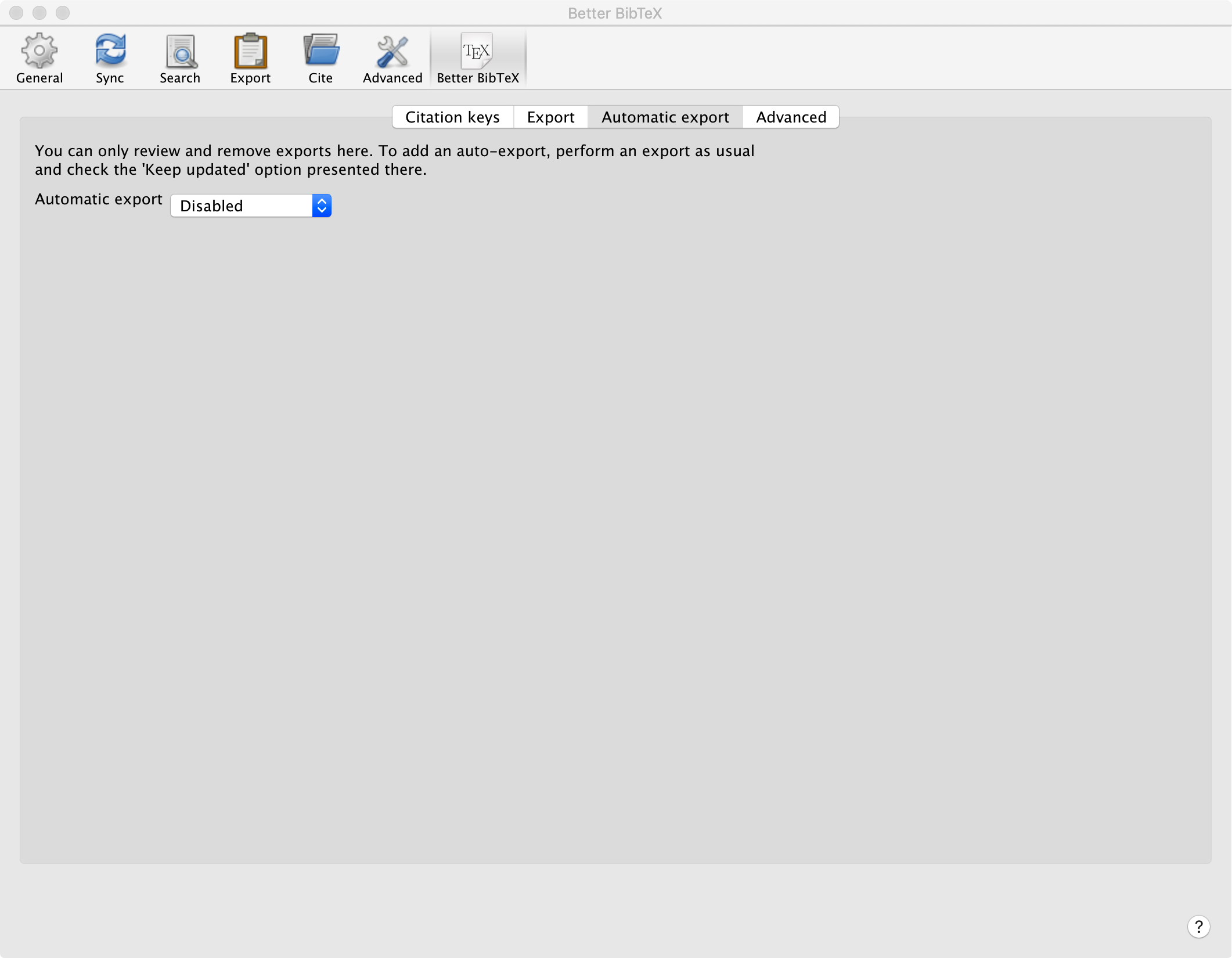
So I cannot post a Report ID :(
Turned automaticScraperUpdates back on. No change. Exact same behavior. What next? Do you need my (rather large) db?
jrennstich
on 19 Aug 2020
Installed 7013 instead. Works as it should. automaticScraperUpdates is false.
Report ID: T2VWEQ63-euc
Here's automaticScraperUpdates set to true. No change in behavior.
Report ID: RR2MEFL7-euc
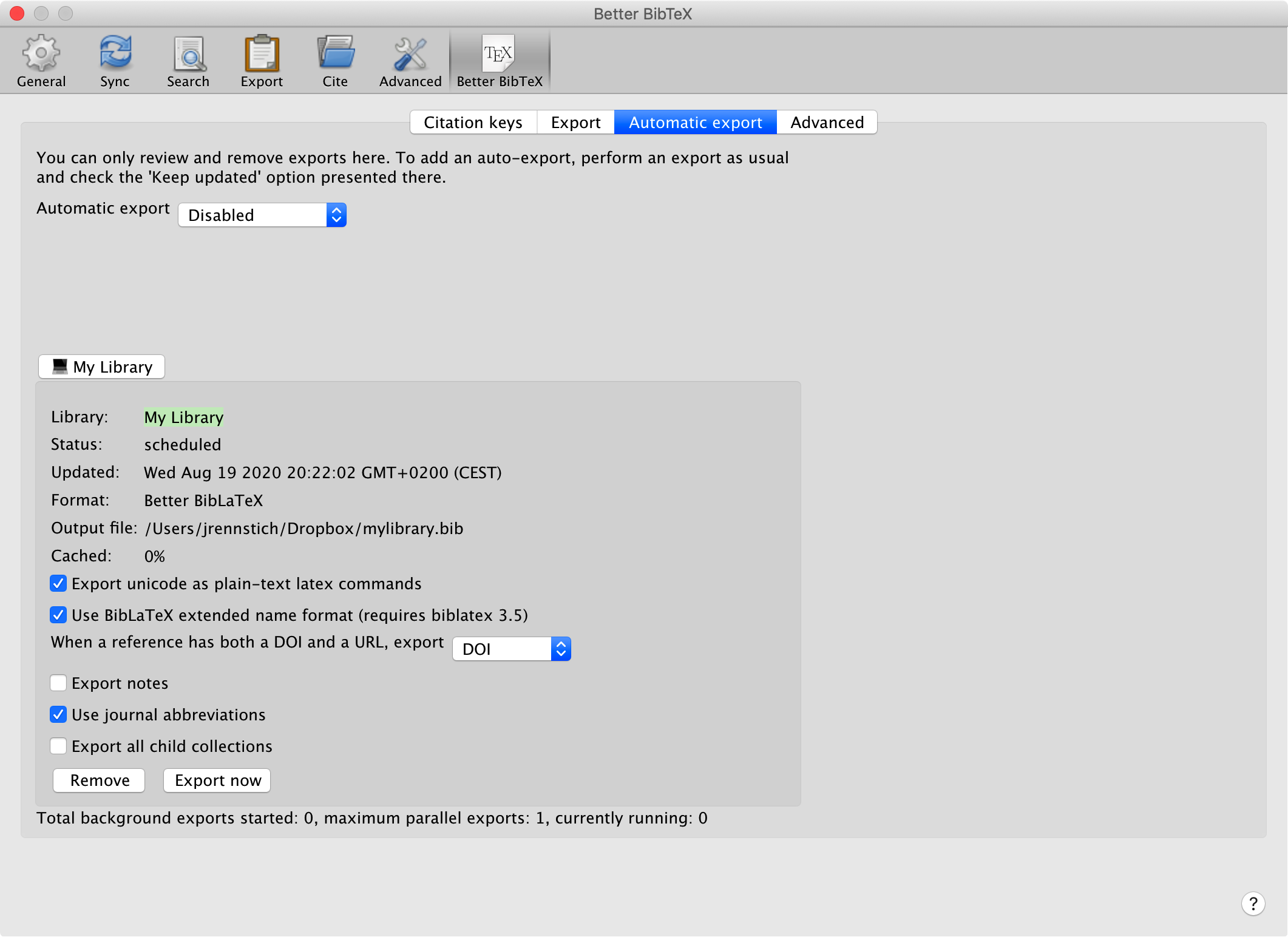
Dialog box back to normal. Only, I have noticed a change in the size even before the latest troubles. There much open space on the right-hand side. Has occurred since last week or two, not sure anymore.
jrennstich
on 19 Aug 2020
Yes please, a copy of the db would be helpful. Can you look in the zotero debug log if it shows errors? They'll be at the top.
retorquere
on 19 Aug 2020
What's the Google dropbox link you have again for posting files?
jrennstich
on 19 Aug 2020
retorquere
on 19 Aug 2020
(3)(+0000000): Using data directory /Users/jrennstich/Zotero
(3)(+0000004): IPC: Initializing pipe at /Users/jrennstich/Zotero/pipes/1597862360089
(3)(+0000003): Asynchronously opening database 'zotero'
(3)(+0000000): /Users/jrennstich/Zotero/zotero.sqlite
(3)(+0000000): Proxy not required for https://zoteroproxycheck.s3.amazonaws.com/test
(3)(+0000001): HTTP GET resource://zotero/schema/global/schema.json
(3)(+0000002): HTTP GET resource://zotero/schema/global/schema.json succeeded with 200
(3)(+0000001): Database is up to date with global schema version 11 -- skipping update
(3)(+0000000): HTTP GET resource://zotero/schema/userdata.sql
(3)(+0000000): HTTP GET resource://zotero/schema/userdata.sql succeeded with 200
(3)(+0000001): HTTP GET resource://zotero/schema/system.sql
(3)(+0000001): HTTP GET resource://zotero/schema/system.sql succeeded with 200
(3)(+0000000): Updating custom tables
(3)(+0000002): HTTP GET resource://zotero/schema/userdata.sql
(3)(+0000002): HTTP GET resource://zotero/schema/userdata.sql succeeded with 200
(3)(+0000001): HTTP GET resource://zotero/schema/triggers.sql
(3)(+0000000): HTTP GET resource://zotero/schema/triggers.sql succeeded with 200
(3)(+0000000): Updating custom tables
(3)(+0000002): {better-bibtex} +null Startup progress: Zotero locks after 515: Zotero.uiReadyPromise: pending , Zotero.Schema.schemaUpdatePromise: pending
(3)(+0000001): Running unlock callbacks
(3)(+0000000): HTTP server listening on 127.0.0.1:23119
(3)(+0000002): Registering auto-sync idle observer
(3)(+0000000): Registering URIContentListener
(3)(+0000001): Getting contents of /Users/jrennstich/Zotero/locate/engines.json
(3)(+0000001): PluginInstaller: fetching addon info
(3)(+0000001): PluginInstaller: addon info fetched
(3)(+0000001): PluginInstaller: fetching addon info
(3)(+0000000): PluginInstaller: addon info fetched
(3)(+0000000): {better-bibtex} +554 Startup progress: Zotero locks after 1069: Zotero.uiReadyPromise: pending , Zotero.Schema.schemaUpdatePromise: pending
(1)(+0000001): Unknown item type 'nsfReviewer'
(1)(+0000000): Unknown item type 'nsfReviewer'
(3)(+0000262): Loading collection relations
(3)(+0000000): Loaded collection relations in 1 ms
(3)(+0000000): Loading item relations
(3)(+0000597): Loaded item relations in 597 ms
(3)(+0000001): {better-bibtex} +893 Startup progress: Zotero locks after 1962: Zotero.uiReadyPromise: pending , Zotero.Schema.schemaUpdatePromise: pending
(3)(+0000002): {better-bibtex} +1876 Startup progress: Zotero locks after 3838: Zotero.uiReadyPromise: pending , Zotero.Schema.schemaUpdatePromise: pending
(3)(+0000077): Getting contents of /Users/jrennstich/Library/Application Support/Zotero/Profiles/oxt32dqe.default/retractions.json
(3)(+0000001): Loading synced settings for library 1
(3)(+0000001): Loading all collections in My Library
(3)(+0000001): Loading primaryData for collections in My Library
(3)(+0000003): Loaded primaryData in My Library in 3 ms
(3)(+0000001): Loading childCollections for collections in My Library
(3)(+0000002): Loaded childCollections in My Library in 2 ms
...
jrennstich
on 19 Aug 2020
[JavaScript Error: "Style with ID http://www.zotero.org/styles/apa already loaded from apa.csl" {file: "chrome://zotero/content/xpcom/style.js" line: 178}]
Zotero.Styles@chrome://zotero/content/xpcom/style.js:178:15
tryCatcher@resource://zotero/loader.jsm -> resource://zotero/bluebird/util.js:16:16
module.exports/PromiseSpawn.prototype._promiseFulfilled@resource://zotero/loader.jsm -> resource://zotero/bluebird/generators.js:97:18
module.exports/Promise.prototype._settlePromise@resource://zotero/loader.jsm -> resource://zotero/bluebird/promise.js:574:17
module.exports/Promise.prototype._settlePromise0@resource://zotero/loader.jsm -> resource://zotero/bluebird/promise.js:614:5
module.exports/Promise.prototype._settlePromises@resource://zotero/loader.jsm -> resource://zotero/bluebird/promise.js:693:13
Async.prototype._drainQueue@resource://zotero/loader.jsm -> resource://zotero/bluebird/async.js:133:13
Async.prototype._drainQueues@resource://zotero/loader.jsm -> resource://zotero/bluebird/async.js:143:5
Async/this.drainQueues@resource://zotero/loader.jsm -> resource://zotero/bluebird/async.js:17:9
Warning: NetUtil.newChannel(uri) deprecated, please provide argument 'aWhatToLoad'
jrennstich
on 19 Aug 2020
Dialog box back to normal. Only, I have noticed a change in the size even before the latest troubles. There much open space on the right-hand side. Has occurred since last week or two, not sure anymore.
That's because XUL is finicky and poorly documented. But it doesn't cause any of this.
retorquere
on 19 Aug 2020
(debug logs only help when the problem occurs BTW)
retorquere
on 19 Aug 2020
It's uploading. 2.3G take a while...
jrennstich
on 19 Aug 2020
[JavaScript Error: "Style with ID http://www.zotero.org/styles/apa already loaded from apa.csl" {file: "chrome://zotero/content/xpcom/style.js" line: 178}]
Alas, that's just an informative message, it doesn't actually interrupt anything.
retorquere
on 19 Aug 2020
It's uploading. 2.3G take a while...
Posted.
jrennstich
on 19 Aug 2020
Can I also get your better-bibtex.sqlite (as always, cmd-q Zotero before copying)
retorquere
on 19 Aug 2020
Can you guys install https://transfer.sh/nFBSy/schema-log.xpi ? It does nothing expect putting up a notification that tells you when the promise of interest resolves. If at some point you have this problem and it appears to go away when BBT is disabled, this will let you know if the problem actually still occurs.
retorquere
on 19 Aug 2020
Can I also get your better-bibtex.sqlite (as always, cmd-q Zotero before copying)
Sent
jrennstich
on 19 Aug 2020
Installed the log-extension:
[Exception... "Component returned failure code: 0x80004005 (NS_ERROR_FAILURE) [nsIAppShellService.hiddenDOMWindow]" nsresult: "0x80004005 (NS_ERROR_FAILURE)" location: "JS frame :: chrome://zotero/content/xpcom/zotero.js :: this.init< :: line 234" data: no]
this.init<@chrome://zotero/content/xpcom/zotero.js:234:15
From previous event:
ZoteroService@file:///Applications/Zotero.app/Contents/Resources/components/zotero-service.js:352:7
startup@resource://gre/modules/addons/XPIProvider.jsm -> jar:file:///Users/jrennstich/Library/Application%20Support/Zotero/Profiles/oxt32dqe.default/extensions/[email protected]!/bootstrap.js:13:12
callBootstrapMethod@resource://gre/modules/addons/XPIProvider.jsm:4446:20
startup@resource://gre/modules/addons/XPIProvider.jsm:2253:13
callProvider@resource://gre/modules/AddonManager.jsm:253:12
_startProvider@resource://gre/modules/AddonManager.jsm:728:5
startup@resource://gre/modules/AddonManager.jsm:892:9
startup@resource://gre/modules/AddonManager.jsm:2981:5
observe@jar:file:///Applications/Zotero.app/Contents/Resources/omni.ja!/components/addonManager.js:63:9
jrennstich
on 19 Aug 2020
Can't boot Zotero anymore. What do I do? I only get an error box with the content posted and then I am given the option to update or Quit. In both cases, Zotero quits in the end. (Software update searches for an update, after clicking "OK" it quits Zotero).
How can I boot up Zotero again?
jrennstich
on 19 Aug 2020
I have no idea why this happens -- it starts without issue for me. I'm on it to find out how to remove it!
retorquere
on 19 Aug 2020
I have _no_ idea why this happens -- it starts without issue for me. I'm on it to find out how to remove it!
I deleted the extension from the Profiles folder in my Application Support folder. Zotero runs again.
jrennstich
on 19 Aug 2020
I was just going to say that. Thanks!
retorquere
on 19 Aug 2020
OK I now have that reproducible too. Forget schema-log for now, I'm pitching that back to the zotero devs.
retorquere
on 19 Aug 2020
I think I have it reproducible with your DB.
retorquere
on 19 Aug 2020
Well... good news and bad news I guess. With your DB I can indeed reproduce the problem. And while the resolving up the all-clear takes very long with your DB (12+ seconds), with BBT it doesn't seem to clear at all. On it. But I really yet don't know WTF is going on. I can trace the execution to the point it still works (in the Zotero code that is), and then the line after it just looks like it never reaches that point.
retorquere
on 20 Aug 2020
Seems like a vanishing spell to me. But then again, I've been listening to a lot of Harry Potter lately. Jim Dale. Highly recommended.
jrennstich
on 20 Aug 2020
Just arrived here when searching for a solution. I am running Zotero 5.0.89 and BBT 5.2.57, all under macOS. Setting automaticScraperUpdates to false does not fix this for me.
 khinsen
on 20 Aug 2020
khinsen
on 20 Aug 2020
I'll need a log from 7014, because if that doesn't work as a workaround, there's a different cause, and 7014 adds logging that should give me more info on where Zotero gets stuck
retorquere
on 20 Aug 2020
:robot: this is your friendly neighborhood build bot announcing test build 5.2.57.7016 ("workaround for #1622")
Install in Zotero by downloading test build 5.2.57.7016, opening the Zotero "Tools" menu, selecting "Add-ons", open the gear menu in the top right, and select "Install Add-on From File...".
blip-bloop
on 20 Aug 2020
7016 has a gross hack that allows Zotero to start up with @jrennstich 's database. If this works for you guys then that will tide me over to create a proper fix, but that is going to be a lot of work.
I still have absolutely no idea why this happens all of a sudden, but it seems like waiting to start all of BBT until the all-clear promise resolves, not just the stuff that touches the database, makes it go away. This will mean that BBT will actually only show up after some 5-13 seconds after Zotero appears to be (but isn't actually) fully functionial, because that's how long it takes Zotero to give the all-clear.
retorquere
on 20 Aug 2020
7016 works for me at a first try!
khinsen
on 20 Aug 2020
With automaticScraperUpdates on?
retorquere
on 20 Aug 2020
Worked like a charm for me (with automaticScraperUpdates set to true). Wanted to send a Report. Alas, the menu Help > Send Better BibTeX... is unresponsive.
jrennstich
on 20 Aug 2020
Doesn't work here with automaticScraperUpdates set to true, working however if set to false.
tea4or2wo
on 20 Aug 2020
If it doesn't work, but your can send a log, please do. When I get back home I'll look into why the debug log doesn't work.
retorquere
on 20 Aug 2020
A bit erratic, seems to be working now with automaticScraperUpdates turned on, see SR2MQR53-euc.
tea4or2wo
on 20 Aug 2020
I don't know what "erratic" means, precisely, in this context.
retorquere
on 20 Aug 2020
Logs for when it does work are not necessary.
retorquere
on 20 Aug 2020
@jrennstich I can't replicate that propblem. Can you look in the error log whether it shows an error?
retorquere
on 20 Aug 2020
:robot: this is your friendly neighborhood build bot announcing test build 5.2.57.7017 ("conditional ready check")
Install in Zotero by downloading test build 5.2.57.7017, opening the Zotero "Tools" menu, selecting "Add-ons", open the gear menu in the top right, and select "Install Add-on From File...".
blip-bloop
on 20 Aug 2020
Going by the DB from @jrennstich (the only way I've been able to replicate the problem) the bug appeared between 5.2.53 and 5.2.54. I'd appreciate it if you could download 5.2.53 and see if that just works for you. If it does, I'm going to put out a new release that's just 5.2.53, and then inspect all the changes. Fortunately this looks to be a fairly small set of changes.
retorquere
on 20 Aug 2020
:robot: this is your friendly neighborhood build bot announcing test build 5.2.57.7018 ("revert sentence-caser?!?!")
Install in Zotero by downloading test build 5.2.57.7018, opening the Zotero "Tools" menu, selecting "Add-ons", open the gear menu in the top right, and select "Install Add-on From File...".
blip-bloop
on 20 Aug 2020
7018 reverts the changes between 53 and 54, and it starts for me with @jrennstich's database without problems. Would appreciate feedback whether it fixes it for all of you.
retorquere
on 20 Aug 2020
I reverted automaticScraperUpdates to true, then I installed BBT release 7018.
Upon restart, Zotero proceeded through all the startup messages normally. Zotero looks and behaves OK now.
Here's the BBT log: 4FPR6MYJ-euc
solarchemist
on 21 Aug 2020
So that's one confirmed fix on 7018 by @chepec? If it works, I don't need a log.
I still have no clue why the 53-54 changes would interrupt zotero startup (as far as I can tell, they do nothing that touches startup) but I'll take it.
retorquere
on 21 Aug 2020
Been traveling. Can confirm that 7018 works like a charm.
jrennstich
on 21 Aug 2020
@jrennstich I can't replicate that propblem. Can you look in the error log whether it shows an error?
Now it works on my end again. But you don't need a log, right?
Sorry what I meant to say was: I can use the menu again, to start a debug report. It did show some errors in the log:
[JavaScript Error: "Style with ID http://www.zotero.org/styles/apa already loaded from apa.csl" {file: "chrome://zotero/content/xpcom/style.js" line: 178}]
Zotero.Styles@chrome://zotero/content/xpcom/style.js:178:15
tryCatcher@resource://zotero/loader.jsm -> resource://zotero/bluebird/util.js:16:16
module.exports/PromiseSpawn.prototype._promiseFulfilled@resource://zotero/loader.jsm -> resource://zotero/bluebird/generators.js:97:18
module.exports/Promise.prototype._settlePromise@resource://zotero/loader.jsm -> resource://zotero/bluebird/promise.js:574:17
module.exports/Promise.prototype._settlePromise0@resource://zotero/loader.jsm -> resource://zotero/bluebird/promise.js:614:5
module.exports/Promise.prototype._settlePromises@resource://zotero/loader.jsm -> resource://zotero/bluebird/promise.js:693:13
Async.prototype._drainQueue@resource://zotero/loader.jsm -> resource://zotero/bluebird/async.js:133:13
Async.prototype._drainQueues@resource://zotero/loader.jsm -> resource://zotero/bluebird/async.js:143:5
Async/this.drainQueues@resource://zotero/loader.jsm -> resource://zotero/bluebird/async.js:17:9
Warning: NetUtil.newChannel(uri) deprecated, please provide argument 'aWhatToLoad'
jrennstich
on 21 Aug 2020
Debug Log:
(3)(+0000000): Using data directory /Users/jrennstich/Zotero
(3)(+0000003): IPC: Initializing pipe at /Users/jrennstich/Zotero/pipes/1597968293516
(3)(+0000002): Asynchronously opening database 'zotero'
(3)(+0000000): /Users/jrennstich/Zotero/zotero.sqlite
(3)(+0000000): Proxy not required for https://zoteroproxycheck.s3.amazonaws.com/test
(3)(+0000001): HTTP GET resource://zotero/schema/global/schema.json
(3)(+0000002): HTTP GET resource://zotero/schema/global/schema.json succeeded with 200
(3)(+0000000): Database is up to date with global schema version 11 -- skipping update
(3)(+0000001): HTTP GET resource://zotero/schema/userdata.sql
(3)(+0000000): HTTP GET resource://zotero/schema/userdata.sql succeeded with 200
(3)(+0000001): HTTP GET resource://zotero/schema/system.sql
(3)(+0000001): HTTP GET resource://zotero/schema/system.sql succeeded with 200
(3)(+0000000): Updating custom tables
(3)(+0000003): HTTP GET resource://zotero/schema/userdata.sql
(3)(+0000000): HTTP GET resource://zotero/schema/userdata.sql succeeded with 200
(3)(+0000001): HTTP GET resource://zotero/schema/triggers.sql
(3)(+0000000): HTTP GET resource://zotero/schema/triggers.sql succeeded with 200
(3)(+0000001): Updating custom tables
(3)(+0000001): {better-bibtex} +null Startup progress: Zotero locks after 524: Zotero.uiReadyPromise: pending , Zotero.Schema.schemaUpdatePromise: pending
(3)(+0000000): Running unlock callbacks
(3)(+0000000): HTTP server listening on 127.0.0.1:23119
(3)(+0000001): Registering auto-sync idle observer
(3)(+0000000): Registering URIContentListener
(3)(+0000000): Getting contents of /Users/jrennstich/Zotero/locate/engines.json
(3)(+0000002): PluginInstaller: fetching addon info
(3)(+0000001): PluginInstaller: addon info fetched
(3)(+0000000): PluginInstaller: fetching addon info
(3)(+0000001): PluginInstaller: addon info fetched
(3)(+0000000): {better-bibtex} +543 Startup progress: Zotero locks after 1067: Zotero.uiReadyPromise: pending , Zotero.Schema.schemaUpdatePromise: pending
(1)(+0000002): Unknown item type 'nsfReviewer'
(1)(+0000000): Unknown item type 'nsfReviewer'
(3)(+0000261): Loading collection relations
(3)(+0000001): Loaded collection relations in 1 ms
(3)(+0000000): Loading item relations
(3)(+0000595): Loaded item relations in 594 ms
(3)(+0000001): {better-bibtex} +892 Startup progress: Zotero locks after 1959: Zotero.uiReadyPromise: pending , Zotero.Schema.schemaUpdatePromise: pending
(3)(+0000001): {better-bibtex} +1849 Startup progress: Zotero locks after 3808: Zotero.uiReadyPromise: pending , Zotero.Schema.schemaUpdatePromise: pending
(3)(+0000084): Getting contents of /Users/jrennstich/Library/Application Support/Zotero/Profiles/oxt32dqe.default/retractions.json
(3)(+0000003): Loading synced settings for library 1
(3)(+0000004): Loading all collections in My Library
(3)(+0000001): Loading primaryData for collections in My Library
(3)(+0000009): Loaded primaryData in My Library in 10 ms
(3)(+0000000): Loading childCollections for collections in My Library
(3)(+0000003): Loaded childCollections in My Library in 5 ms
...
jrennstich
on 21 Aug 2020
My production setup is running BBT 5.2.53 without any problems. So reverting back to it might be safe.
(By chance, I missed updating to BBT 5.2.54 or higher. The setup was on manual update.)
 qqobb
on 21 Aug 2020
qqobb
on 21 Aug 2020
@qqobb 7018 undoes the changes introduced by 54, so if 7018 works for you, I'd rather release that.
retorquere
on 21 Aug 2020
7018 works fine for me, with automaticScraperUpdates set to true.
khinsen
on 21 Aug 2020
[JavaScript Error: "Style with ID http://www.zotero.org/styles/apa already loaded from apa.csl" {file: "chrome://zotero/content/xpcom/style.js" line: 178}]
That's always in the log AFAICT, not related to BBT.
retorquere
on 21 Aug 2020
I went from BBT 5.2.53 to 5.2.57.7018, which works well. The setting automaticScraperUpdates was at its default value true before and after installing 7018.
qqobb
on 21 Aug 2020
I've cut a new release. Thanks for the help everyone.
retorquere
on 21 Aug 2020
I confirm 70018 gives the expected result, all others config back to normal.
Thank you very much @retorquere for all the hard work and the reactivity you put in this issue.
weber-s
on 21 Aug 2020
Yes, thank you so much!
jrennstich
on 21 Aug 2020
This issue has been automatically locked since there has not been any recent activity after it was closed. Please open a new issue for related bugs.
![github-actions[bot] picture](https://avatars.githubusercontent.com/in/15368?v=4&s=40) github-actions[bot]
on 17 Feb 2021
github-actions[bot]
on 17 Feb 2021
Related issues
 floriandierickx
·
5Comments
tea4or2wo
·
7Comments
floriandierickx
·
5Comments
tea4or2wo
·
7Comments
 alisonketz
·
6Comments
alisonketz
·
6Comments
 DrGo
·
6Comments
DrGo
·
6Comments
 rolandproducts
·
5Comments
rolandproducts
·
5Comments
Most helpful comment
I've cut a new release. Thanks for the help everyone.