Zigbee2mqtt: Cc2530+RFX2401 not detected by ccdebugger
@kirovilya - My stick has arrived from china - cc2530+RFX2401 (the one with GB2530 you linked in an earlier post).
I made the mods to connect pin 04,06,20 to GND as per the picture posted earlier in the extending range thread.
My stick didn't come with debug cable/header like @james-fry posted, so I've used dupont cables and can make a solid connection between ccdebugger and the stick.
However - the CCDebugger light is permanently red.. I've tried plugging both the stick and ccdebugger in USB as the same time, just ccdebugger, updated firmware on the ccdebugger but it refuses to detect the stick.
Should I not have made the soldering mods to connect 04/06/20 into GND until the stick is flashed ?
 realroywalker
All 26 comments
@realroywalker Hmm. I connect P04/06/20 after flashing. But I think it does not matter.
Check your stick connection to ccdebugger. May be you mixed up and connected the contacts with mirror enumeration?
And yes, stick and ccdebugger need connect to USB at same time.
 kirovilya
on 15 Jun 2018
kirovilya
on 15 Jun 2018
@realroywalker On my setup for CC2531 I sometimes need to press the reset button on the CC Debugger after I connect everything to make it work.
 ciotlosm
on 15 Jun 2018
ciotlosm
on 15 Jun 2018
@ciotlosm I tried to do reset after hooking up, a number of times - but unfortunately it gives the red light every time.
@kirovilya thanks, I will triple check my connections tonight - though I did re-wire everything a few times last night, and test GND & 3.3V with a multimeter to confirm the CCDebugger pins were the ones I expected.
If you have the possibility, can you try to plug your CCDebugger to the stick now that you have P04/06/20 connected, and see if you get a green light ?
If no luck with the cable check, I'll maybe try to remove the GND mod tonight and see if it helps.
realroywalker
on 15 Jun 2018
@realroywalker Sorry, I have no this stick now (sold out) :)
Can show your wiring? Try remove 3.3V wire from ccdebugger to stick. If it put in USB, then it not need 3.3V power wire.
kirovilya
on 15 Jun 2018
@kirovilya thanks, just tried with 3.3v removed but still no luck.
Here is my wiring (two connections are made from beneath, so i've coloured the pins):

and the connection at the ccdebugger end - green means not connected

As far as I can tell, that is wired correctly.. so i'm tempted to remove the GND mods..
realroywalker
on 15 Jun 2018
Further update, i tried connecting again with all GND mods removed - no different.
Also soldered the directly to debug points on the stick, just incase my cables didn't make good contact.
Unfortunately still no change.. the debugger light is always red.
@kirovilya did you use the GBAN debug cable like @james-fry posted? https://user-images.githubusercontent.com/5823294/41374969-9173f154-6f4c-11e8-91f2-b08ff55ba67f.jpg
Wonder what's the jumper in the corner of the board?
Really at a loss for what to try next.
realroywalker
on 16 Jun 2018
Hi @realroywalker
I still haven't done mine yet but It looks like you have wired correctly. The GBAN debug pinboard that @james-fry posted is the same as the ones I received for my CC2531 but with the 5-pin socket and jumper pins soldered on. Following the trace from the 5-pin solder points yields the same connection as your photo. The jumper is completing the path for the 3V3 to the 5-pin connector but plugging the CC253X into the USB port while flashing would negate that anyway. What does D2 on your CC2530 do?
When I flashed my CC2531 with a Smartrf04EB the light always stayed red but it was detected by TI SmartRF Flash Programmer software and Windows 7.
 ryanbeaton
on 16 Jun 2018
ryanbeaton
on 16 Jun 2018
@realroywalker yes, I did use cable.
kirovilya
on 16 Jun 2018
@realroywalker Sometimes connectors on a dupont cable have bad contact with a pin. I would suggest to check wires and replace wires if necessary.
 ptvoinfo
on 16 Jun 2018
ptvoinfo
on 16 Jun 2018
Umm yeah I didn't expect this to work but it did, sorry!
You might have a faulty unit?

@james-fry have you done yours?
ryanbeaton
on 16 Jun 2018
No not yet. It’s all sitting on my desk waiting for time. Hopefully this weekend...
 james-fry
on 16 Jun 2018
james-fry
on 16 Jun 2018
@ryanbeaton Soldered the cable, but not having any luck to get the debugger to recognise the cc2530.
The debugger LED is green, both devices recognised by windows and have drivers (although I guess that the driver for the cp2102 on the 2530 board is not needed to flash it).
I have tried with the power jumper on the debugger breakout board both installed and not, and I can see that it is either supplying power or not.
Not sure what else to try...
james-fry
on 17 Jun 2018
Thanks for the comments all - apologies for the late reply.. busy weekend.
@james-fry sounds like you get slightly further than me.. the light on my debugger doesn't even change to green..!
I'm going to double check that all my wires are good tonight, and then raise an issue with the seller, though I'm not sure how far I can go with that, since I've now soldered bits to it!
realroywalker
on 18 Jun 2018
Were you able to use the cc debugger to program anything else?
Maybe its faulty debugger?
I previously used mine to program a CC2531 so I know that the debugger is good...
james-fry
on 18 Jun 2018
No - I've not go another device that I can use the CC debugger with, it was bought specifically for this little project :)
Maybe I'll order a CC2531, to test it - I could always use it as a repeater if it works...
realroywalker
on 18 Jun 2018
Considering the setup is confirmed to work with healthy devices, I recommend we close this issue. It can be reopened if further support is required.
ciotlosm
on 18 Jun 2018
@ciotlosm I haven't seen anyone but @kirovilya with one working, I haven't finished mine. Seems a bit of a niche setup. I'll document what I did so far in here tomorrow.
ryanbeaton
on 18 Jun 2018
Sorry for the delay.
I don't think I did anything special, it's just that I'm not using the "CC debugger".
I connected my "ZIGBEE RF to USB dongle" to an uncased "Smartrf04EB" via a "GBAN DEBUG" pinboard as per photo in previous post.
Pinboard to GBAN DEBUG 5-pin connector wired as below
Pin 1 on the pinboard to GND
Pin 2 to VCC
Pin 3 to P2_2
Pin 4 to P2_1
Pin 5 to REST_N
Also on the pinboard, connected two pins next to the 10-pin connector to replicate the setup of the pinboard @james-fry received with his dongle.
Connected both dongle and Smartrf04EB to computer (Windows 7) and the light on Smartrf04EB lit up red.
Opened TI SmartRF Flash Programmer and dongle was detected. Browsed for firmware and clicked Perform actions.
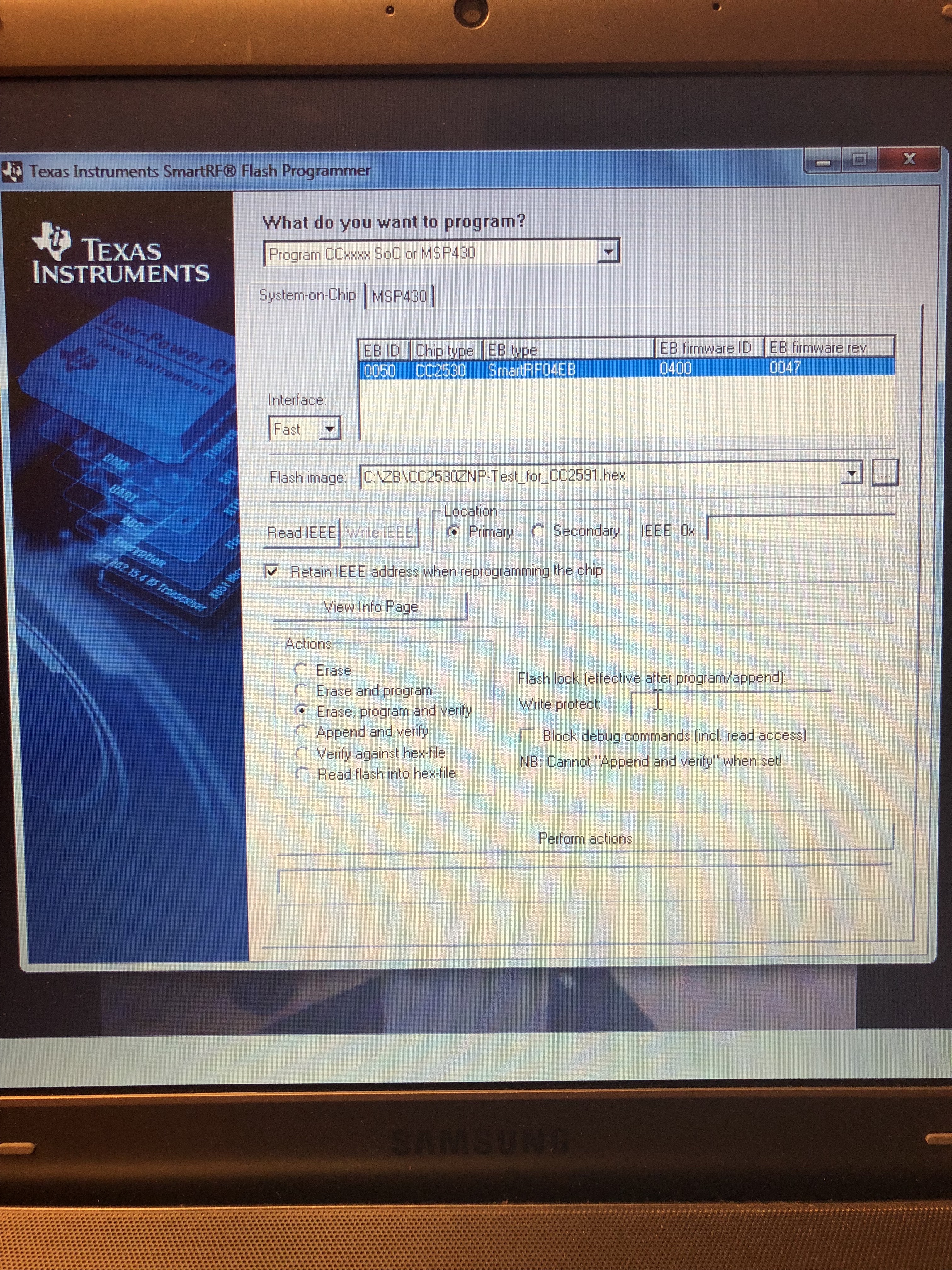
Programming and verifying took less than a minute. Received message "CC2530 - ID0050: Erase, program and verify OK".
I only just received my CC debugger today so I will try with that this weekend and see what happens.
ryanbeaton
on 22 Jun 2018
@ryanbeaton thanks for the update.
I hope to find a bit of time this weekend to try again following your exact steps 👍
In the mean time, I've also ordered a cc2531 to test if it's an issue with my ccdebugger or the cc2530.
realroywalker
on 22 Jun 2018
@ryanbeaton you will be next who using Cc2530+RFX2401 :)
kirovilya
on 22 Jun 2018
Hi again
So this afternoon I opened the CC Debugger, hooked it up to the pinboard and did my dodgy looking prototyping wire connection to the dongle. Plugged the CC Debugger into the laptop and status light went red. Plugged dongle into laptop and opened TI SmartRF Flash Programmer - dongle not detected. Closed TI SmartRF Flash Programmer and pressed reset button and light went green. Opened TI SmartRF Flash Programmer and dongle detected. Flashed successfully again in under a minute.

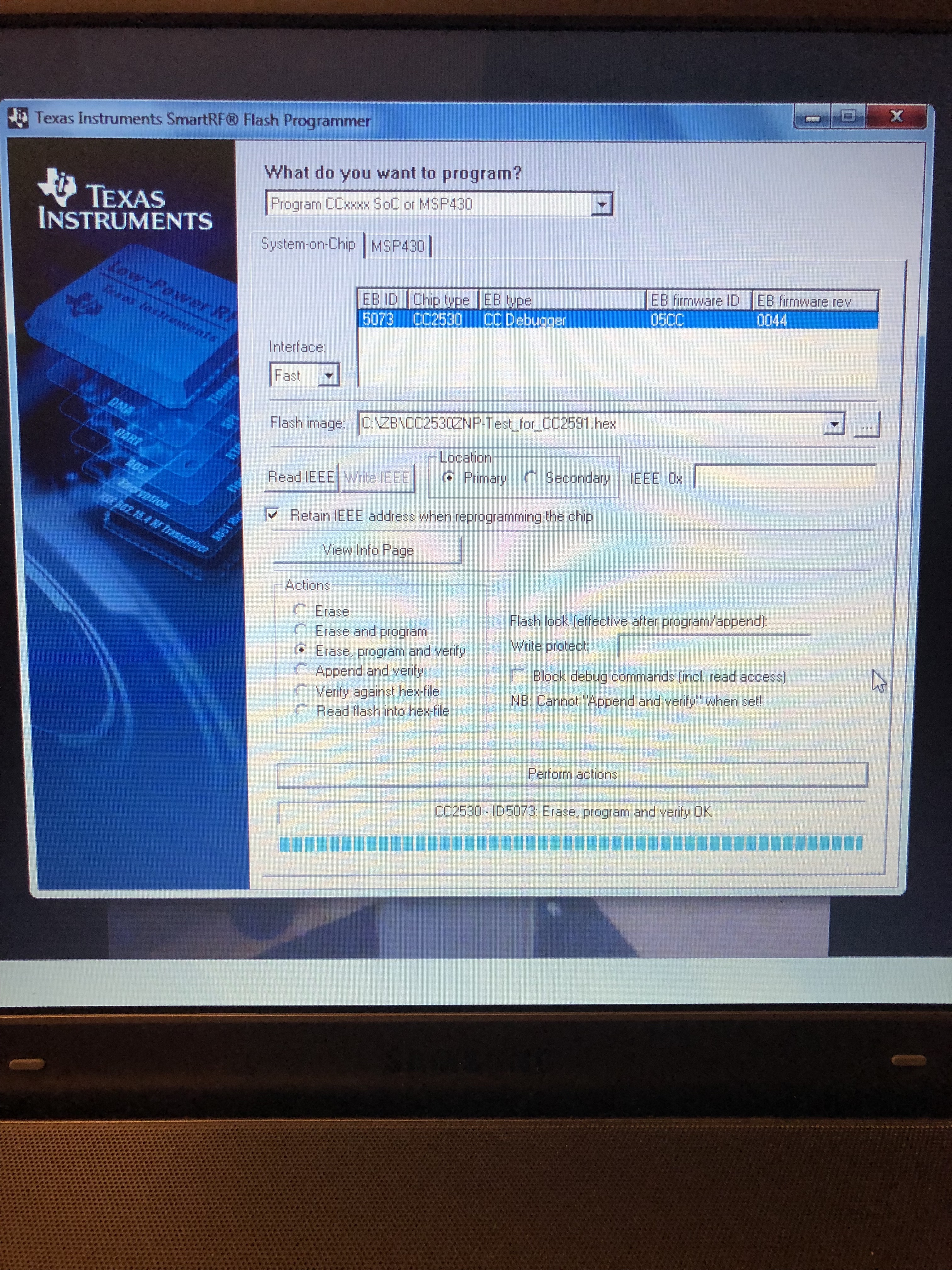
Again, I don't think I did anything special. Maybe I'm just lucky my wife won't upgrade past Windows 7 on her laptop (the only Windows machine in the house).
Hopefully tomorrow I can solder it up and test it as a coordinator. Ironically I probably don't need it as the CC2531 and Xiaomi Smart Sockets appear to be making a nice mesh.
ryanbeaton
on 23 Jun 2018
Use only five pin: RST, VCC, GND, P2.1 and P2.2. If Smart RF Flash not recognize it, press CC debugger RESET button, you can press some times after blue led on.
 dzungpv
on 29 Jun 2018
dzungpv
on 29 Jun 2018
Apologies for taking so long to come back - My CC2531 arrived, and I have the same issue.
I played around for an hour and it (very) occasionally detected the stick - light went green and flash programmer software shows it's detected.
However when I click to program it says it failed to erase flash and then the stick isn't detected anymore.
So, I'm pretty sure that my CCdebugger is junk.. I've ordered another SmartRF programmer so will see how that goes when it arrives :)
realroywalker
on 4 Jul 2018
thanks all for the assistance.. seems my CC debugger was DOA.
The SmartRF04 that I ordered has arrived, and I've now got a flashed CC2531 and CC2530 👍
Next step is to find time to configure the software and pair everything.. but this issue can be closed now.
realroywalker
on 17 Jul 2018
Question related to Cc2530+RFX2401
 broekd
on 13 Feb 2019
broekd
on 13 Feb 2019
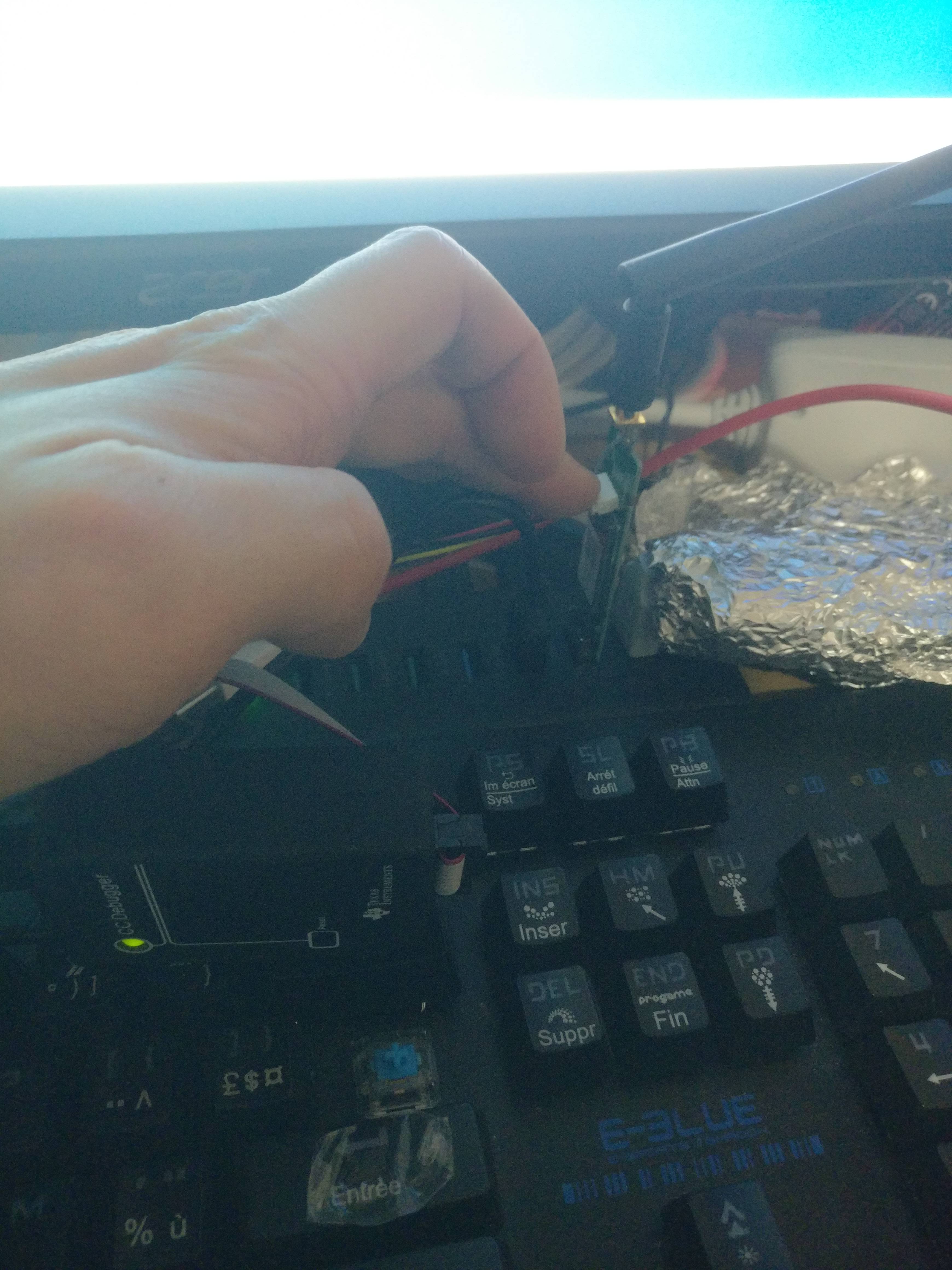
FYI, I had to press the cable to be sure the cables have contact. Then I could flash it.
 myroad94
on 2 Feb 2020
myroad94
on 2 Feb 2020
Related issues
 RefineryX
·
4Comments
RefineryX
·
4Comments
 jwilling
·
4Comments
jwilling
·
4Comments
 andreasbrett
·
3Comments
andreasbrett
·
3Comments
 jeroenterheerdt
·
3Comments
jeroenterheerdt
·
3Comments
 sylarevan
·
5Comments
sylarevan
·
5Comments
Most helpful comment
Umm yeah I didn't expect this to work but it did, sorry!

You might have a faulty unit?
@james-fry have you done yours?