Zettlr: Ctrl+K automatic paste doesn't work with some urls
Description
Ctrl+K doesn't automatically paste urls when used with some non-standard urls.
Reproducing
- Copy this link - https://data-flair.training/blogs/python-project-ideas/ to clipboard
- Use Ctrl+K shortcut in Zettlr
Expected behaviour
Markdown text, such as [](https://data-flair.training/blogs/python-project-ideas/)
Screenshots
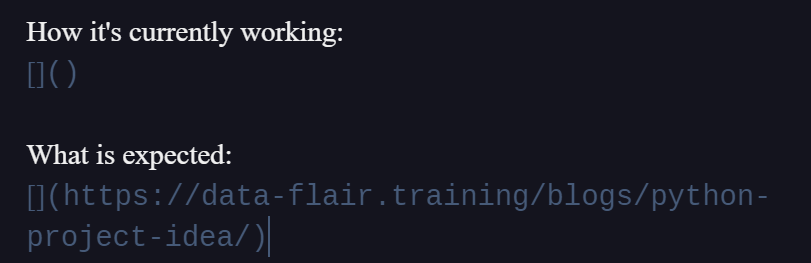
Platform
- OS and version: Windows 10 Pro, Build 19041
- Zettlr Version: 1.7.1
- Screen Resolution: 2560x1440 on two screens, Zettlr on secondary one
Additional information
From what I managed to get my head around, when last part of main url has more than 4 characters, it's not considered URL.
 ShanSanear
All 8 comments
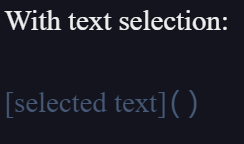
Does it work, if you have some text selected? Or doesn't it also work with text selected?
 nathanlesage
on 24 Jul 2020
nathanlesage
on 24 Jul 2020
It doesn't, behavior is similar to the first example:
ShanSanear
on 24 Jul 2020
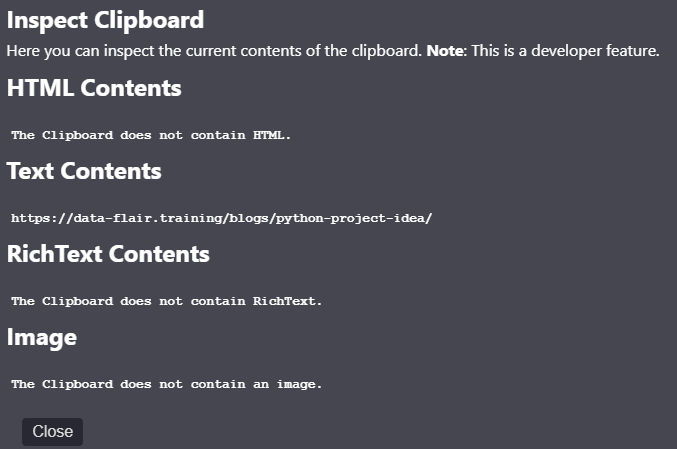
Alright, would you mind to quickly have a look at the clipboard's contents so that I have all information for tackling this bug?
(Activate Debug mode in advanced settings, then menu -> Develop -> Inspect Clipboard)
It will help to know what the clipboard looks like as Zettlr looks at that when deciding what to do!
nathanlesage
on 24 Jul 2020
ShanSanear
on 24 Jul 2020
Thank you! I'll get into it!
nathanlesage
on 24 Jul 2020
I'm an idiot. Somehow I limited the Sub- and global domain name to max. 256 characters, and the top level domain to 2-4 characters. Don't ask me why I thought that'd be a good idea 🤷
nathanlesage
on 31 Jul 2020
No worries, did such stuff myself many times :D Thanks for the quick fix :)
ShanSanear
on 31 Jul 2020
Yeah, it's just that in the past three months due to increased activity I am forced to view and correct all the stupid decisions from 3 years ago increasingly often, hahahaha
nathanlesage
on 31 Jul 2020
Related issues
 grst
·
4Comments
grst
·
4Comments
 tupio
·
3Comments
tupio
·
3Comments
 danieltomasz
·
5Comments
danieltomasz
·
5Comments
 asielen
·
5Comments
asielen
·
5Comments
 Alopex4
·
4Comments
Alopex4
·
4Comments