Zeronet: 0Net HTML functional problems tourgh the browser
Step 1: Please describe your environment
- ZeroNet version: 0.6.5 (Rev: 3866)
- Operating system: Windows 10
- Web browser: Firefox Quantum 69.0.3
- Tor status: always
- Opened port: no
- Special configuration: Trackers goes tourgh TOR
Step 2: Describe the problem:
Some HTML problems when a user setup a single user site tourgh 0Net and open the current zite the browser.
Steps to reproduce:
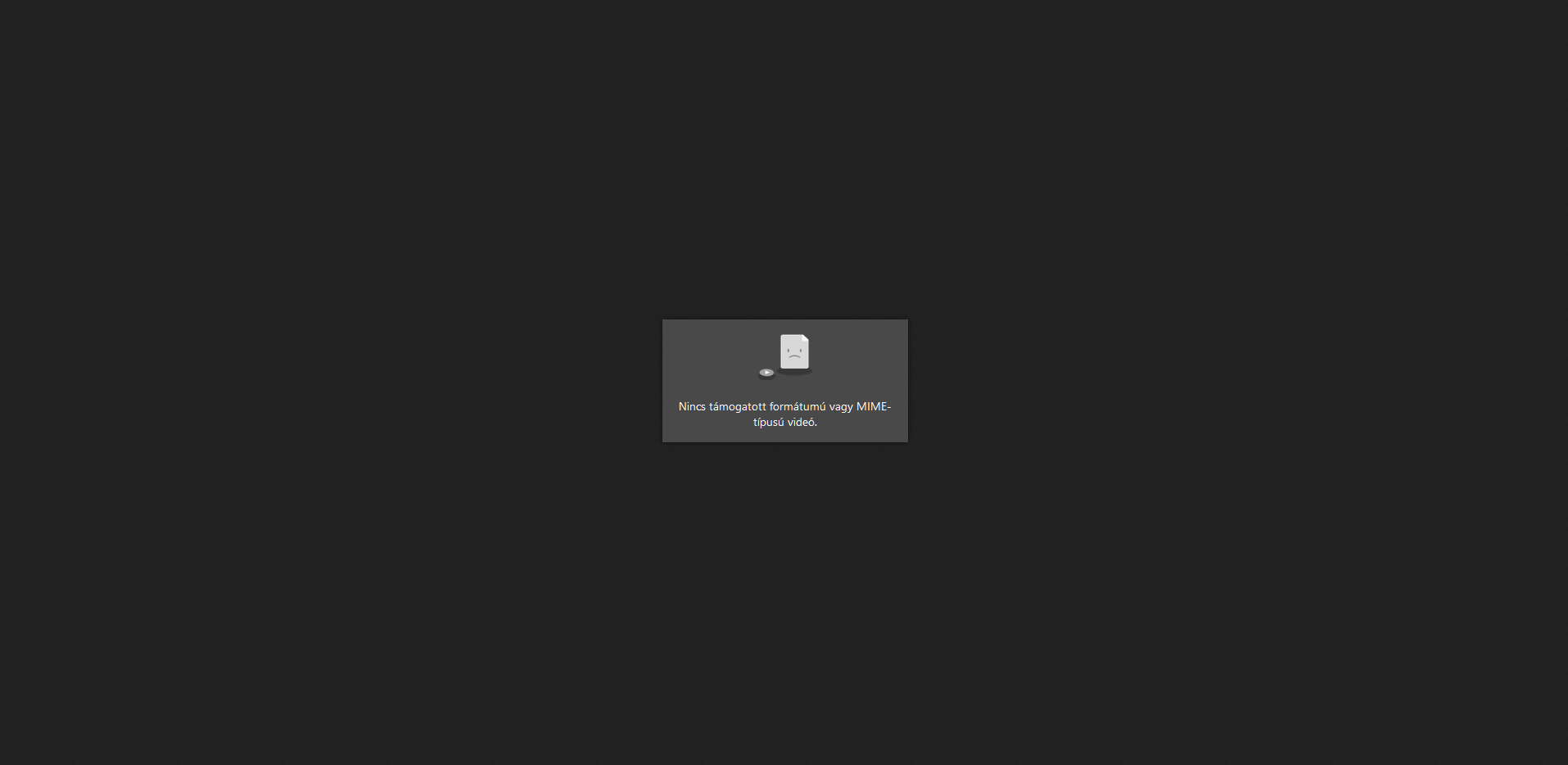
- 0hello Files page .mp4 files are not played (no supported mime video).But tourgh HTML5 player are working perfectly the same files.
- http ://127.0.0.1:43110/site/folder /some video file.mp4 as link in a website not played
- Images and video and somethingéáüö.html files not accept special characters in HTML files Example:
bnhméűo.jpg i get:
Server error
Err: UnicodeDecodeError: 'ascii' codec can't decode byte 0xc3 in position 4: ordinal not in range(128) in UiServer.py line 103 > UiRequest.py line 152 > UiConfigPlugin.py line 21 > ContentFilterPlugin.py line 193 > UiRequest.py line 371 > UiRequest.py line 470 > FilePackPlugin.py line 108 > SiteStorage.py line 349 > SiteStorage.py line 368
- Opening new site in a new tab using the target="_blank command are not loading the page.
<a href="http://127.0.0.1:43110/anotherzite" target="_blank">Some zite open new tab</a>
- Not possible to automatic way easy download all optional large files in a single user zite when the user download the site.So large files are not seeded.
- .SWF game or another files are not working.
- All files only sows correctly with UTF-8 format.
- User can not go back using the browser back button if he open another zite to the previous zite.
- Can not go back the previous page in zites when the user click the back button in the browser the user stuck in the same page.This can be a problem for larger pages.
 mx5kevin
All 34 comments
Opening new site in a new tab using the target="_blank command are not loading the page.
Use ZeroFrame wrapperOpen method instead.
Not possible to automatic way easy download all optional large files in a single user zite when the user download the site.So large files are not seeded.
Is pressing a single button in sidebar difficult?
.SWF game or another files are not working
Flash is seldom supported by browsers nowadays. It's also not suppoted by ZeroNet for user security.
All files only sows correctly with UTF-8 format.
Well, I'd recommend you to switch to utf8. A lot of software depends on it nowadays. It might be worth adding <meta charset="..."> though if you have HTML files.
User can not go back using the browser back button if he open another zite to the previous zite.
This means that the original site created an invalid link (i.e. without _blank)
 imachug
on 24 Oct 2019
imachug
on 24 Oct 2019
imachug It didn't help much. And it doesn't solve the problems.
Use ZeroFrame
wrapperOpenmethod instead.
The wrapperOpen command does not work too.The same thing happens.
Is pressing a single button in sidebar difficult?
Tell users this.Users download the files and not the website owners.
This means that the original site created an invalid link (i.e. without _blank)
No,a simple another zite link does not work this.The browser give the option but it's not working.Users are simply redirected this way to a different page.And they can't go back to the original page which indexes the outside page.The _blank issue it exacerbate the problem
Well, I'd recommend you to switch to utf8. A lot of software depends on it nowadays. It might be worth adding
<meta charset="...">though if you have HTML files.
Files must be converted.Minor problem,but it would be beneficial to support another formats.Bigger problem in large zites large quantities must rename some files.Which contain not supported characters.And it still doesn't help the .mp4 playing issues.
mx5kevin
on 24 Oct 2019
The wrapperOpen command does not work too.The same thing happens.
What is that "same thing"? You said that the page didn't open. Did you mean that no tab was opened at all, you got an error like "escaping iframe" or something else?
Tell users this.Users download the files and not the website owners.
Hm, I think many sites that use big files feature tell users how to do that. For example, my xkcd mirror does so. Also, there isn't actually a better way to enable automatic file download except using a button, lol.
No,a simple another zite link does not work this.The browser give the option but it's not working.Users are simply redirected this way to a different page.And they can't go back to the original page which indexes the outside page.The _blank issue it exacerbate the problem
Sorry, that was a typo. I mean _top instead of _blank. Could you please try <a href="..." target="_top">? I think it worked for me before.
Files must be converted.Minor problem,but it would be beneficial to support another formats.Bigger problem in large zites large quantities must rename some files.Which contain not supported characters.
Right, I think ZeroNet depends on some files being utf-8. But I think that the utf-8 mimetype is only set for HTML pages, and I guess a simple meta charset would fix that.
And it still doesn't help the .mp4 playing issues.
Right, I didn't answer that because I couldn't test mp4 files back then. I'm making some tests now.
imachug
on 24 Oct 2019
What is that "same thing"? You said that the page didn't open. Did you mean that no tab was opened at all, you got an error like "escaping iframe" or something else?
The browser open the zite in a new tab with the address,but the zite does not load tourgh the 0Net program.
Sorry, that was a typo. I mean
_topinstead of_blank. Could you please try<a href="..." target="_top">? I think it worked for me before.
The _top command redirect the pages,seems now i can go back the another original zite.But still i can not open the another page in a new tab.If i use a normal link i can not go back the original page.And the user is redirected to another page,which many website administrators are not happy with.
mx5kevin
on 24 Oct 2019
The browser open the zite in a new tab with the address,but the zite does not load tourgh the 0Net program.
"Does not load" can mean a lot of things, from "browser hangs" to "I forgot to plug in the computer". What exactly happens? Do you get a white screen? Do you get a white screen with "Escaping iframe" text? Do you get the 0 icon in the top-right corner? A screenshot would help.
The _top command redirect the pages,seems now i can go back the another original zite. But still i can not open the another page in a new tab.
Right, some additional hacks have to be added (i.e. wrapperOpen that we're currently discussing). We are currently working on a better sandbox which should render most of these hacks unnecessary.
If i use a normal link i can not go back the original page. And the user is redirected to another page,which many website administrators are not happy with.
Welp, same here. Bringing an existing site to ZeroNet might be a bit difficult but it's usually fairly easy when you know what to do.
imachug
on 24 Oct 2019
"Does not load" can mean a lot of things, from "browser hangs" to "I forgot to plug in the computer". What exactly happens? Do you get a white screen? Do you get a white screen with "Escaping iframe" text? Do you get the
0icon in the top-right corner? A screenshot would help.
<a href="http://127.0.0.1:43110/1HeLLo4uzjaLetFx6NH3PMwFP3qbRbTf3D" target="_blank">ZeroHello</a>
target="_blank" or "_wrapperOpen" too.If i use the code in a zite.
I get a white screen.0 icon in the top-right corner are shows.

mx5kevin
on 24 Oct 2019
The video problem.
Using a HTML5 player code works fine the video.
<p>
<center><video width="800" height="455" controls>
  <source src="files/thevideo.mp4" type="video/mp4">
  Your browser does not support HTML5 video.
</video>
</p>
Linking the video or open in ZeroHello files menu are does not working through 0Net.But without 0Net i'ts works fine the same link using a simple clearnet server or playing through the browser without 0Net.Not all .mp4 videos,some videos and I don't know why.Using Firefox,Microsoft Edge,Google Chrome,Internet Explorer too.And all zites have the same problem,like KopyKate.
<p>
Video
<a href="files/thevideo.mp4">The Video</a></center>
</p>
mx5kevin
on 24 Oct 2019
I get a white screen.0 icon in the top-right corner are shows.
O_o I've never had such problem. I'm wondering what could cause such an issue. Can you please get to this white screen again, press F12 and open Console tab and make a screenshot again?
imachug
on 25 Oct 2019
The video problem.
Hm, it looks like we're detecting mimetypes incorrectly. #1950 might help but it's for Python 2. I'll try to port it to Python 3 for tests. It'd also help if you run assoc in console and posted output here.
imachug
on 25 Oct 2019
I get a white screen.0 icon in the top-right corner are shows.
O_o I've never had such problem. I'm wondering what could cause such an issue. Can you please get to this white screen again, press F12 and open Console tab and make a screenshot again?
Reproduction the issue:
1.Make a HTML file in your zite.Name it 123.html
2.Add this code.You can use another zite the same happend.
<a href="http://127.0.0.1:43110/1HeLLo4uzjaLetFx6NH3PMwFP3qbRbTf3D" target="_blank">ZeroHello</a>
3.When you open the link its open in a new tab but the zite are not loading.
Tested Google Crome,now Firefox,Microsoft Edge,Internet Explorer.
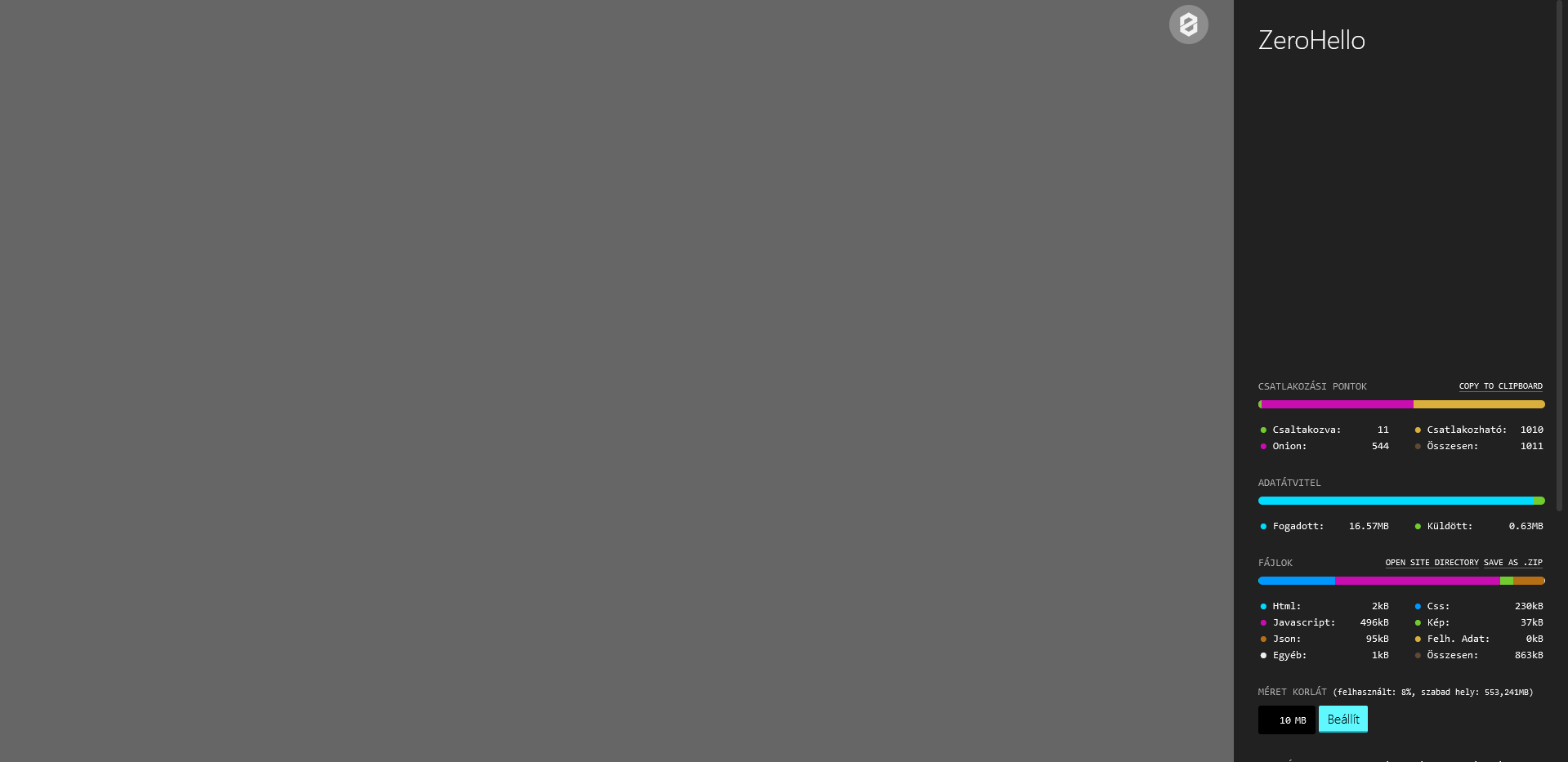
With Firefox 70.0, i can not make a sreenshot.I got a error this point another clearnet sites working.I maked another program the sreenshot from firefox now.The first are maked from Google Chrome.
Type Error: doc is null with Firefox 70.0.
mx5kevin
on 25 Oct 2019
I can confirm this error. It happens because if you open link with target="_blank" the opened tab/window will act the same as the html opened in a sandboxed iframe.
After some testing:
- It's possible to detect sandboxing by using
document.domain == "" - Looks like it's not possible to get rid of the sandbox in any way. After executing
window.open(window.location.toString(), "_top");in this context the sandbox still present.
So I think we can't fix this behavior, but we can display an error eg.: "Opening ZeroNet pages in new window is not supported because of browser limitations."
 HelloZeroNet
on 25 Oct 2019
HelloZeroNet
on 25 Oct 2019
It happens because if you open link with target="_blank" the opened tab/window will act the same as the html opened in a sandboxed iframe.
But why? I can't think of a reason why it was implemented this way.
imachug
on 25 Oct 2019
But why? I can't think of a reason why it was implemented this way.
Possible reason:
- Open new document with
doc = window.open('any.html', '_blank') - Then manipulate this document using javascript to have unsandboxed access
There is a sandbox flag that disables this behavior: https://www.chromestatus.com/feature/5708368589094912
Need some testing before we can add this flag
HelloZeroNet
on 25 Oct 2019
Even if that happens, I have no idea why a sandboxed wrapper can't load site iframe.
imachug
on 25 Oct 2019
Even if that happens, I have no idea why a sandboxed wrapper can't load site iframe.
Because the wrapper is served with frame-src 'self' blob: CSP header and in sandboxed environment the src is null.
Btw for me adding the allow-popups-to-escape-sandbox flag looks good for me:
> win = window.open("/1HeLLo4uzjaLetFx6NH3PMwFP3qbRbTf3D", "_blank");
> win.document
VM810:1 Uncaught DOMException: Blocked a frame with origin "null" from accessing a cross-origin frame.
the opened tab/window will act the same as the html opened in a sandboxed iframe.
wrapperOpenWindow works just fine for me. however, it would be nice to re-use the same code on clearnet, by supporting window.open(...) when NOT sandboxed.
__Question:__ is there a STANDARD method for detecting Zeronet (or sandbox in general)? i can think of more than a few ways, but I'd rather use something standardized by the community, if possible.
then, something like this could work: <a href="javascript:open('...')" /> could work cross-platform. __NOTE:__ this is NOT window.open, but a custom/local open function that would have the detection code.
 d14na
on 26 Oct 2019
d14na
on 26 Oct 2019
is there a STANDARD method for detecting Zeronet (or sandbox in general)?
AFAIK most sites are looking for wrapper_nonce in URL. But that's going to be broken when we switch to a new sandbox so I'd just build two variants of the site (that's gonna be easy if you're using bundlers/builders).
imachug
on 26 Oct 2019
I'd just build two variants of the site (that's gonna be easy if you're using bundlers/builders).
easy for who? lol i love what bundlers do, but I don't have a clue how to configure those files.
wrapper_nonce works for me, for now, the "other" method I think might work is to try to call "something" from UiWebsocket, if it fails, as it always does in the clearnet version, then use clearnet code. what do you think?
d14na
on 26 Oct 2019
The reason why I don't like wrapper_nonce check is that it'll become invalid with another sandbox. What bundler are you using? I might help.
imachug
on 27 Oct 2019
With uploaded mp4 video file,where the user have the full mp4 file.In ZeroHello files menu,or linking the video using a HTML code in the current zite (and not another zite or site).
<p>
Video
<a href="files/thevideo.mp4">The Video</a></center>
</p>
When the user play certain sections and part of video. I get this error: "Video playback has stopped due to a network error".So nut just some video files can not play this way.Some are playing but the user get this error.And the same thing, using a embed HTML5 video code in the site are working the same video.Some video files cannot be played and some are stuck when the user try play certain sections and part of the video in ZeroHello files menu or using a simple link without HTML5 player code.
mx5kevin
on 27 Oct 2019
That can happen when you haven't downloaded the whole file and no one has the missing parts. Can that be the reason? @HelloZeroNet
imachug
on 27 Oct 2019
That can happen when you haven't downloaded the whole file and no one has the missing parts. Can that be the reason? @HelloZeroNet
This is not possible,because some files i'm the uploader.And have the full file in all case.And works using a HTML5 player code the same video files without issues.Like this:
<p>
<center><video width="800" height="455" controls>
  <source src="files/thevideo.mp4" type="video/mp4">
  Your browser does not support HTML5 video.
</video>
</p>
But when i link the file in the same zite,or try play through ZeroHello the video file are does not play or stuck when im play certain sections and part of the video.See the linked image, in the previous comments.These two different errors occur during playback.And there may be on reason for this.The file name should not cause the problem either.Because it doesn't matter the video file name 123.mp4, 1.mp4 This Is My Video.mp4. The same happening.
mx5kevin
on 27 Oct 2019
Don't use target="_blank" to open links without sending a Referrer-Policy: "no-referrer" header.
DARK STUFF! :sunglasses:
 ghost
on 28 Oct 2019
ghost
on 28 Oct 2019
@hacktivist Please provide more information on the issue as I was unable the reproduce the problem you have described.
HelloZeroNet
on 28 Oct 2019
@HelloZeroNet It is called Reverse Tabnabbing https://www.owasp.org/index.php/Reverse_Tabnabbing
ghost
on 28 Oct 2019
@hacktivist I just tested and adding the headers["Referrer-Policy"] = "no-referrer" does not fixes the tabnabbing problem. (tested on Chrome) It removes the referrer value from the header, but the opener js object is still present.
HelloZeroNet
on 28 Oct 2019
Right... adding only the no-referer doesn't solve the problem. You need both that and noopener.
 krixano
on 28 Oct 2019
krixano
on 28 Oct 2019
Without
target="_top"
Command in the zites cannot go back to the previous page using the browser back button.On larger pages, this can be a hassle and inconvenience to users and website owners,where users navigate a lot between pages.
mx5kevin
on 29 Oct 2019
This is a known problem, and I have not found any solution to that, but adding <base href="" target="_top" id="base"> to the <head> solves the problem without the need of the modification of all links.
HelloZeroNet
on 29 Oct 2019
This is a known problem, and I have not found any solution to that, but adding
<base href="" target="_top" id="base">to the<head>solves the problem without the need of the modification of all links.
I'ts possible to do this using the content.json file?
mx5kevin
on 30 Oct 2019
You need to add it to the html file
HelloZeroNet
on 30 Oct 2019
Yeah, if you click "create new zite" on zeronet then the default index.html file in the newly cloned zite already has this.
krixano
on 30 Oct 2019
Can you link me to an example file that doesn't work?
imachug
on 10 Nov 2019
Py 3 version running from desktop can not find ZeroNet.exe at sytem startup under Windows 10.I think the zeronet.cmd i file not corretly index it in the Startup folder.Works with the old py 2 perfectly,but with the new py 3 are not.The user name in Users folder contains special characters áéő.
mx5kevin
on 12 Nov 2019
Related issues
 Forbo
·
3Comments
ghost
·
4Comments
imachug
·
3Comments
Forbo
·
3Comments
ghost
·
4Comments
imachug
·
3Comments
 sermont
·
3Comments
sermont
·
3Comments
 iShift
·
3Comments
iShift
·
3Comments