Zeronet: How can I import a list of sites?
Step 1: Please describe your environment
- ZeroNet version: 0.6.0
- Operating system: windows 10
- Web browser: Firefox 57
- Tor status: not
- Opened port: yes
Step 2: Describe the problem:
I need to remove my zeronet data files include the site files but keep the site list so that I can re-download them. Is there any way to export all the site I has connected to a list and import them in a new zeronet client?
 Liu233w
All 5 comments
Site list stored in data/sites.json, you can just copy this file to a new zeronet client.
 sergei-bondarenko
on 21 Nov 2017
sergei-bondarenko
on 21 Nov 2017
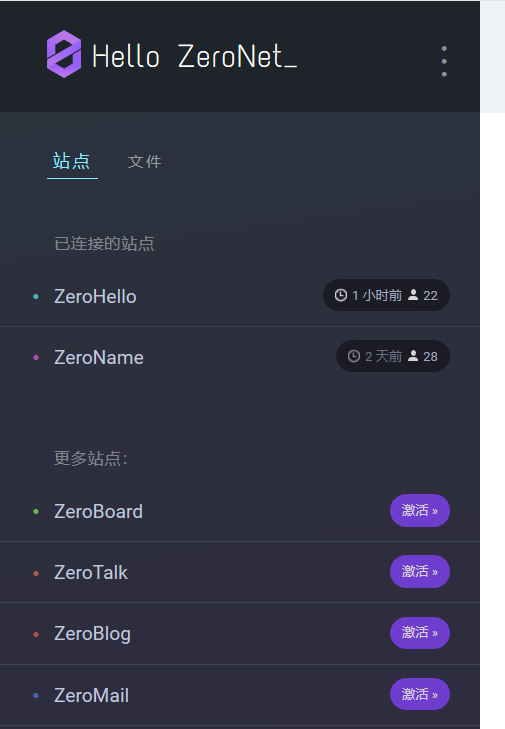
Sadly it doesn't work. If I removed all the directory (like data/1HeLLo4uzjaLetFx6NH3PMwFP3qbRbTf3D) but keep data/sites.json , the sites won't show up in ZeroHello , only the ZeroHello and ZeroName are there.
Liu233w
on 22 Nov 2017
I just tried to remove data/content.db along with the site directorys, it doesn't work too.
Liu233w
on 22 Nov 2017
Currently it won't work without moving the site data directories, but it would be a great addition.
 HelloZeroNet
on 26 Nov 2017
HelloZeroNet
on 26 Nov 2017
Added in Rev3153: https://github.com/HelloZeroNet/ZeroNet/commit/6b92d011d24c708674891f174a8d7f9c5153d7ef
All missing site from sites.json will be downloaded at startup.
HelloZeroNet
on 30 Nov 2017
Related issues
 yurivict
·
4Comments
yurivict
·
4Comments
 sermont
·
3Comments
sermont
·
3Comments
 jerry-wolf
·
4Comments
jerry-wolf
·
4Comments
 wigy-opensource-developer
·
4Comments
sergei-bondarenko
·
3Comments
wigy-opensource-developer
·
4Comments
sergei-bondarenko
·
3Comments
Most helpful comment
Added in Rev3153: https://github.com/HelloZeroNet/ZeroNet/commit/6b92d011d24c708674891f174a8d7f9c5153d7ef
All missing site from sites.json will be downloaded at startup.