Zero-to-jupyterhub-k8s: Installing Packages on JupyterHub? Sudo Access?
@koustuvsinha and I were talking about allowing users to install various packages with JupyterHub. @koustuvsinha can't install the packages without sudo access. See https://github.com/openai/gym#id7 as an example @consideRatio didn't install these in his deployment. Is there a reasonable work around besides using a pre-built docker image? #994
 jzf2101
All 17 comments
Questions I'm raising trying to figure this out
- Would allowing
sudobe the same security wise as letting the user run as root rather than jovyan (the default user)? - What is required to make
apt installwork and install a usable package without sudo?
Bonus:
- What files/directories would be required to remain in between startup of a pod for an installed package to remain installed?
If we could allow for install of various packages without full privilege escalation that would be nice, perhaps it isn't possible though, I don't know.
 consideRatio
on 14 Nov 2018
consideRatio
on 14 Nov 2018
@Carreau @Zsailer @minrk @gnestor might know?
FWIW - repo2docker lets you use apt.txt and installs for you so you don't need sudo
jzf2101
on 14 Nov 2018
@koustuvsinha was also mentioning that without sudo there's no easy way to move data to and from the hub
jzf2101
on 14 Nov 2018
- Would allowing
sudobe the same security wise as letting the user run as root rather than jovyan (the default user)?
Yes, unless you use a sudo policy that restrict what the use can do, or more especially whitelist command like apt. It's tricky as users can likely then downgrade a package to one that has a know vulnerability and escalate previligeges.
2. What is required to make
apt installwork and install a usable package without sudo?
A user prefix install (gentoo is know to be able to do that). That's about the equivalent of installing anaconda in userspace nowadays. I would try not to attempt to make apt work w/o sudo.
I would try to figure out which dependencies are necessary and whether they can be installed with conda in user space.
With current $DAYJOB I'm wondering if a targeted limited grant to fund some packaging work with conda-forge could be helpful.
 Carreau
on 14 Nov 2018
Carreau
on 14 Nov 2018
could you explain more by
gentoo is know to be able to do that
@Carreau ?
jzf2101
on 14 Nov 2018
What is the goal you are trying to achieve? And what kind of "packages" are we talking about (conda, pip, R, operating system)? The answer will vary a lot.
This is issue in the "JupyterHub on kubernetes" repository, which might not be the best place because in this kind of JupyterHub setup the only extra software you can install is things that can live in your home directory. This probably excludes apt. If you have a setup like the littlest JupyterHub then there are docs for installing extra packages.
TL;DR: I think focussing this a bit more and giving some context will lead to answers that move us forward instead of us going off-piste into the world of package managers :D
 betatim
on 14 Nov 2018
betatim
on 14 Nov 2018
@koustuvsinha would know better since this is his concern, but he specifically mentioned openai gym. TLJH wouldn't work since it's only 1 node. He wanted to create a Hub for multiple users to customize their workspaces
jzf2101
on 14 Nov 2018
Hi @betatim and @consideRatio, I have the same question. I already read this issue which is similar
https://github.com/jupyterhub/dockerspawner/issues/154, but I'm still not clear of the recommended approach.
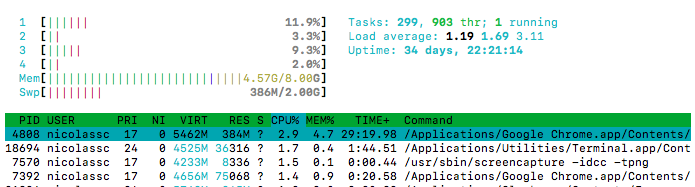
Example of what I want the user to be able to do: one of the first things I usually do when I want to understand/verify the resources in the environment I'm working with is to install htop, which then shows the core-usage, memory, swap etc.
My questions are:
- What's the best way to make
htopavailable to users? - My concern is what if my user prefers, say,
topor some other common command-line utility that requires installation using apt? I don't want there to be a blocker that they have to contact me, and then I add it to a new docker image, and then relaunch everything -- I'd prefer that they're able to install it on their own so that less maintenance is required.
(Screenshot of htop In case you're not familiar)
 nscozzaro
on 19 Aug 2019
nscozzaro
on 19 Aug 2019
If your users are in a docker container then any changes they make outside of their home directory will be lost when the container is stopped/restarted. This means they need to install everything in their home directory and the PATH environment variable needs to be setup to point to the directory in their home dir where the binaries are. This also means that you can't use apt-get because it will only install things "system wide", not in my home directory.
Installing something like htop in your home directory is possible but your average user probably won't know how to do so. So I think overall my recommendation would be to add it to the docker image, even if that means users are blocked on you or recommend they use conda to install tools because conda is designed with people installing things in their home directory.
betatim
on 19 Aug 2019
To answer the question of what libraries would be installed - for us, it would be extremely useful to have a way to install python libraries without needing to ask the administrator to build a new single user docker image with the new package. If you're working on a project and need a package to continue coding, not being able to install packages becomes a roadblock.
 erinfry6
on 10 Jan 2020
erinfry6
on 10 Jan 2020
Any progress on this whatsoever?
I need to install dependent libraries for e.g. opencv, but (sudo) apt-get gives me permission errors.
Impasse? :\
 jtlz2
on 5 Feb 2020
jtlz2
on 5 Feb 2020
I am trying to install dependent packages in a singleuser instance but in order to run sudo apt-get (there does not seem an easy way without sudo) I need a root password (there does not seem an easy way with sudo). Is there a way to do this post-hoc? Or must everything be baked in to the image/helm chart, and if so how? Thanks!
jtlz2
on 5 Feb 2020
Quick summary on relevant understanding for a zero-to-jupyterhub-k8s deployment:
- JupyterHub runs in its own container, and the users get their own container.
- If you install anything within any container, and that isn't persisted by being installed in attached storage that remains between restarts of the container, whatever was installed will be gone on container restarts.
- To ensure something persists in a container, if it is an apt-get package, I suggest building a new docker image that use a FROM statement of the original. The option to use persistent storage attached to the container is probably too complex and will probably cause too much issues, and will be far harder.
If your goal is to temporarily install something within the user container, you can make it start up with SUDO rights, I don't remember fully how that could be done, and it depends on the user image itself often. There are issues posted about this and people that have explained this before I recall.
consideRatio
on 5 Feb 2020
I think we need to allow sudo for the user, what will happen is JupyterHub will see this as a recurring issue. No one is going to want to rebuild containers just to install dependencies for libraries. There are numerous use cases that need to be considered when moving to containers and Kubernetes. Experience with those platforms help here which would have guided the architecture to take this in to consideration. What work is being done to address this? simply allowing sudo would resolve as anyone running in Kubernetes will create a pv. Even the helm chart creates the pv so this would not be an issue
 DarkBlaez
on 15 May 2020
DarkBlaez
on 15 May 2020
This is related to the user environment, not JupyterHub. If you're using Docker you can easily provide your own image that allows sudo with whatever policies you want. If you're not using containerisation then the ability to sudo is determined by the operating system config, not JupyterHub.
I'll close those issue since we'd like to keep GitHub for discussions directly related to development, but please feel free to start a new discussion on the Jupyter Community Forum https://discourse.jupyter.org/
More people hang out there, including many users of Jupyter notebooks and JupyterHub who may have valuable input but won't have seen this discussion.
 manics
on 15 May 2020
manics
on 15 May 2020
So the canned response without addressing is the way you wish to handle this. The response you provided is do this being rushed in to Kubernetes without a fundamental architecting with this specific use case for ease of use.
On May 15, 2020, at 2:21 PM, Simon Li notifications@github.com wrote:
This is related to the user environment, not JupyterHub. If you're using Docker you can easily provide your own image that allows sudo with whatever policies you want. If you're not using containerisation then the ability to sudo is determined by the operating system config, not JupyterHub.
I'll close those issue since we'd like to keep GitHub for discussions directly related to development, but please feel free to start a new discussion on the Jupyter Community Forum https://discourse.jupyter.org/ https://discourse.jupyter.org/
More people hang out there, including many users of Jupyter notebooks and JupyterHub who may have valuable input but won't have seen this discussion.—
You are receiving this because you commented.
Reply to this email directly, view it on GitHub https://github.com/jupyterhub/zero-to-jupyterhub-k8s/issues/1021#issuecomment-629432029, or unsubscribe https://github.com/notifications/unsubscribe-auth/ACOAJNKW7TPY7EWPNECGUBDRRWI3RANCNFSM4GDTCFGQ.
DarkBlaez
on 15 May 2020
@DarkBlaez I'm got got a bit sad to see your response, as I feel you don't see the situation as I do. This is an open source project, maintained by enthusiasts. I personally have done it for several years now because I feel it helps people across the world in a situation like i was in three years ago - a teacher hoping to help my students learn how programming can be used as a tool for math.
Anyhow, I'm not sure I understood what you meant to say or ask, but if you want to give users right to use sudo, it will require some coordination with the specific docker image you use with the users. If you are using docker images from the jupyter/docker-stacks open source project, then you can do something like this.
singleuser:
  extraEnv:
    GRANT_SUDO: "yes"
    NOTEBOOK_ARGS: "--allow-root"
  uid: 0
  cmd: start-singleuser.sh
I hope this is helpful to you @DarkBlaez!
As voluntary maintainers of this project, we do our best with the available time we have available to spend. @manics I'm often very thankful, like now, for your time invested to contributing to this project! :heart:
consideRatio
on 15 May 2020
Related issues
consideRatio
·
4Comments
 Boes-man
·
3Comments
Boes-man
·
3Comments
 gsemet
·
3Comments
consideRatio
·
3Comments
gsemet
·
3Comments
consideRatio
·
3Comments
 bleggett
·
3Comments
bleggett
·
3Comments
Most helpful comment
@DarkBlaez I'm got got a bit sad to see your response, as I feel you don't see the situation as I do. This is an open source project, maintained by enthusiasts. I personally have done it for several years now because I feel it helps people across the world in a situation like i was in three years ago - a teacher hoping to help my students learn how programming can be used as a tool for math.
Anyhow, I'm not sure I understood what you meant to say or ask, but if you want to give users right to use sudo, it will require some coordination with the specific docker image you use with the users. If you are using docker images from the jupyter/docker-stacks open source project, then you can do something like this.
I hope this is helpful to you @DarkBlaez!
As voluntary maintainers of this project, we do our best with the available time we have available to spend. @manics I'm often very thankful, like now, for your time invested to contributing to this project! :heart: