Zebra: Filtered authors still appears in update
Describe the bug
I have filtered some authors that spam the update, and yet they keep appearing once they instill their spam command( fake update)
To Reproduce
Add a random author to the filter list, I usually add them to author
Expected behavior
Close zebra and reopen. No concrete effect is noticeable as author apps/ themes still appears on update section. Couple of hours, when author initiates a new update, it still all appears.
Screenshots
This can be provided if requested
Device Information (please complete the following information):
- iOS Version [e.g. 13.3]:
- Zebra Version [e.g latest beta]:
- Device Type [e.g. iPhone 11 pro max ]:
- Jailbreak Type [e.g. unc0ver,.]:
Crash Log or System Log
N/A
 unclehumble
All 4 comments
Same happend to me.

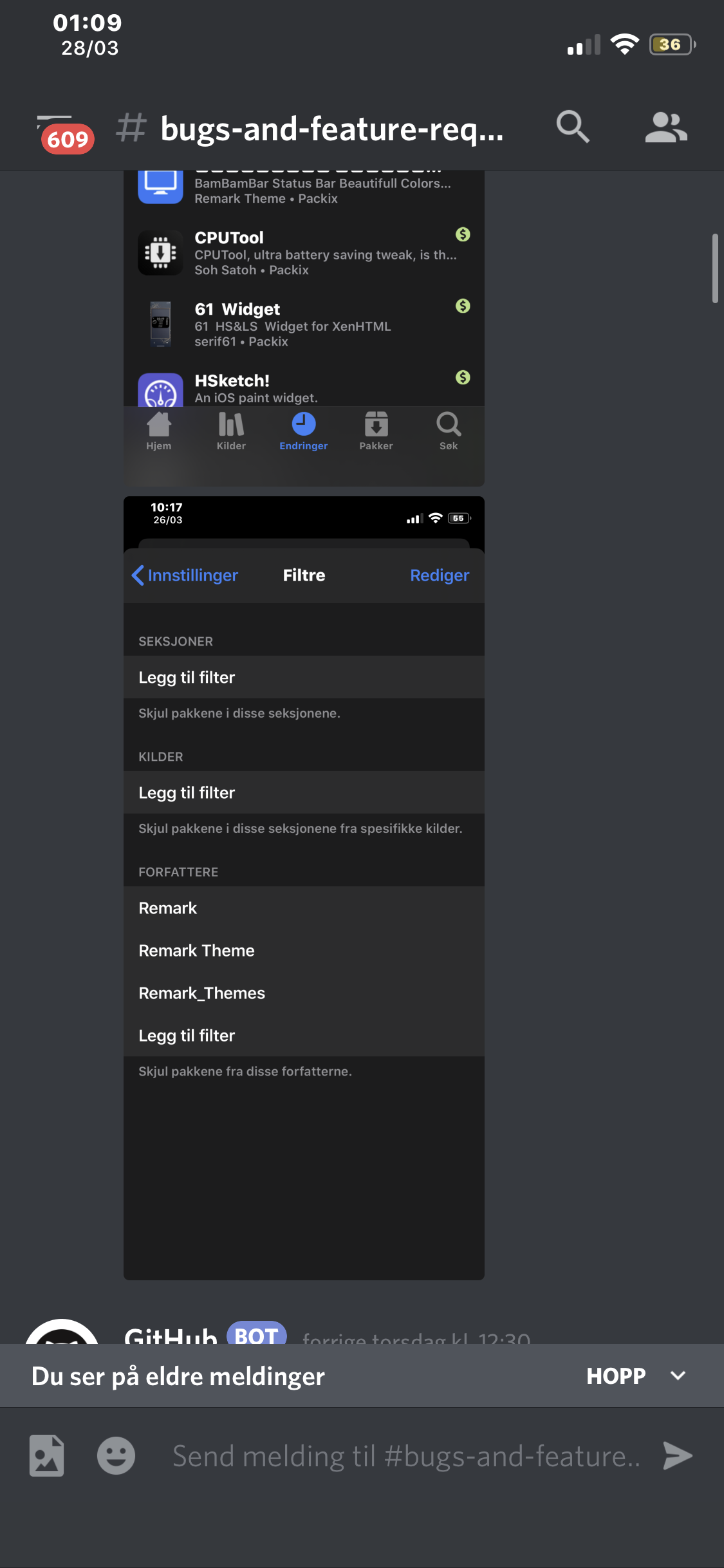
Only happend once which is weird. I'll update this if it happens again.
 worldlydev
on 28 Mar 2020
worldlydev
on 28 Mar 2020
I think it's because he changed a symbol like Latin 'a' to Cyrillic 'a' or a ' ' (space) to ' ' (Alt+255 - ASCII code).
Essentially, these names appear the same, but on a technical level they are not.
 gkeep
on 28 Mar 2020
gkeep
on 28 Mar 2020
Quite clever, we're going to be switching to email filtering (in #999) so that only one email has to be added instead of adding all of the different author variants. This is still susceptible to the same problem but I would assume that this would require a lot of different emails to be created. I'm not sure how Packix has that system set up but if he can change his name then he might also just be able to change his email...
 wstyres
on 28 Mar 2020
wstyres
on 28 Mar 2020
Packages are now filtered by an authors email instead of their name as of 33fd4fa00534065fedd4a99e27d70eea7b13a0ea. Hopefully this will fix the issue.
wstyres
on 29 Mar 2020
Related issues
 aRvedk
·
5Comments
aRvedk
·
5Comments
 eve0415
·
3Comments
eve0415
·
3Comments
 WenaWindows
·
4Comments
WenaWindows
·
4Comments
 Brixteren
·
3Comments
Brixteren
·
3Comments
 greenywd
·
4Comments
greenywd
·
4Comments