Sources tab:
- ~Clipping with the last source: video representation~
Fixed in early betas. - ~Clipping with the last package on the repo: image~
Fixed in early betas. - ~Weird coloring on the letter space image~
Fixed in beta4 or beta5. - Some UI parts don't change background color when switching from Dark to Light:
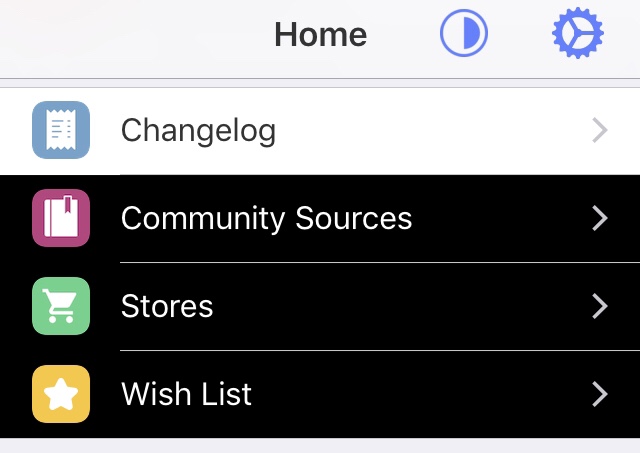
- ~UI defaults to Dark Mode with Light Mode enabled on Zebra restart (likely iOS 12 specifically): video~
Fixed in beta6.
Device info:
iPhone 5s on iOS 12.4.
 gkeep
gkeep
All 31 comments
Happened to me too, but scrolling down caused 3 menus to update and display the normal color, but the “packages” view in the home page didn’t update to light with this
 ENDERZOMBI102
on 22 Feb 2020
ENDERZOMBI102
on 22 Feb 2020
Another Bug I found is, that if you want to delete a source it looks weird.
Device: iPhone X on iOS 13.3
Jailbreak: checkra1n Linux
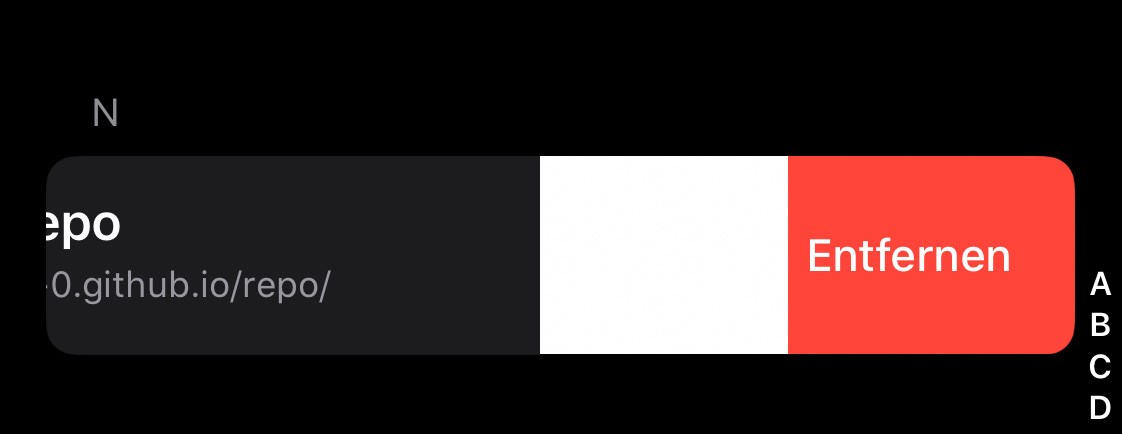
 only3qc
on 22 Feb 2020
only3qc
on 22 Feb 2020
Another Bug I found is, that if you want to delete a source it looks weird.
Device: iPhone X on iOS 13.3
Jailbreak: checkra1n Linux
Well for some reason, the issue is gone. But still look at it. Don‘t really know why that happened.
only3qc
on 22 Feb 2020
Noticed this on iOS 13.2.2, the table cells stay dark when going into light mode, a restart of the app is required to update the cells, it doesn't make it unusable, but it would be convenient to fix
 NickJustWill
on 22 Feb 2020
NickJustWill
on 22 Feb 2020
Dark mode is not applied to keyboard on iOS 12 and less.
3D Touch:
- No background blur
- Dark mode isn't applied to buttons
~Queue bar is transparent: image~
Fixed in beta7.
gkeep
on 1 Mar 2020
https://cdn.discordapp.com/attachments/572784833714192395/703719492445929542/image1.png
https://cdn.discordapp.com/attachments/572784833714192395/703719492772954172/image2.png
https://cdn.discordapp.com/attachments/572784833714192395/703719491846275112/video0.mov
 CanerKaraca23
on 25 Apr 2020
CanerKaraca23
on 25 Apr 2020
Double check if 1-4 still occur on beta7-1. I can't reproduce them, I briefly saw the last one (occurring on homepage) but I can't see the others.
 wstyres
on 28 Apr 2020
wstyres
on 28 Apr 2020
Also believe #5 was fixed in a previous beta
wstyres
on 28 Apr 2020
Yup. 1, 2, 3 and 5 are fixed. Will update the top message shortly. 4 still happens though.
gkeep
on 28 Apr 2020
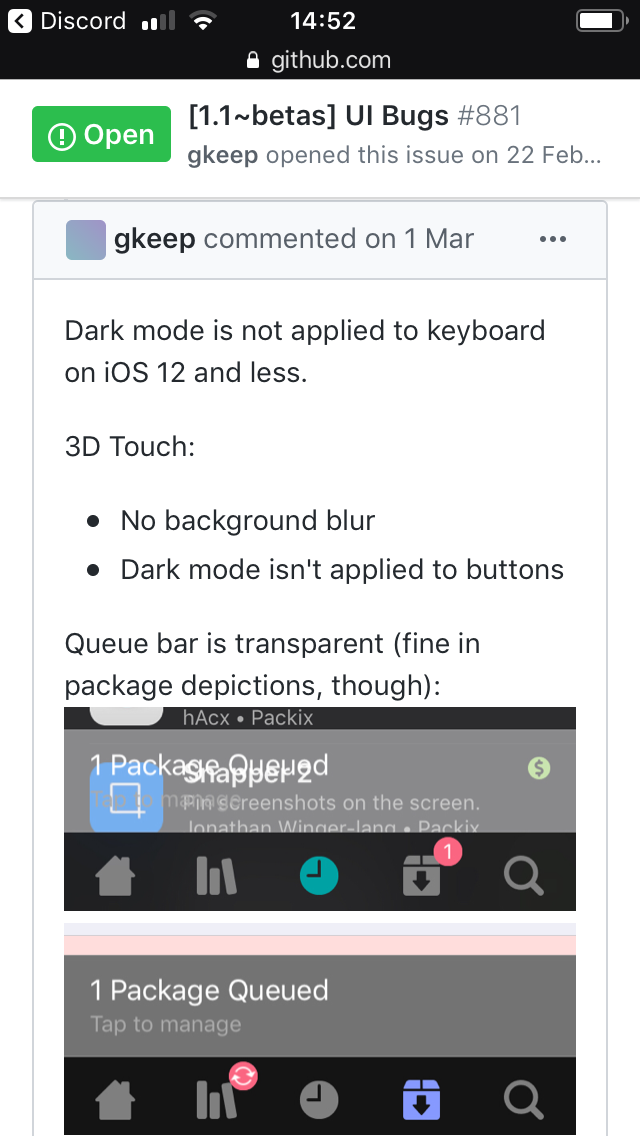
White keyboard and white queue bar also there is a new UI Bug report here, black status bar on dark mode
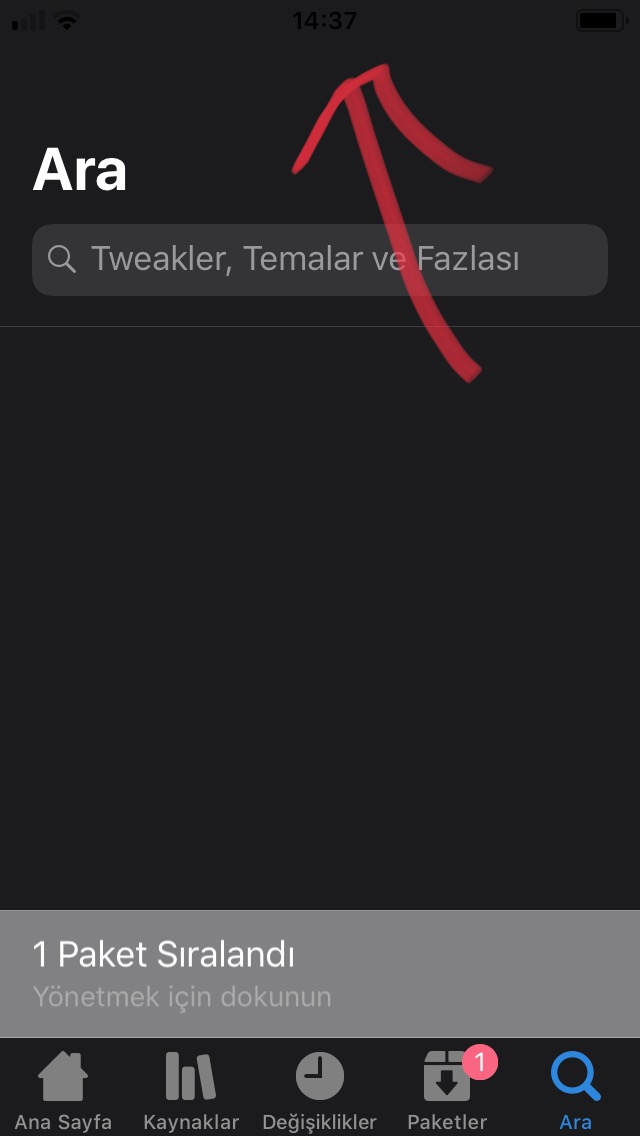
CanerKaraca23
on 28 Apr 2020
Just fixed the queue bar
wstyres
on 28 Apr 2020
Monochrome accent color should be fixed as well
wstyres
on 28 Apr 2020
Keyboard color should also be fixed
wstyres
on 28 Apr 2020
-Switching dark/light modes problems -fixed on beta-8
CanerKaraca23
on 28 Apr 2020
Can't reproduce the status bar problem, is it a one time occurrence or does it happen every time?
wstyres
on 28 Apr 2020
Can't reproduce this one either.
gkeep
on 28 Apr 2020
Found another one.
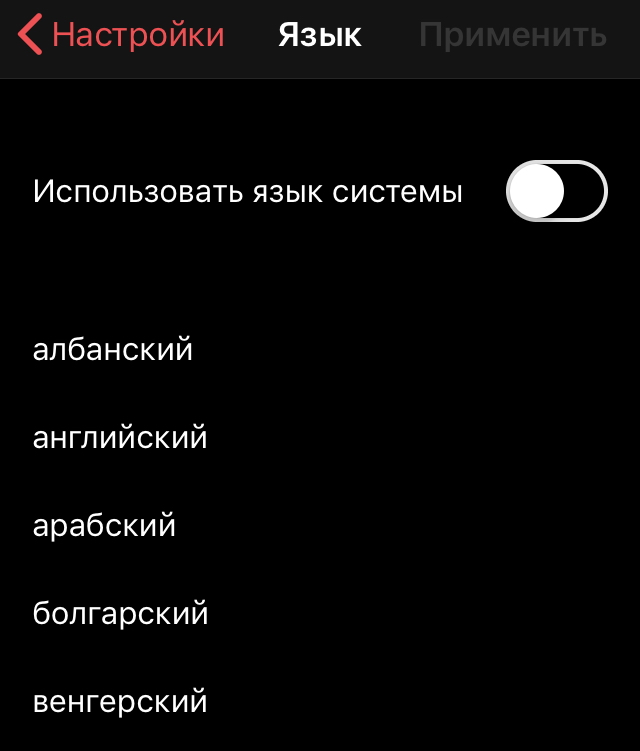
Not sure about other languages, but in Russian, on the languages page, languages have to start with a capital letter (like in English). We don't have these strings on Crowdin, so it's not a translation issue.
gkeep
on 28 Apr 2020
Could you create another issue for that? I've been meaning to correct that as well as actually show the name of the language in the local region like iOS does.
wstyres
on 28 Apr 2020
Sure.
gkeep
on 28 Apr 2020
Can't reproduce the status bar problem, is it a one time occurrence or does it happen every time?
Yes. It's happen always. But only in searching section while searching something.
CanerKaraca23
on 28 Apr 2020
@CanerKaraca23 Not able to reproduce with the search view on the status bar. Could you take a screen recording so I can see exactly the steps you took?
wstyres
on 28 Apr 2020
Unfortunately, on screen recording red section hides status bar. I can only take screenshot.
CanerKaraca23
on 28 Apr 2020
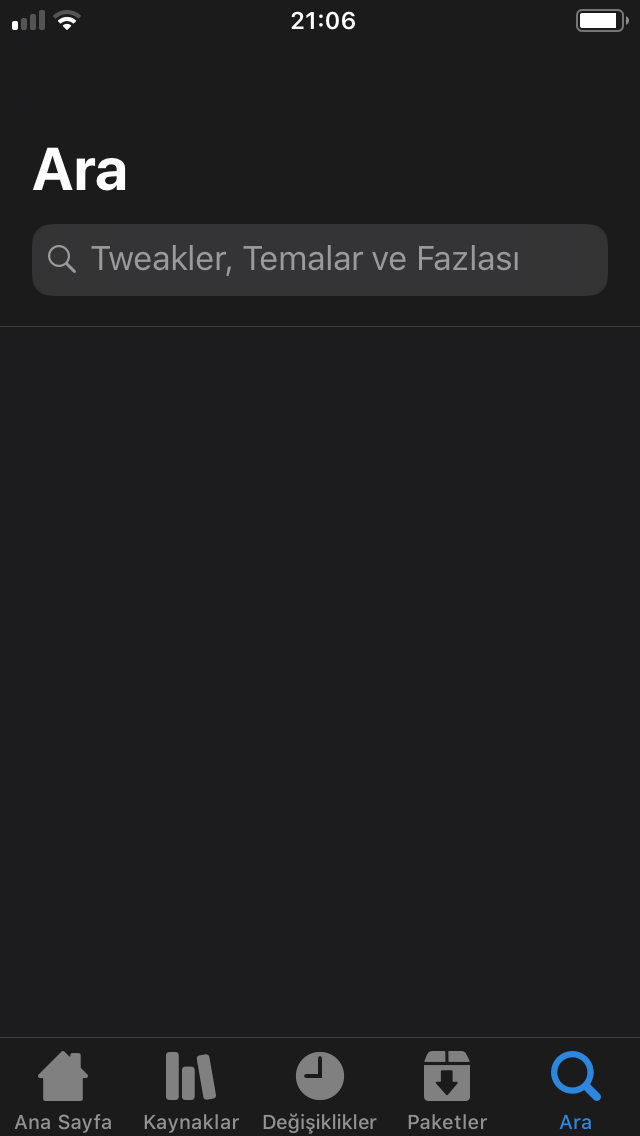
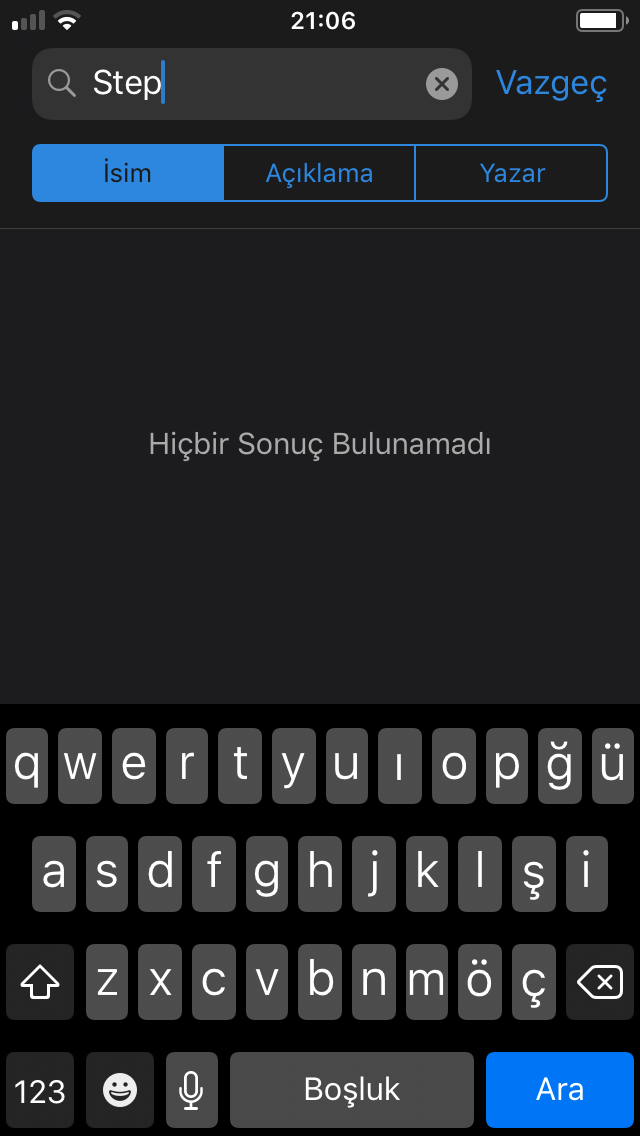
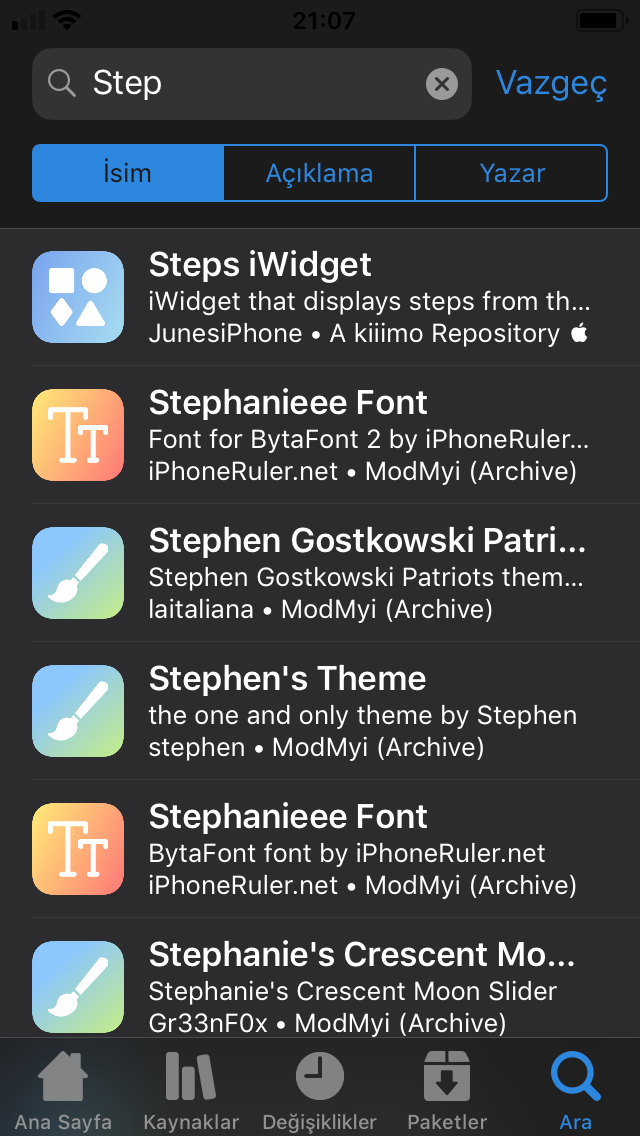
Well then maybe instructions step by step?
wstyres
on 28 Apr 2020
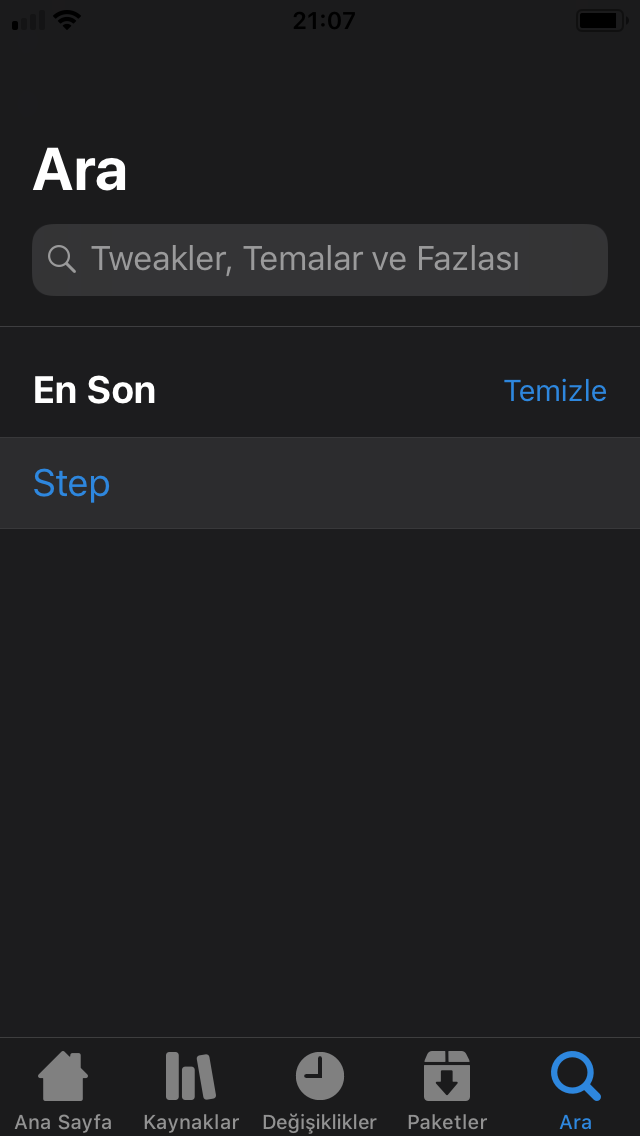
Ah I see, you have live search off so for me it only happens when I press enter
wstyres
on 28 Apr 2020
4 step:
CanerKaraca23
on 28 Apr 2020
Ah I see, you have live search off so for me it only happens when I press enter
Yeah, because live search slow on my iPhone 5s.
Also another UI bug here:
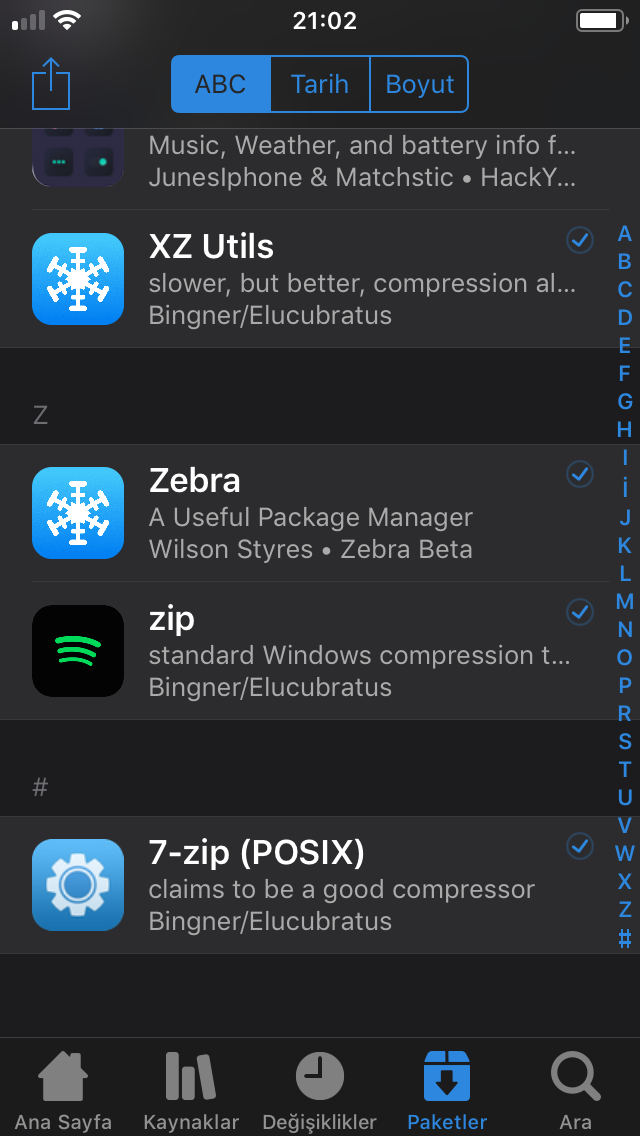
When you scroll very fast on packages section this happens. Wrong icons on wrong packages.
CanerKaraca23
on 28 Apr 2020
Status bar should be fixed as of 4fc7c18037ab2d39599d0ce7cb0af0ae086e4f62.
wstyres
on 28 Apr 2020
You're very fast, thanks! Can you look this issue too?
CanerKaraca23
on 28 Apr 2020
The scrolling too fast is a problem with the image library we use, can't do anything about it other than to tell you to stop scrolling so fast :p
wstyres
on 28 Apr 2020
No problem for me :D Just notice, I'm not using so fast Zebra. Also sometimes Zebra freezes for 4-5 seconds. I don't know why maybe because I have old device (iPhone 5s) or Apple slows us to buy a new device :p
CanerKaraca23
on 28 Apr 2020
I think all of these should be fixed as of 2924838f4c5a4c542c1ea5b05318e1f1f419e177. If any more arise, please open a new issue as this one is getting kind of long :).
wstyres
on 29 Apr 2020
Related issues
 VanishingTacos
·
3Comments
VanishingTacos
·
3Comments
 SeMoOo
·
3Comments
SeMoOo
·
3Comments
 mwoolweaver
·
4Comments
mwoolweaver
·
4Comments
 WenaWindows
·
4Comments
WenaWindows
·
4Comments
 worldlydev
·
7Comments
worldlydev
·
7Comments
Most helpful comment
I think all of these should be fixed as of 2924838f4c5a4c542c1ea5b05318e1f1f419e177. If any more arise, please open a new issue as this one is getting kind of long :).