Zammad: Column width is resized to a non readable minimum
Infos:
- Used Zammad version: 2.4
- Installation method (source, package, ..): deb package
- Operating system: Debian
- Database + version:
- Elasticsearch version:
- Browser + version: Firefox 62a (also saw this issue in normal stable version)
Expected behavior:
- Column adjust with
- At least a way to reset the standard column width
Actual behavior:
- Sometimes column width breaks including getting a scollbar
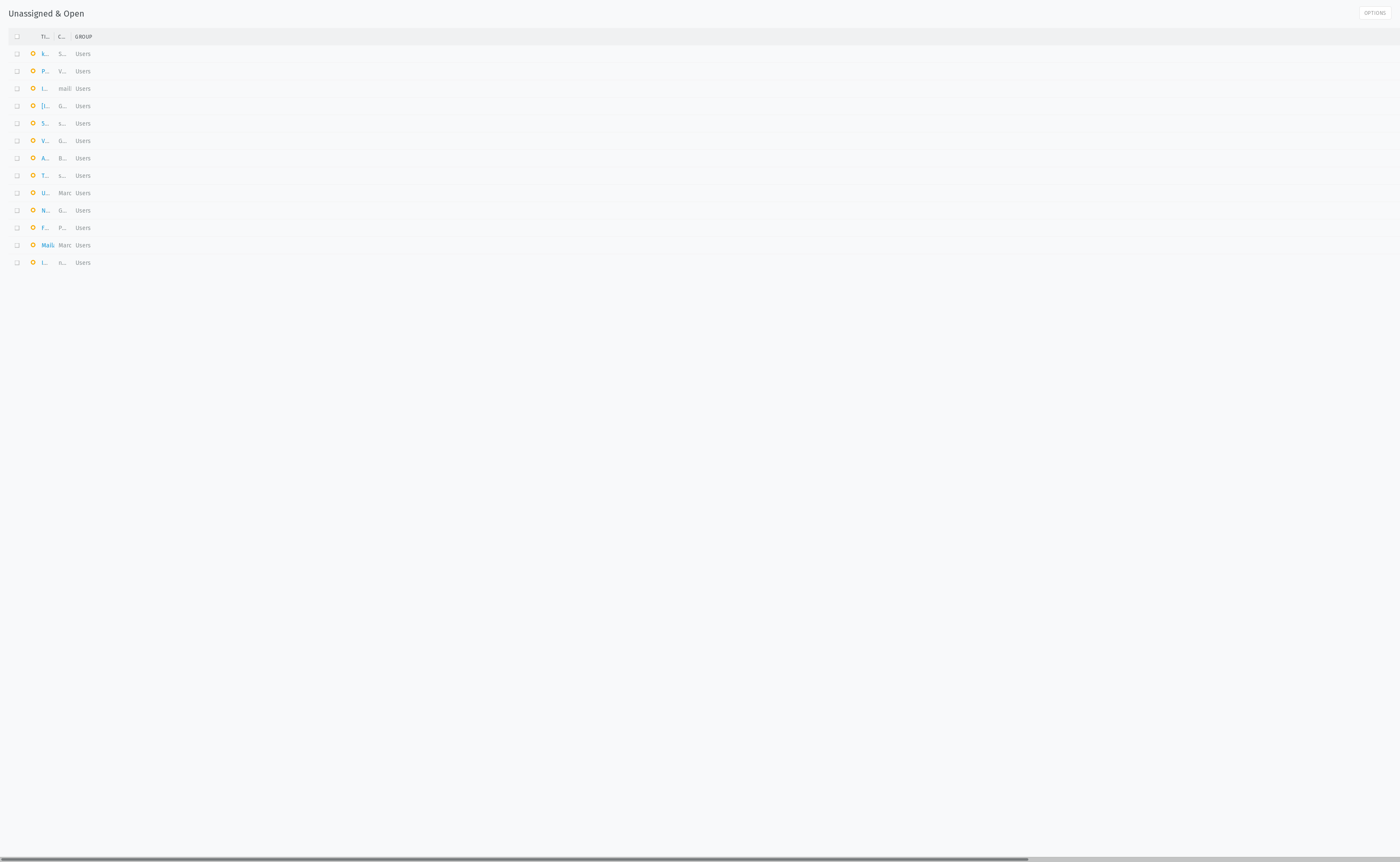
Localstroage ID 2:
{"headerWidth":{"icon":0.023275145469659187,"title":0.03325020781379884,"customer_id":0.03325020781379884,"group_id":0.8165128869250897,"created_at":0.03325020781379884,"updated_by_id":0.03325020781379884,"updated_at":0.03325020781379884}}
-> Only fix is to clear the Loalstorage
Steps to reproduce the behavior:
- Maybe resizing the window, switch the active instance (no persisten way to recreate the issue)
Yes I'm sure this is a bug and no feature request or a general question.
 xf-
xf-
All 20 comments
Thx for the report. We are hunting this for a while now....
If you find a way to reproduce, let us now.
 hanneshal
on 22 May 2018
hanneshal
on 22 May 2018
@hanneshal looks like it stats if i resize the window and at some point later it breaks. I tried to force it and found no clear way, only reoccurring pattern is it happens after a resize but no intimidate. And after it breaks if you manually fix the column it is not responsive anymore (maybe a place to look).
Workaround maybe a clear or reset columns
xf-
on 2 Jun 2018
Maybe it is fixed - Last update added the new more responsive menu on top and it recalculates all the columns on resize (much better as before)
xf-
on 2 Jun 2018
Please let us know if it still persists 👍 Closing (for) now.
 thorsteneckel
on 4 Jun 2018
thorsteneckel
on 4 Jun 2018
Hi @thorsteneckel ,
it still happens (less often). Looks like it only happens if a resize of window happened at some point. Issue appears mostly after increasing the window size or go to fullscreen.
xf-
on 17 Jun 2018
Thanks for your feedback! Would be great if you could find a way to reproduce it and create an issue with a step by step description.
thorsteneckel
on 17 Jun 2018
@thorsteneckel i don't think it will happen. i can't find a clear pattern.
xf-
on 19 Jun 2018
This also (still) applies to 2.6
 MrGeneration
on 22 Aug 2018
MrGeneration
on 22 Aug 2018
We're still not able to reproduce it. If anyone know how we're happy to fix it.
thorsteneckel
on 22 Aug 2018
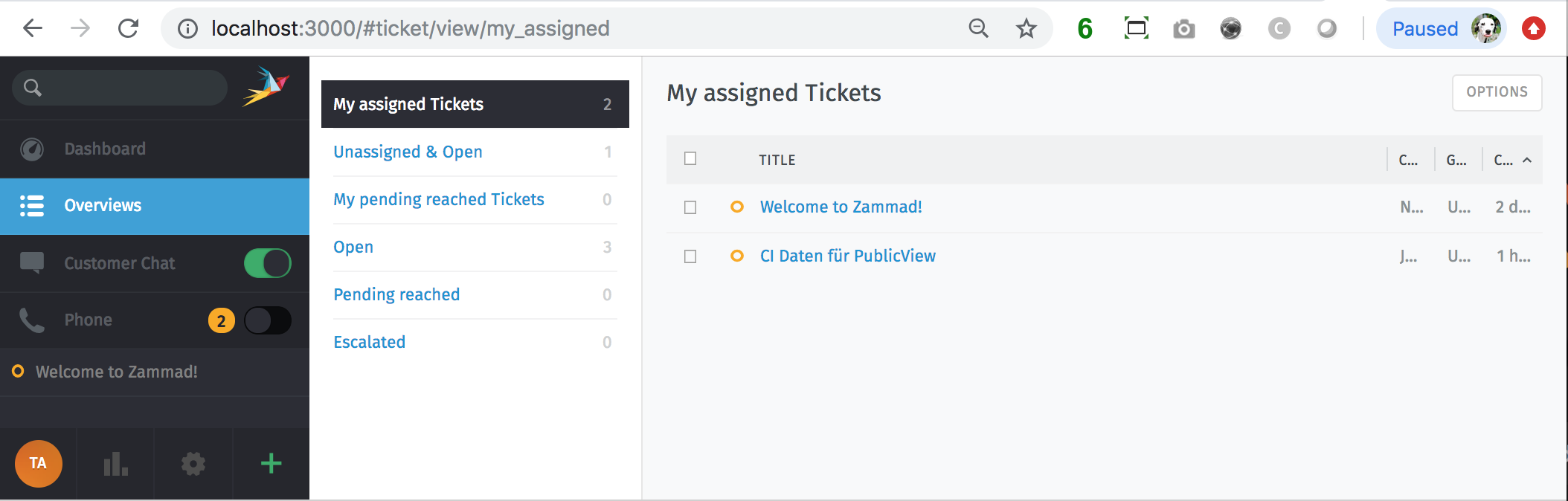
Update: Maybe I was able to reproduce it. It looks not 100% like in opening screenshot. But very similar. Follow the following steps to reproduce it:
1) Resize your browser window to 1400x800.
2) Click on a new overview where tickets in it
3) Resize the columns.
4) Resize the browser window to 1024x800.
5) Wait until the table is re-rendered (e. g. let an agent close tickets in it).
The result is:
 martini
on 19 Nov 2018
martini
on 19 Nov 2018
This is the same issue. Depends a little bit on different screen/window sizes and after starting breaking it will get worse. But i never found a way to reproduce.
xf-
on 19 Nov 2018
@xf- do you "resize" the browser window? I only can reproduce it this way. But it seems that nobody was using "resize" the browser window.
martini
on 19 Nov 2018
i never touched the columns. Sometimes it happens 3 times a day, next time it happens once a month. I often tried to reproduce it, but never found a way.
xf-
on 19 Nov 2018
@xf- Thanks for feedback. Do you use bulk action or macros from overview?
martini
on 19 Nov 2018
I don't use bulk (because i can't tag stuff - e.g. select all spam/newsletter and tag as spam -> delete task handles the rest). Macro in overview is the drag and drop stuff? No, because i always forget about tat feature.
xf-
on 20 Nov 2018
I found a way how to reproduce my issue.
- deleted all storage (firefox)
- force reload
- make the window smaller as initial size and i get an scroll bar. (increase the size and resource it to old one works).
I use a multi monitor setup with different resolutions and ppi.
xf-
on 20 Nov 2018
Hi all,
any feedback would be welcome if you still have the issue in Zammad 2.8.
Thanks!
-Martin
martini
on 10 Dec 2018
I have no customer Feedback yet.
I did not see this issue any more within 2.8.
Edit: 1/2 customers verified that this issue has been adressed.
MrGeneration
on 13 Dec 2018
looks like resize works always
xf-
on 14 Dec 2018
@xf- thanks for feedback! 👌 I'm closing for now.
martini
on 16 Jan 2019
Related issues
 jaeger13
·
30Comments
jaeger13
·
30Comments
 ThePatzen
·
22Comments
ThePatzen
·
22Comments
 mweinelt
·
23Comments
mweinelt
·
23Comments
 Sandalas
·
28Comments
Sandalas
·
28Comments
 lsergei
·
29Comments
lsergei
·
29Comments