Yolov3: COCO Label Errors (duplicates/triplicate class 0 FPs)
🐛 Bug
A clear and concise description of what the bug is.
To Reproduce
Steps to reproduce the behavior:
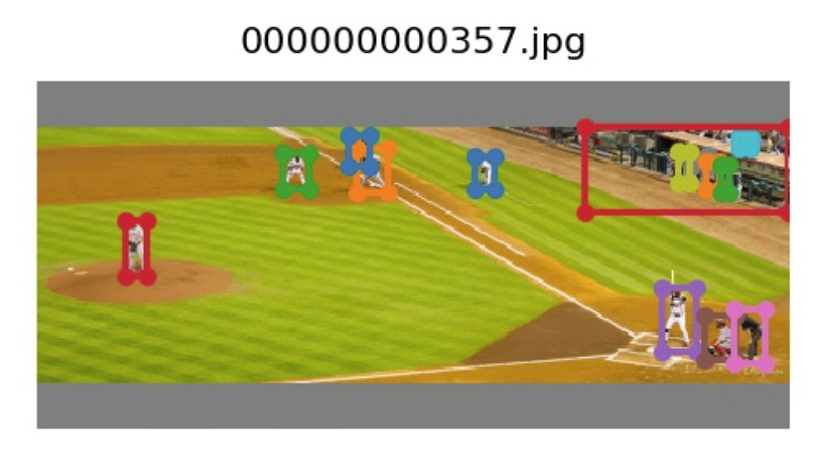
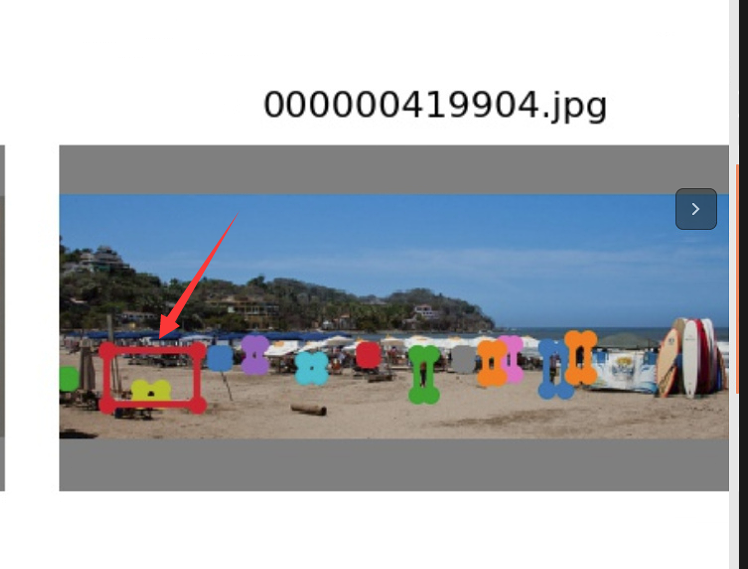
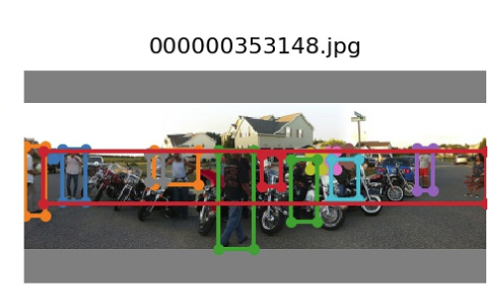
- In augment,When i display the test_batch0.jpg.I find this error in final augment result,I think the bbox label encounter some problems when data augment.Some big boundingbox contain small boundingbox,but big box not true object.How to solve this augment problem?
Thanks very much!
I use coco2017 detection dataset。and using class is person and cellphone
 Ronales
All 22 comments
@Ronales oh thats very interesting, thank you for the bug report!
Do you get this on default COCO or is it something your changes produced (for person and cellphone only?)
Is there a set of reproducible code you could supply which produces the error?
 glenn-jocher
on 13 Dec 2019
glenn-jocher
on 13 Dec 2019
What is the image size that you trained on?
 FranciscoReveriano
on 13 Dec 2019
FranciscoReveriano
on 13 Dec 2019
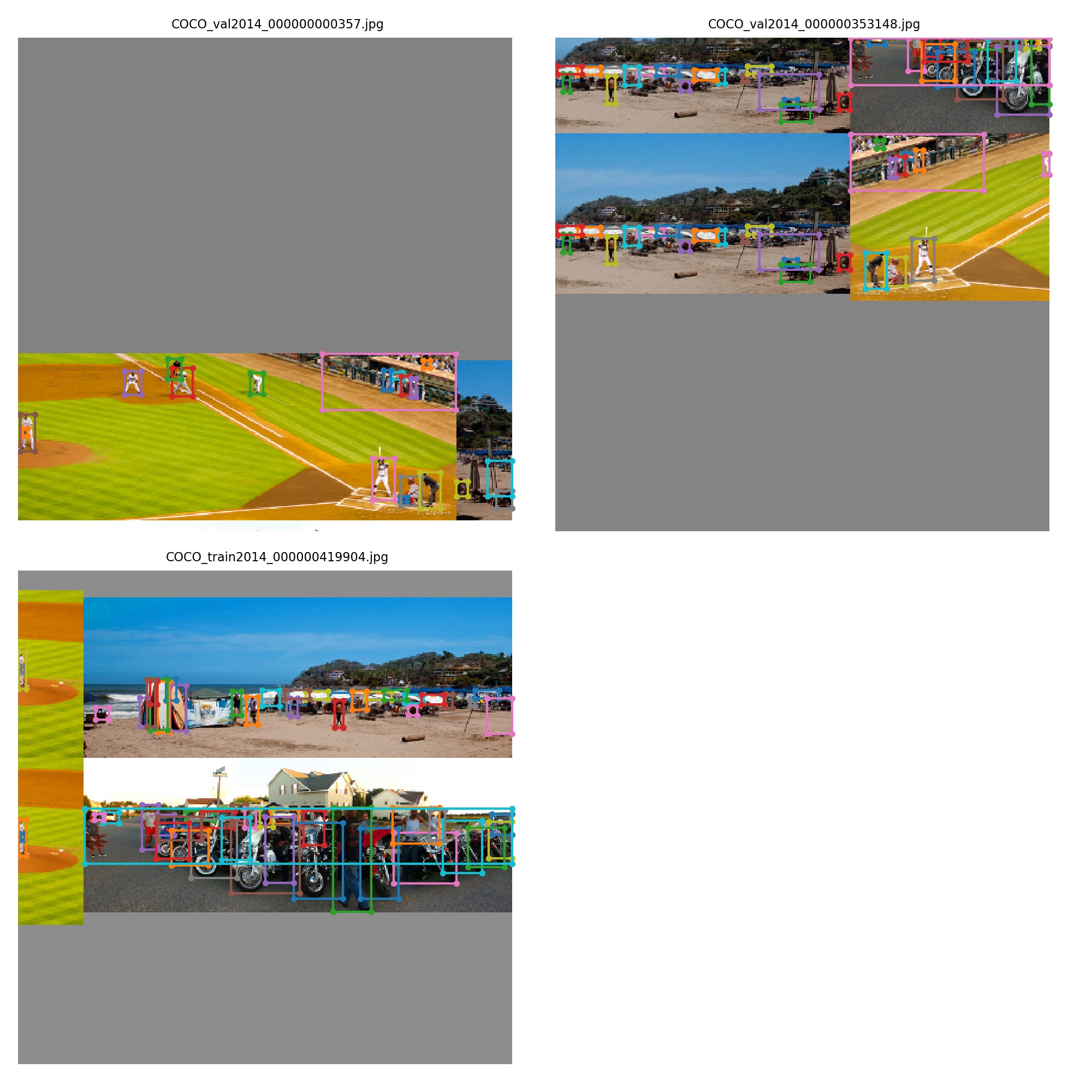
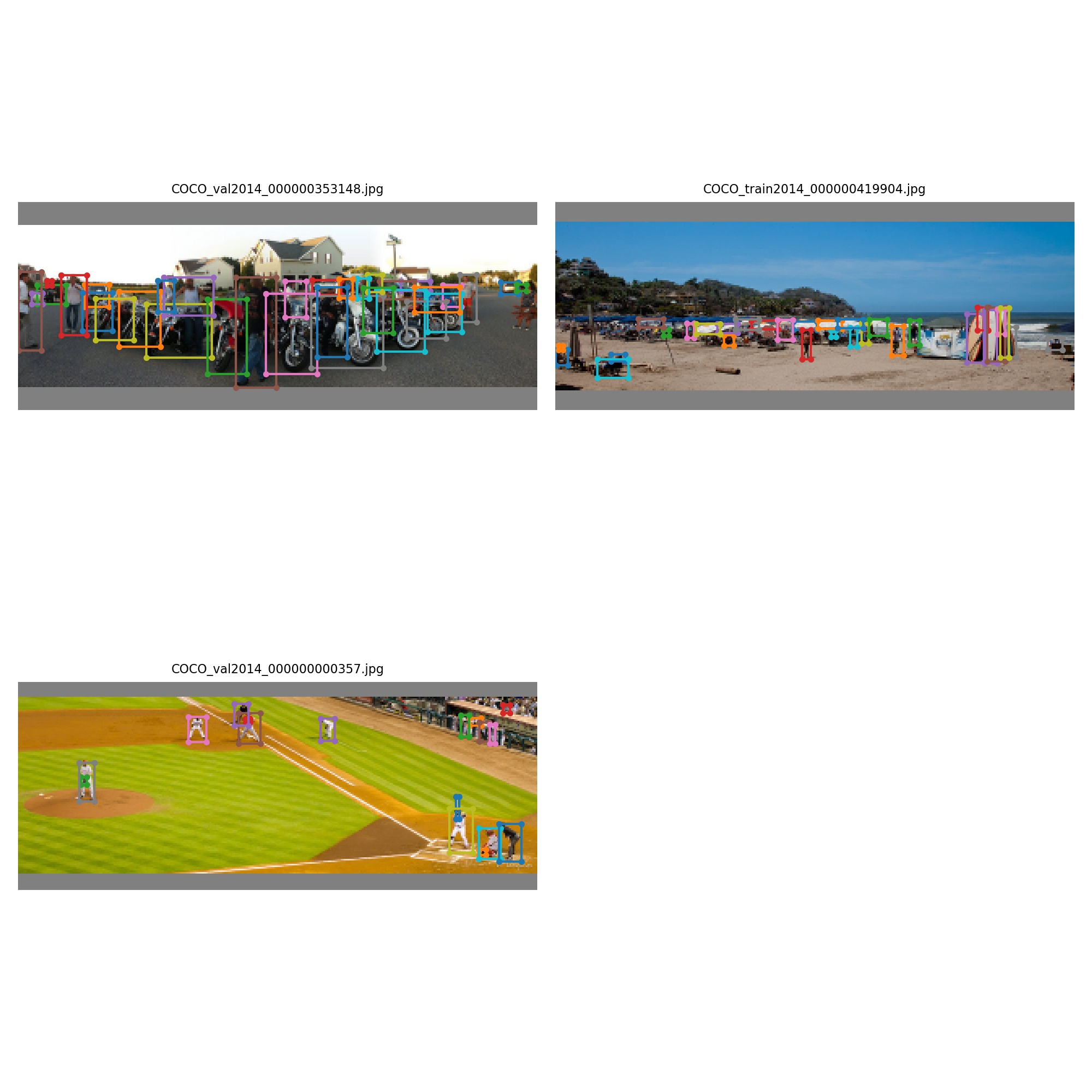
@Ronales @FranciscoReveriano I am able to reproduce this using the following images in test.py:
../coco/images/val2014/COCO_val2014_000000000357.jpg
../coco/images/train2014/COCO_train2014_000000419904.jpg
../coco/images/val2014/COCO_val2014_000000353148.jpg
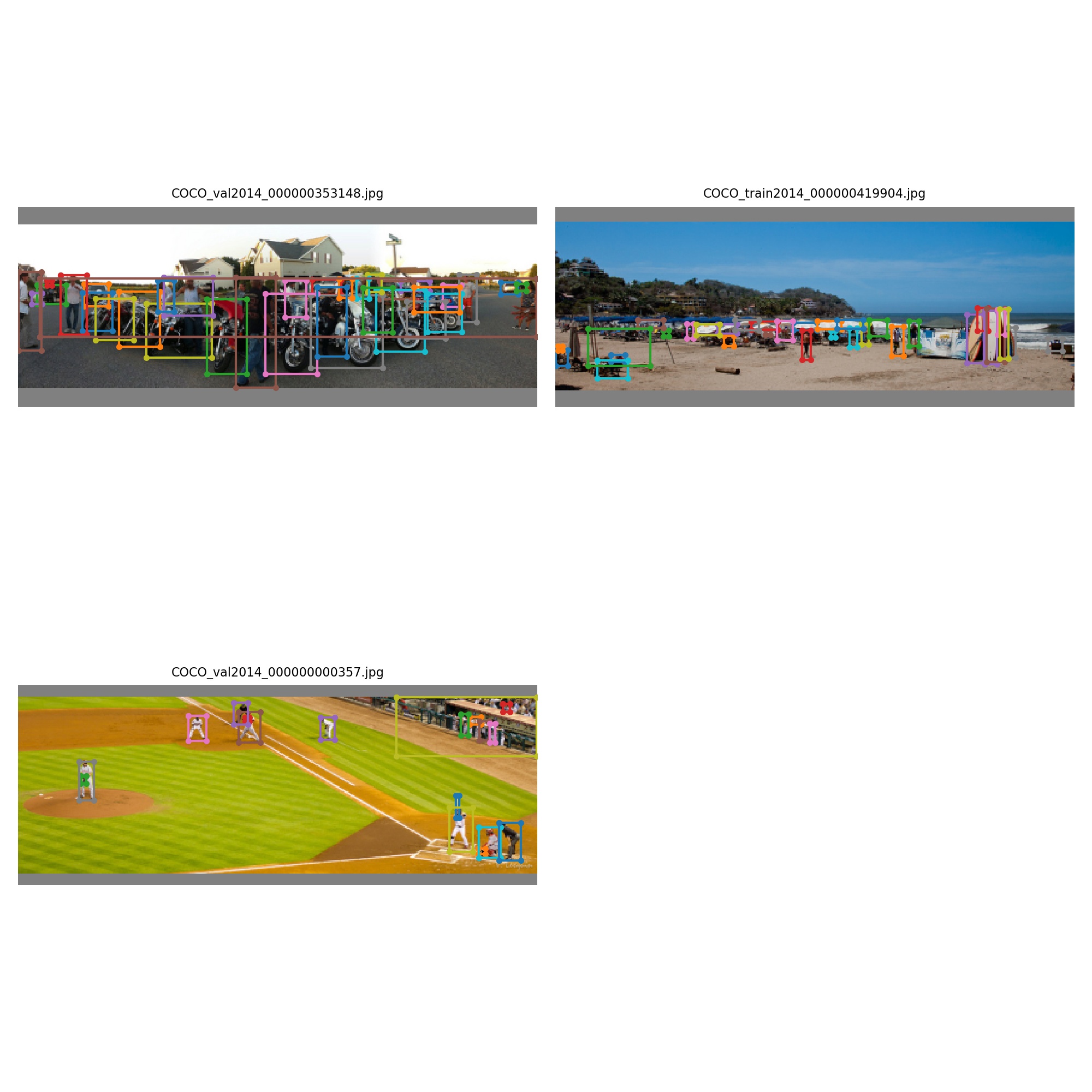
I see them also if I use the same images to train. The next step is to see if the boxes are in the COCO labels text files themselves, or whether this repo is generating them accidentally.
glenn-jocher
on 13 Dec 2019
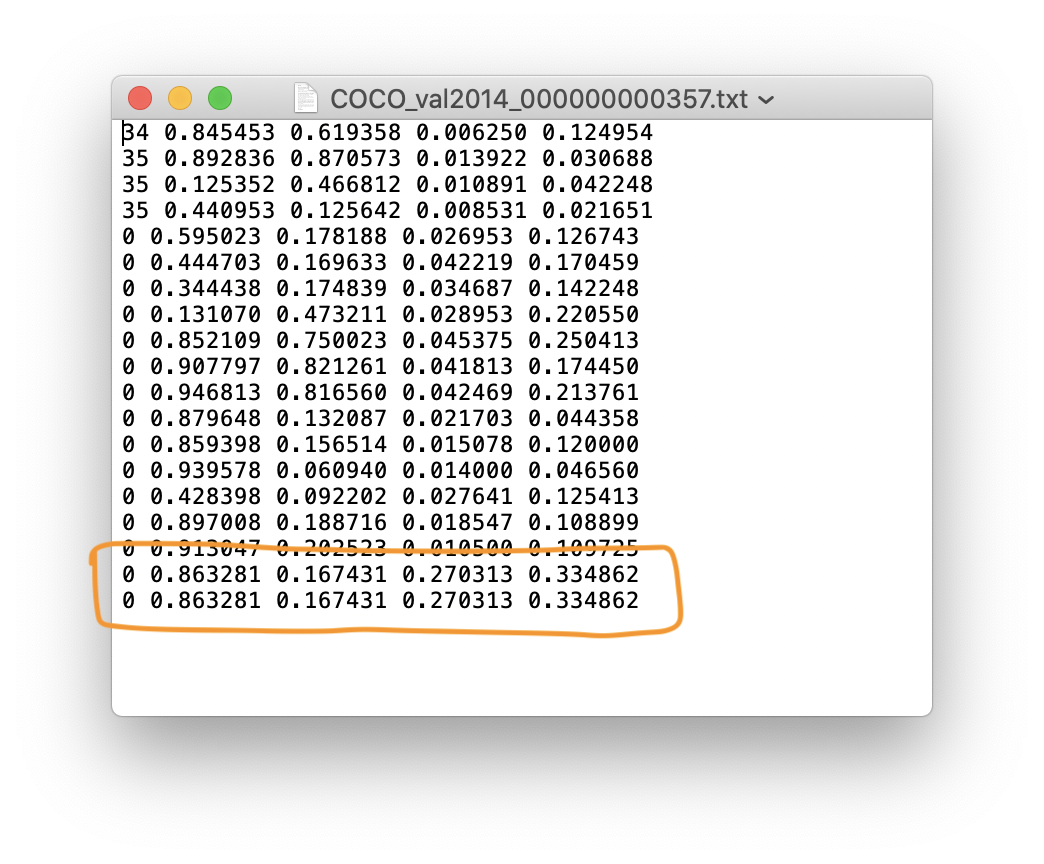
The labels are below. The issue seems to originate in the official COCO labels themselves, so there is nothing we can do about this short of modifying the actual labels.
We could introduce error checking logic that eliminates duplicates alltogethor (or leaves 1 at most, which may help since it seems a fraction of these occurrences are labelled multiple times.
The large box on the baseball field seems to be a class 0 (person) box. It's also duplicated (not sure if this is coincidence or not).
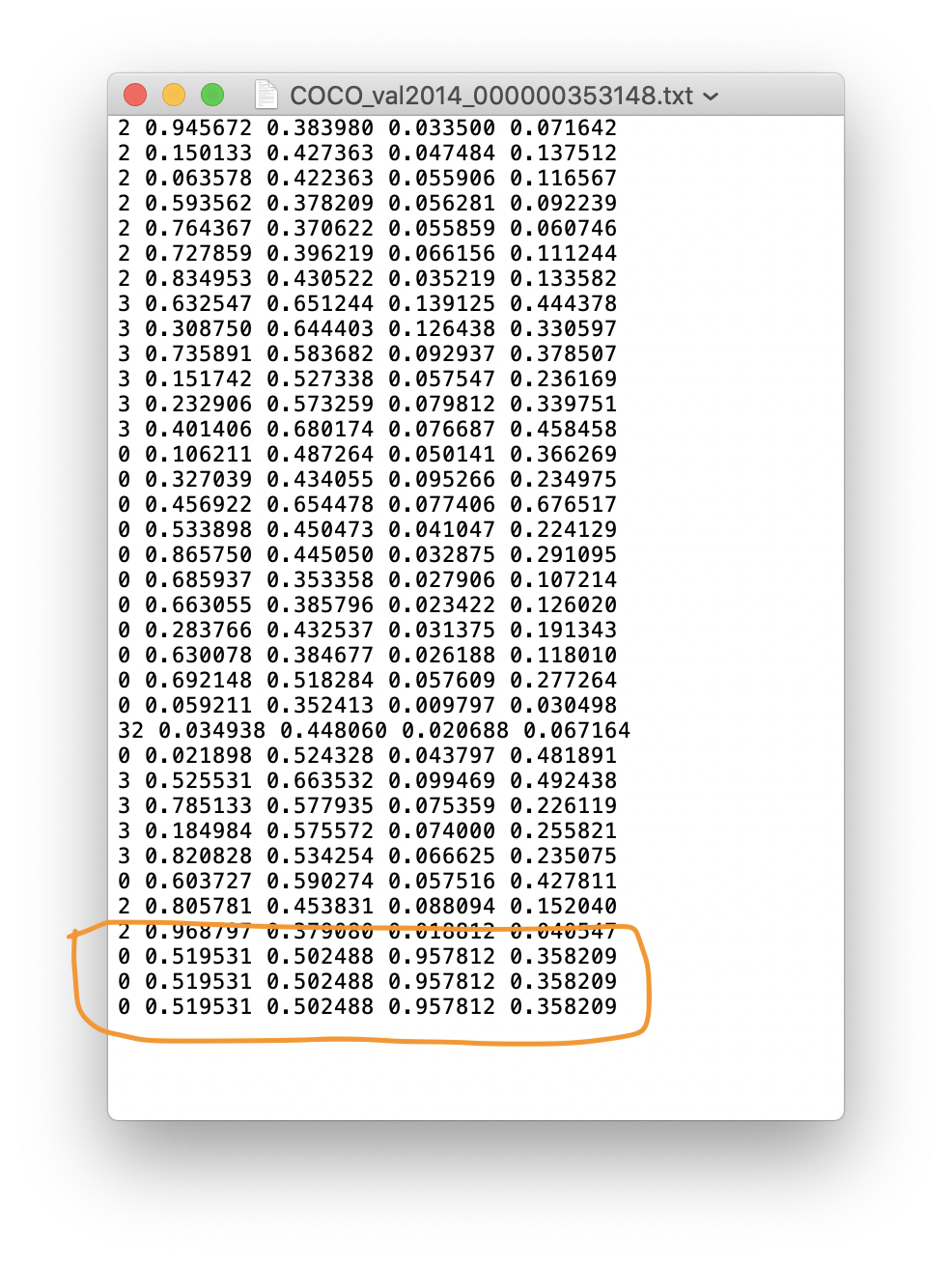
In the motorcycle image, there is again a class 0 label with a width of 0.95 causing the problem. This time it's triplicated.
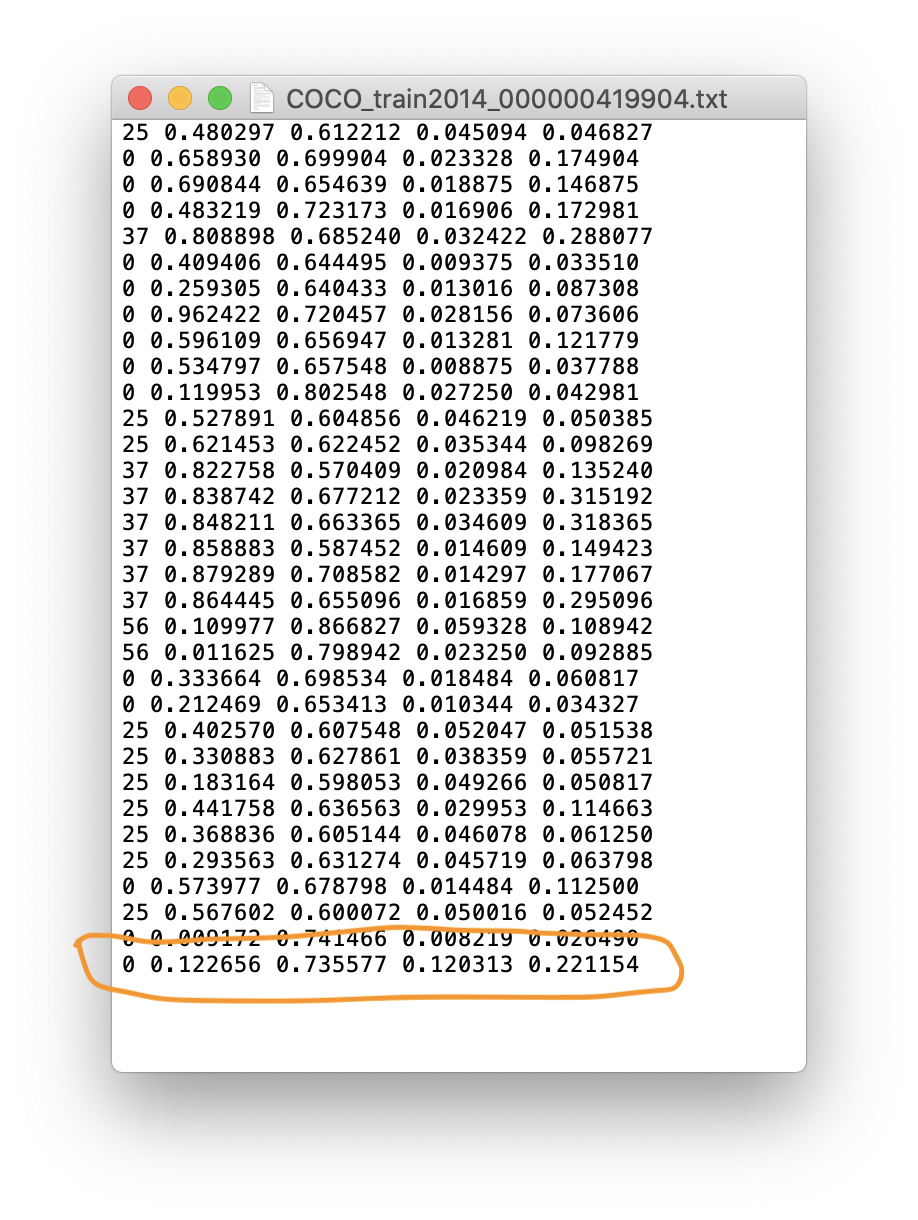
On the beach the only wide object I see is a class 0 (person again) in the last row, this time the label is by itself.
glenn-jocher
on 13 Dec 2019
@joehoeller could you try and see if these duplicated labels are present in the COCO json files? The most egregious one is the ../coco/images/val2014/COCO_val2014_000000353148.jpg motorcycle photo. The last 3 labels that we have (in *.txt format) show a nonexistant class zero person with a width of the 0.95 of the image in triplicate.
The duplicate labels seem pervasive in our *.txt labels, I'm trying to figure out if perhaps something about the JSON to txt file export process created them by accident.
glenn-jocher
on 13 Dec 2019
@glenn-jocher sure no prob, are you using Dark Chocolate to convert, or....?
 joehoeller
on 13 Dec 2019
joehoeller
on 13 Dec 2019
@joehoeller well that's the weird thing, I've never actually converted any COCO jsons to darknet *.txt.
The COCO labels can currently be downloaded with:
bash yolov3/data/get_coco_dataset.shbash yolov3/data/get_coco_dataset_gdrive.sh
The first one is a copy of the darknet download bash file which takes zips directly from pjreddie's server (the original yolo author). The second one is a cleanup I did of the first one (there was 1 corrupted image), which I uploaded as a single zip to Google Drive:
https://drive.google.com/uc?export=download&id=1WQT6SOktSe8Uw6r10-2JhbEhMY5DJaph
So in all this time I've never actually exported the JSONs to darknet. This duplicate label issue is present in the Google Drive labels, which probably means its present in the pjreddie labels, but I don't know if the official COCO JSONs also show it.
Can you check if Dark Chocolate is making the same problem with COCO_val2014_000000353148?
glenn-jocher
on 13 Dec 2019
@joehoeller @Ronales the coco website doesn't show boxes anymore, only outlines, but there is no sign of an error there.
I also checked the original darknet labels just now (bash yolov3/data/get_coco_dataset.sh), and the FP duplicates are there as well.

glenn-jocher
on 13 Dec 2019
No sir, I just generated all of those and tested. I will also denote I use FP (Functional Programming) code design patterns, so I dont have any loops or mutations, and my functions maintain state/referential transparency to avoid bugs like this.
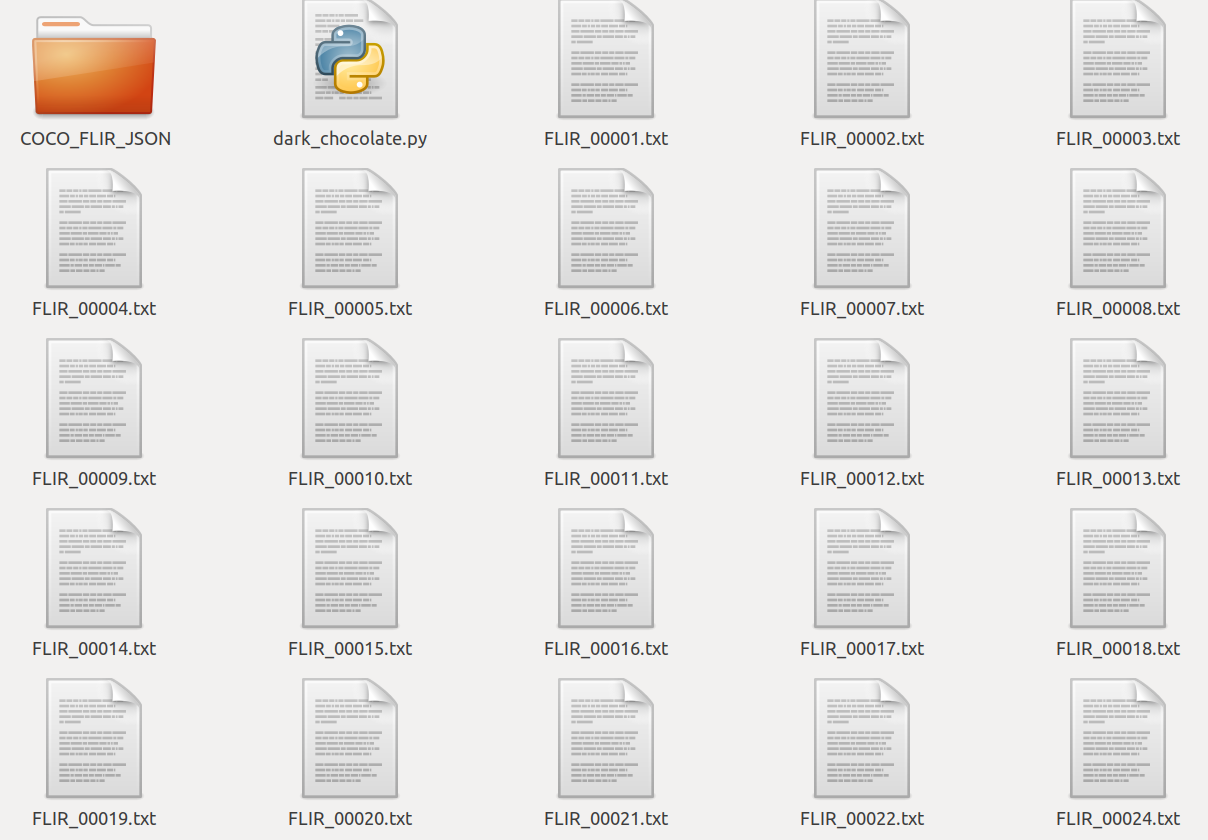
Sample .txt files in Darknet from DarkChocolate:
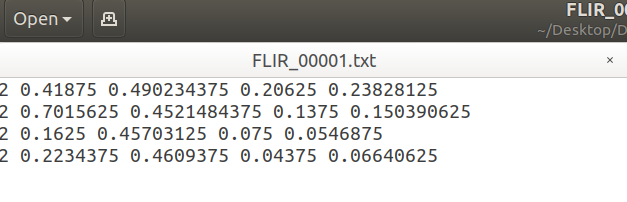
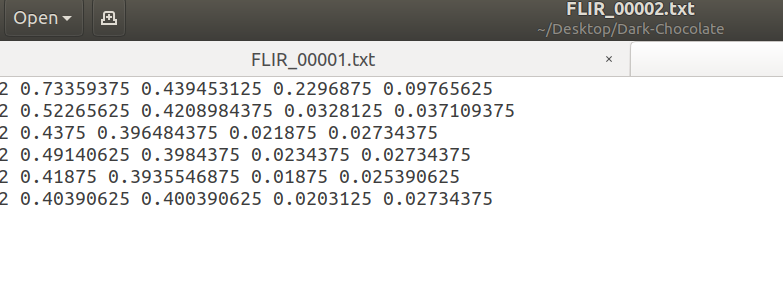
This is the JSON output where one can validate via darkchocolate key, with values above it to check the math in the event of any changes to COCO or Darknet:
[
   {
      'id':10,
      'image_id':10,
      'coco_class':'1',
      'x':32,
      'y':229,
      'bbox_width':22,
      'bbox_height':55,
      'img_width':640,
      'img_height':512,
      'output':'FLIR_00010.txt',
      'darkchocolate':[
         0,
         0.0671875,
         0.5009765625,
         0.034375,
         0.107421875
      ]
   },
   {
      'id':10,
      'image_id':10,
      'coco_class':'3',
      'x':174,
      'y':225,
      'bbox_width':39,
      'bbox_height':30,
      'img_width':640,
      'img_height':512,
      'output':'FLIR_00010.txt',
      'darkchocolate':[
         2,
         0.30234375,
         0.46875,
         0.0609375,
         0.05859375
 ...
In reference to the above, do a cntrl+f to do a find for 00002, and you'll see the JSON matches the screenshots for the output of Darknet format from Dark Chocolate.
joehoeller
on 13 Dec 2019
@joehoeller ok thanks buddy
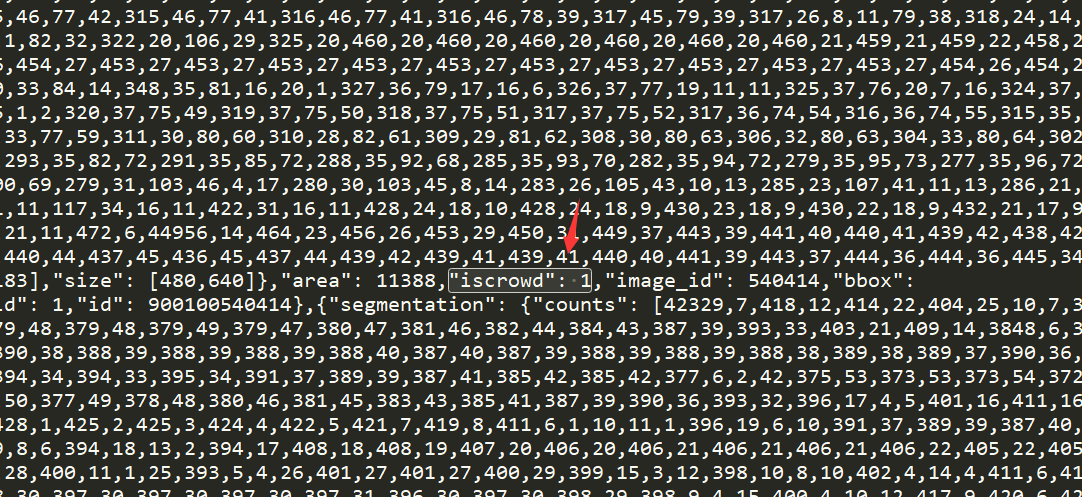
@Ronales I found out the problem was caused by COCO annotations with 'iscrowd' = True dictionary values. I tried to reparse the COCO dataset ignoring entries where this value was True, and now the issue seems resolved.
I've re-uploaded a new COCO dataset with the corrections that you can download using bash yolov3/data/get_coco_dataset_gdrive.sh or going to https://drive.google.com/open?id=1WQT6SOktSe8Uw6r10-2JhbEhMY5DJaph (same URL and same bash file, nothing has change there).
The new dataset has a simplified directory structure which created a breaking change for the tutorial datasets, so if you are using those please git pull or reclone and try everything again.
Again thanks for spotting this @Ronales! In total I saw almost 5000 affected images, so this should have a positive impact on COCO training results going forward :)
glenn-jocher
on 14 Dec 2019
Nice catch guys!
On Fri, Dec 13, 2019 at 6:13 PM Glenn Jocher notifications@github.com
wrote:
@joehoeller https://github.com/joehoeller ok thanks buddy
@Ronales https://github.com/Ronales I found out the problem was caused
by COCO annotations with 'iscrowd' dictionary keys. I tried to reparse the
COCO dataset ignoring entries where this key was True, and now the issue
seems resolved.I've re-uploaded a new COCO dataset with the corrections that you can
download using bash yolov3/data/get_coco_dataset_gdrive.sh or going to
https://drive.google.com/open?id=1WQT6SOktSe8Uw6r10-2JhbEhMY5DJaphThe new dataset has a simplified directory structure which created a
breaking change for the tutorial datasets, so if you are using those please
git pull or reclone and try everything again.Again thanks for spotting this @Ronales https://github.com/Ronales! In
total I saw almost 5000 affected images, so this should have a positive
impact on COCO training results going forward :)[image: test_batch0]
https://user-images.githubusercontent.com/26833433/70839758-254f3e80-1dc3-11ea-92ee-f3493abfa4bb.jpg—
You are receiving this because you were mentioned.
Reply to this email directly, view it on GitHub
https://github.com/ultralytics/yolov3/issues/714?email_source=notifications&email_token=ABHVQHES22CRZ3OBUUFK4WDQYQQLZA5CNFSM4J2M5MO2YY3PNVWWK3TUL52HS4DFVREXG43VMVBW63LNMVXHJKTDN5WW2ZLOORPWSZGOEG3T4GI#issuecomment-565657113,
or unsubscribe
https://github.com/notifications/unsubscribe-auth/ABHVQHFUHSK2JKK7XVQTOQTQYQQLZANCNFSM4J2M5MOQ
.
joehoeller
on 14 Dec 2019
@joehoeller
Thanks for your reply!if I choose to download new coco dataset you support,May be the time cost is high,so I notice this is original COCO annotations problems,Can you share ture annotations to me?
Or what should I do to close the COCO annotations 'iscrowd' = True means "iscrowd": 1 ? If i just modify the 'iscrowd' = True to 'iscrowd' = 0? meanwhile,I don't do anything to other files such as images .Can I solve this problem?
Thanks!
Ronales
on 14 Dec 2019
In my previous train or test experiment,I have notice this coco label errors,but I just think this is an accidental error until I find a great deal of labels bug.
If we provide a good method,That's a nice thing!
Ronales
on 14 Dec 2019
@Ronales I've updated the repo and the data now, so all you need to do is git pull a fresh copy and run again. I corrected the mistakes in the COCO2014 dataset, and I also added COCO2017 (new default).
You can use bash yolov3/data/coco2014.sh or bash yolov3/data/coco2017.sh:
rm -rf yolov3  # remove
git clone https://github.com/ultralytics/yolov3
bash yolov3/data/get_coco2017.sh
cd yolov3
python3 train.py --data coco.data  # 2017 default, or --data coco2014.data
Dear author,I have download new default coco2017 from you,but how can I only choose centain class to train rather than all classes?
Can I create thresholdto filter coverted label txt to fix above mentioned overlap problems?or other solve method to acheive no overlap label.
Thanks forv your reply.
Ronales
on 16 Dec 2019
@Ronales to only train certain classes you'd have to modify your label files by deleting the rows you are not interested in, or modify the dataset function to ignore these classes:
https://github.com/ultralytics/yolov3/blob/8666413c47be06697e63ddf6fdfb5f908fb2eacf/utils/datasets.py#L258
glenn-jocher
on 17 Dec 2019
I get it! Thanks for your reply.
Ronales
on 17 Dec 2019
I'll close this issue for now as the original issue appears to have been resolved, and/or no activity has been seen for some time. Feel free to comment if this is not the case.
glenn-jocher
on 16 Jan 2020
@glenn-jocher Hi,
Did you reject only labels iscrowd=1, or whole images with iscrowd=1?
 AlexeyAB
on 27 May 2020
AlexeyAB
on 27 May 2020
Only labels.
glenn-jocher
on 27 May 2020
Is it a regular practice to ignore iscrowd annotations? Are SOTA measured on val/test sets with or without the iscrowd annotation? I don't see much information on this subject, maybe best algorithms can't really be compared if they train or evaluate on different labels
_edit: solved my own question after searching for more informations https://github.com/AlexeyAB/darknet/issues/5567#issuecomment-626758944_
 Whiax
on 13 Jul 2020
Whiax
on 13 Jul 2020
Related issues
 kaaier
·
3Comments
kaaier
·
3Comments
 JungminChung
·
3Comments
JungminChung
·
3Comments
 MichaelCong
·
4Comments
MichaelCong
·
4Comments
 yoga-0125
·
4Comments
yoga-0125
·
4Comments
 CF2220160244
·
5Comments
CF2220160244
·
5Comments
Most helpful comment
@joehoeller ok thanks buddy
@Ronales I found out the problem was caused by COCO annotations with
'iscrowd' = Truedictionary values. I tried to reparse the COCO dataset ignoring entries where this value wasTrue, and now the issue seems resolved.I've re-uploaded a new COCO dataset with the corrections that you can download using
bash yolov3/data/get_coco_dataset_gdrive.shor going to https://drive.google.com/open?id=1WQT6SOktSe8Uw6r10-2JhbEhMY5DJaph (same URL and same bash file, nothing has change there).The new dataset has a simplified directory structure which created a breaking change for the tutorial datasets, so if you are using those please git pull or reclone and try everything again.
Again thanks for spotting this @Ronales! In total I saw almost 5000 affected images, so this should have a positive impact on COCO training results going forward :)