I want to train my custom dataset with resolution 2880×540.
So how can I change the image size to this? After reading this (#456) , maybe I should add --img_size 2880 in training command line, so the letter box may automatically resize it to 2880×544. Is that right?
Thank you for help.
 lsd1994
All 15 comments
@lsd1994 test.py and detect.py automatically use rectangular inference. train.py will use rectangular training if you pass it a --rect argument, i.e.:
train.py --img-size 2880 --rect ...
 glenn-jocher
on 20 Sep 2019
glenn-jocher
on 20 Sep 2019
@lsd1994 otherwise you'll be training at 2880x2880 if you simply do train.py --img-size 2880
glenn-jocher
on 20 Sep 2019
I see, thank you very much!
lsd1994
on 21 Sep 2019
@glenn-jocher Ive resized the images from 640x512 to 160x120. DO i have to change the annotations? i mean re annotate?
 joel5638
on 5 Mar 2020
joel5638
on 5 Mar 2020
@joel5638 the annotations are all in normalized coordinates (0-1). See https://github.com/ultralytics/yolov3/wiki/Train-Custom-Data#train-on-custom-data
glenn-jocher
on 5 Mar 2020
@glenn-jocher yeah. But you’re saying that when we resize images we dont have to change the annotations, isnt it?
Just use the ‘—multiscale 160’flag at the training?
joel5638
on 6 Mar 2020
@joel5638 theres nothing to relabel since all labels are in normalized coordinates.
—multiscale does not take any arguments, you simply pass it by itself:
python3 train.py —multiscale
glenn-jocher
on 6 Mar 2020
@glenn-jocher Im trying to train 160x120 jpeg images with ‘—multi-scale’ flag and batch size of 8.
So while training. On the epochs. The image sizes are changing.
Is it the right way or am i missing something?
I dint make any changes in the cfg file too. I let the width and height be 640x512.
Is the model training on right sizes?
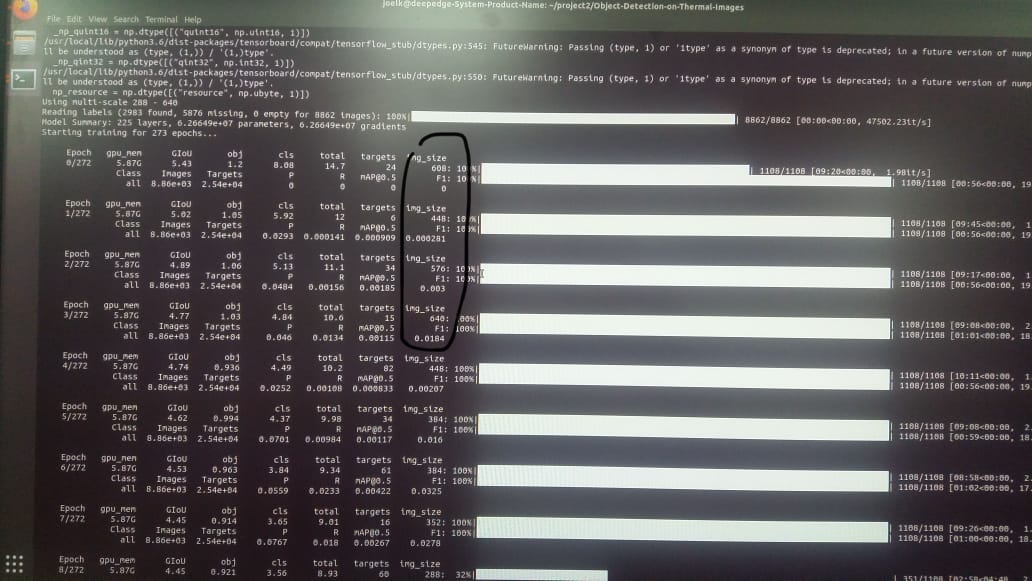
So its happening because of the multiscale flag.
What does multiscale does?
Cant we just train 160x120 images and not give multiscale flag?
joel5638
on 6 Mar 2020
@joel5638 of course the image sizes are changing, you requested multi-scale. It says right there in your terminal output using multi-scale 288-640.
glenn-jocher
on 6 Mar 2020
Okay.
So if i want to train with 160x120. I dont have to mention multiscale.
It automatically takes the sizes available in the image folders
joel5638
on 6 Mar 2020
@glenn-jocher training and inference always operate at --img-size. See the argparser arguments:
https://github.com/ultralytics/yolov3/blob/65eeb1bae5ea1f7d7249c0caf581e95de0dc1637/train.py#L398
glenn-jocher
on 6 Mar 2020
Okay.
So for 160x120. that would be
Python3 train.py —data/custom.data —weights/ultralytics49.pt —cfg/yolov3-spp-r.cfg —img-size 160
joel5638
on 6 Mar 2020
@joel5638 yeah! But I would use this instead, since 49 is a bit out of date. You might want to git pull to get the latest also.
python3 train.py --data custom.data --weights yolov3-spp-ultralytics.pt --cfg yolov3-spp-r.cfg --img 160
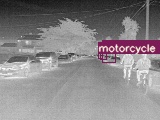
Something doesnt seems to work.
Ive stopped the training and checked the inference.
The box doesnt seem to fit in the object.
Trying to understand what is going wrong.
wrong label too.
joel5638
on 7 Mar 2020
Theres no point in looking at inference results before training is complete. You need to look instead at the images mentioned in the tutorials to see if your labels are correct, and if your losses are good.
https://github.com/ultralytics/yolov3/wiki/Train-Custom-Data
glenn-jocher
on 7 Mar 2020
Related issues
 yoga-0125
·
4Comments
yoga-0125
·
4Comments
 JungminChung
·
3Comments
JungminChung
·
3Comments
 cyberclone12
·
4Comments
cyberclone12
·
4Comments
 leeyunhome
·
3Comments
leeyunhome
·
3Comments
 acburigo
·
4Comments
acburigo
·
4Comments