Yolov3: Is there anyone train successfullly on this repo?
I had made many kinds of attempts to train on my own dataset , but failed at last.
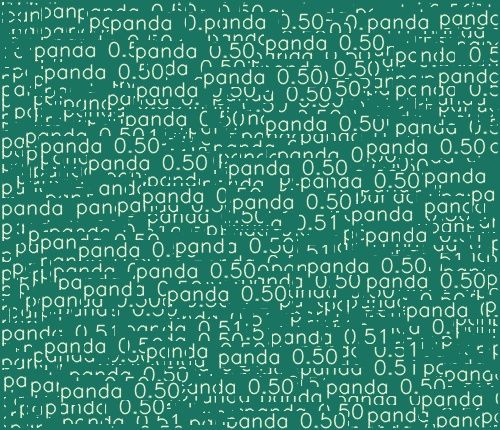
And finally my model cannot detect anything except empty boxes......
I had checked every step I had taken , and reading this code carefully enough,but nothing seems to work!
Anyone who had train successfully please contact me ,thanks!!
email: [email protected]
qq: 1343545543
 ming71
All 17 comments
Maybe you have too many pandas in your dataset? 😂
Are you sure your data is exactly in coco format, and you correctly adjusted your .cfg and .data files?
 glenn-jocher
on 18 Feb 2019
glenn-jocher
on 18 Feb 2019
Thanks for you reply!
I'm sure that I have adjusted that two files(as follow) , and the single picture contain only one panda (loss=0.2)
(1).data :
classes=1
train=data/datasets/panda_trainval
valid=data/datasets/panda_trainval
names=data/coco.names
backup=backup/
eval=coco
(2)yolov3.cfg
adjust its filter before yolo layers from 255 to 18,besides modify class 80 to 1
(3).names
only one class:panda
As for dataset format , COCO's label is xyxy,but your code need the input label in form of xywh(and nomalized to 0-1),thus I feed the model with xywh-format label , am I wrong?
在 2019-02-18 19:23:29,"Glenn Jocher" notifications@github.com 写道:
Maybe you have too many pandas in your dataset? 😂
Are you sure your data is exactly in coco format, and you correctly adjusted your .cfg and .data files?
—
You are receiving this because you authored the thread.
Reply to this email directly, view it on GitHub, or mute the thread.
ming71
on 18 Feb 2019
Sorry, I just made a wrong describtion in last email ...
COCO‘s ground truth is label as xywh,but it's not normalized.Your code need the normalized input xywh,its different.
I have upload my "dataset"(only one pic),is this label right?
Thanks a million!
在 2019-02-18 19:23:29,"Glenn Jocher" notifications@github.com 写道:
Maybe you have too many pandas in your dataset? 😂
Are you sure your data is exactly in coco format, and you correctly adjusted your .cfg and .data files?
—
You are receiving this because you authored the thread.
Reply to this email directly, view it on GitHub, or mute the thread.
0 0.49 0.525581395349 0.74 0.813953488372
ming71
on 18 Feb 2019
@ming71 no your label is clearly not right, because it is not in COCO format. I can't be any more clear: your data must be in the COCO format found in the coco/labels text files
glenn-jocher
on 18 Feb 2019
@ming71 no your label is clearly not right, because it is not in COCO format. I can't be any more clear: your data must be in the COCO format found in the coco/labels text files
Thanks for your reply.
I have got this before , but your code here in class LoadImagesAndLabels:
` # Load labels
if os.path.isfile(label_path):
labels0 = np.loadtxt(label_path, dtype=np.float32).reshape(-1, 5)
            # Normalized xywh to pixel xyxy format
            labels = labels0.copy()
            labels[:, 1] = ratio * w * (labels0[:, 1] - labels0[:, 3] / 2) + padw
            labels[:, 2] = ratio * h * (labels0[:, 2] - labels0[:, 4] / 2) + padh
            labels[:, 3] = ratio * w * (labels0[:, 1] + labels0[:, 3] / 2) + padw
            labels[:, 4] = ratio * h * (labels0[:, 2] + labels0[:, 4] / 2) + padh
        else:
            labels = np.array([])
        `
It load the label directly from txt files , and the labels should be *Normalized * xywh , which are different from COCO(raw xywh).
ming71
on 18 Feb 2019
@ming71 yes the labels have to be in normalized coordinates.
Step by step guide to training on a single image:
https://github.com/ultralytics/yolov3/wiki/Single-Image-Training-Example
glenn-jocher
on 18 Feb 2019
base on the repo I have trained successfully with COCO see results plot, with mAP 52
https://github.com/ultralytics/yolov3/issues/22#issuecomment-464053744
However with multi-scale flag I am getting the below issue
Traceback (most recent call last):
  File "train.py", line 225, in <module>
    var=opt.var,
  File "train.py", line 141, in train
    loss = model(imgs.to(device), targets, var=var)
  File "/opt/anaconda/envs/pytorch_p36/lib/python3.6/site-packages/torch/nn/modules/module.py", line 489, in __call__
    result = self.forward(*input, **kwargs)
  File "/storage/home/xxiaofan/work/yolov3/models.py", line 272, in forward
    x, *losses = module[0](x, targets, var)
  File "/opt/anaconda/envs/pytorch_p36/lib/python3.6/site-packages/torch/nn/modules/module.py", line 489, in __call__
    result = self.forward(*input, **kwargs)
  File "/storage/home/xxiaofan/work/yolov3/models.py", line 156, in forward
    p = p.view(bs, self.nA, self.bbox_attrs, nG, nG).permute(0, 1, 3, 4, 2).contiguous()  # prediction
RuntimeError: shape '[16, 3, 85, 19, 19]' is invalid for input of size 1044480
 xiao1228
on 18 Feb 2019
xiao1228
on 18 Feb 2019
@xiao1228 Yes I can reproduce your error. Ok, the problem was the grid size variable nG was not updating dynamically. An ONNX export update broke the multi_scale functionality. I've fixed this in the latest commit e4d62de5bc12d1e411adbfe4b76f15d157d77c65. The exact line to fix is here, but I suggest you clone the latest repo again just to make sure, as there have been many changes recently.
https://github.com/ultralytics/yolov3/blob/e4d62de5bc12d1e411adbfe4b76f15d157d77c65/models.py#L149
glenn-jocher
on 18 Feb 2019
I had made many kinds of attempts to train on my own dataset , but failed at last.
And finally my model cannot detect anything except empty boxes......
I had checked every step I had taken , and reading this code carefully enough,but nothing seems to work!
Anyone who had train successfully please contact me ,thanks!!
email: [email protected]
qq: 1343545543
ming71
on 19 Feb 2019
I finally figure out the reason for my failure!!
Steps are right except for the wrong environment....I install pytorch 0.4.1 instead of 1.0.0,which results in the trouble.Maybe there are some different realizition on certain functions I guess.(I always think it's not a problem.....)
Anyway,Thanks for glenn-jocher!!!
BTW,another question : why does it train much more slow than following work:https://github.com/eriklindernoren/PyTorch-YOLOv3?
some improper data type(not on GPU)? frequent transformation between GPU&CPU?
I'm gratitude for your answer
ming71
on 19 Feb 2019
@ming71 this repo is probably the fastest available on github. I tested training speed on COCO using a GCP P100 Deep Learning VM instance with 100 GB SSD. The fastest batch was processed in 0.576 seconds, for 16 image batch_size at 416x416. What is the speed of your linked repo?
Additionally this repo computes mAP at the end of each training epoch, and augments training images, your linked repo does not do either of these.
https://github.com/ultralytics/yolov3
   Epoch       Batch         x         y         w         h      conf       cls     total  nTargets      time
    0/99      0/7328      1.41      1.33       6.3      8.07       734      17.5       769       121      4.19
    0/99      1/7328      1.31      1.27      6.03      7.14       683      16.3       715        99     0.628
    0/99      2/7328      1.37      1.41      6.41         8       720      17.2       755       143     0.627
    0/99      3/7328      1.44      1.47       6.6      8.39       746      17.8       782       123     0.609
    0/99      4/7328      1.47      1.44      6.77      8.21       753      17.9       789       131     0.591
    0/99      5/7328      1.55      1.52      6.95      8.15       779      18.6       816       151     0.603
    0/99      6/7328      1.46      1.47      7.28      7.79       746      17.8       782       102     0.623
    0/99      7/7328      1.51       1.5      7.42      8.05       765      18.2       802       143     0.617
    0/99      8/7328      1.44      1.45      7.17      7.65       733      17.5       769        83     0.599
    0/99      9/7328      1.37      1.39      6.95      7.32       708      16.9       741        84     0.576
It's no doubt that your coding style is really really cool , concise and powerful , I like it!!
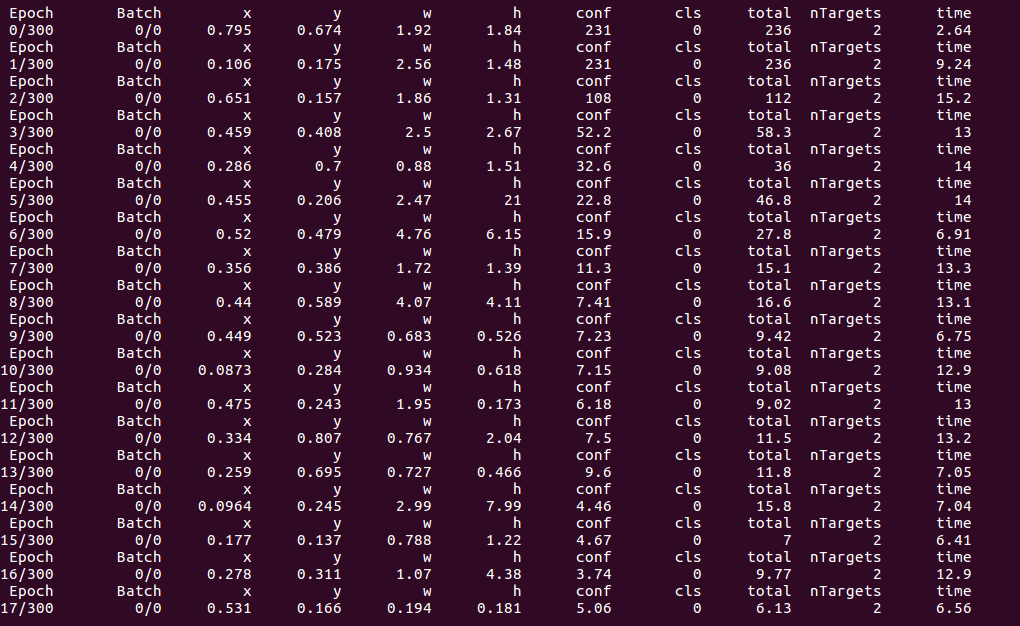
This is your repo ,tested on 1 pic && batch-size=1, it's fast on each picture no doubt , but not so good on each epoch(I mean,the cost between end of this epoch and the start of epoch)
And the following one is the repo I have metioned (to be honest,it doesn't work better than yours),I test it on 5pics with batch-size=1,it takes less time each epoch:
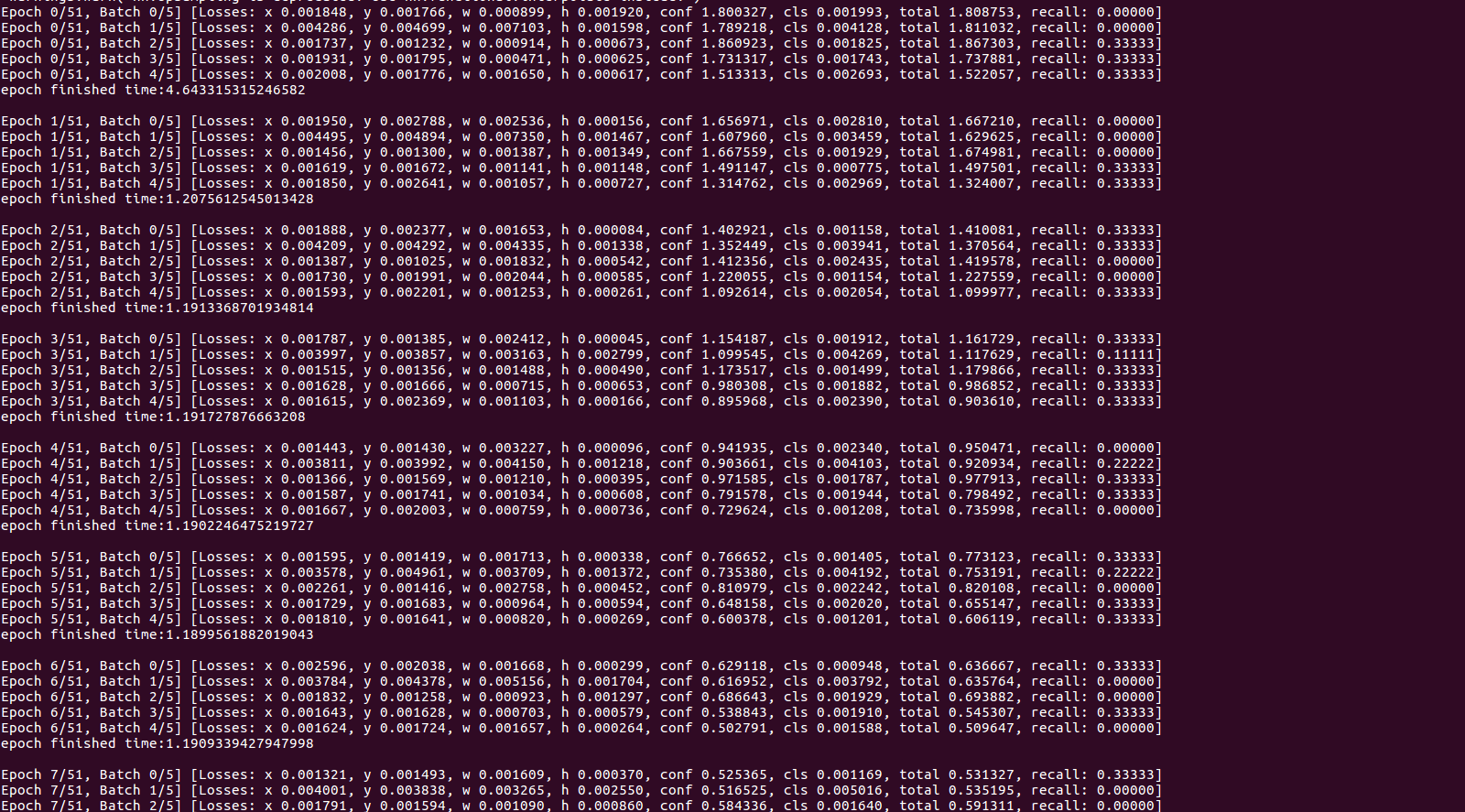
why? I'm cofused about it....
ming71
on 20 Feb 2019
And the detecting speed is limited to about 17 fps, I have thought pytorch can be much faster than keras(14fps)...It seems not competent to real-time detection task by pytorch, right?
ming71
on 20 Feb 2019
(2)yolov3.cfg adjust its filter before yolo layers from 255 to 18,besides modify class 80 to 1
Could You please help me to understand, if You have only 1 class, then why did You decrease the filter from 255 to 18? Why exactly 18? And what if You'd have some other number of classes?
 tamasbalassa
on 20 Feb 2019
tamasbalassa
on 20 Feb 2019
@tamasbalassa there are 3 anchors per yolo layer. Each box has parameters [x y w h conf class_0... class_80]. So the default cfg file has 85*3 parameters to output. If you only have one class you can remove 79 of those.
@ming71 you make these blanket statements about speed. Speed is dictated by your hardware. If your inference speed is only 17 FPS upgrade your hardware. Inference on a 1080Ti or P100 is 30 FPS with this repo with default settings (30 ms per image).
On our iOS app, inference speed is up to 15 FPS on an iPhone XS. This is the fastest in the world that we know of.
https://itunes.apple.com/app/id1452689527
glenn-jocher
on 20 Feb 2019
@tamasbalassa there are 3 anchors per yolo layer. Each box has parameters [x y w h conf class_0... class_80]. So the default cfg file has 85*3 parameters to output. If you only have one class you can remove 79 of those.
Thanks for the quick answer, it's highly appreciated!
tamasbalassa
on 20 Feb 2019
@tamasbalassa there are 3 anchors per yolo layer. Each box has parameters [x y w h conf class_0... class_80]. So the default cfg file has 85*3 parameters to output. If you only have one class you can remove 79 of those.
@ming71 you make these blanket statements about speed. Speed is dictated by your hardware. If your inference speed is only 17 FPS upgrade your hardware. Inference on a 1080Ti or P100 is 30 FPS with this repo with default settings (30 ms per image).
On our iOS app, inference speed is up to 15 FPS on an iPhone XS. This is the fastest in the world that we know of.
https://itunes.apple.com/app/id1452689527
Thanks for your answer! :)
ming71
on 21 Feb 2019
Related issues
 Deep-Learner
·
5Comments
Deep-Learner
·
5Comments
 Rajasekhar06
·
3Comments
Rajasekhar06
·
3Comments
 cyberclone12
·
4Comments
cyberclone12
·
4Comments
 acburigo
·
4Comments
acburigo
·
4Comments
 Sibozhu
·
4Comments
Sibozhu
·
4Comments
Most helpful comment
@tamasbalassa there are 3 anchors per yolo layer. Each box has parameters [x y w h conf class_0... class_80]. So the default cfg file has 85*3 parameters to output. If you only have one class you can remove 79 of those.
@ming71 you make these blanket statements about speed. Speed is dictated by your hardware. If your inference speed is only 17 FPS upgrade your hardware. Inference on a 1080Ti or P100 is 30 FPS with this repo with default settings (30 ms per image).
On our iOS app, inference speed is up to 15 FPS on an iPhone XS. This is the fastest in the world that we know of.
https://itunes.apple.com/app/id1452689527