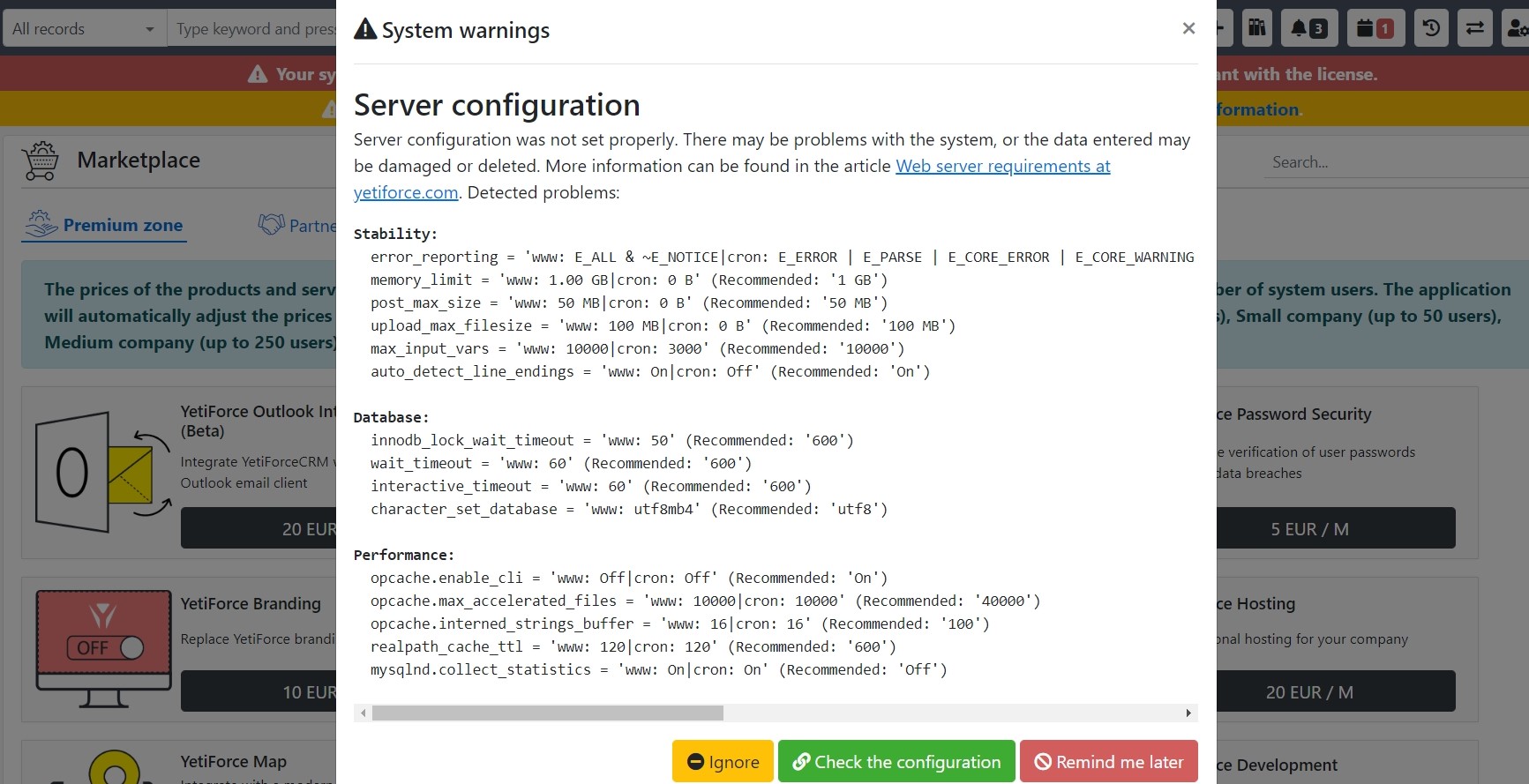
Yetiforcecrm: [Question] How do i fix this server configuration issue?
Description
I am not able to find any configuration file to edit and modify that could solve this problem.
So where are the files for configuring in order to solve this issue .
ISSUE IS SHOWN IN PICTURE.
 rohanjhanepal
All 4 comments
You need to tune your webserver and php to solve this!
 vovpff
on 27 Sep 2020
vovpff
on 27 Sep 2020
So where are the files for configuring in order to solve this issue .
HI @rohanjhanepal,
look at PHP configuraton (Additional PHP configuration) in _Environment information_
https://gitstable.yetiforce.com/index.php?parent=Settings&module=ConfReport&view=Index&block=14&fieldid=65
You'll find configuration file paths for your server: PHP-
 davide-alghi
on 27 Sep 2020
davide-alghi
on 27 Sep 2020
@rohanjhanepal u need a vps server minimum to fix all these issues as many of the settings are controlled by hosting company and are not available in shared hosting,... if u r on vps then go to whm n find php conf file n make changes... the location of ur php conf and database file depend on your server environment and os being used...
 rioshaz
on 28 Sep 2020
rioshaz
on 28 Sep 2020
This is @bpabiszczak's answer:
Unfortunately there is no single answer that would solve your problem, as it depends on your server configuration (@davide-alghi gave you solid advice). Configuration differs for operating systems (centos, ubuntu, debian), apache and nginx, and databases. If you’re using configuration panels (direct admin, cpanel, etc) then most of the parameters can be configured there. You have to consult your server admin.
You can also use our hosting or VPS, in this case we take care of proper configuration and provide support:
 paula-w
on 29 Sep 2020
paula-w
on 29 Sep 2020
Related issues
 ldgbc
·
3Comments
ldgbc
·
3Comments
 PDMeira
·
3Comments
ldgbc
·
3Comments
ldgbc
·
3Comments
PDMeira
·
3Comments
ldgbc
·
3Comments
ldgbc
·
3Comments
 rskrzypczak
·
3Comments
rskrzypczak
·
3Comments
Most helpful comment
HI @rohanjhanepal,
look at PHP configuraton (Additional PHP configuration) in _Environment information_
https://gitstable.yetiforce.com/index.php?parent=Settings&module=ConfReport&view=Index&block=14&fieldid=65
You'll find configuration file paths for your server: PHP-