Yetiforcecrm: [bug] Can't edit/save sales orders (save bottom bar dissappear)
🐞 bug report
⁉️ Describe the bug
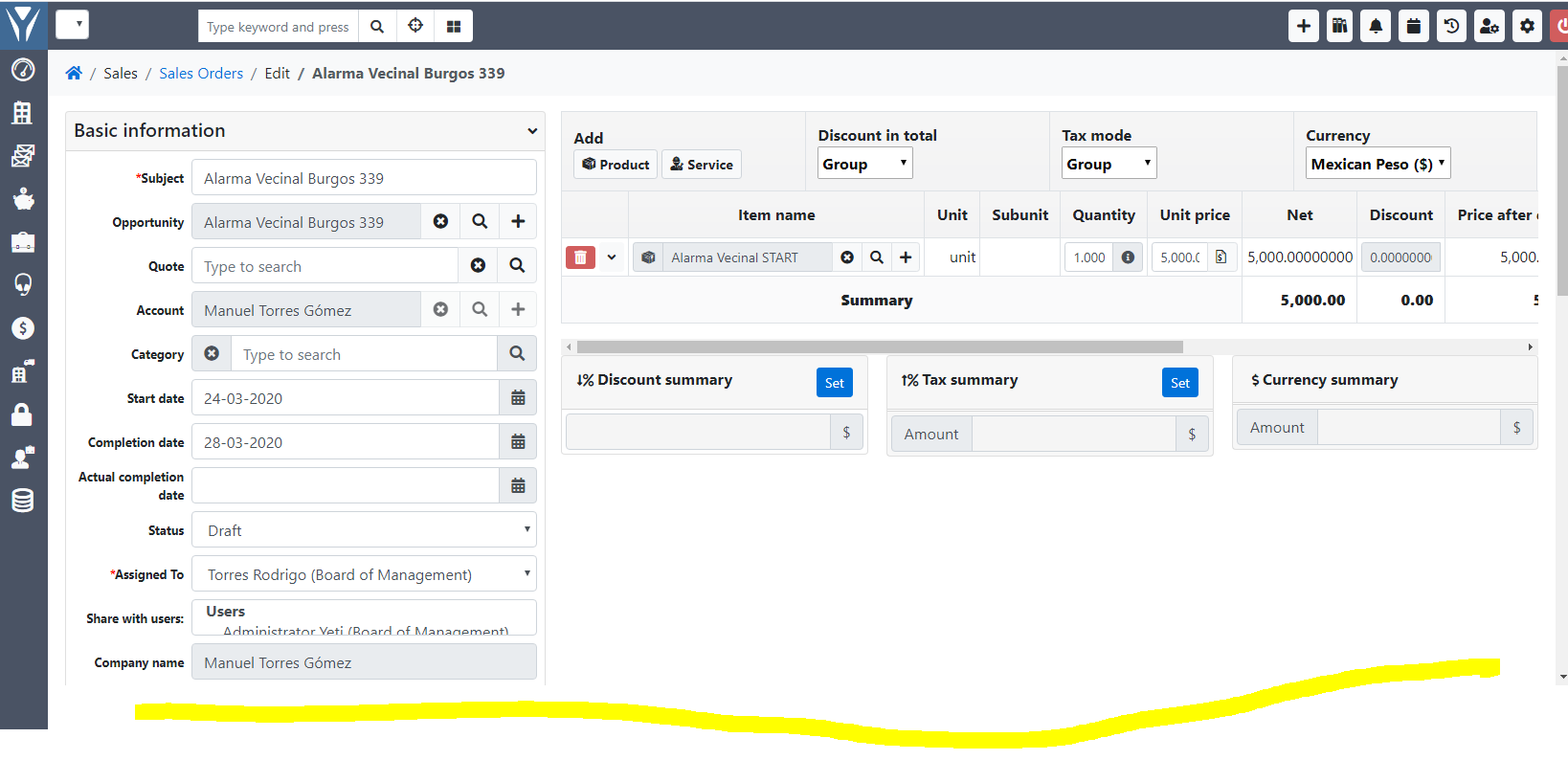
There is no save button or even the footer bar when i try to edit an order. I can do quick-edit form the records lists page, but deep edit isn't working. Can't save.
🔥 How to trigger the error
Just clicking to edit the current order. I've trying eveything but save bar is not displayed.
👷 Testing
Can't see logs or anything that shows me why that bar isn't enabled.
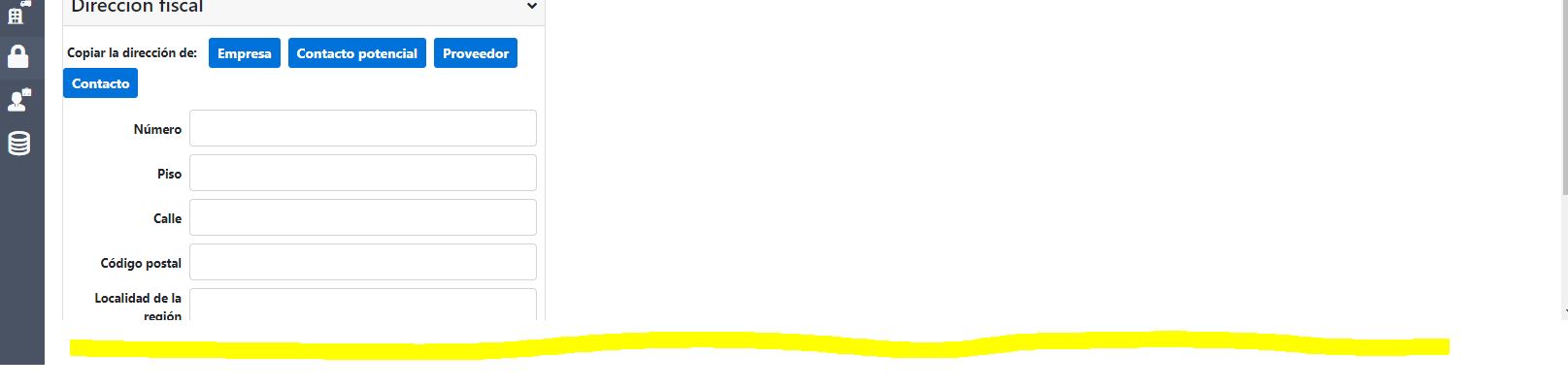
📷 Screenshot of configuration
🌍 Your Environment
Yetiforce 5.3
 rtorrescodes
All 35 comments
@rtorrescodes user interface of your system broken. I think you update/installation process was unsuccessful.
Check browser console. There are should be errors.
 vovpff
on 23 Mar 2020
vovpff
on 23 Mar 2020
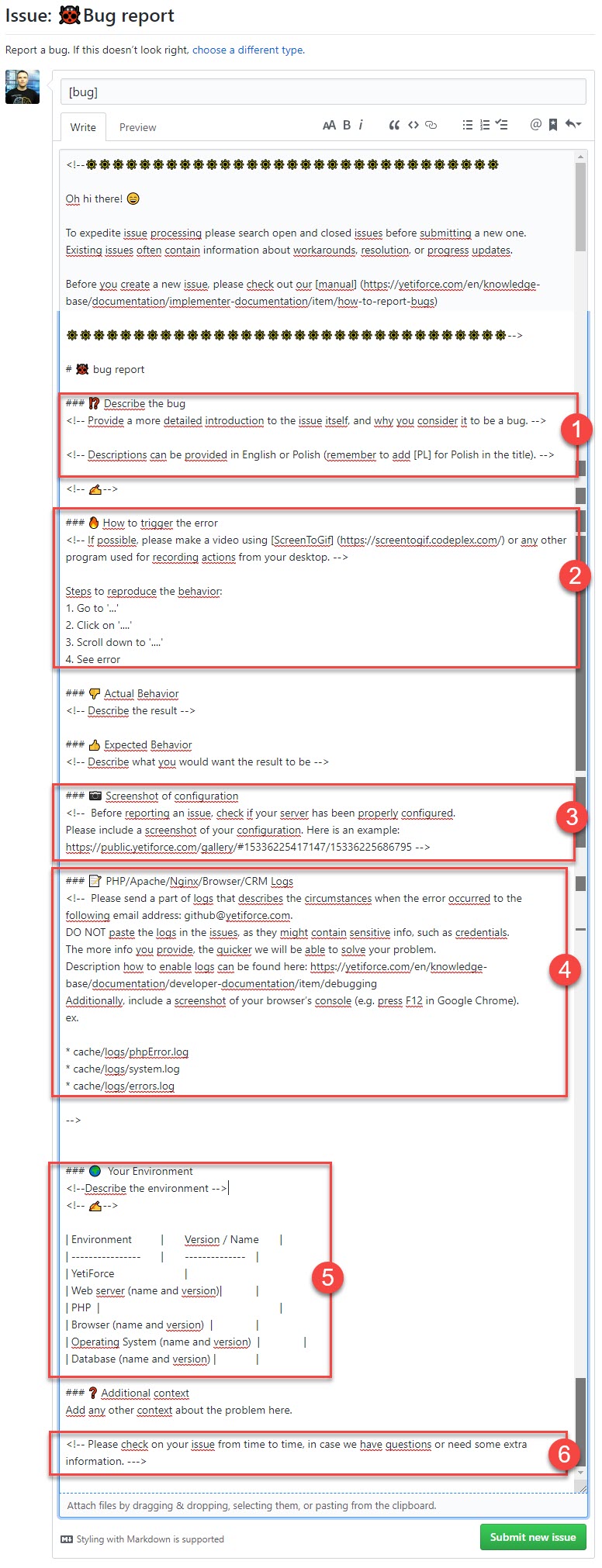
This is the only error i have:

Update was correct. Everything is working ok. I can edit quotes, but not orders.
rtorrescodes
on 23 Mar 2020
System logs? Error logs? Php errors logs?
vovpff
on 23 Mar 2020
I've checked all, there is nothing under cache/logs
Nothing on php errors, nothing at all. The strange thing is that quotes are working really great. I can edit it but not under orders. I have no idea why is this happening. On the record list i can edit data, but not saving button on full editing.
I tried another browser; im trying to install the same version in another hosting account for testing this same issue, but i need to solve this in this installation; there is some quote data inside and the whole selling process is stopped because of this.
rtorrescodes
on 23 Mar 2020
 mariuszkrzaczkowski
on 23 Mar 2020
mariuszkrzaczkowski
on 23 Mar 2020
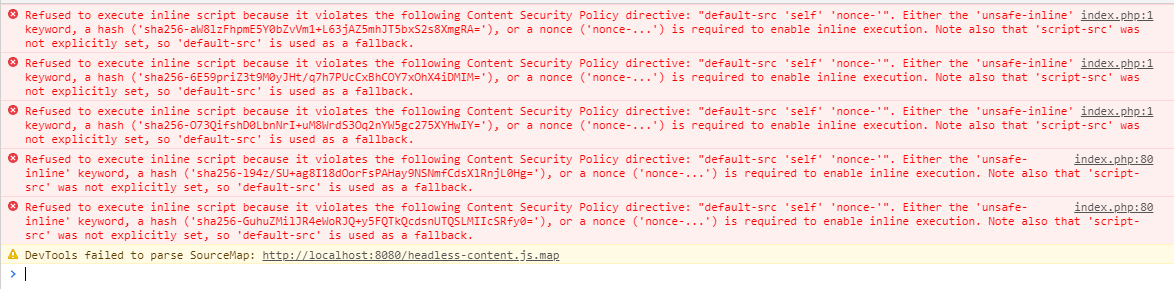
I made the same installation and upgrade process in another hosting account. The error persist. I can't edit orders.. and error is different now:
rtorrescodes
on 23 Mar 2020
Hi @rtorrescodes you can temporarily solve this by editing
Go to line 149 where you will find function sanitizeValue($value) and modify this way:
public static function sanitizeValue($value)
{
    if(!$value) {
        return null;
    }
    return str_replace([' ', '-', '=', '+', '@', '*', '!', '#', '$', '%', '^', '&', '(', ')', '[', ']', '{', '}', ';', ':', "\\'", '"', ',', '<', '.', '>', '/', '?', '\\', '|'], '_', \App\Utils::sanitizeSpecialChars($value));
}
This will at least solve the problem for now until a patch is released. Beware that this mod will probably be overwritten by an update!
 zazy
on 23 Mar 2020
zazy
on 23 Mar 2020
@zazy Hey, THANK YOU very much. This is complete solved now. Thanks a lot for your time. We'll save this solution is this isn't solve in next update. Thanks a lot. I hope this can help more people with the same issue. Thanks again. SOLVED.
rtorrescodes
on 23 Mar 2020
You're welcome @rtorrescodes, I'm really happy my solution was helpful! Have a nice day!
zazy
on 23 Mar 2020
I dont know if i need to reopen this issue because its worst that i thought. @zazy solution was ok, but editing pdf templates is not working anymore. I reinstalled 5.2 and it seems to be ok now, the problem comes with 5.3 and, maybe this need to be fixed. If i close this issue, may it be fixed? hope not to be a problem, i want to help to find the solution for such a great tool we all love.
rtorrescodes
on 24 Mar 2020
@rtorrescodes what orders you mean?
I can't trigger your error in orders. Maybe I tried different orders. Also PDF editor works well.
vovpff
on 24 Mar 2020
Want me to give you access? if i create a quote, everything is ok. I can even keep making pdf templates. If i create an order (not recurrent one) i can't edit it after i create it. The save button dissapears. The @zazy code in colors.php helped but when i did that, i messed up with the pdf template creation tool; the same bottom bar dissapear to continue to step 2 under pdf template creation tool. I have tried this like 4 times, reinstalling over and over again.
rtorrescodes
on 24 Mar 2020
@rtorrescodes
You mean Sales Orders?
vovpff
on 24 Mar 2020
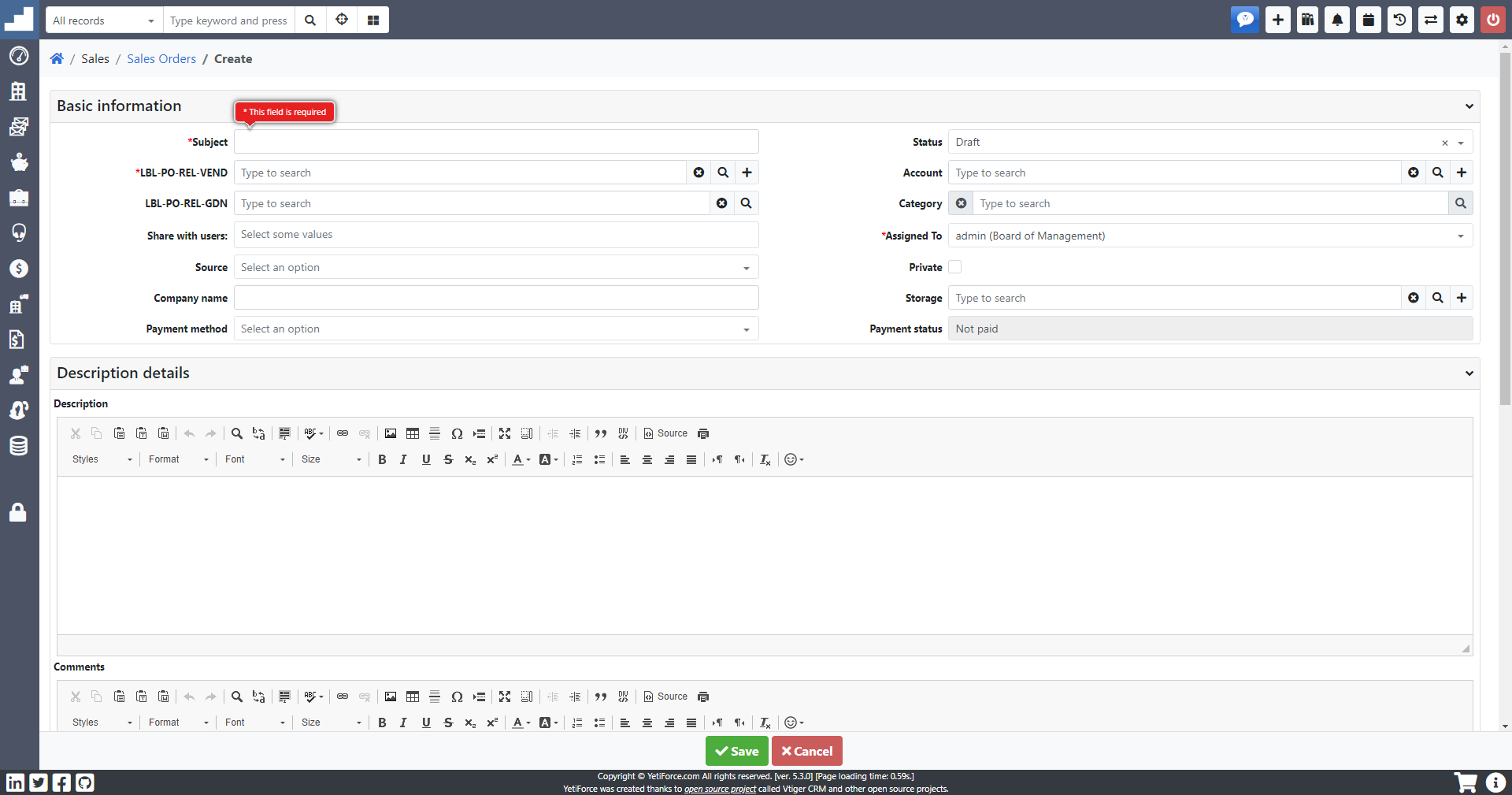
Yes thats right @vovpff ... i can create new orders just like your screenshot, but, it looks kinda different see:
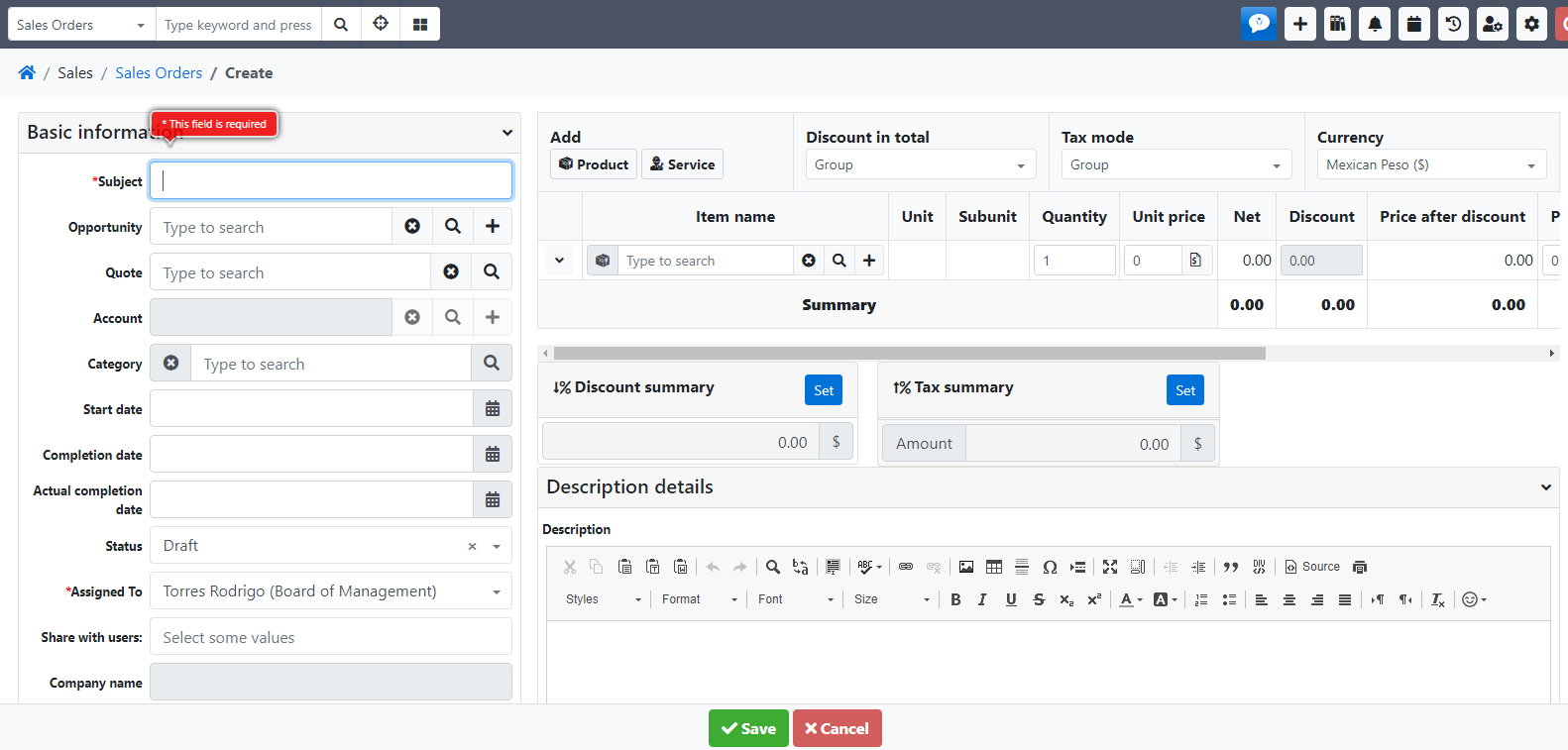
There is a the save button at the bottom. If i create one and then i want to edit it, that bar dissapears look:
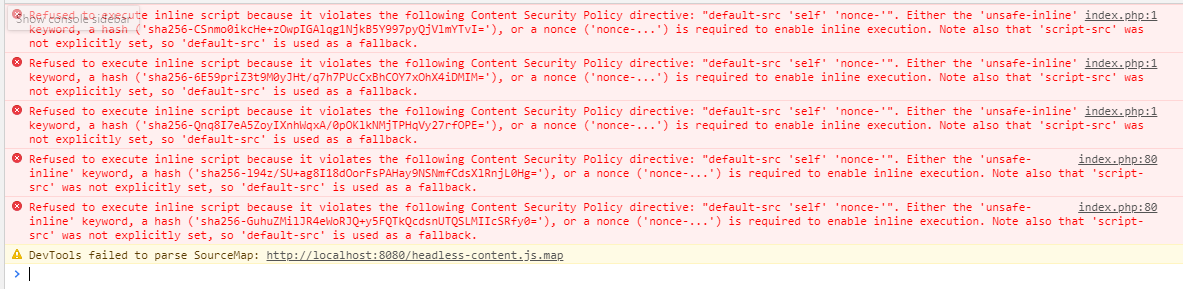
And these are the console errors i get:
rtorrescodes
on 24 Mar 2020
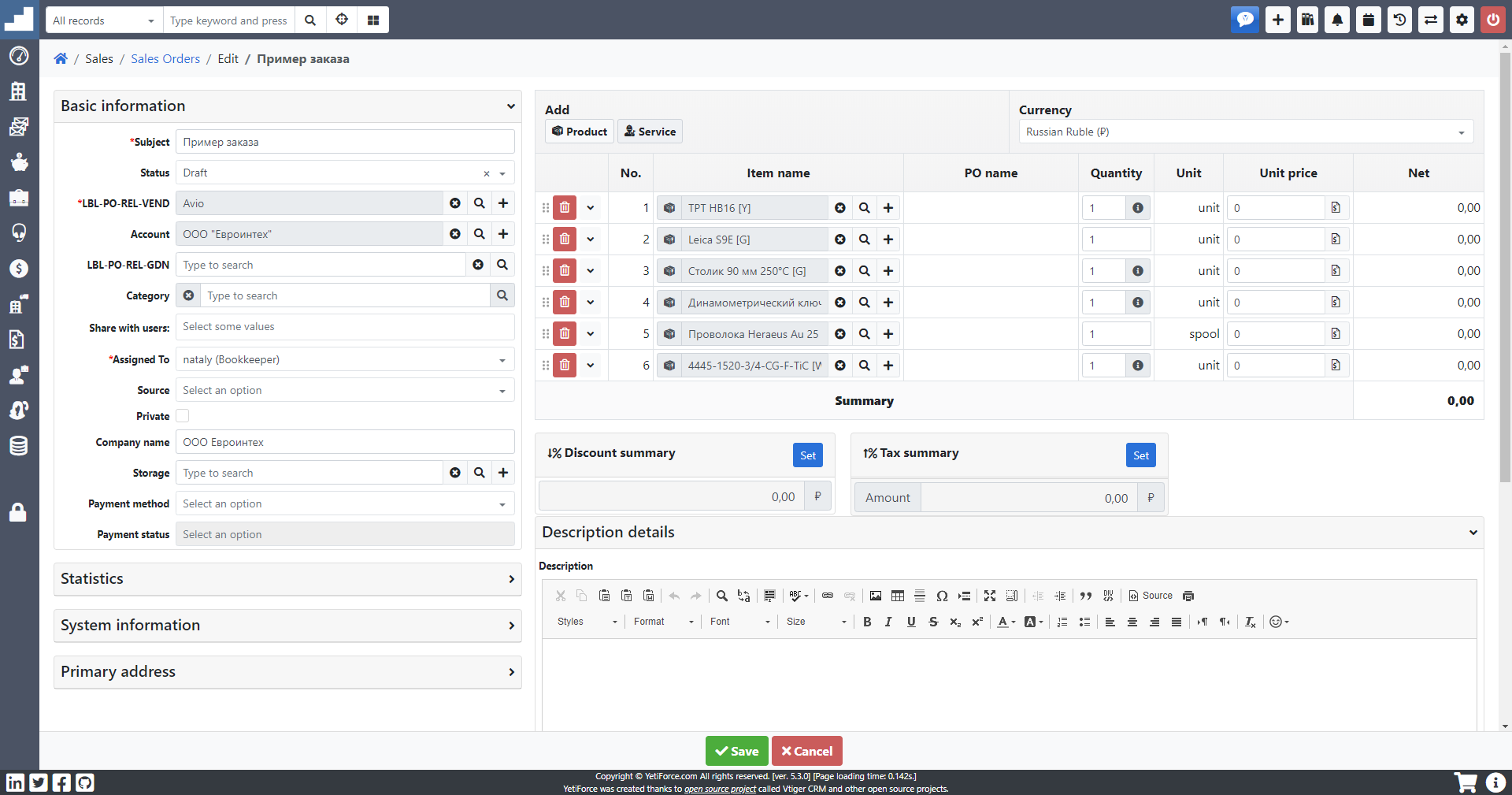
@rtorrescodes Strange. I don't have any troubles with Sales Orders modification
vovpff
on 24 Mar 2020
Well, i dont know what else to do. I ran cron job and turned on encryption because of the error, i thought it might have something to do with issue. But no, it isnt fixed. Any idea? i dont know how to get more information for you.
rtorrescodes
on 24 Mar 2020
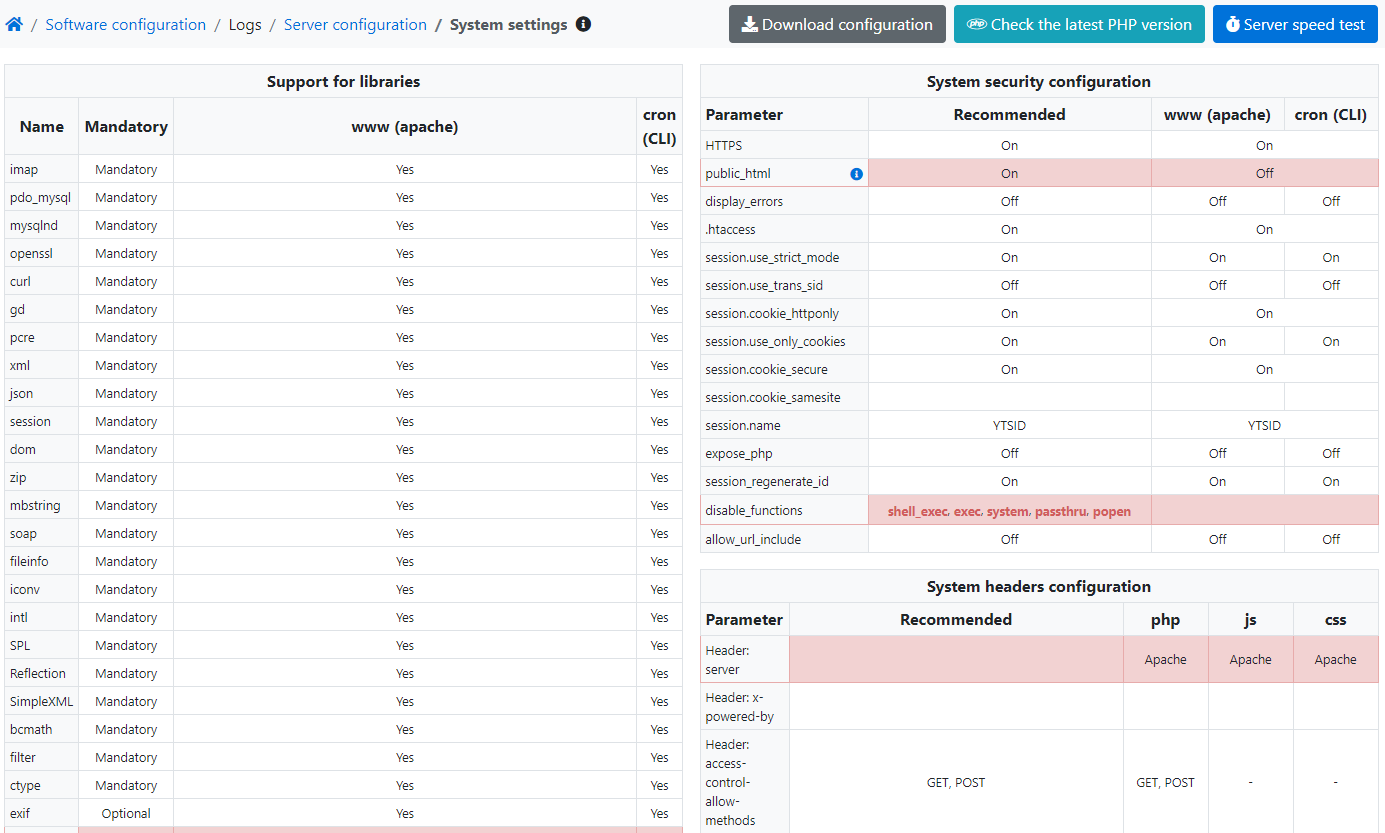
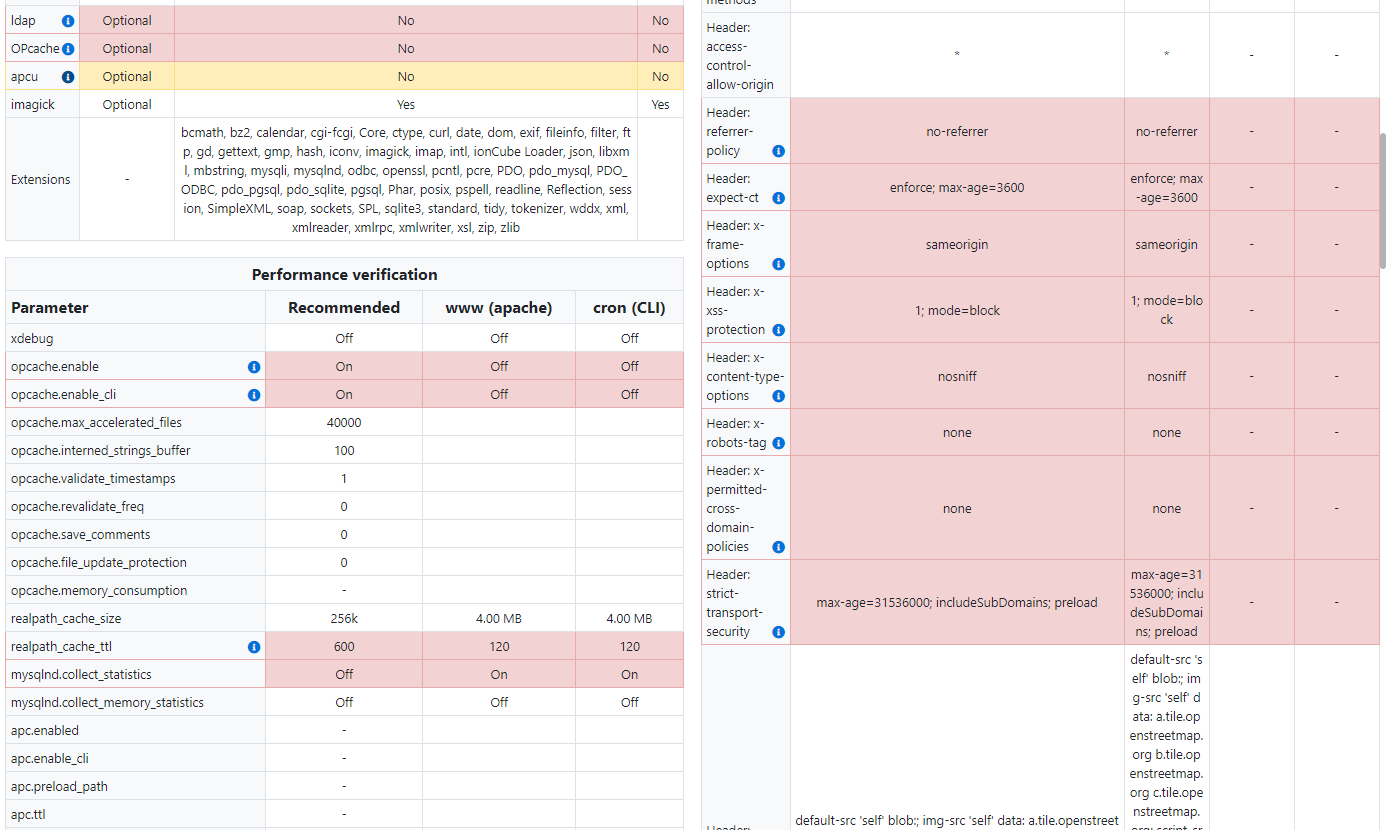
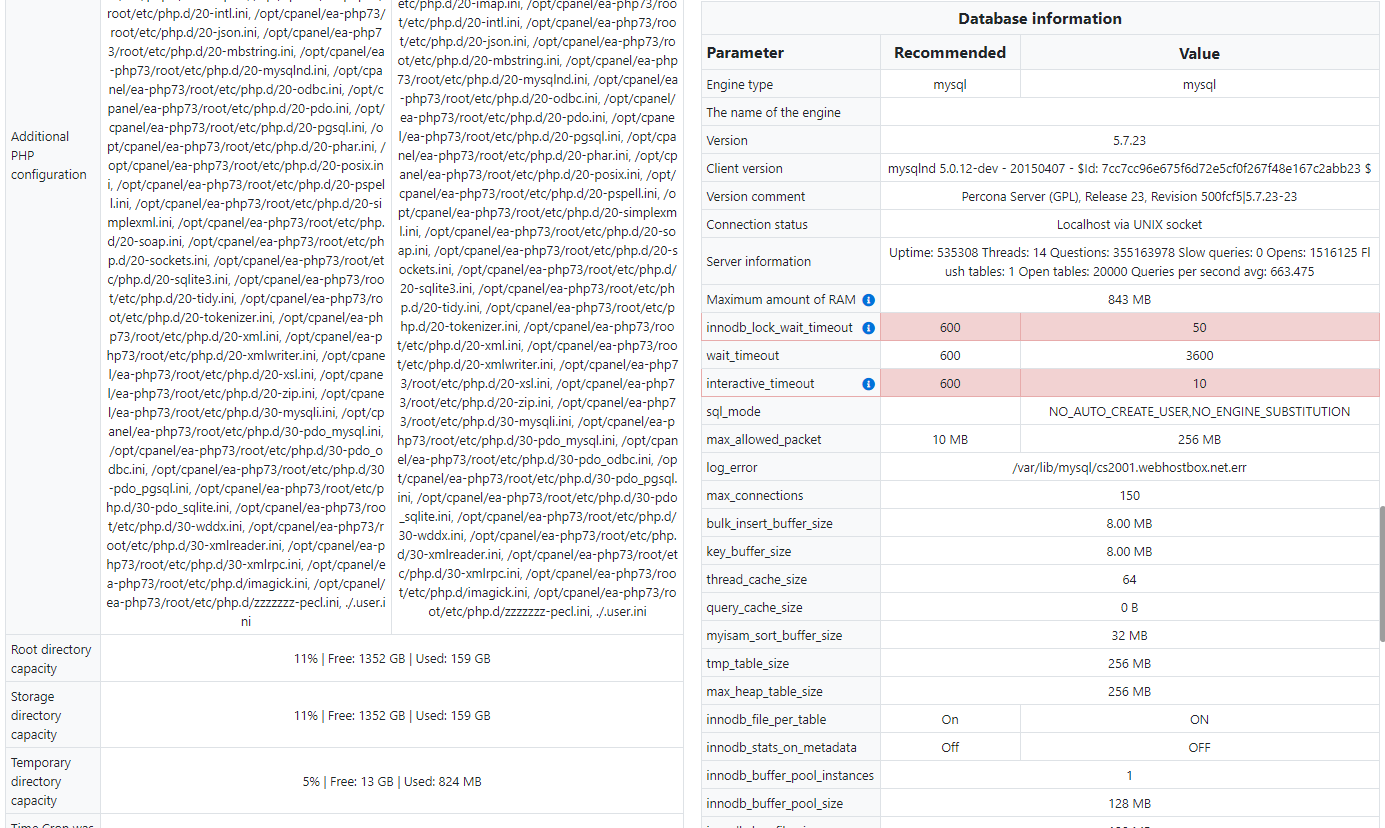
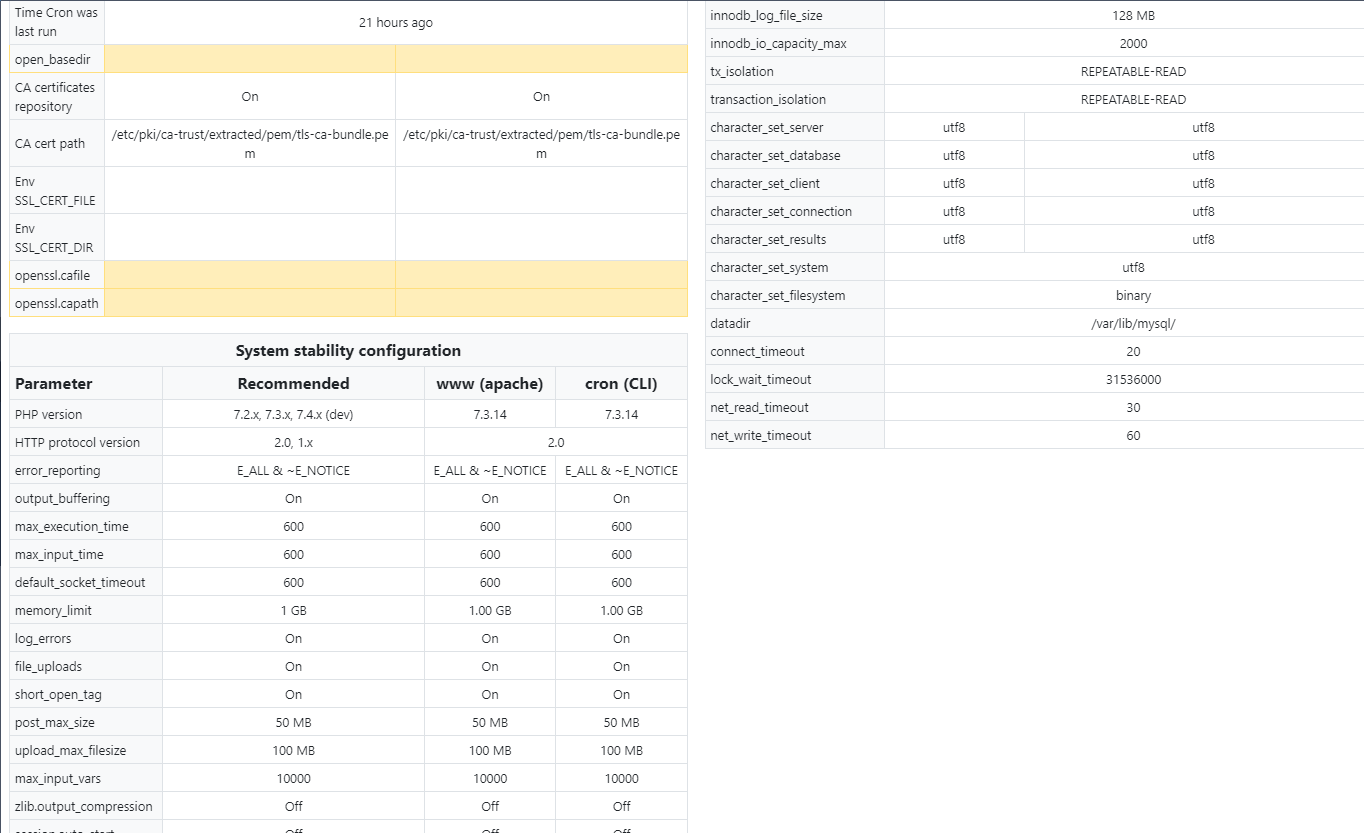
What about your server config? Pls give screenshot
vovpff
on 24 Mar 2020
Sure
rtorrescodes
on 25 Mar 2020
@rtorrescodes not perfect but looks well. I don't know how to help you now. I don't have any suggestions for this.
Is it happens if you install fresh 5.3?
Also try to disable encryption temporary.
vovpff
on 25 Mar 2020
I tried this like 5 times. Downloading last release from Git, upgrading the service pack (and without it too). Fresh 5.3 install. I tried to downgrade and use a different release but other strange things happened in other modules, i dont remember what but, this is the only issue i have. The problem happens with or without encryption. As you can see the console error i thought it was something to do with the encryption feature but no. Oh by the way i tried different browser because years ago, i had an issue with vtiger and someone told me to use only firefox. This is not a browser issue,... by the way, there is a small footer blank bar at the bottom where those save/cancell button must be.
I can edit at the register list of the order but no all the fields :(
Want me to give you access to check something else? i dont mind, i need to reinstall it, just to be sure i wont be facing this issue in future. And i want to help reporting issues for next releases and upgrades.
rtorrescodes
on 25 Mar 2020
@rtorrescodes try it in an incognito mode so you can absolutely exclude a caching problem. I have the same patch I sussested you and have no problem. That patch can in no way cause problems because it simply returns a null string if the input string is null to avoid the error message.
I see that you run it on local host on port 8080, what about your config file? Do you reset the databse between an install and the others (or even better do you use another database?)
zazy
on 25 Mar 2020
@zazy thanks... i tried incognito mode and issue remains. All my installation are online, i dont know why it says localhost:8080. Yeti is installed online, under a subdomain and domain published online. Let me check the config file itself. I just use the installation wizard everytime. When i reinstall i dont drop the whole database, just select all tables and delete them. But i tried this in another hosting account crm.othercompany.com and issue remains.
rtorrescodes
on 25 Mar 2020
That error makes me think that there is some extension (or something alse, I hope not a malware) that interfere with the crm because source maps ar loaded only when a js is loaded before and there is no headless-content.js in yetiforce. Try alsto to disable any extension and also try to change browser.
zazy
on 25 Mar 2020
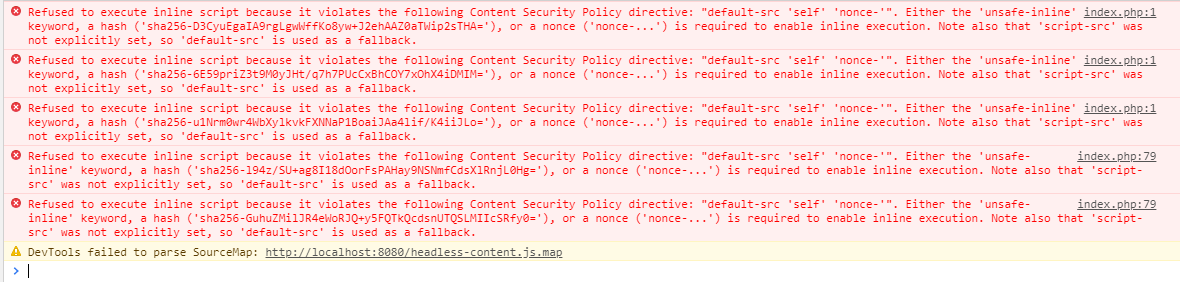
I dont know what extension could be. This happens with a fresh install. I download the latest release from git. The only extra thing installed is the service pack and i've tried this without the service pack also. But "there is no headless-content.js in yetiforce" make me think a lot. What is getting load in there? and why its loading from localhost:8080 ??

For example, i get the same headless-content.js error when i try to edit a quote, but there's always the save bar at the bottom, so no problem at all, but none of those red errors appears:
rtorrescodes
on 26 Mar 2020
check what happens if you turn off this
https://github.com/YetiForceCompany/YetiForceCRM/blob/3e15971d4aa2fbff28d2db51d330c1a54298c1e1/config/Security.php#L122-L123
mariuszkrzaczkowski
on 26 Mar 2020
@mariuszkrzaczkowski done, i turned it off and nothing happens. Issue persist.
But error changed:

and @zazy told me about some modification to colors.php I'll try it again but when last time i did it, i couldnt edit or make new pdf templates. The same save bar dissapeared form pdf templates.
rtorrescodes
on 26 Mar 2020
try this change
https://github.com/YetiForceCompany/YetiForceCRM/commit/9f8ad51c476941dab49d0c0216e93267606bfb26
mariuszkrzaczkowski
on 26 Mar 2020
@mariuszkrzaczkowski The problem is complete solved now, thank you very much. The bottom bar is back and i've checked all the modules i have in use, including the pdf template maker and everythings working ok. Take this in mind @zazy ; this modification to colors.php dosent affects the pdf template maker. Thanks a lot. I hope this could be helpful for next releases or an upgrade. Im glad to help more if you need me to. Thanks again @mariuszkrzaczkowski
rtorrescodes
on 26 Mar 2020
try this change
9f8ad51
Changes published in 5.3.0_ServicePack_v3
mariuszkrzaczkowski
on 27 Mar 2020
Tested with sp3 upgrade and it works really fine. Thanks again and i hope to keep helping in some way. This project is amazing and deserves the best. Thanks.
rtorrescodes
on 27 Mar 2020
@rtorrescodes
You mean Sales Orders?
i have the same screen error but on module Quote.
also a have lost the managing an advanced block (on edit )
Could you help me ?
 Giorgos-Hellene
on 26 May 2020
Giorgos-Hellene
on 26 May 2020
@Giorgos-Hellene
Hi, have you tried to install the lates version or upgrade? this has been fixed as i reported it. Now its fixed with the latest update.
rtorrescodes
on 29 May 2020
@rtorrescodes Thank you for your response ! Yes, i have the latest update.
Giorgos-Hellene
on 29 May 2020
@Giorgos-Hellene Well, i just dont know. I just reported the issue, and someone fixed in the last update. I was trying over and over, until they fixed. I'm sorry i could not help.
rtorrescodes
on 29 May 2020
@rtorrescodes Really thank you for your try !!
Giorgos-Hellene
on 29 May 2020
Related issues
 serbiaserbia
·
3Comments
serbiaserbia
·
3Comments
 ldgbc
·
3Comments
vovpff
·
3Comments
ldgbc
·
3Comments
serbiaserbia
·
3Comments
ldgbc
·
3Comments
vovpff
·
3Comments
ldgbc
·
3Comments
serbiaserbia
·
3Comments