Yetiforcecrm: [bug] Unable to import the CSV file
After I updated 4th patch in yatiforce I am unable to import the files. I am getting below error:
The imported file is in a different encoding than it was selected (%s)
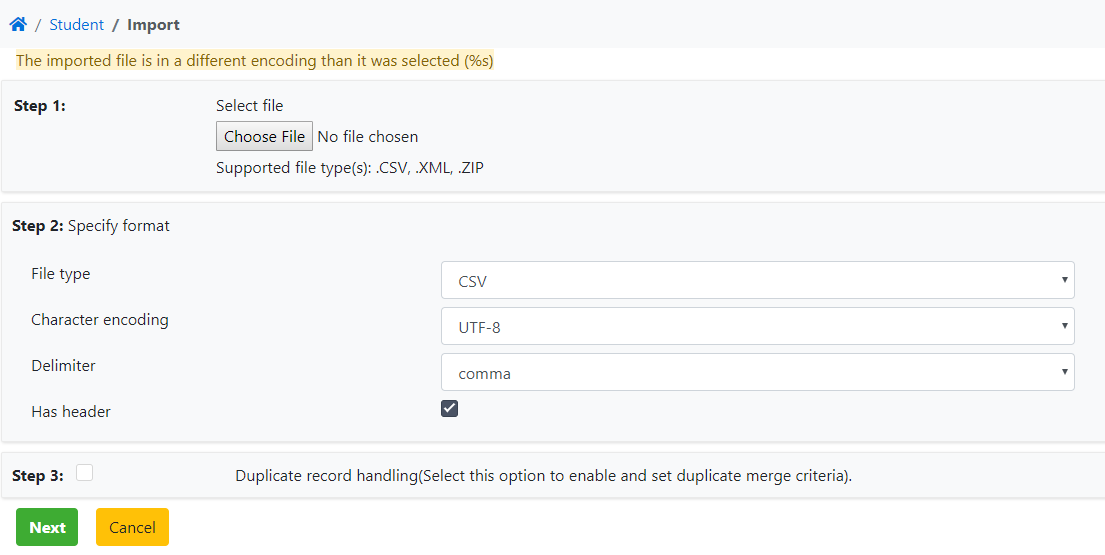
I am using ubuntu latest version 18.04
PHP Version 7.1.32
 KrishnaPB
All 5 comments
did you tried different "Character encoding" ?
 martin-crockett
on 22 Oct 2019
martin-crockett
on 22 Oct 2019
csv from ms excel has not utf-8 encoding. Before import you need to change encoding by some text editor like notepad++
 vovpff
on 22 Oct 2019
vovpff
on 22 Oct 2019
This bug still exists. Mentioned is a work around. Expected would be better compatibility. Libre office Calc compatibility would be good start. Anyway i checked and in latest stable version even work around not working
 garryatbrighton
on 21 Mar 2021
garryatbrighton
on 21 Mar 2021
import would be handy to expand and improve.
we are waiting for someone who will order it
https://yetiforce.com/en/marketplace/development-support
 mariuszkrzaczkowski
on 21 Mar 2021
mariuszkrzaczkowski
on 21 Mar 2021
many new formats could be added
mariuszkrzaczkowski
on 21 Mar 2021
Related issues
 RedMoon27
·
3Comments
RedMoon27
·
3Comments
 canomogollon
·
3Comments
canomogollon
·
3Comments
 serbiaserbia
·
3Comments
serbiaserbia
·
3Comments
 ldgbc
·
3Comments
ldgbc
·
3Comments
 rubysown
·
3Comments
rubysown
·
3Comments
Most helpful comment
csv from ms excel has not utf-8 encoding. Before import you need to change encoding by some text editor like notepad++