Yetiforcecrm: ERR_NOT_FOUND_FIELD_MODEL
Anybody knows why I'm getting this error? My team member changed a custom field from the database end to be Unique, and this caused this error. Even though we removed the Unique from that custom field. We are still getting that error! Help!!!
 Carolinercraig
All 10 comments
the error says that the field does not exist.
There is more information in the logs
 mariuszkrzaczkowski
on 8 Aug 2019
mariuszkrzaczkowski
on 8 Aug 2019
I went to the cache/logs/phpError.log but nothing is there. I ensured
display errors in on in the htaccess. is there anywhere else I can check
for logs.
How to fix this issue if the field doesnt exist? We readded the field and
it still gave the error.
On Thu, Aug 8, 2019 at 2:10 PM Mariusz Krzaczkowski <
[email protected]> wrote:
the error says that the field does not exist.
There is more information in the logs—
You are receiving this because you authored the thread.
Reply to this email directly, view it on GitHub
https://github.com/YetiForceCompany/YetiForceCRM/issues/11218?email_source=notifications&email_token=ADR4PJSBWGMI4KT6WXUWK4TQDR4U7A5CNFSM4IKMNXZKYY3PNVWWK3TUL52HS4DFVREXG43VMVBW63LNMVXHJKTDN5WW2ZLOORPWSZGOD34YN6I#issuecomment-519669497,
or mute the thread
https://github.com/notifications/unsubscribe-auth/ADR4PJQ7WP6VQY4LIHRV2TTQDR4U7ANCNFSM4IKMNXZA
.
Carolinercraig
on 8 Aug 2019
Hi Carolinercraig,
maybe your deleted field name is into module default filter: check into vtiger_cvcolumnlist table for that module name; if deleted field name is there, remove relative record and try again to load module ListView.
 davide-alghi
on 9 Aug 2019
davide-alghi
on 9 Aug 2019
Enable recording of logs and send us.
https://yetiforce.com/pl/component/zoo/item/debugging?highlight=WyJsb2dzIl0=
I think your team member changed something more :)
 rskrzypczak
on 9 Aug 2019
rskrzypczak
on 9 Aug 2019
Thanks guys! I had indeed add the debugging to htaccess to allow logs but
nothing showed up there. However the suggestion to check the
vtiger_cvcolumnlist did the trick! Thank you sooooo much!
On Thu, Aug 8, 2019 at 11:52 PM Radosław Skrzypczak <
[email protected]> wrote:
Enable recording of logs and send us.
https://yetiforce.com/pl/component/zoo/item/debugging?highlight=WyJsb2dzIl0=
I think your team member changed something more :)—
You are receiving this because you authored the thread.
Reply to this email directly, view it on GitHub
https://github.com/YetiForceCompany/YetiForceCRM/issues/11218?email_source=notifications&email_token=ADR4PJQ3WPVQ2SAAM5KL3VTQDUAZZA5CNFSM4IKMNXZKYY3PNVWWK3TUL52HS4DFVREXG43VMVBW63LNMVXHJKTDN5WW2ZLOORPWSZGOD35VMFY#issuecomment-519788055,
or mute the thread
https://github.com/notifications/unsubscribe-auth/ADR4PJVVIRLAINPPZOYUDADQDUAZZANCNFSM4IKMNXZA
.
Carolinercraig
on 9 Aug 2019
I was able to view the project list but when I clicked the project, I now got another error:
SQLSTATE[42S22]: Column not found: 1054 Unknown column 'vtiger_project.parentid' in 'field list' Failed to prepare SQL:
I have checked the database and parentid isnt there thus why the sql failed.
Carolinercraig
on 9 Aug 2019
that is another problem :(
please upload screenshot of vtiger_project structure from your PhpMyAdmin (like in below image)

then, always from PhpMyAdmin, exec this SELECT
SELECT * FROM vtiger_field WHERE tabid = 43
upload screenshot of results: both pages (like in below images)
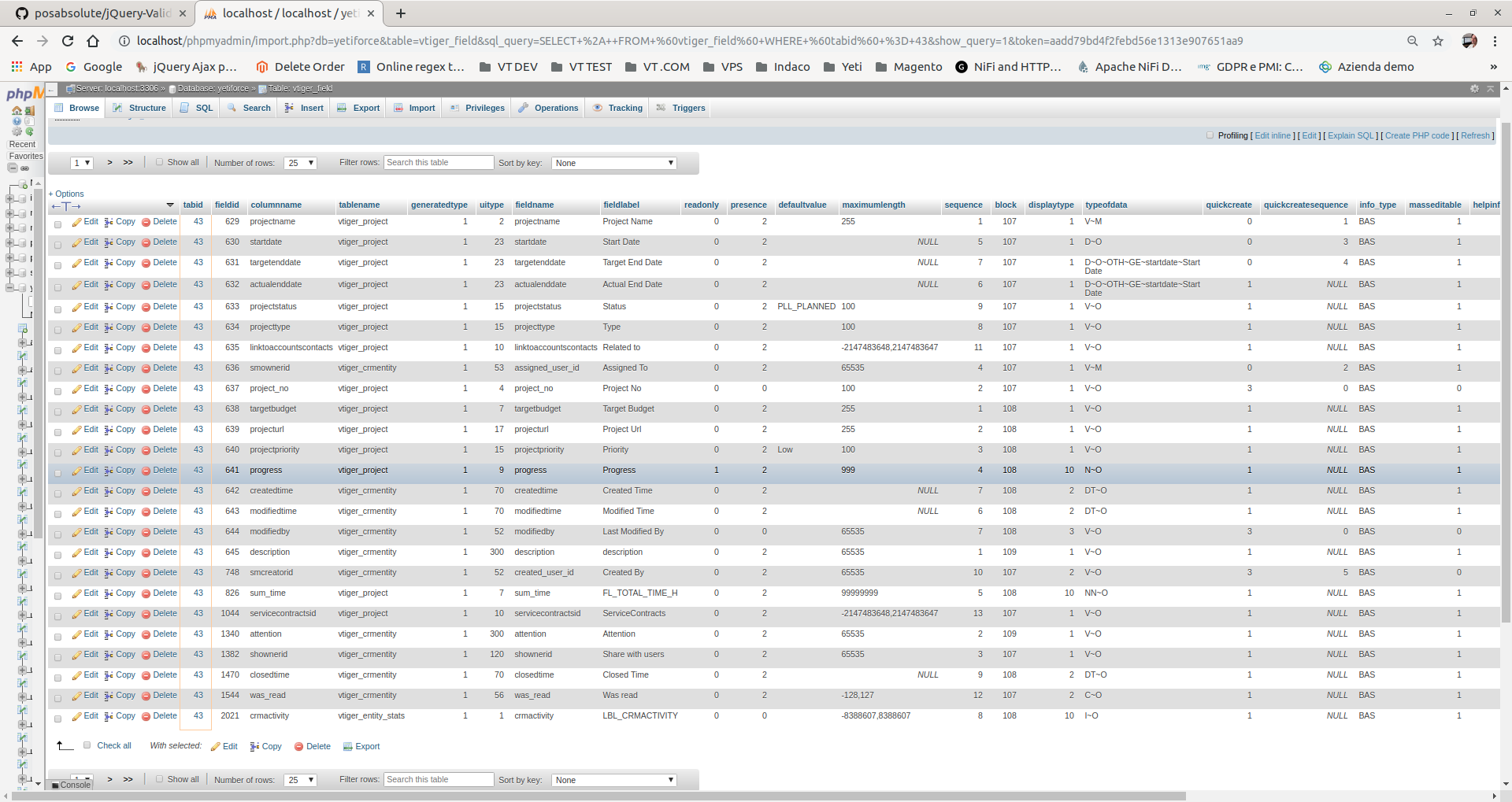
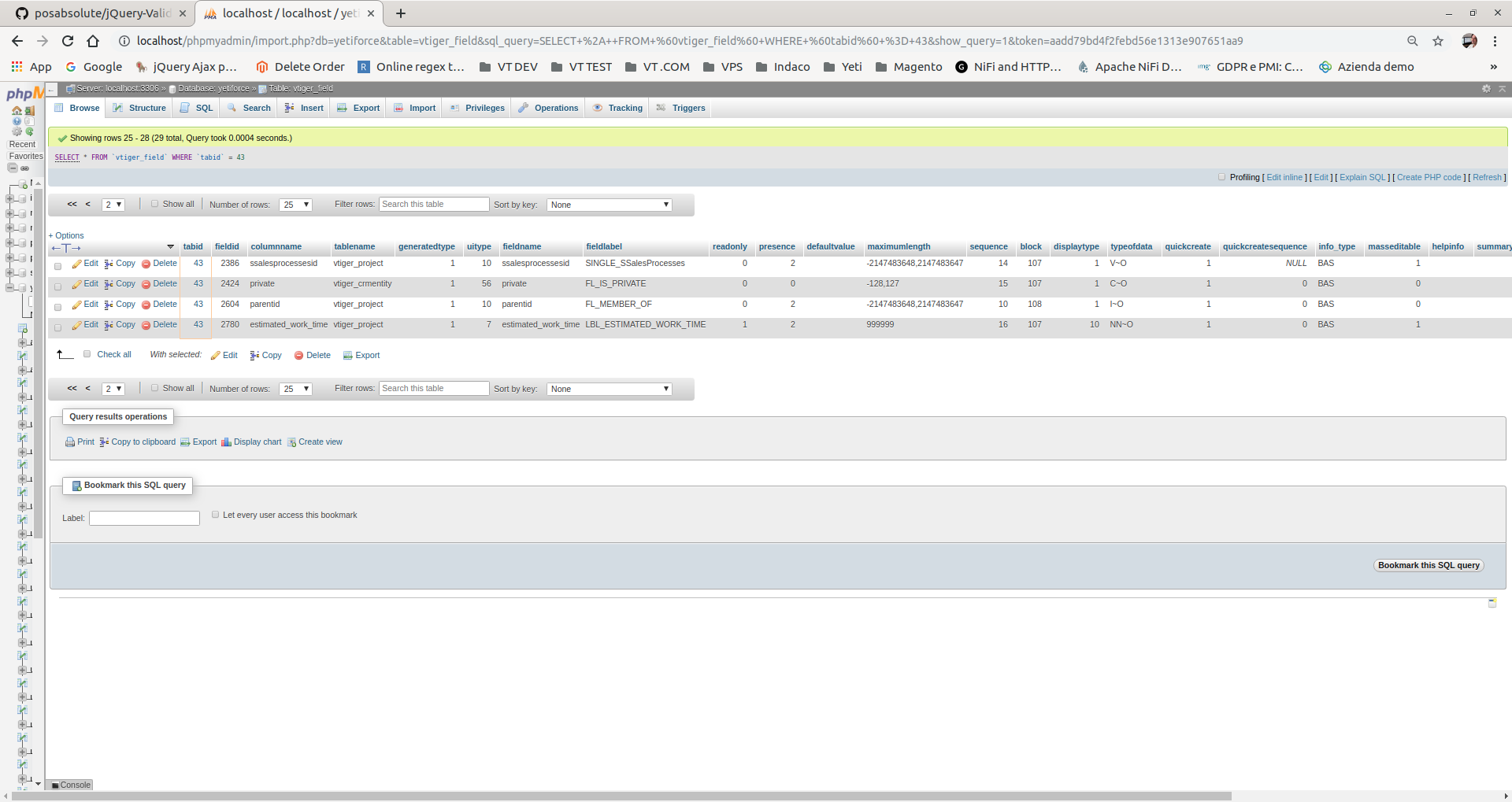
davide-alghi
on 9 Aug 2019
Hi,
I went into the database and added the missing field 'parentid' and now I am able to see the project information, add new project, and edit. I also tested adding new tasks and milestones and it all seem to be working. I know the team member didnt removed the parentid from the project table, so this is very puzzling as to why it happened in the first place.
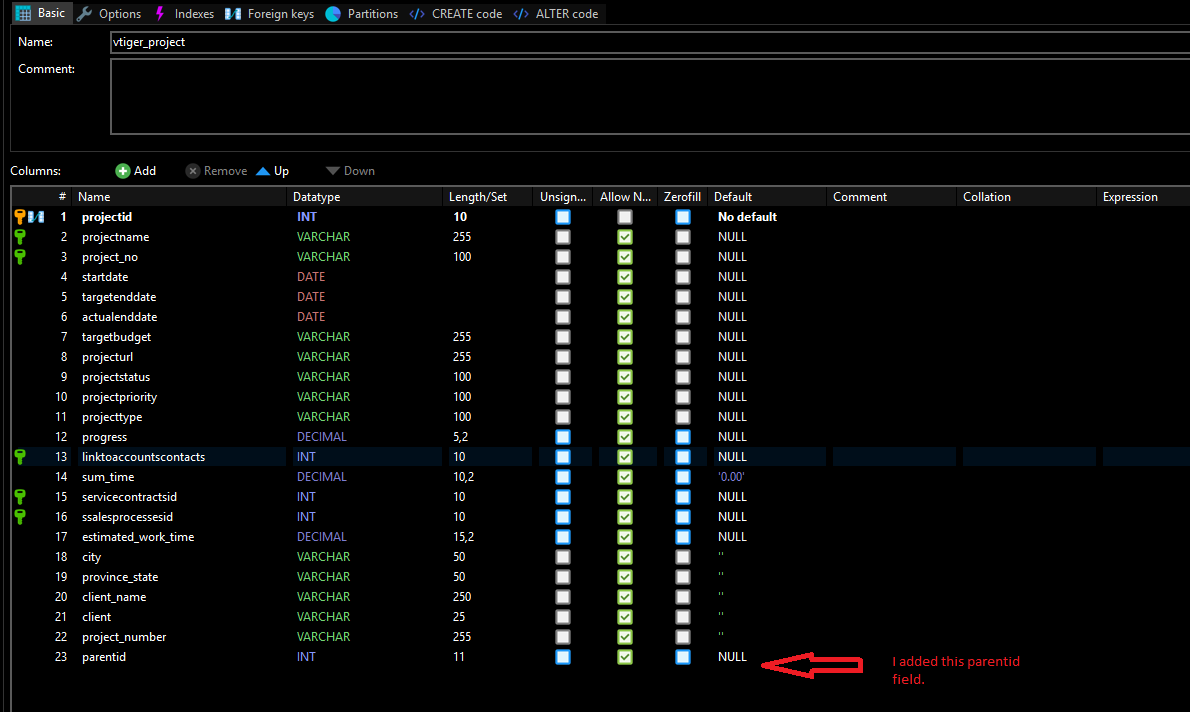
I ran the select statement:

Carolinercraig
on 9 Aug 2019
it's very strange.
anyway ... check from my 1st screenshot if parentid column is equal to your added one
bye
davide-alghi
on 9 Aug 2019
Thank you, I have cross checked. I'd like to thank this community for all your help. I REALLY appreciate it!
Carolinercraig
on 9 Aug 2019
Related issues
 vovpff
·
3Comments
vovpff
·
3Comments
 RedMoon27
·
3Comments
RedMoon27
·
3Comments
 MacarenaReina
·
3Comments
MacarenaReina
·
3Comments
 ldgbc
·
3Comments
ldgbc
·
3Comments
 scsikid
·
3Comments
scsikid
·
3Comments
Most helpful comment
Hi Carolinercraig,
maybe your deleted field name is into module default filter: check into vtiger_cvcolumnlist table for that module name; if deleted field name is there, remove relative record and try again to load module ListView.