Yetiforcecrm: How to add comments widget for custom module
Description
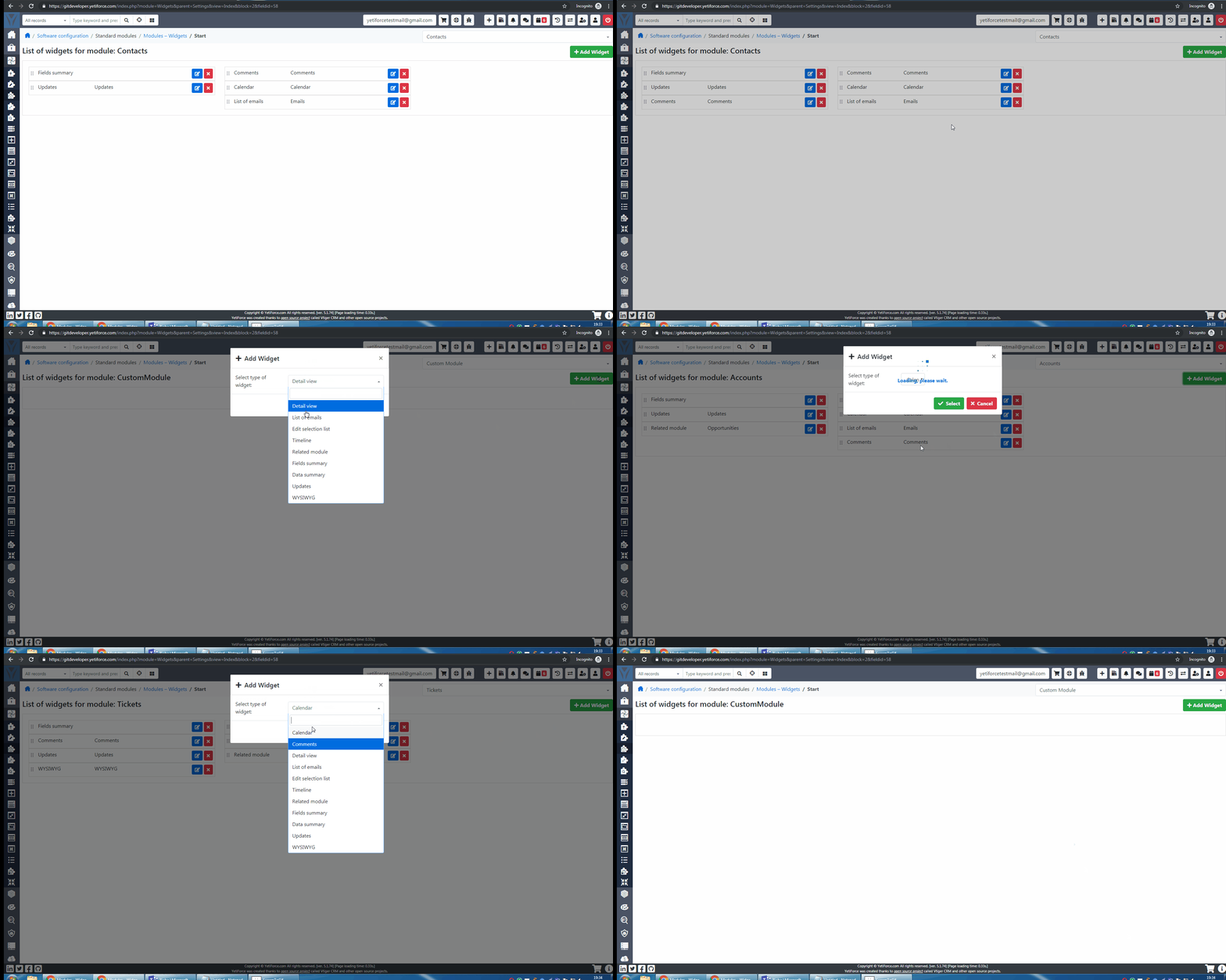
I am trying to add comments and calendar widget for custom module. I have identified comments and calendar type available for standard module but not for custom module.How to add comments and calendar widget for custom module. Please check below video
 guide5232
All 15 comments
Did you add the links to your custom module?
 joelbcampos
on 4 Jun 2019
joelbcampos
on 4 Jun 2019
Did you try via vtlib ?
https://github.com/YetiForceCompany/YetiForceCRM/issues/2709
 apcloic
on 4 Jun 2019
apcloic
on 4 Jun 2019
@joelbcampos you can do it by SQL query
INSERT INTO db_name.vtiger_fieldmodulerel (fieldid, module, relmodule, status, sequence) VALUES ('601', 'ModComments', 'MODULE_NAME', NULL, NULL);
This is method to add comments at 3.x version but I think this should work in latest version. Maybe with some modifications.
 vovpff
on 4 Jun 2019
vovpff
on 4 Jun 2019
after updating I lost my comments module, in custom module..
any ideas!
 MixTecnico
on 9 Dec 2020
MixTecnico
on 9 Dec 2020
I solved the problem ... the module was created with a capital letter ...
when updating the module I change to lowercase ...
using with the new module name resolves
INSERT INTO db_name.vtiger_fieldmodulerel (fieldid, module, relmodule, status, sequence) VALUES ('601', 'ModComments', 'MODULE_NAME', NULL, NULL);
MixTecnico
on 9 Dec 2020
@mariuszkrzaczkowski How would I accomplish this into a custom recruiting module I created in version 6.1.0 with Service Pack 6 installed? I copied exactly what I needed from another module within the database and have managed to get the comments module to display in setup but nothing within the summary tab of the record.

Shows up fine here
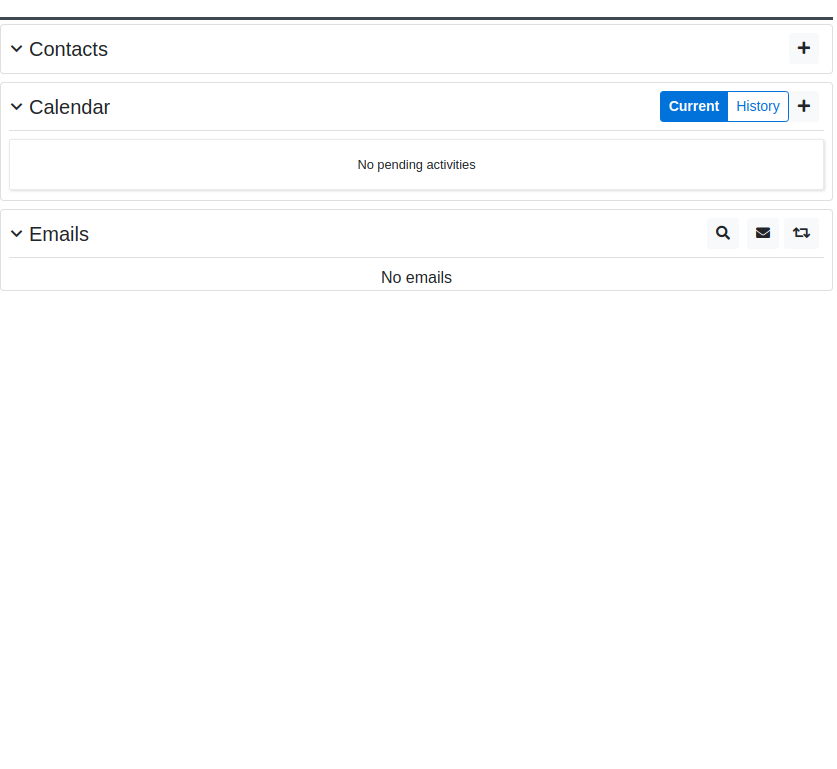
Yet nothing where I need it
 acsinsurancegroup
on 13 Apr 2021
acsinsurancegroup
on 13 Apr 2021
sorry spanish
usa este código como ejemplo desde consola como root, cambiando el nombre por el de tu modulo (MODULE_NAME), podrás agregar comentarios al mismo
INSERT INTO db_name.vtiger_fieldmodulerel (fieldid, module, relmodule, status, sequence) VALUES ('601', 'ModComments', 'MODULE_NAME', NULL, NULL);
MixTecnico
on 13 Apr 2021
Thanks @MixTecnico but I tried doing that and still nothing.
acsinsurancegroup
on 13 Apr 2021
lo estas intentando conectado a la base de datos?
MixTecnico
on 14 Apr 2021
@MixTecnico Sorry don't understand. I tried adding it via an SQL inquiry which shows it worked got no errors but does not display the ability to select comments from the widget area.
acsinsurancegroup
on 15 Apr 2021
@joelbcampos you can do it by SQL query
INSERT INTO db_name.vtiger_fieldmodulerel (fieldid, module, relmodule, status, sequence) VALUES ('601', 'ModComments', 'MODULE_NAME', NULL, NULL);This is method to add comments at 3.x version but I think this should work in latest version. Maybe with some modifications.
@mariuszkrzaczkowski What is the process to make this work in Version 6.1.0 with Service Pack 6 installed?
acsinsurancegroup
on 15 Apr 2021
I think the same
vovpff
on 15 Apr 2021
verificaste el nombre de tu modulo, me paso que por ser mayúscula no me tomaba el cambio
@MixTecnico Sorry don't understand. I tried adding it via an SQL inquiry which shows it worked got no errors but does not display the ability to select comments from the widget area.
MixTecnico
on 15 Apr 2021
 mariuszkrzaczkowski
on 15 Apr 2021
mariuszkrzaczkowski
on 15 Apr 2021
$modcommentsModuleInstance = vtlib\Module::getInstance('ModComments');
if ($modcommentsModuleInstance && file_exists('modules/ModComments/ModComments.php')) {
include_once 'modules/ModComments/ModComments.php';
if (class_exists('ModComments')) {
ModComments::addWidgetTo(['LettersIn']);
}
}
@mariuszkrzaczkowski YOU ARE THE MAN!!!! Thank you so much mate. I'll dance at your wedding, you're a genius.
acsinsurancegroup
on 15 Apr 2021
Related issues
vovpff
·
3Comments
 MacarenaReina
·
3Comments
vovpff
·
3Comments
MacarenaReina
·
3Comments
vovpff
·
3Comments
 ezbank
·
3Comments
ezbank
·
3Comments
 rskrzypczak
·
3Comments
rskrzypczak
·
3Comments