Yetiforcecrm: Custom fields not working in my developer installation.
Issue
I have checked all php requirements, and accomplished most of them. Even so, adding custom fields fails silently (on the frontend).
Actual Behavior
When I add a custom field, I get stuck after pressing save (nothing happens)
Expected Behavior
Field should be created
How to trigger the error
Enter to any module field settings page (Software configuration
Standard modules
Edit fields), add a field, press save. Nothing happens (save stays greyed out, php-apache error happens in the background)
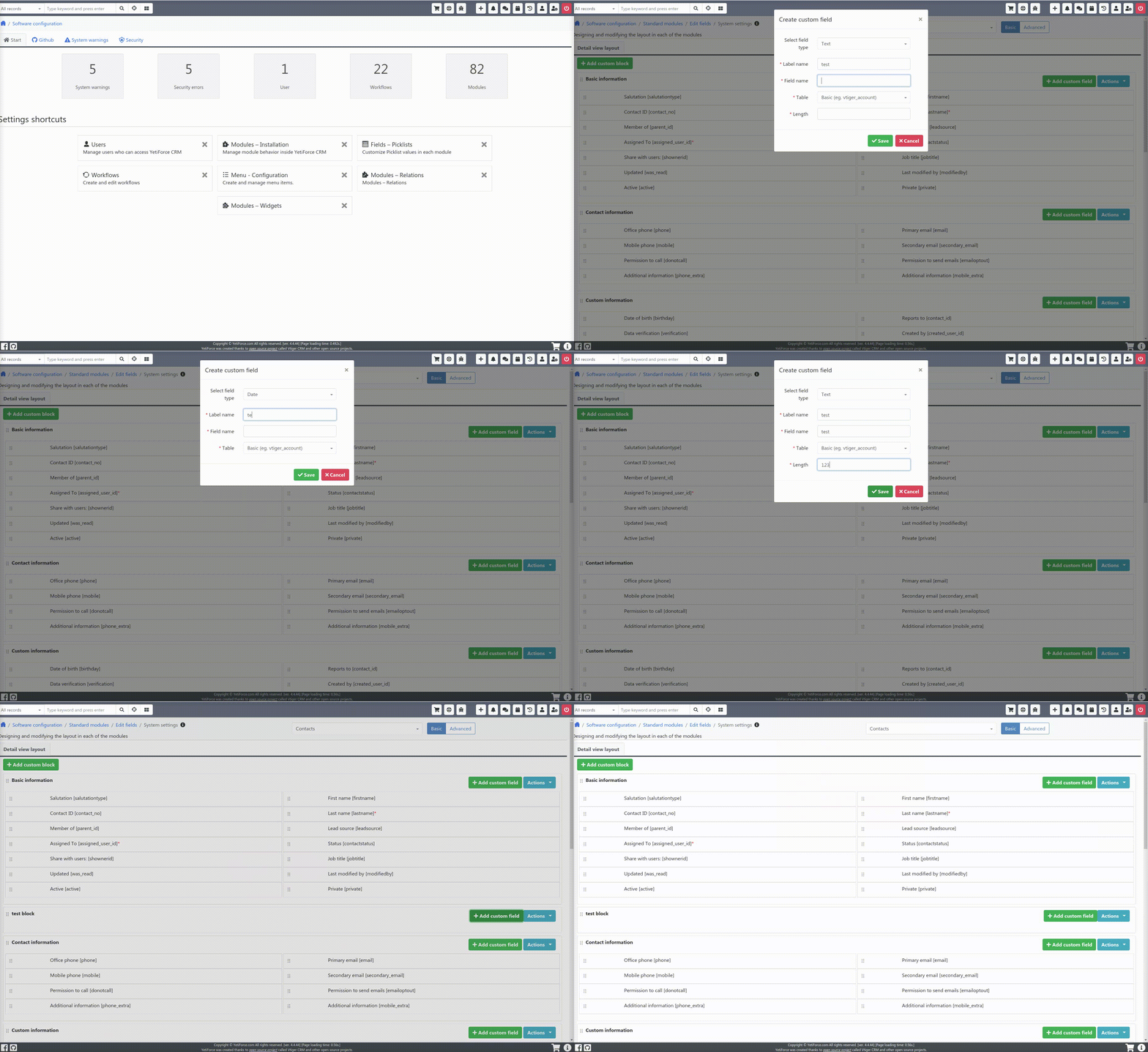
Screenshot of configuration
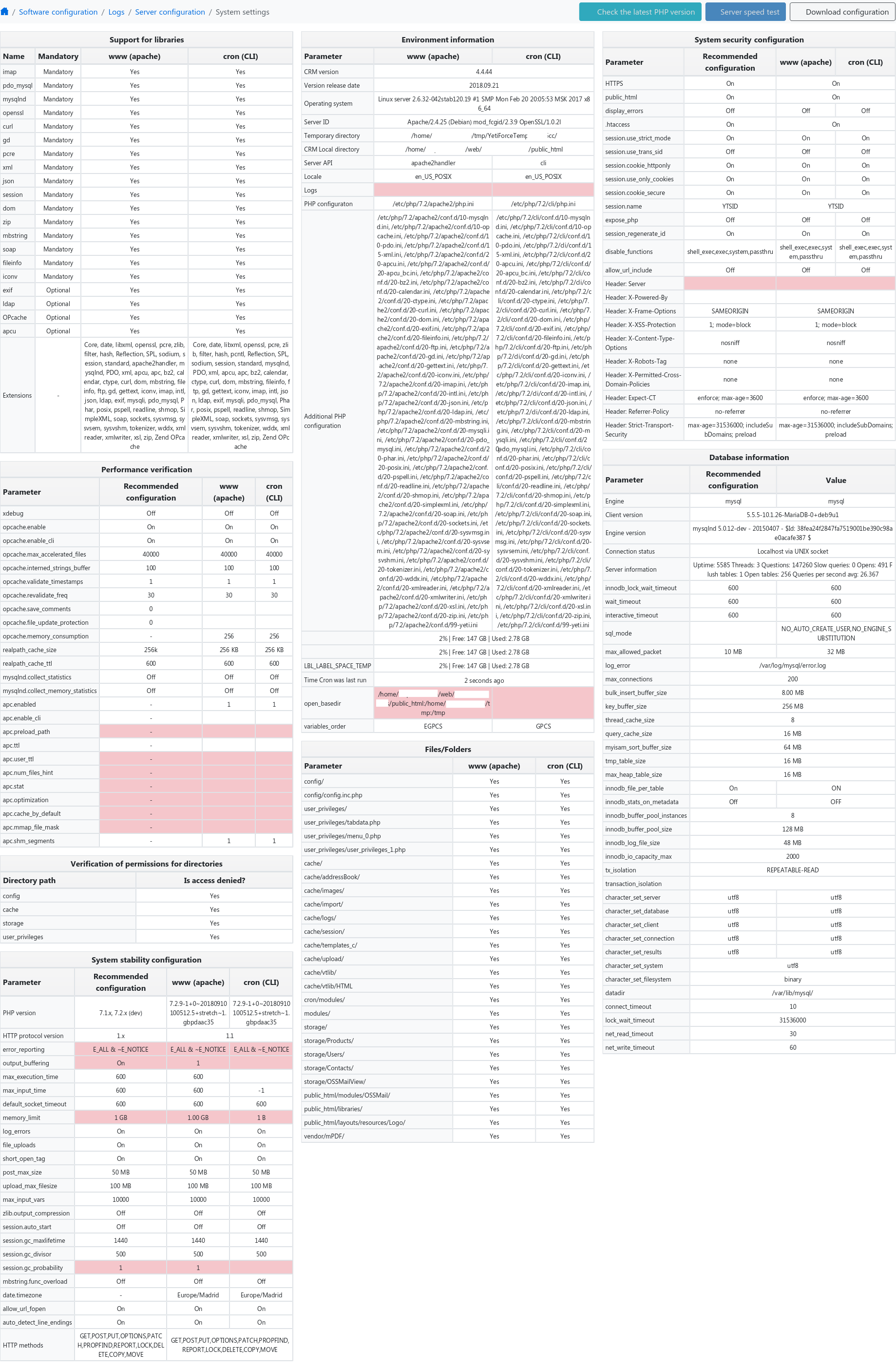
PHP/Apache/Browser Logs
Apache error log:
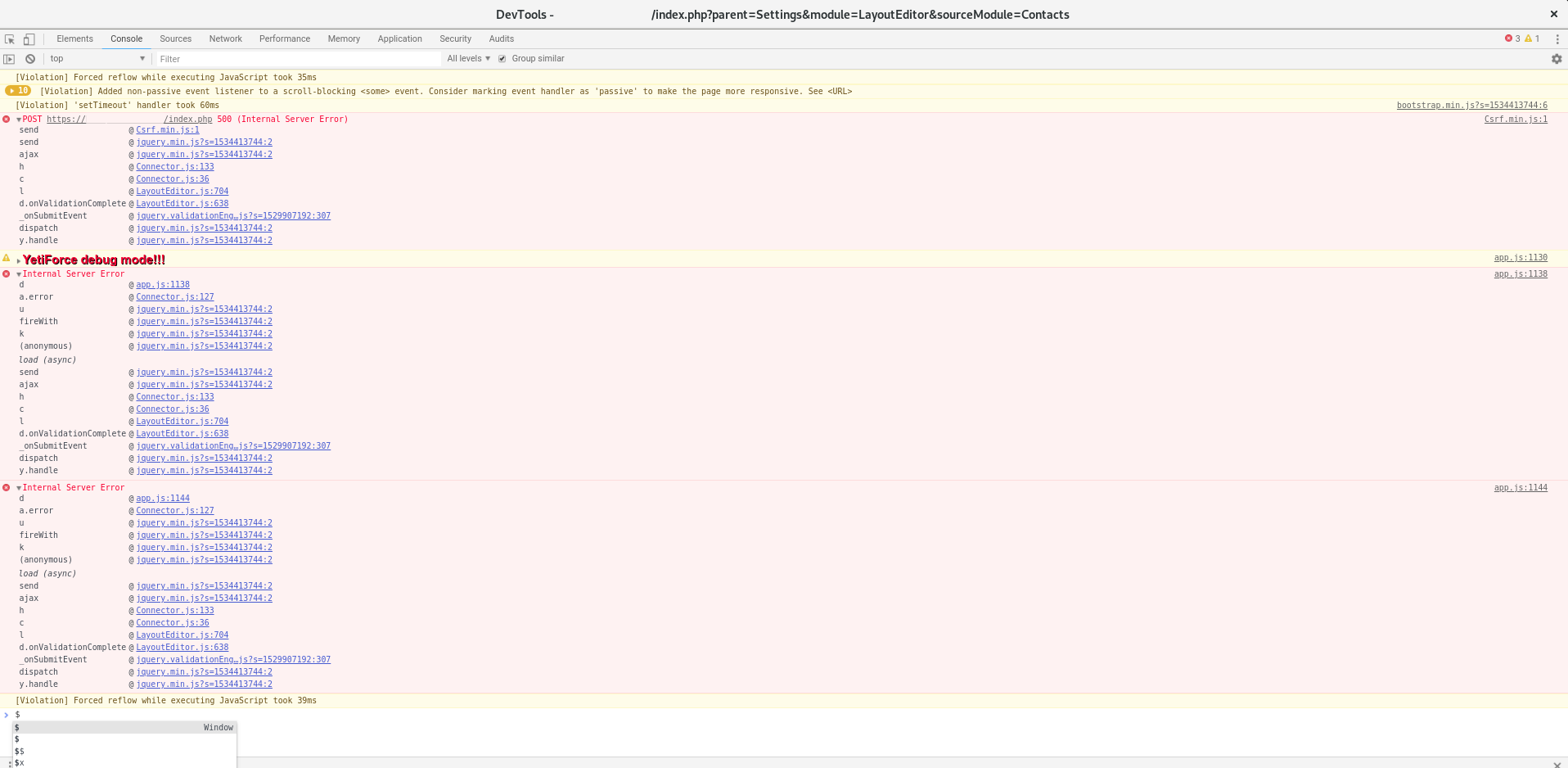
[Tue Sep 25 20:47:32.645969 2018] [php7:error] [pid 6134] [client XXX.XXX.XXX.XXX:39728] PHP Fatal error: Uncaught TypeError: Argument 1 passed to Vtiger_Block_Model::getInstanceFromBlockObject() must be an instance of vtlib\\Block, boolean given, called in /home/domain/web/domain.tld/public_html/modules/Vtiger/models/Block.php on line 187 and defined in /home/domain/web/domain.tld/public_html/modules/Vtiger/models/Block.php:199\nStack trace:\n#0 /home/domain/web/domain.tld/public_html/modules/Vtiger/models/Block.php(187): Vtiger_Block_Model::getInstanceFromBlockObject(false)\n#1 /home/domain/web/domain.tld/public_html/modules/Settings/LayoutEditor/models/Module.php(223): Vtiger_Block_Model::getInstance('', 'Contacts')\n#2 /home/domain/web/domain.tld/public_html/modules/Settings/LayoutEditor/actions/Field.php(32): Settings_LayoutEditor_Module_Model->addField('Text', '', Array)\n#3 [internal function]: Settings_LayoutEditor_Field_Action->add(Object(App\\Request))\n#4 /home/domain/web/domain.tld/public_html/app/Controller/ExposeMethod.php(63): ca in /home/domain/web/domain.tld/public_html/modules/Vtiger/models/Block.php on line 199, referer: https://domain.tld/index.php?parent=Settings&module=LayoutEditor&sourceModule=Contacts
Chrome console log:
Your Environment
- YetiForce Version used: Developer 4.4.44
- Browser name and version: Google Chrome 67, Firefox 62.0 (64-bit)
- Environment name and version: Debian 9
- Operating System and version: Arch Linux
 codibit
All 10 comments
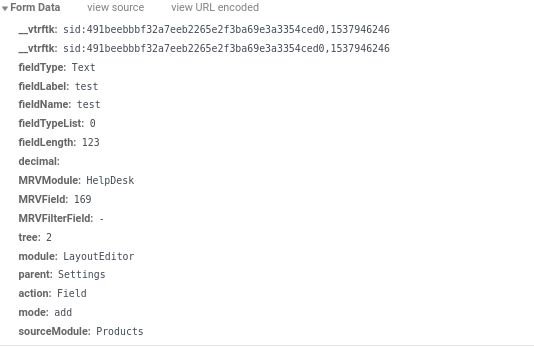
By doing some further testing and comparison with http://gitdeveloper.yetiforce.com, I think the culprit is that the "blockid" parameter is not being set for some reason.
Here's gitdeveloper's request captured in Google Chrome's console/network/xhr tab:
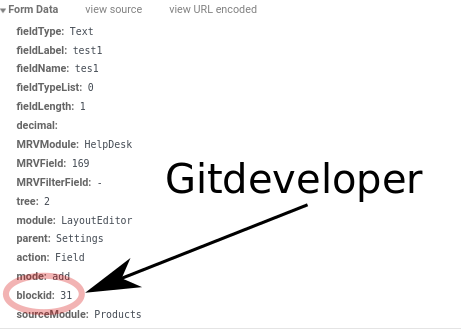
My install:
codibit
on 26 Sep 2018
Ok, I believe I have found the problem. It might happen on other areas as "blockId" is used on several places.
I think LayoutEditor.js should be updated to replace "blockId" references with "block-id". I only changed the reference within the registerAddCustomFieldEvent function, in order to test if it's the issue.
https://github.com/YetiForceCompany/YetiForceCRM/pull/8143
I can replace and check the other lines as well if you want (and if the solution is correct :) )
codibit
on 26 Sep 2018
The same happens to me.
I made a new installation of version 4.4.0 and upgraded with Improved package 4.40_to_5.0.0.
Errors:
1 - Custom fields - create new.
2 - Filters - Error when creating and editing.
 MexasPT
on 26 Sep 2018
MexasPT
on 26 Sep 2018
@MexasPT , yes, I believe it's the same problem, the reference is being made to "blockId" instead of "block-id".
There are several instances of this in LayoutEditor.js.
For instance, in line 568 (for the add custom field event):
let blockId = $(e.currentTarget).closest('.editFieldsTable').data('blockId'),
Should be
let blockId = $(e.currentTarget).closest('.editFieldsTable').data('block-id'),
codibit
on 26 Sep 2018
@codibit
Did changing this solve your problem?
I changed the line in question and nothing ...
-> let blockId = $ (e.currentTarget) .closest ('. editFieldsTable'). data ('block-id')
I also changed all references to blockId to block-id but to no avail
:(
MexasPT
on 26 Sep 2018
@MexasPT try to cleanup browser cache
 vovpff
on 26 Sep 2018
vovpff
on 26 Sep 2018
@MexasPT
Make sure you also copy that file to LayoutEditor.min.js, as the browser is being pointed to that file (which is optimized, but for testing purposes, it's ok to use the original file). Then clear your browser cache or completely reload the page (for instance, by pressing "CTRL+SHIFT+R" in Google Chrome or Mozilla Firefox).
codibit
on 26 Sep 2018
2 - Filters - Error when creating and editing.
I don't think the filters are directly related to this error though, at least not on the same source file.
codibit
on 26 Sep 2018
If you want to fix the error immediately, disable file minimizing.
https://github.com/YetiForceCompany/YetiForceCRM/blob/7ee7cb4d74e3a58d423e6cdf3bb0b2f9eba134bb/config/developer.php#L11-L12
 rskrzypczak
on 27 Sep 2018
rskrzypczak
on 27 Sep 2018
@rskrzypczak
It worked!
Fields and filters ok. 👍
MexasPT
on 27 Sep 2018
Related issues
 ezbank
·
3Comments
ezbank
·
3Comments
 rubysown
·
3Comments
rubysown
·
3Comments
 MacarenaReina
·
3Comments
MacarenaReina
·
3Comments
 PDMeira
·
3Comments
PDMeira
·
3Comments
 scsikid
·
3Comments
scsikid
·
3Comments
Most helpful comment
If you want to fix the error immediately, disable file minimizing.
https://github.com/YetiForceCompany/YetiForceCRM/blob/7ee7cb4d74e3a58d423e6cdf3bb0b2f9eba134bb/config/developer.php#L11-L12