Yetiforcecrm: v.4.4 Profile pictures not migrated
- YetiForce Version used: 4.4 v2
- Browser name and version: Chrome / Safari
- Environment name and version: PHP 7.1
- Operating System and version: Linux Ubuntu 14 LTS
We just upgraded our dev and live site from 4.3 to 4.4 v2. IT all seemed to go well but later we found out that the profile pictures are no longer working. We understand that the whole image storage has been changed from Contact to the Multiimage directory
We don't like to manual add all 300 pictures we had again.
Since the filenames also changed it is not as simple as doing a replace in the DB.
What is the right way to get the pictures back in the profiles?
 zebrahosting
All 5 comments
Ah so it wasn't just me and my XAMPP version that having Contact Image issue then. As we have a relatively small set of photo contact we just end up manually adding them again. Don't know if there quick method available.
Where is the filename store? Maybe we can just go into phpadmin and change the Single Contact Image to Multi Image?
https://github.com/YetiForceCompany/YetiForceCRM/issues/7470
Also didn't know that 4.4v2 was release until I read this. I wonder what was changed and if we can use that v2 on a 4.4.0
 ldgbc
on 8 Aug 2018
ldgbc
on 8 Aug 2018
After the update verify that the "Batch processes for servicing long-lasting actions" cron task has finished successfully.
During this cron task all images in modules are restored. This cron should be started first right after the update. Other processes can be started only after this one.
 rskrzypczak
on 8 Aug 2018
rskrzypczak
on 8 Aug 2018
Very helpful tip to look at the CRON and also nice to see it must be possible to migrate the pics.
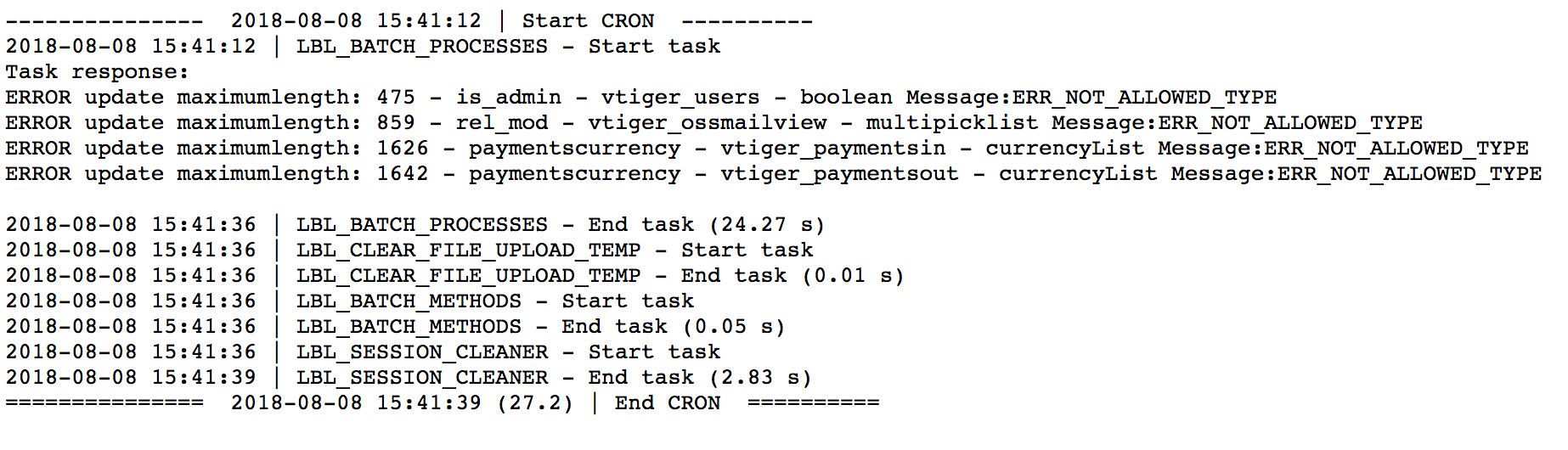
Yeti cron overview also shows it did run (after I manually force it)
In the Multiimage folder there are no new pictures.
zebrahosting
on 8 Aug 2018
Yeah I did run that CRON task but don't remember the image being migrate over. I have a look again tomorrow. Maybe because we already re-add all the image.
Will we need to delete all the Single image in that case in /storage/?
ldgbc
on 8 Aug 2018
If you change the document root (eg. server), and you cant download documents you should manually update path (I think its bug in YF 4.3).
update vtiger_attachments set path = replace(path,'oldpartofpath','newpartofpath')
 echemik
on 18 Aug 2018
echemik
on 18 Aug 2018
Related issues
 vovpff
·
3Comments
vovpff
·
3Comments
vovpff
·
3Comments
vovpff
·
3Comments
 Raggazzoo
·
3Comments
Raggazzoo
·
3Comments
 PDMeira
·
3Comments
rskrzypczak
·
3Comments
PDMeira
·
3Comments
rskrzypczak
·
3Comments
Most helpful comment
After the update verify that the "Batch processes for servicing long-lasting actions" cron task has finished successfully.
During this cron task all images in modules are restored. This cron should be started first right after the update. Other processes can be started only after this one.