Yetiforcecrm: Change columns width
Issue
I have removed some columns from invoice, and now i want to change the width of each column from Invoice PDF Template, and also i want to change characters limit for Item name column.
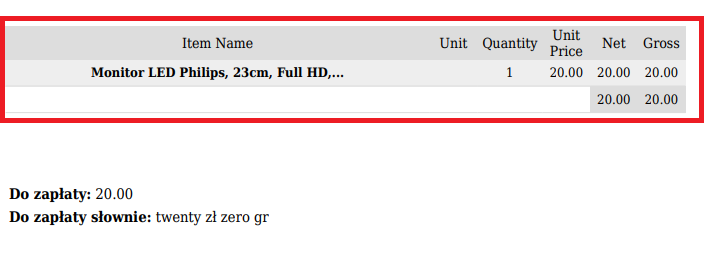
Actual Behavior
I searched on ProductsTable and ProductsTableNew and i don't have finded values for this.
Expected Behavior
How to trigger the error
1.
2.
3.
Your Environment
- YetiForce Version used: 4.3.0
- Browser name and version: Google Chrome
- Environment name and version: CPanel
- Operating System and version:CentOS
 cltvchannel
All 5 comments
@cltvchannel column width can de changed thru field editor. For character limitation I don't has ideas.
Greatest solution to prepare selfmade product table if you have coding experience.
 vovpff
on 10 Mar 2018
vovpff
on 10 Mar 2018
The table is rendered using the TextParser class.
In your PDF template the used TextParser ist called by the $(custom: xxx)$ variable e.g. $(custom : ProductsTableNew)$
The name of the called class is on the right of the colon. 'ProductsTableNew'. This calls the file with the same name in folder 'vendor/yetiforce/TextParser'. In there is the php code that creates the html table code.
 setras
on 14 Mar 2018
setras
on 14 Mar 2018
@setras hi.
i know where is the file, but i don't know what i need to change in the code for my request.
cltvchannel
on 14 Mar 2018
@cltvchannel ,
before changing the code did you try, as @vovpff suggested, to change the column witdh in the field editor. (sum of all field witdh settings must be 100)
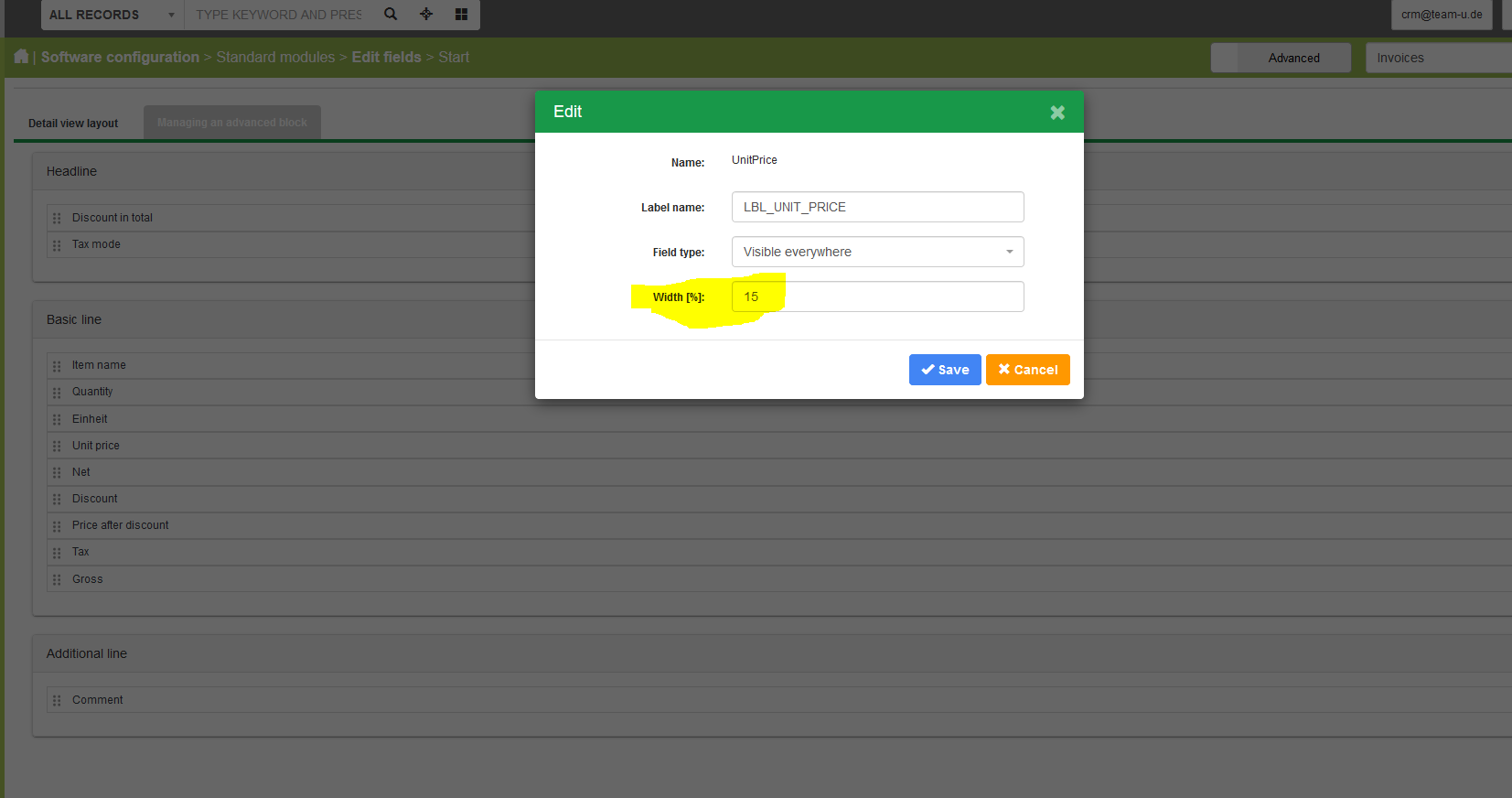
The name column handling changed several times therefore there are some options you need to try. In the config.inc.php file set variable:
- $listview_max_textlength
or
- $href_max_length
If neither works you'll need to change the function getDisplayValue in file 'modules/Vtiger/inventoryfields/Name.php'. Look for a line that looks similar to this
$name = vtlib\Functions::textLength($name, vglobal('href_max_length'));
and either change the second parameter to a charater length that works for you
or just simply delete the whole statement
setras
on 15 Mar 2018
@setras Thanks!
cltvchannel
on 20 Mar 2018
Related issues
 johntonji
·
3Comments
johntonji
·
3Comments
 Raggazzoo
·
3Comments
Raggazzoo
·
3Comments
 canomogollon
·
3Comments
canomogollon
·
3Comments
 rskrzypczak
·
3Comments
rskrzypczak
·
3Comments
 PDMeira
·
3Comments
PDMeira
·
3Comments
Most helpful comment
@cltvchannel ,

before changing the code did you try, as @vovpff suggested, to change the column witdh in the field editor. (sum of all field witdh settings must be 100)
The name column handling changed several times therefore there are some options you need to try. In the config.inc.php file set variable:
or
If neither works you'll need to change the function
getDisplayValuein file 'modules/Vtiger/inventoryfields/Name.php'. Look for a line that looks similar to this$name = vtlib\Functions::textLength($name, vglobal('href_max_length'));and either change the second parameter to a charater length that works for you
or just simply delete the whole statement