Yaru: Broken rendering on gnome-terminal tabs
Expected Behavior
proper rendering/color rendering on aplications, like gnome-terminal and tweaks.
Actual Behavior
pure black rendering on some parts with specific conditions, for example:
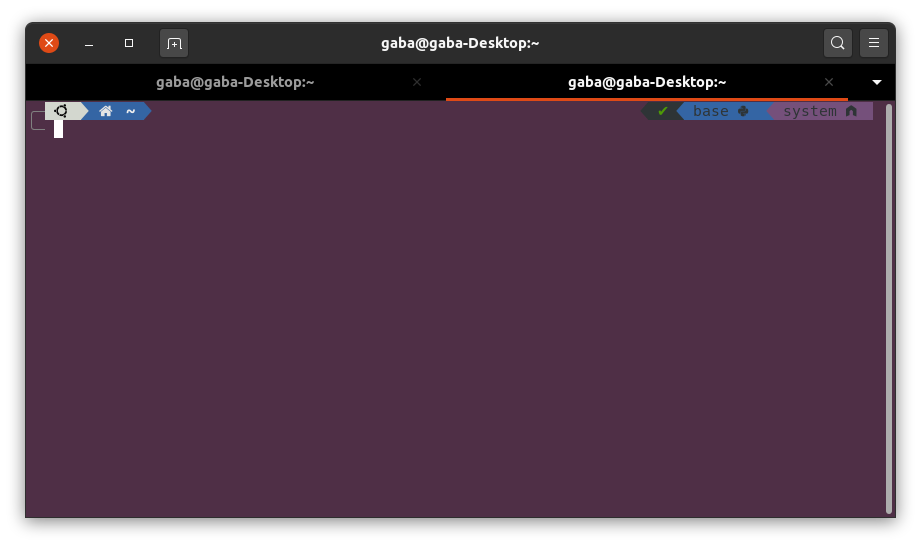
gnome-terminal: wrong rendering on tabs (just black, instead of theme's gray), but renders correctly when in maximized or fullscreen.
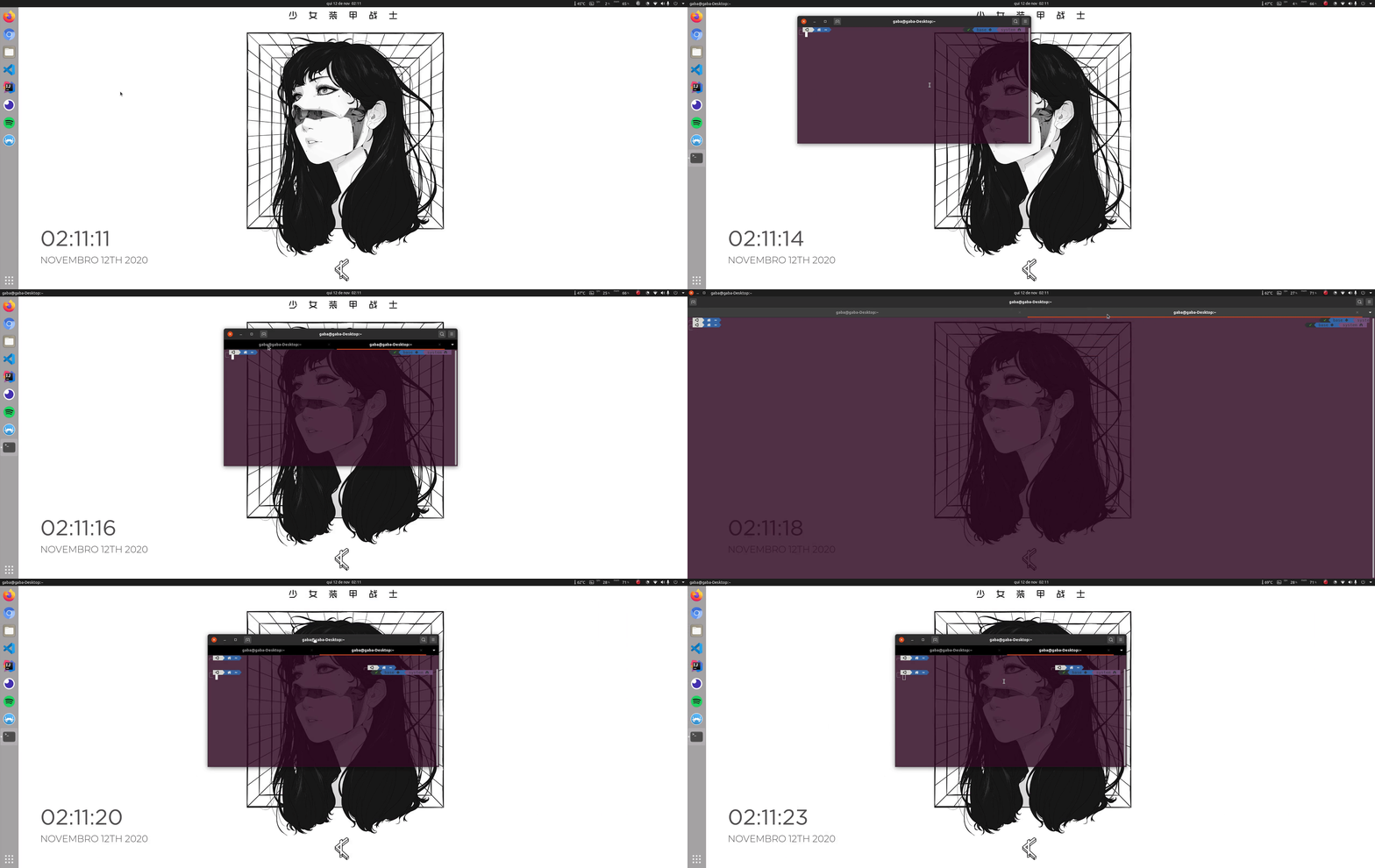
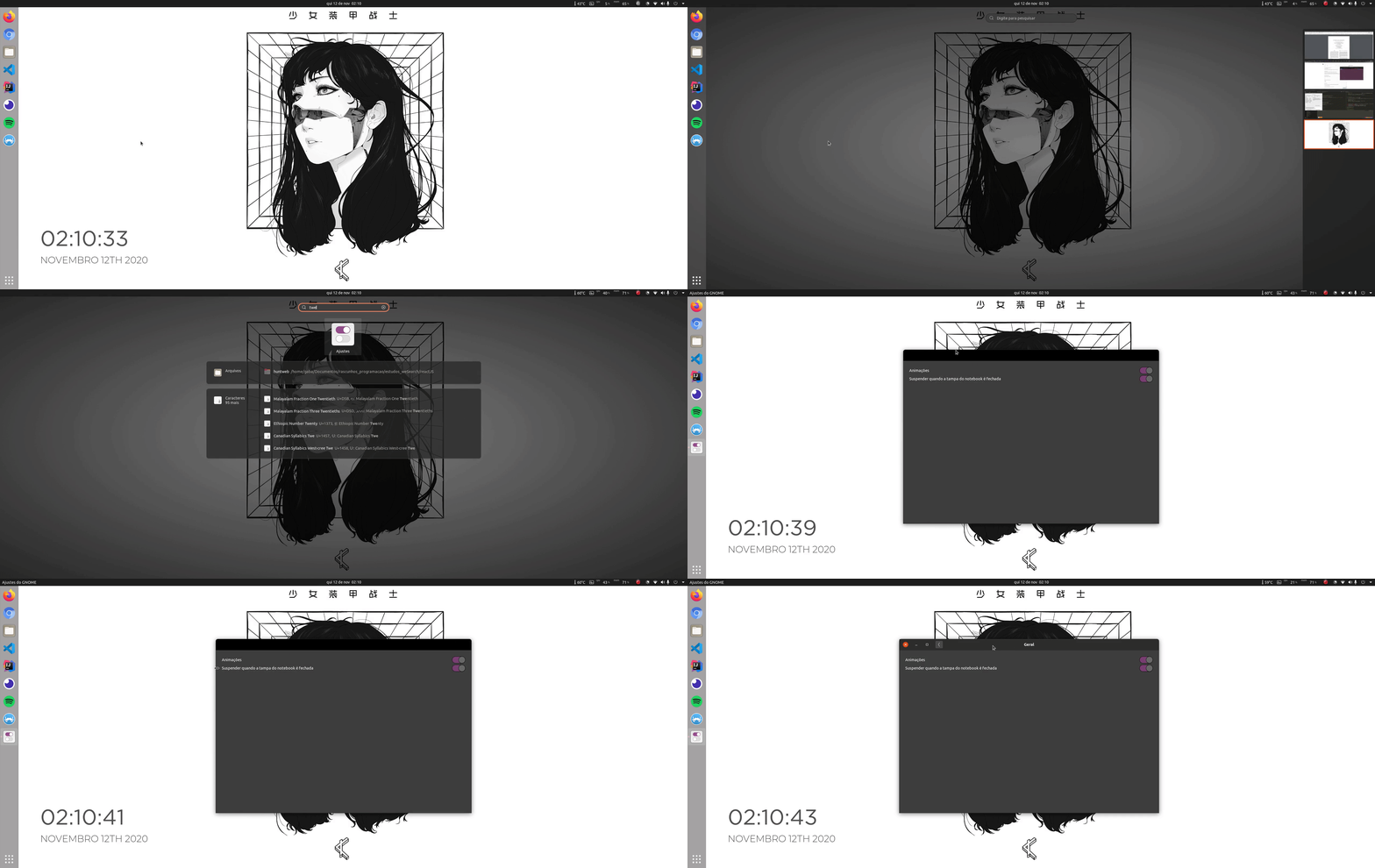
gnome-tweaks: wrong rendering on header (just a black rectangle, instead of normal UI) on fresh open. After moving the window or resizing it renders correctly.
Software that presents the issue
Name: Gnome-terminal
Version: 3.36.2-1ubuntu1~20.04Name: gnome-tweak-tool
Version: 3.34.0-2ubuntu1
Yaru version
- My Yaru is the one provided by default from Ubuntu 20.04, the version shown by
apt-cache policy yaru-theme-gnome-shellis :
yaru-theme-gnome-shell:
  Instaled: 20.04.8
  Candidate: 20.04.8
`$ apt show communitheme`
Extra info:
- my ubuntu was 19.10 upgraded to 20.04
- this only happens on Yaru. Other themes like Adawaita showed expected behavior.
- i ran
sudo apt reinstall yaru-theme-gtk --purgeandsudo apt reinstall yaru-theme-gnome-shell --purge, but it had no effect.
 jgabriel98
All 14 comments
Hi @jgabriel98 and thanks for taking the time of writing this issue.
Strangely, everything is OK on my 20.10 install with Yaru master and on an other computer with 20.04 and default Yaru:

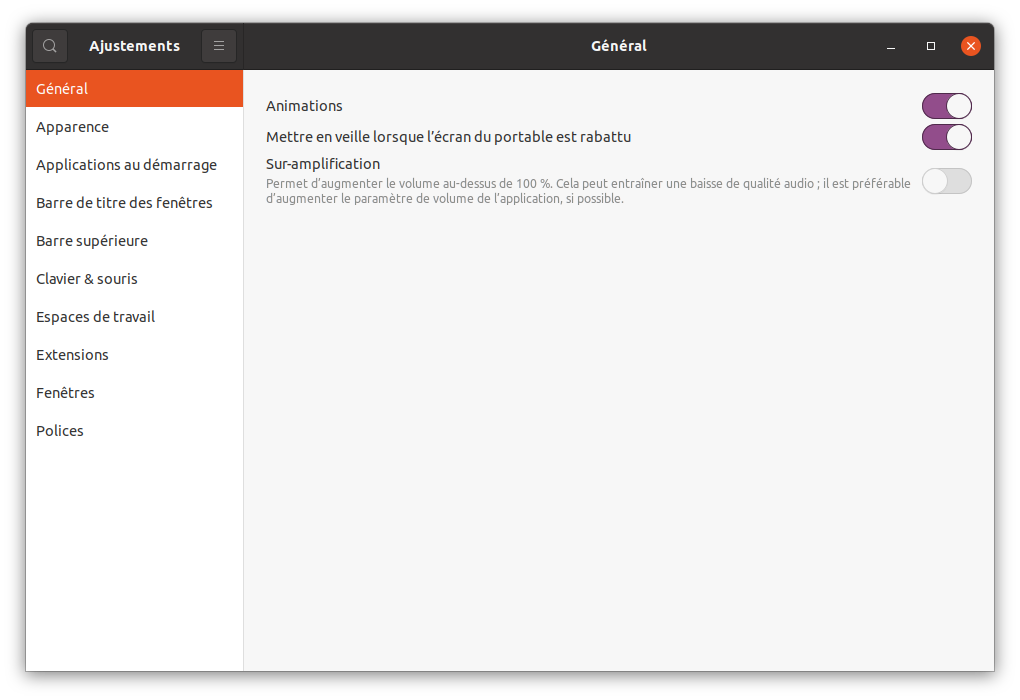
I see on your screenshot that you are using some extensions, can you give us the list please (the css of an ext is maybe on conflict with Yaru).
 Jupiter007-43
on 12 Nov 2020
Jupiter007-43
on 12 Nov 2020
Those are my extension, all where activated before (except for GTK Title Bar).
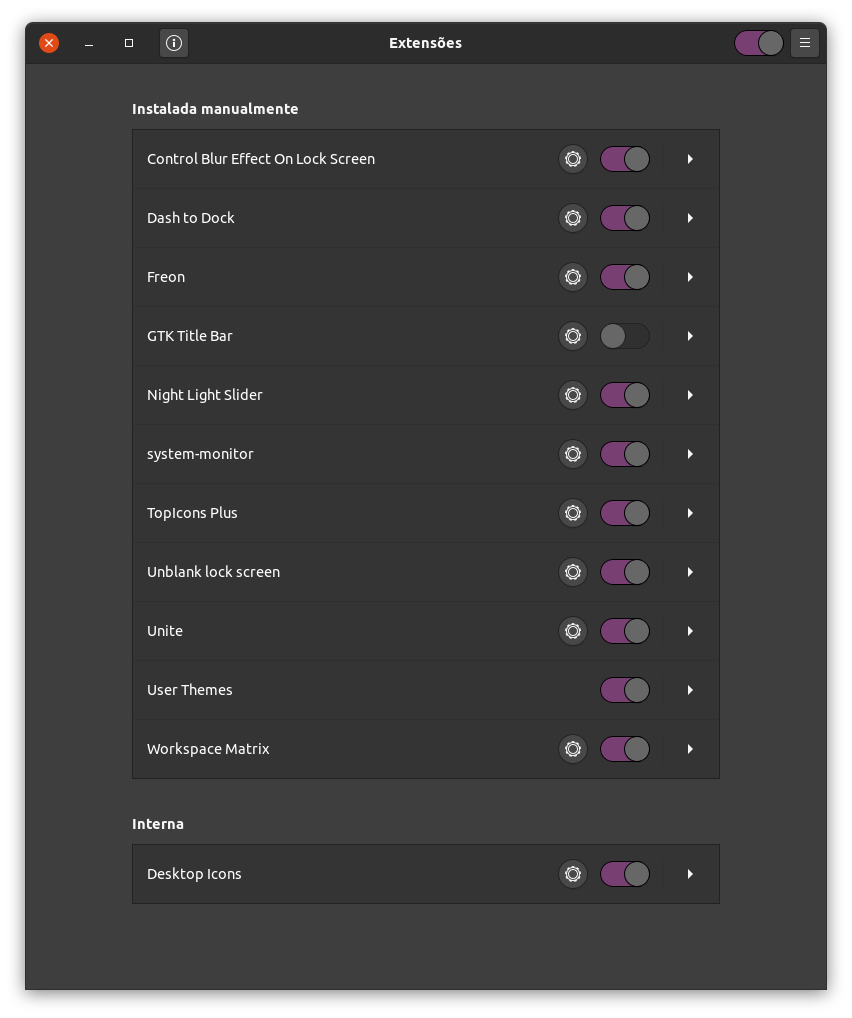
But i don't think the extensions are the problem: even when disabled, the problem still occurs
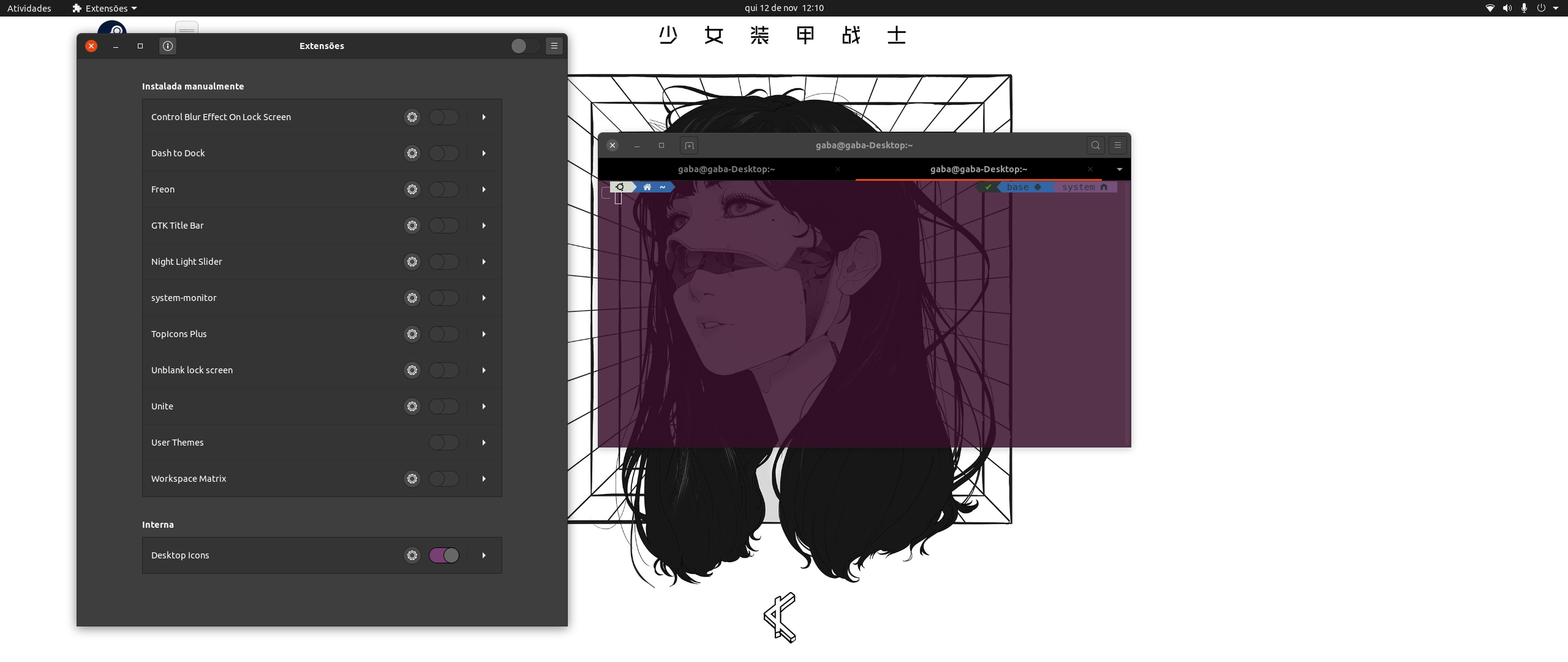
jgabriel98
on 12 Nov 2020
Maybe the transparent terminal window
 Feichtmeier
on 12 Nov 2020
Feichtmeier
on 12 Nov 2020
Maybe the transparent terminal window
Indeed, I tried to add some transparency on the terminal of my father's computer (20.04 and Yaru default) and there's the same behavior. But the bug is not reproducible on 20.10 with master:
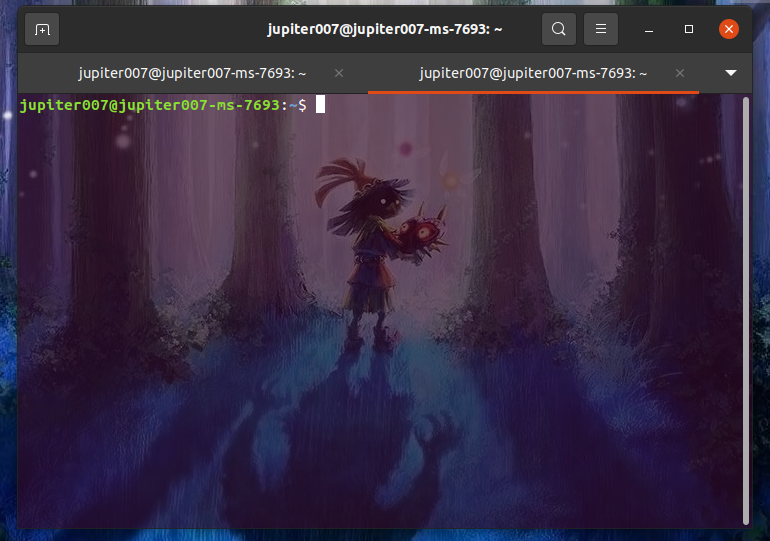
So the question is: it is fixed by Gnome 3.38 or by Yaru master? Is someone has a 20.04 install with Yaru master installed for testing?
Jupiter007-43
on 12 Nov 2020
hi,
gnome-terminal:
Tried this on my machine running ubuntu 20.04 with yaru(20.04.8) and encounter the terminal issue just like @jgabriel98
screenshot:
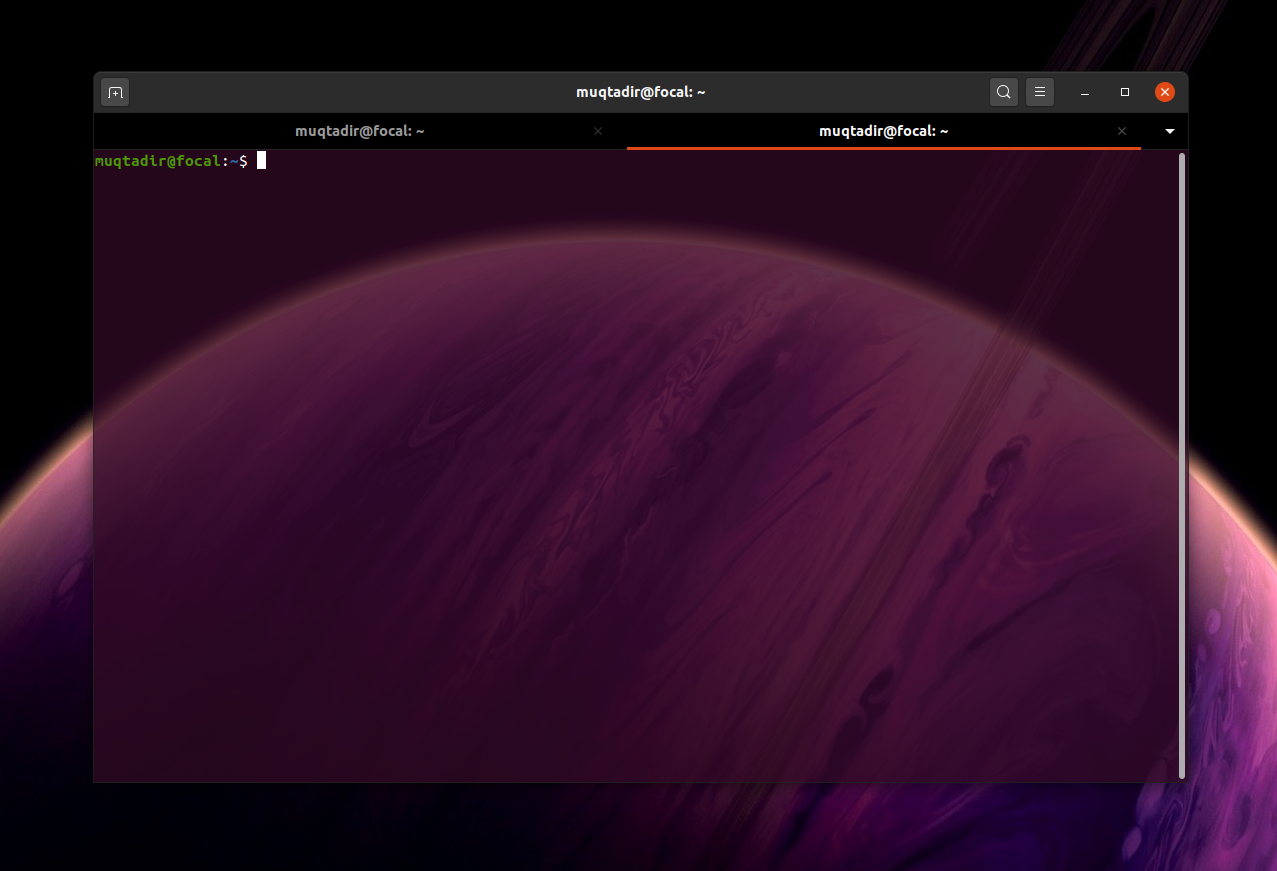
gnome-tweaks:
regarding gnome-tweaks, i was able to reproduce the black borders just like @jgabriel98 when I changed windows titlebar buttons from right to left
screenrecording:
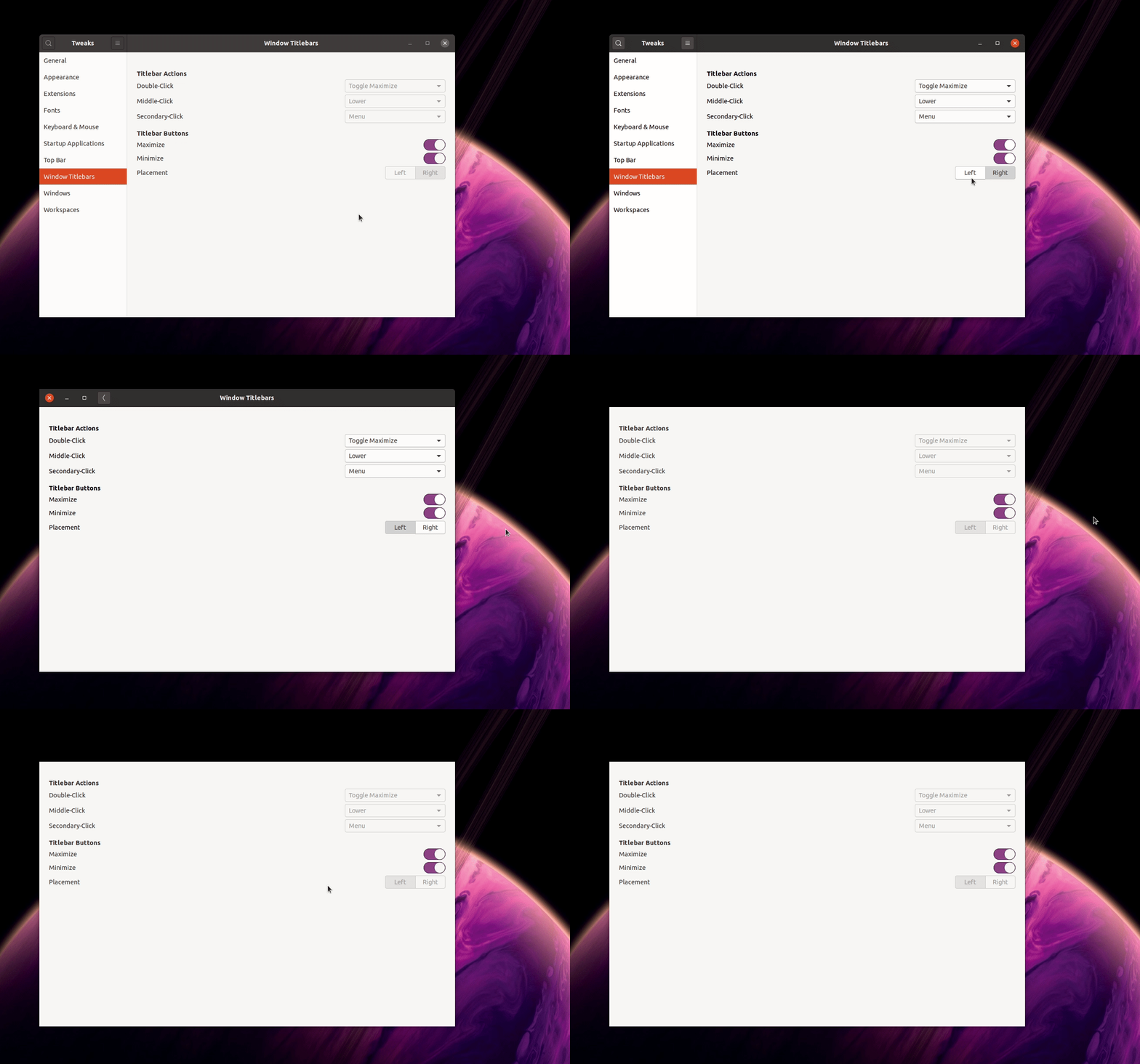
 Muqtxdir
on 12 Nov 2020
Muqtxdir
on 12 Nov 2020
Thanks @Muqtxdir 👍
Can you also test with Yaru master please?
Jupiter007-43
on 12 Nov 2020
The tab issue comes from the transparent tab
We need to re-set the background, but then special case Nautilus as there are the BG and base colours flipped
Feichtmeier
on 12 Nov 2020
About the headerbar, there's indeed a bug on Gnome-tweaks when buttons are moved to left (I tested on 20.10).
But as it's also reproducible with Adwaita, I think it's app related.
Jupiter007-43
on 12 Nov 2020
gnome-terminal:
Yaru-master on ubuntu 20.04, no issue here of dark tabs

gnome-tweaks:
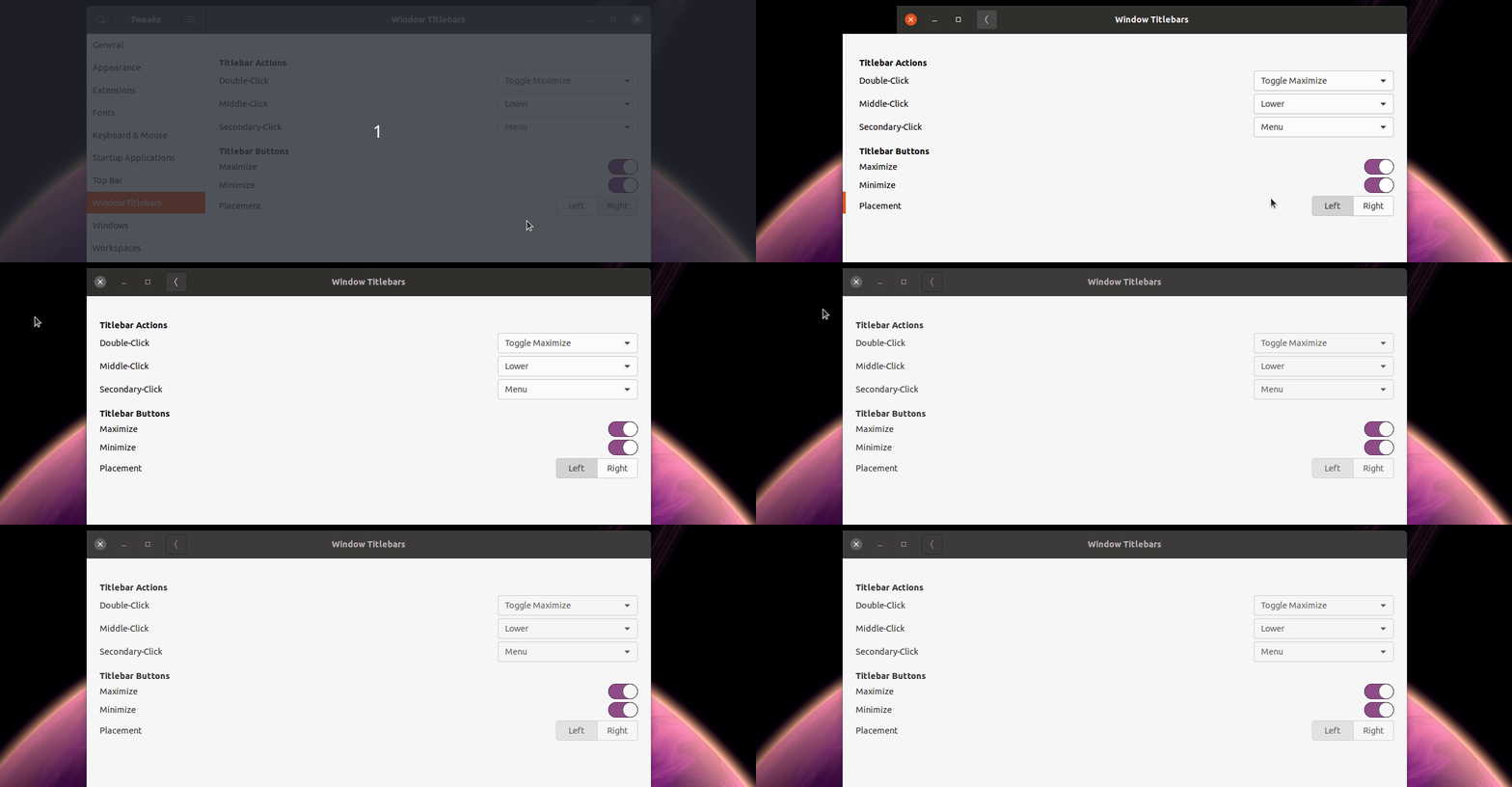
still issue is present even with Yaru-master, I think @Jupiter007-43 is right. It happens on adwaita as well, maybe related to the app
Muqtxdir
on 12 Nov 2020
Thanks for testing @Muqtxdir,
so as the Terminal problem is already fixed on master and the Tweaks one is app related I think we can close this issue.
@Feichtmeier maybe do a backport to 20.04?
Jupiter007-43
on 12 Nov 2020
I see,
thank you all for the fast analysis.
i issue can be closed, but just one question before that.
Does someone recomends a solution for this on ubuntu 20.04, given that Yaru came from apt package?
some solution that would fix this now, but not make me outdated on long term (in case i forget that yaru where manually installed from source, and won't update anymore).
jgabriel98
on 12 Nov 2020
Didn't change the transparent tabs from 20.04 to 20.10
So either it's some change in gnome-terminal, and in 20.10 the terminal has a set background, or I don't know
So there is really nothing to backport. Need to check this all myself though :)
Feichtmeier
on 12 Nov 2020
@Feichtmeier As the bug present with Terminal 3.36 and Yaru apt seems to be fixed with master, I think that something has changed in Yaru since the 20.04.8 release (maybe something not related to Terminal but just to Gtk tabs and that we have get from upstream 🤔).
Jupiter007-43
on 13 Nov 2020
Bug affects Terminal in Ubuntu 20.04 (gnome 3.36). Unmaximized windows, with transparency and affects menu bar and tabs
 cavillagomez
on 11 Jan 2021
cavillagomez
on 11 Jan 2021
Related issues
Muqtxdir
·
3Comments
 mivoligo
·
3Comments
Feichtmeier
·
3Comments
Feichtmeier
·
3Comments
Feichtmeier
·
3Comments
mivoligo
·
3Comments
Feichtmeier
·
3Comments
Feichtmeier
·
3Comments
Feichtmeier
·
3Comments
Most helpful comment
Maybe the transparent terminal window