Yaru: Problem installing Yaru Theme from source on Ubuntu 18.04
Some time ago, unfortunately not having read the warnings in your README.md file (Installing from source is not recommended for average usage), I tried to install from the sources your new beautiful "20.04" Yaru theme on my Ubuntu 18.04 system, by running these commands:
sudo apt install git meson sassc libglib2.0-dev libxml2-utils
git clone https://github.com/ubuntu/yaru
cd yaru
meson build
cd build
sudo ninja install
it seemed that everything was successful but later I noticed some problems, as shown in these images:
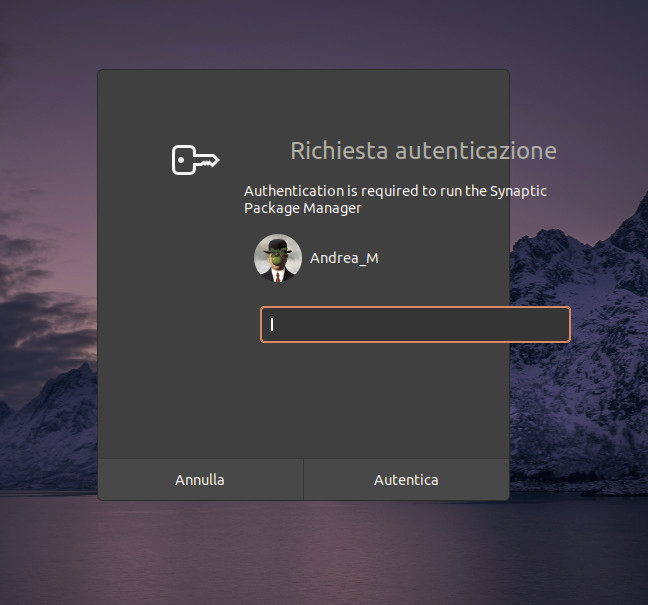
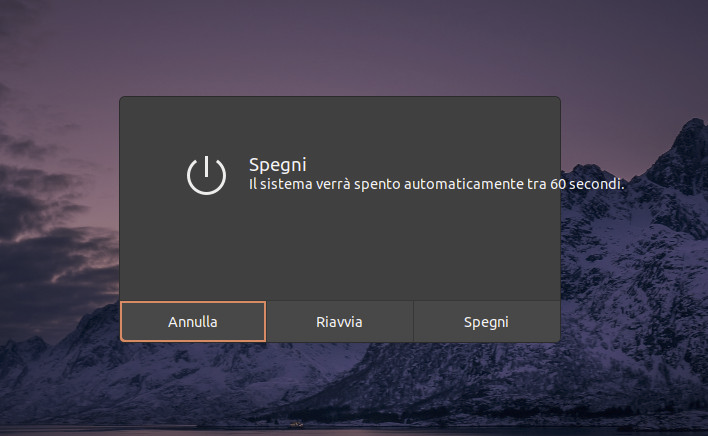
how could this problem be corrected or, alternatively how can I (sigh!) completely uninstall the theme from my system?
 sardus-X
All 5 comments
🤔 I'm not sure, but it must be because the dialog boxes have changed with 20.04.
 Jupiter007-43
on 27 Jul 2020
Jupiter007-43
on 27 Jul 2020
The shell theme does not work on 18.04 build from master
Either build from bionic branch
Or better install the communitheme snap
 Feichtmeier
on 27 Jul 2020
Feichtmeier
on 27 Jul 2020
Hi @sardus-X ,
alternatively how can I (sigh!) completely uninstall the theme from my system?
To remove *Yaru:*
- To remove all Yaru, first simply run the following in terminal (although some files won't be deleted succesfully)
   cd yaru
   cd build
   sudo ninja uninstall
- The remaining can be removed by doing this:
# This will delete all gnome-shell-theme-folders named Yaru, Yaru-dark
sudo rm -R /usr/share/gnome-shell/theme/Yaru*

# This will delete all GTK3-theme-folders named Yaru, Yaru-light, Yaru-dark
sudo rm -R /usr/share/themes/Yaru*

# This will delete icon-folder named Yaru
sudo rm -R /usr/share/icons/Yaru

# This will delete sound-folder named Yaru
sudo rm -R /usr/share/sounds/Yaru
 Muqtxdir
on 27 Jul 2020
Muqtxdir
on 27 Jul 2020
To install Yaru on Ubuntu 18.04 (from README):
- To install Yaru (as snap) , simply run the following in terminal:
snap install communitheme
- Restart your computer
- Click on your user, click on the gear icon and select the "Ubuntu with communitheme snap" session from the pop-up, and login
- Now Ubuntu is using the communitheme including the system, applications, icons, sounds and the cursor.
Muqtxdir
on 27 Jul 2020
Thanks @Muqtxdir for the nice rescue instructions!
Feichtmeier
on 27 Jul 2020
Related issues
 madsrh
·
3Comments
madsrh
·
3Comments
 mivoligo
·
3Comments
mivoligo
·
3Comments
 eaglersdeveloper
·
3Comments
Feichtmeier
·
3Comments
eaglersdeveloper
·
3Comments
Feichtmeier
·
3Comments
 snydox
·
3Comments
snydox
·
3Comments
Most helpful comment
To install Yaru on Ubuntu 18.04 (from README):