Yaru: Hover and press effect on tabs looks better in Adwaita
Steps to reproduce the problem
- Install geany (sudo apt install geany)
- Hover the mouse pointer and press on the left and bottom tabs, including the arrow tabs
- Change theme between Yaru and Adwaita
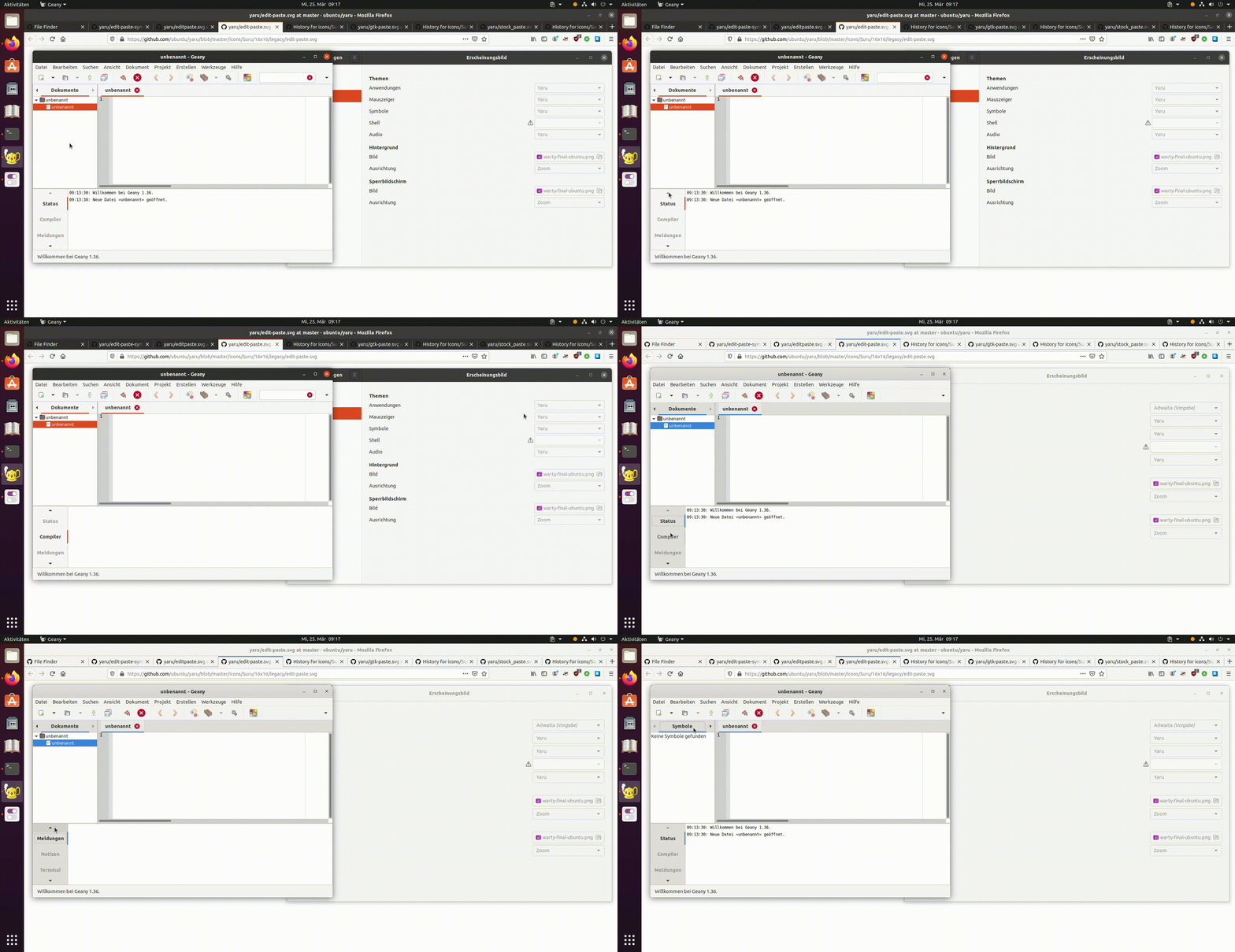
Notice the difference in the hover and press effect, especially on the arrow tabs, between Yaru and Adwaita. In my opinion, Adwaita looks better.
Notice that clicking twice on a tab does not draw a dotted rectangle around it, which indicates that the tab has keyboard focus. Go up, down, left, right; the dotted rectangle moves along. Adwaita does that, Yaru does not.
Software that presents the issue
- Name: geany
- Version: 1.36
Yaru version
apt show yaru-theme-gtk
Package: yaru-theme-gtk
Version: 20.04.4
 Amr-Ibra
All 12 comments
This is exactly the hover effect @madsrh and @clobrano wanted by design, so I'll close this
 Feichtmeier
on 25 Mar 2020
Feichtmeier
on 25 Mar 2020
But clicking twice on a tab does not draw a dotted rectangle around it, which indicates that the tab has keyboard focus. Go up, down, left, right; the dotted rectangle moves along. Adwaita does that, Yaru does not.
And I would really like to reconsider the hover effect, it looks better in Adwaita.
Amr-Ibra
on 25 Mar 2020
If you notice, the tab doesn't really have the outline. Once it is selected, it is on focus
And I would really like to reconsider the hover effect, it looks better in Adwaita.
I do prefer our own, honestly. Unfortunately this is subjective
 clobrano
on 25 Mar 2020
clobrano
on 25 Mar 2020
@clobrano
The dotted rectangle is needed for keyboard navigation. If the keyboard focus is somewhere, and you use only the Tab key to switch the focus around the elements, you wouldn't know where the focus stands at the moment.
That also applies to Nautilus:
- Open many tabs in Nautilus
- Focus the keyboard in the file area
- Switch the focus with the
Tabkey around all Nautilus elements - Observe that the tabs do not indicate whether they have keyboard focus or not (because they don't draw a dotted rectangle around their title)
- Now try the same thing with Adwaita and observe the dotted rectangle around the tab's title
Amr-Ibra
on 25 Mar 2020
What I meant is that, when we discussed this, we observed that the selected tab and the dotted rectangle seems to always go together. Do you observe a different behaviour in adwaita?
clobrano
on 25 Mar 2020
Do you observe a different behaviour in adwaita?
Yes, don't use the mouse and use only the keyboard. Follow the steps I mentioned for nautilus and switch the focus using the Tab key.
Amr-Ibra
on 25 Mar 2020
I think there is a misunderstanding. What I meant is that the tab selection and focus ring are always together. There is no way, as far as I can tell, to have the focus ring on an unselected tab
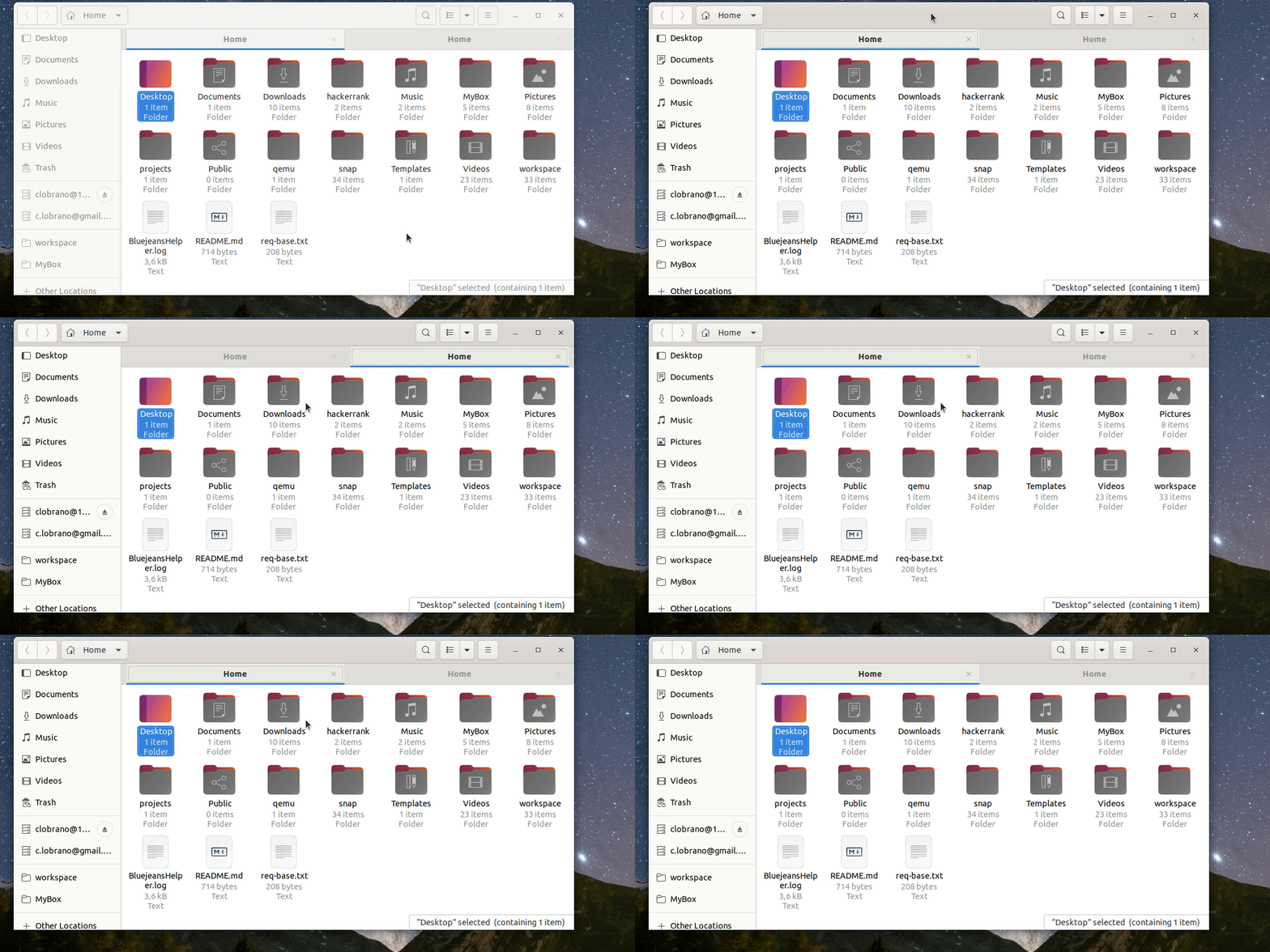
The dotted rectangle is redundant here.
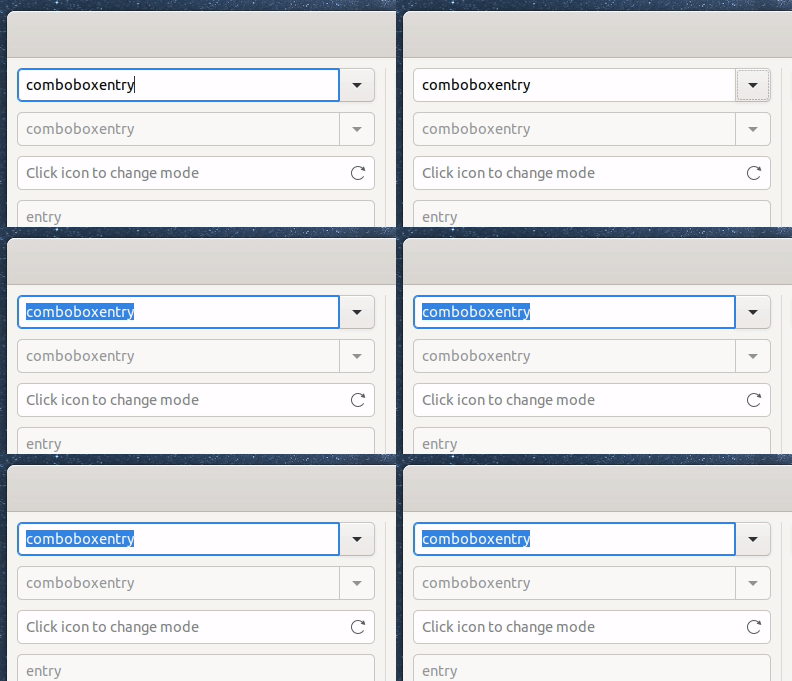
The same is done for the entry, no dashed rectangle as well
clobrano
on 25 Mar 2020
OK, now:
- move the focus into the side panel in Nautilus (by clicking on Documents for example)
- using only the keyboard, rotate the focus ring between all elements and buttons in Nautilus using the
Tabkey (press repeatedly) - using only the keyboard, try to get the focus ring on a tab
- how do you know that the focus ring is on a tab using only the
Tabkey if you don't see it? And you don't know whether the tab is selected or not?
Amr-Ibra
on 26 Mar 2020
What you mean is that there is no evident transition between a tab selected and a tab that "just got the focus"?
clobrano
on 26 Mar 2020
I guess he means that when you alt+tab out and in again to nautilus, you don't know what widget has the focus if the focus is on the tab because we've made it invisible
Feichtmeier
on 26 Mar 2020
What you mean is that there is no evident transition between a tab selected and a tab that "just got the focus"?
YES.
And now apply the same analogy to file/folder icons in Nautilus using your own screencast. You will see that there is a transition between a file selected (blue highlight only on the file name) and a file that "just got the focus" (blue highlight on both file name and icon). Adwaita does that, Yaru does not.
Amr-Ibra
on 26 Mar 2020
We can bring back the focus ring to the tab and the nautilus widgets but then please make a new issue for this, we want the hover effect on tabs to only change the "underline", by design. We like this design.
Feichtmeier
on 26 Mar 2020
Related issues
 sicklylife-jp
·
3Comments
sicklylife-jp
·
3Comments
 CDrummond
·
3Comments
CDrummond
·
3Comments
 matthewpaulthomas
·
3Comments
Feichtmeier
·
3Comments
matthewpaulthomas
·
3Comments
Feichtmeier
·
3Comments
 mivoligo
·
3Comments
mivoligo
·
3Comments