Actual Behavior
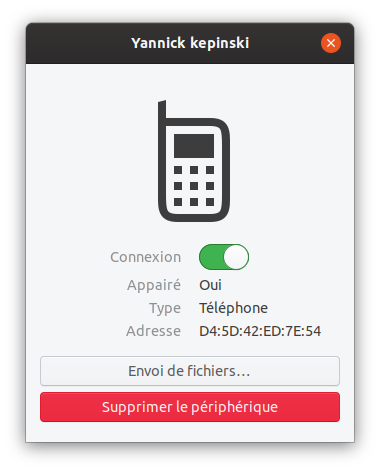
Adwaita
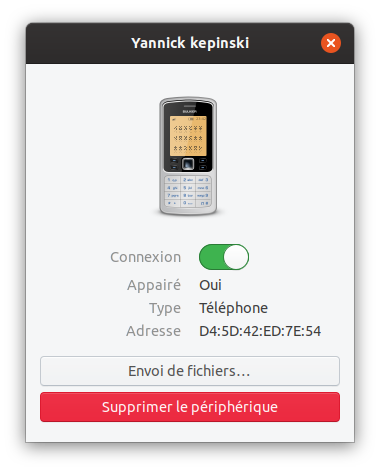
😲 Next gen phone!
Steps to Reproduce the Problem
- Open Gnome-settings
- Go to bluetooth
- Connect a phone device
 Jupiter007-43
All 7 comments
Jupiter007-43
on 21 Feb 2020
Looks like a missing symlink 👍
 ubuntujaggers
on 21 Feb 2020
ubuntujaggers
on 21 Feb 2020
👍2
I tested this
phone.png ../legacy/phone.png
But that doesn't work.
Jupiter007-43
on 21 Feb 2020
We have an icon for that @ubuntujaggers just drew one
 Feichtmeier
on 21 Feb 2020
Feichtmeier
on 21 Feb 2020
👍2
https://github.com/ubuntu/yaru/blob/master/icons/src/fullcolor/devices/phone.svg
If you have time to fix it @Jupiter007-43
do this:
add a new line here:
https://github.com/ubuntu/yaru/blob/master/icons/src/symlinks/fullcolor/devices.list
phone.png WHATEVERTHENEWICONISNAMED.png
and then run
https://github.com/ubuntu/yaru/blob/master/icons/src/symlinks/generate-symlinks.sh
with the argument
-m phone
(I think that'd do)
Feichtmeier
on 21 Feb 2020
❤2
👍2
I can't confirm this issue 😕
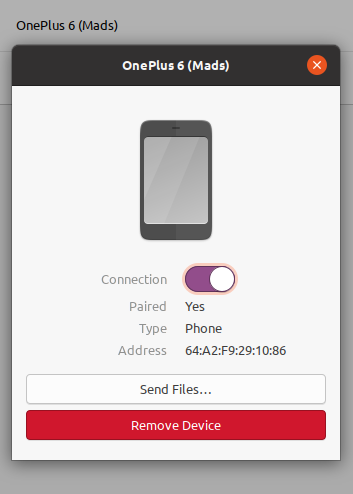
 madsrh
on 23 Feb 2020
madsrh
on 23 Feb 2020
👍1
Sorry I forgot to check on master... 😓
Jupiter007-43
on 23 Feb 2020
❤1
😄1
Was this page helpful?
0 / 5 - 0 ratings
Related issues
 sicklylife-jp
·
3Comments
sicklylife-jp
·
3Comments
 snydox
·
3Comments
snydox
·
3Comments
 matthewpaulthomas
·
3Comments
matthewpaulthomas
·
3Comments
matthewpaulthomas
·
3Comments
matthewpaulthomas
·
3Comments
 YamiYukiSenpai
·
3Comments
YamiYukiSenpai
·
3Comments
Most helpful comment
https://github.com/ubuntu/yaru/blob/master/icons/src/fullcolor/devices/phone.svg
If you have time to fix it @Jupiter007-43
do this:
add a new line here:
https://github.com/ubuntu/yaru/blob/master/icons/src/symlinks/fullcolor/devices.list
phone.png WHATEVERTHENEWICONISNAMED.png
and then run
https://github.com/ubuntu/yaru/blob/master/icons/src/symlinks/generate-symlinks.sh
with the argument
-m phone
(I think that'd do)