Yaru: Icon for Software Properties, aka Software & Updates, doesn't relate to the app
I've started my spring clean with the new templates and was reminded that the Software Properties icon is a bit unsatisfactory ("A" on a globe).
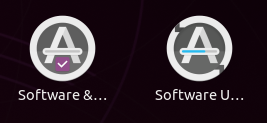
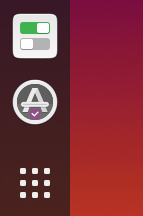
I wonder what you think of this concept: a similar icon to the Software Updater (because they're related apps) but with one of the new Yaru checkboxes to signify settings (and also because the app in question is full of them):
 ubuntujaggers
All 45 comments
I see what you're doing 😃
Remember to change the progress bar too ;)
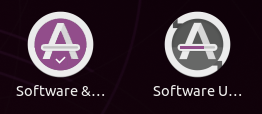
This just fun, but did you ever get this thought 😆

 madsrh
on 18 Feb 2020
madsrh
on 18 Feb 2020
Nice idea!
And nice idea by mads. I like his purple circle a with a checkmark
 Feichtmeier
on 18 Feb 2020
Feichtmeier
on 18 Feb 2020
I'm very open to purple, I tried it first but wondered if it was too much! Let me have a go again...
ubuntujaggers
on 18 Feb 2020
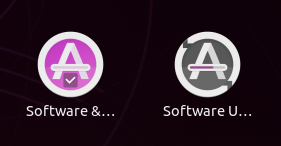
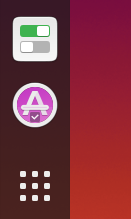
?
ubuntujaggers
on 18 Feb 2020
Maybe needs to be darker...
ubuntujaggers
on 18 Feb 2020
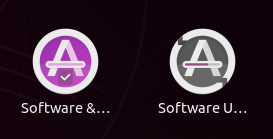
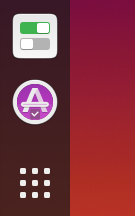
^^ It's not this saturated, it's just the compression on Github.
ubuntujaggers
on 18 Feb 2020
Is it because you want it to stand out from the checkbox? How about a dark aubergine? It is a bit colorful atm
madsrh
on 18 Feb 2020
Yeah, let's just use the checkbox aubergine for the backplate too, as per your mockup:
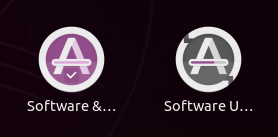
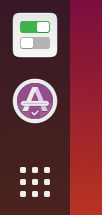
If you guys are happy with that, so am I :+1:
ubuntujaggers
on 18 Feb 2020
let's just use the checkbox aubergine
Could you just try the really dark aubergine? It might fit better with the gray icon next to it
madsrh
on 18 Feb 2020
I would just remove the background of the checkbox :D
Feichtmeier
on 18 Feb 2020
let's just use the checkbox aubergine
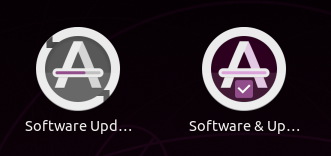
Could you just try the really dark aubergine? It might fit better with the gray icon next to it
Dark Aubergine:
Medium Aubergine:
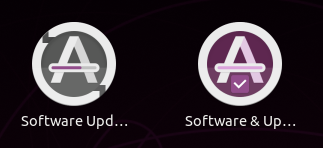
The dark one looks nice in this screenshot but is possibly too dark in reality.
ubuntujaggers
on 19 Feb 2020
If we're happy with this basic concept, we can choose a final aubergine and box versus non-box when we're trying the PR... the screenshots look more PURPLE!!!! because of the compression.
ubuntujaggers
on 19 Feb 2020
with one of the new Yaru checkboxes to signify settings (and also because the app in question is full of them):
While the checkbox looks interesting, won't a gear icon be more indicative ?
 meetdilip
on 19 Feb 2020
meetdilip
on 19 Feb 2020
I am not sure how pleasing this would be. Trying to convey the idea

It is better when you have a non-white background

My personal choice would be a gear emblem over the icon. But since it was mentioned that we do not use emblems much, this is the only method I could think of now.
meetdilip
on 19 Feb 2020
I really like these mockups :smile:. Probably I like more the one without checkmark, because it makes the design a little uneven :sweat_smile:, but it's a minor problem.
@meetdilip, the gear might recall some kind of option setting and I think it's better not to use it
 clobrano
on 19 Feb 2020
clobrano
on 19 Feb 2020
Thanks for the response. I want to try something better. Let's say I got into a creative block. Tick icon is nice. I was trying to accommodate the " settings " part.
meetdilip
on 19 Feb 2020
Allow me to add just one more mockup


meetdilip
on 19 Feb 2020
Uh... that would is kinda neat. If this would be on a standard yaru baseplate 🤔
@ubuntujaggers WDYT?
Feichtmeier
on 19 Feb 2020
Nice idea, I'll give it a go 👍
ubuntujaggers
on 19 Feb 2020
First attempt:
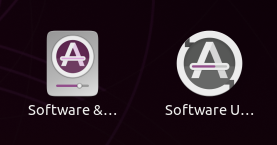
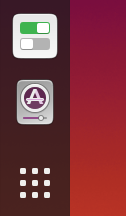
I really like the 48px, not sure about the full size yet.
ubuntujaggers
on 19 Feb 2020
No chance we can replace the grey background with something more closer to white ? Nice work :+1:
meetdilip
on 19 Feb 2020
I prefer the colored background or the gear idea. Nothing wrong with your execution Stuart but this idea looks IMO a bit like a music player
madsrh
on 19 Feb 2020
There was this nice idea by eaglersdeveloper with the progressbar in the A being replaced by a gear, anyone remembers?
Feichtmeier
on 19 Feb 2020
White looks a bit anaemic IMO, and strangely like a washing machine (if we put this with the casserole dish we can branch out into Yaru kitchenware):
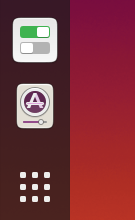
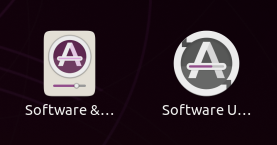
The coloured background looks great in the mockup (my favourite) but unfortunately the purple bleeds into pretty much any colour at small sizes at there's a sort of "glare" where the detail is lost :(
By the way, I can't believe I didn't think of at least trying this, given the "progress bar" metaphor on Software Updater:
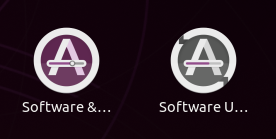
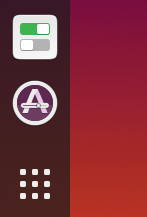
^^ So far my vote goes for this - it looks nice, gets round the problem with the tickbox (which isn't very recognisable when you remove the box) and nicely complements software-updater.
ubuntujaggers
on 19 Feb 2020
Last one is simply brilliant :)
On Wed, 19 Feb 2020 at 16:52, ubuntujaggers notifications@github.com
wrote:
White looks a bit anaemic IMO, and strangely like a washing machine (if we
put this with the casserole dish we can branch out into Yaru kitchenware):[image: washing machine 2]
https://user-images.githubusercontent.com/38893390/74848361-81888e80-532f-11ea-9f29-875e4ea35eb6.png[image: washing machine 1]
https://user-images.githubusercontent.com/38893390/74848366-82212500-532f-11ea-978c-4d3ba1a17916.pngThe coloured background looks great in the mockup (my favourite) but
unfortunately the purple bleeds into pretty much any colour at small sizes
at there's a sort of "glare" where the detail is lost :(By the way, I can't believe I didn't think of at least trying this, given
the "progress bar" metaphor on Software Updater:[image: image]
https://user-images.githubusercontent.com/38893390/74848524-a977f200-532f-11ea-9c0d-63ea45095027.png[image: image]
https://user-images.githubusercontent.com/38893390/74848576-b5fc4a80-532f-11ea-99c3-8afd359e04e9.png^^ So far my vote goes for this - it looks nice, gets round the problem
with the tickbox (which isn't very recognisable when you remove the box)
and nicely complements software-updater.—
You are receiving this because you commented.
Reply to this email directly, view it on GitHub
https://github.com/ubuntu/yaru/issues/1940?email_source=notifications&email_token=AAWAAHTQKIJ4VHCX5VH7V4TRDVIU5A5CNFSM4KXLOWK2YY3PNVWWK3TUL52HS4DFVREXG43VMVBW63LNMVXHJKTDN5WW2ZLOORPWSZGOEMIJL2Y#issuecomment-588289515,
or unsubscribe
https://github.com/notifications/unsubscribe-auth/AAWAAHTQ5DKO2ABFTIMTVK3RDVIU5ANCNFSM4KXLOWKQ
.
clobrano
on 19 Feb 2020
There was this nice idea by eaglersdeveloper with the progressbar in the A being replaced by a gear, anyone remembers?
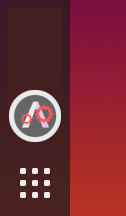
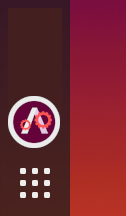
I was working on this. I do not recall any old sample. But had this idea of 2 gears combo for this icon. At first, I thought not to put it here. I made a few tweaks. Let us see how it is now


I was trying to find a proper contrast between the gear and the background. If you can improve, most welcome.
meetdilip
on 19 Feb 2020
Tried mockups. Looks fine on smaller sizes
meetdilip
on 19 Feb 2020
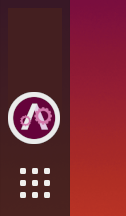
I tried an online colour palette tool. And it says this is the best choice for contrast for selected colours

meetdilip
on 19 Feb 2020
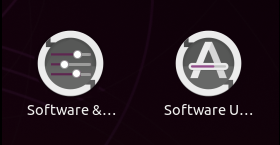
Not my best idea 🤷♂ I still prefer this one by Mr. Jaggers
madsrh
on 19 Feb 2020
@madsrh I like the 3 slider one. Too cute.
I like the one from @ubuntujaggers too. Very smart idea. The only downside I see is that it looks mostly like software updater when it comes to smaller sizes.
meetdilip
on 20 Feb 2020
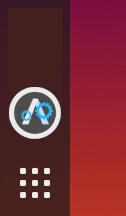
Looks like grey background is the best if we are doing gears. Others have poor contrast
Blue looked much better than Aubergine. This one looks better even in smaller sizes

meetdilip
on 20 Feb 2020
I do like this one, too.
Feichtmeier
on 20 Feb 2020
@meetdilip can you try mocking up that design using the same gear shape as settings?
ubuntujaggers
on 20 Feb 2020
that design using the same gear shape as settings?
Sorry, didn't follow. Which design / one ?
meetdilip
on 20 Feb 2020
Blue gears on grey background - see if it works using the existing gear shape from the settings-app icon :)
ubuntujaggers
on 20 Feb 2020
Tried these 2


Kindly let me know if you want any changes.
meetdilip
on 20 Feb 2020
Settings-app gear in full

meetdilip
on 20 Feb 2020
https://user-images.githubusercontent.com/40228953/50160897-c52ed500-02f3-11e9-919c-2579ba926dd3.png
madsrh
on 20 Feb 2020
Yes, if we go with the gear, I would also prefer eagl e r s develop e r s approach
Feichtmeier
on 20 Feb 2020
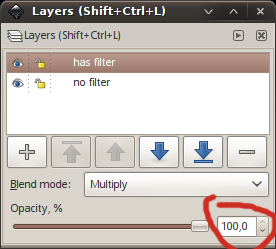
Something is wrong with my Inkscape. No matter what I draw, they are selectable but invisible. :(
meetdilip
on 20 Feb 2020
No matter what I draw, they are selectable but invisible. :(
Maybe you've just set the layer to 0% in opacity
madsrh
on 20 Feb 2020
Thanks @madsrh . Fill opacity somehow got to zero
meetdilip
on 20 Feb 2020
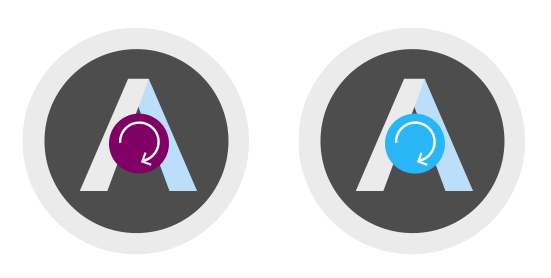
Aubergine looks fine here

meetdilip
on 20 Feb 2020
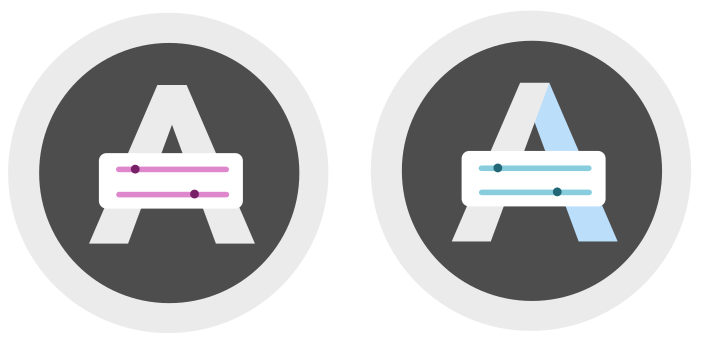
I went back to our old slider design. This one looks ok to me
meetdilip
on 20 Feb 2020
Closing for now because we've got a new design in Master, but all icons are always up for review :+1:
ubuntujaggers
on 23 Feb 2020
Related issues
 mivoligo
·
3Comments
mivoligo
·
3Comments
 eaglersdeveloper
·
3Comments
eaglersdeveloper
·
3Comments
 chrisjbillington
·
3Comments
chrisjbillington
·
3Comments
 8none1
·
3Comments
Feichtmeier
·
3Comments
8none1
·
3Comments
Feichtmeier
·
3Comments
Most helpful comment
I see what you're doing 😃
Remember to change the progress bar too ;)
This just fun, but did you ever get this thought 😆
