Yaru: GNOME Disks corrupted drive text is unreadable when selected
Actual behavior
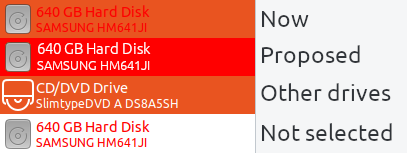
Text for "corrupted" drives is red, and when is selected isn't really readable.


Proposed behavior
Steps to Reproduce the Problem
- Open GNOME Disks
- Click on corrupted drive
Specifications
Default Yaru from 18.10 LiveCD.
Software that presents the issue:
- Name: GNOME Disks
- Version: 3.30.1
 dawidpotocki
All 8 comments
Uhhh, we didn't have a corrupted drive when testing, so thanks for reporting this dawidpotocki
Any ideas @Feichtmeier ?
 madsrh
on 9 Nov 2018
madsrh
on 9 Nov 2018
I'll check when I have a corrupted drive :D
 Feichtmeier
on 9 Nov 2018
Feichtmeier
on 9 Nov 2018
@dawidpotocki please do not fix your drive yet :smile: , we need you to fix this :wink:
Could you please take the same screenshot with Adwaita, for comparison?
Thank you
 clobrano
on 9 Nov 2018
clobrano
on 9 Nov 2018
I nearly though that I won't be able to make GNOME Disks to show my drive as broken :P. But there you go:
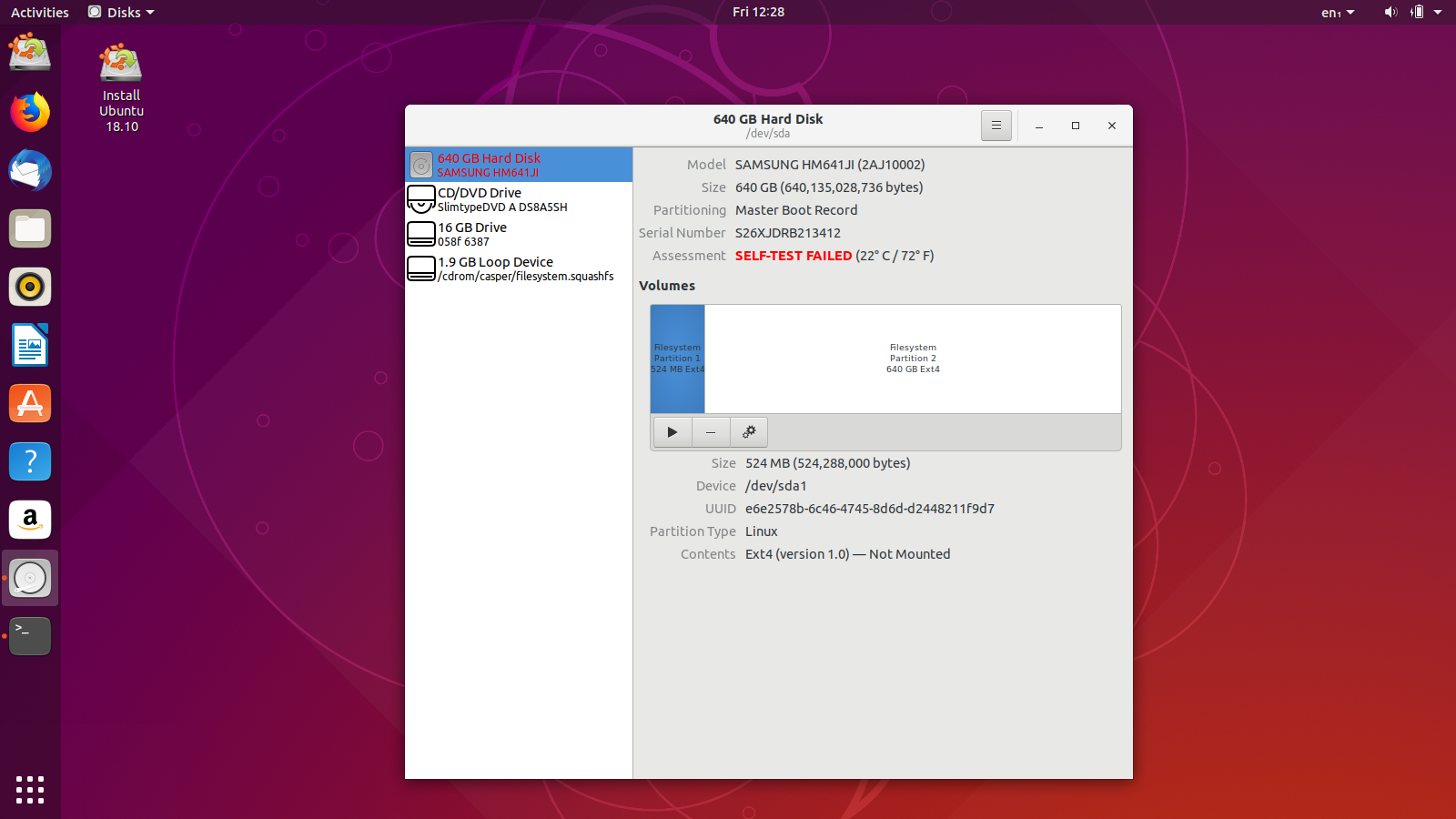

Adwaita doesn't also seem to do it nicely.
Please tell me how I can help with that :).
dawidpotocki
on 9 Nov 2018
The label color is hardcoded in several places, e.g. here
/* Otherwise, if last self-test failed, return that for the one-liner */
if (g_str_has_prefix (udisks_drive_ata_get_smart_selftest_status (ata), "error"))
{
  /* TODO: once https://bugzilla.gnome.org/show_bug.cgi?id=657194 is resolved, use that instead
   * of hard-coding the color
   */
  ret = g_strdup_printf ("<span foreground=\"#ff0000\"><b>%s</b></span>",
                         _("SELF-TEST FAILED"));
  warn = TRUE;
  goto out;
}
and it's hard to see if gnome-disk adds any special label to this item, because it's a row inside a tree_view and gtk-inspector doesn't show it.
clobrano
on 9 Nov 2018
Hardcoding red on blue is really a poor choice - very hard to red.
madsrh
on 9 Nov 2018
They knew it. There is a comment that reminds to a bug requesting to get the style from the theme. However the bug is now "RESOLVED OBSOLETE", so I don't know (yet) if this can be fixed or not
clobrano
on 9 Nov 2018
I double checked in source code and could not find any special class for this warning message. I am afraid we can't do nothing, so I close this now
clobrano
on 14 Nov 2018
Related issues
 YamiYukiSenpai
·
3Comments
YamiYukiSenpai
·
3Comments
 CDrummond
·
3Comments
CDrummond
·
3Comments
 chrisjbillington
·
3Comments
Feichtmeier
·
3Comments
Feichtmeier
·
3Comments
chrisjbillington
·
3Comments
Feichtmeier
·
3Comments
Feichtmeier
·
3Comments