Yaru: Dark/unrecognizable emoji in notifications
Expected Behavior
Emoji in notifications should be recognizable and clear.
Actual Behavior
Emoji are not recognizable and seem to have a black overlay.
Steps to Reproduce the Problem
- Trigger a notification (GNOME) that contains emoji
- Watch
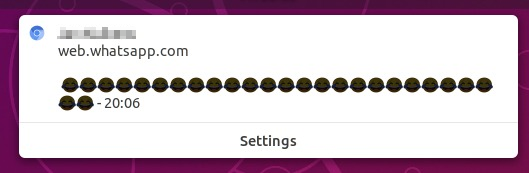
Specifications
Using either the default or dark Yaru theme on Ubuntu 18.10.
Same issue as ubuntu/gnome-shell-communitheme#191. The issue mentions that the only fix is going back to dark notifications or it has to be fixed in GNOME itself. Currently the emoji look really ugly, and I would be happy if at least the dark theme could have dark notifications (if that fixes the issue), or maybe use monochrome emoji in the notifications so they are at least recognizable.
 LouisMT
All 23 comments
Monochrome emoji it's an idea, not sure it is possible though, I need to investigate more
 clobrano
on 23 Oct 2018
clobrano
on 23 Oct 2018
It's currently not possible in the shell, as far as I understood @fmuellner correctly when I ninja-spamed him on telegram =D
We might need re-consider using dark notifications again :cry:
 Feichtmeier
on 6 Nov 2018
Feichtmeier
on 6 Nov 2018
@3v1n0 do you have time to took into that notifications and see if you could make monochrome emojis possible?
Feichtmeier
on 13 Nov 2018
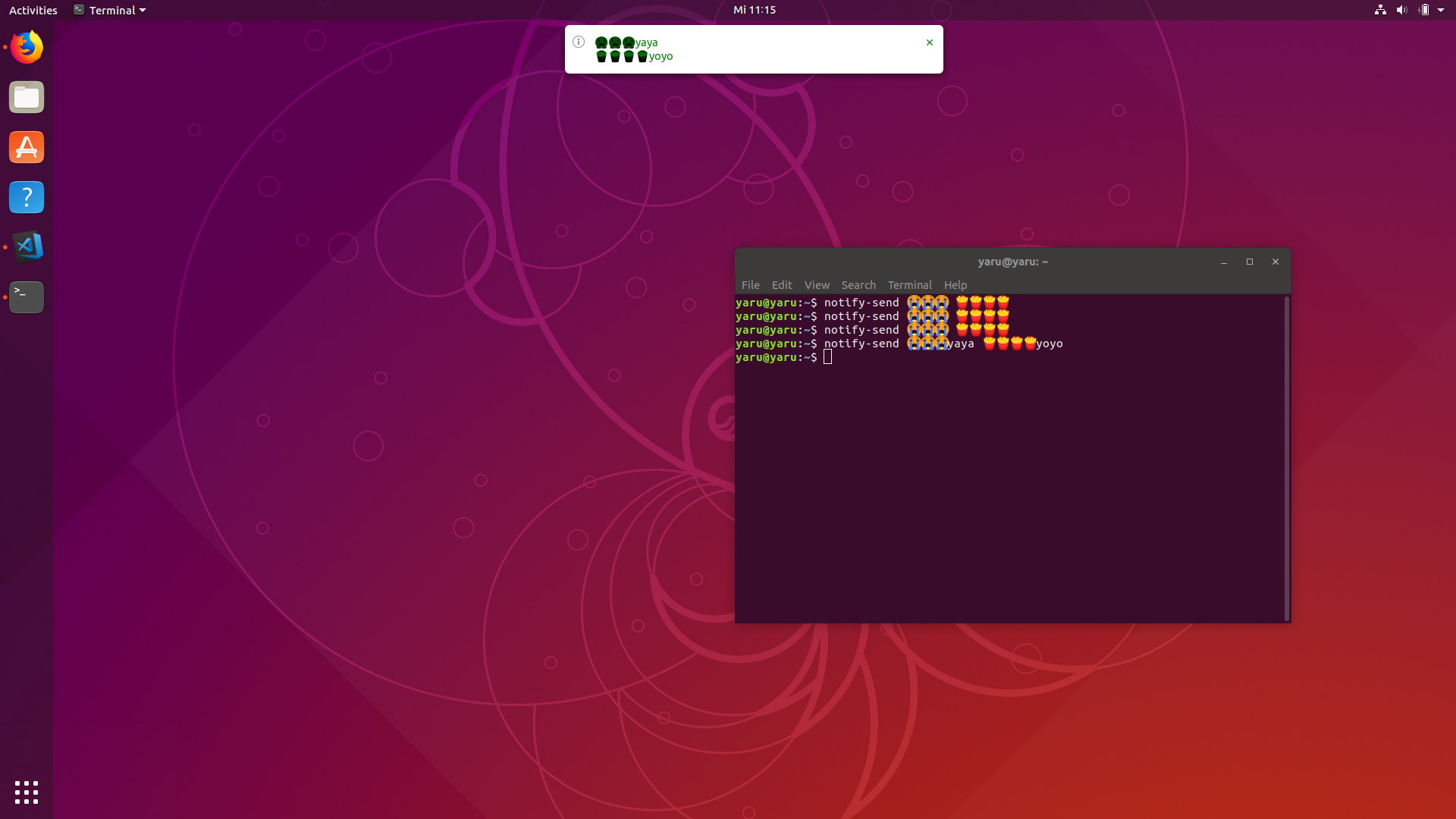
Mhmmh, notifications using FDO notifications seem to work here: notify-send 😭😭😭 🍟🍟🍟🍟
And calling the same also with this GNotify example script isn't different to me...
 3v1n0
on 14 Nov 2018
3v1n0
on 14 Nov 2018
@3v1n0
The notifications have two labels/strings that are used for the message (header and message). And in both strings can be regular letters and emojis. And the text color is also applied to the emojis. So, when having a dark notification with white text the notifications are somehow unchanged or maybe their color is somehow multiplied by 1. Whereas the black text color changes the color of the emojis inside the text like any other letter to a dark color
Edit: when I send notifications from the terminal with notify-send they are correctly colored in the terminal, but with the yaru shell theme it looks exactly like in the opening post.
Feichtmeier
on 14 Nov 2018
@3v1n0
This is when you color the message green -> the emojis become green, too. Like any other "letter"
.message-title { color: green; }
.message-content { color: green; }
Feichtmeier
on 14 Nov 2018
In a smaller way, Fedora shows this problem as well. I opened a bug in gnome -shell
clobrano
on 13 Dec 2018
I think we can close this, the fix would be on gnome-shell side.
clobrano
on 23 Jan 2019
I believe this is only an issue with Yaru. If you go to "Gnome Tweaks" > "Appearance" > "Shell" to Arc Dark, the emojis become coloured. You can install Arc-Dark with the sudo apt install arc-theme.
With default Yaru shell theme, monochrome!
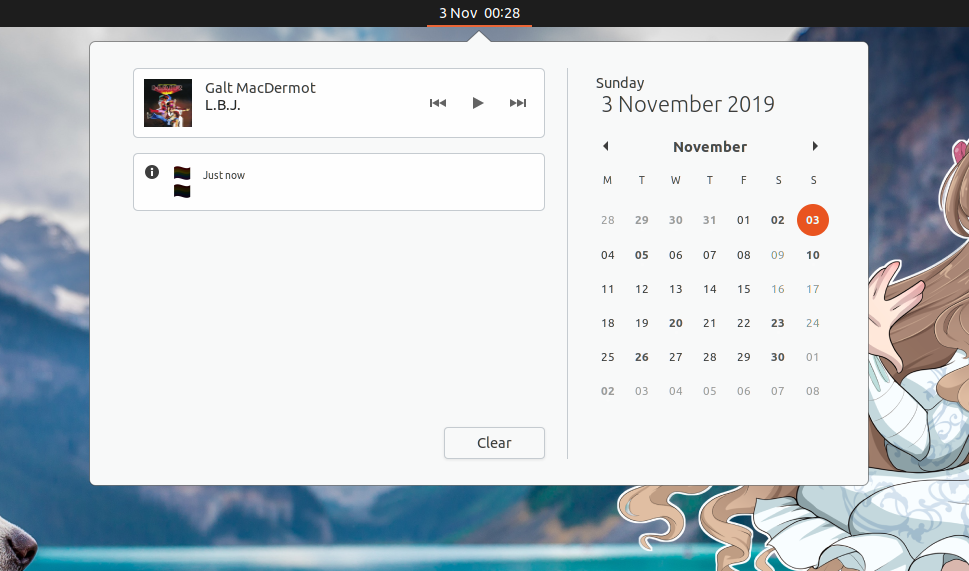
With arc-dark shell theme, coloured and pretty!
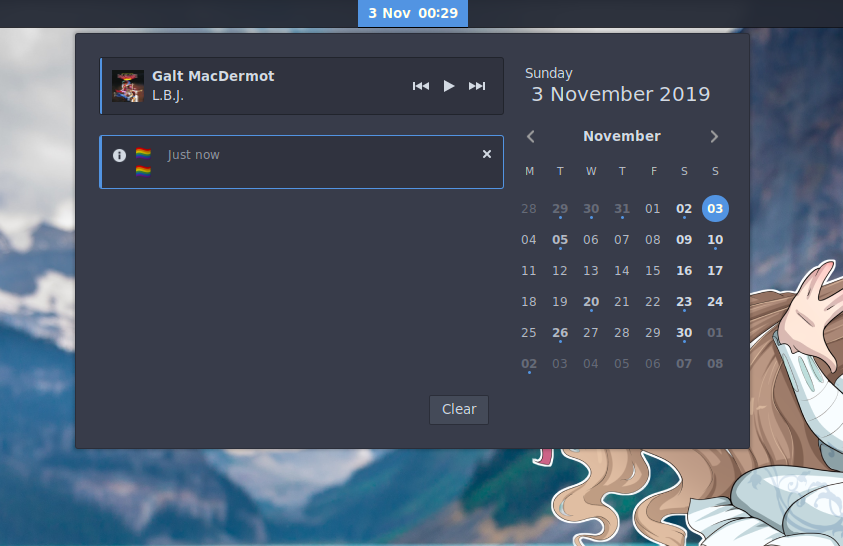
Since this seems to be caused by Yaru not providing a shell theme that supports coloured emoji, like the arc-theme package does, we can reopen this issue.
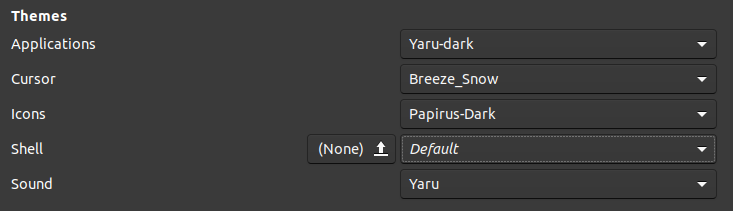
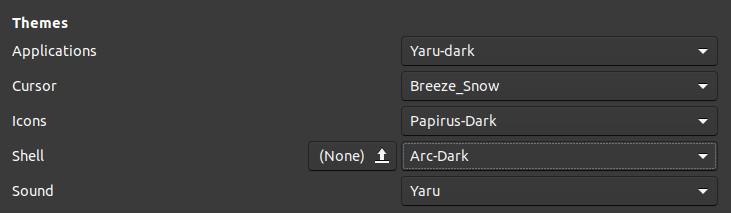
 Snuggle
on 3 Nov 2019
Snuggle
on 3 Nov 2019
Extra Note
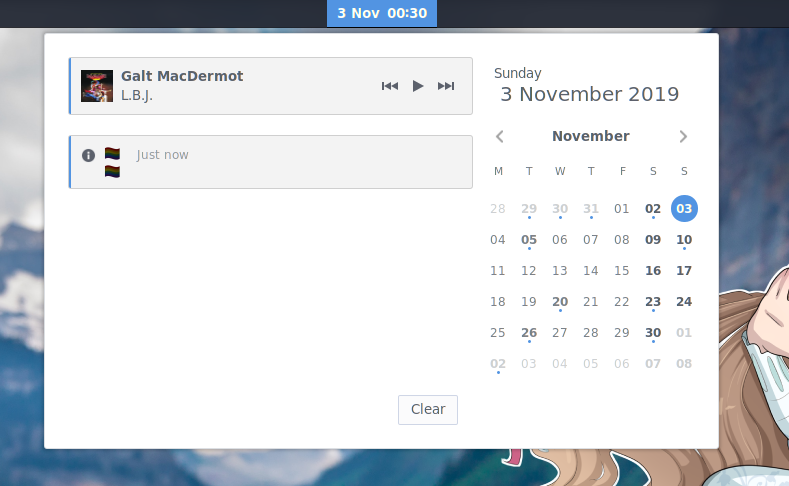
The colours still seem faded, though not as much as Yaru, in the "Light" Arc shell theme, which is odd. Perhaps it's some kind of rendering issue that only occurs with a light-background notification area.
Snuggle
on 3 Nov 2019
Yeah right because arc dark is...
.. A dark theme. That's why it's named
Arc
Dark
The emojs are colored by colour of the text.
White text -> brightened up
Dark text -> dark text
And so on.
Also... We use the upstream shell theme code just with the light variant and our colors
Feichtmeier
on 3 Nov 2019
The colours still seem faded, though not as much as Yaru, in the "Light" Arc shell theme, which is odd. Perhaps it's some kind of rendering issue that only occurs with a light-background notification area.
Not odd at all. The problem explained at https://github.com/ubuntu/yaru/issues/922#issuecomment-446991861 is that at gnome-shell level the text color is applied to the emoji as well. In dark gnome-shell text color is white and the emoji results fine, in light shell text is dark and emoji looks darker. Arc light has a lighter text color, so the fade effect is limited (and the text less readable).
clobrano
on 3 Nov 2019
I think the wording by which this issue was described is very confusing:
The emojs are colored by colour of the text.
White text -> brightened up
Dark text -> dark text
and
the text color is applied to the emoji as well.
It's only the brightness of the color that is changed.
 memeplex
on 11 Dec 2019
memeplex
on 11 Dec 2019
It's only the brightness of the color that is changed.
It is really the color actually. If text color is green, also emoji will be greenish
clobrano
on 11 Dec 2019
It is really the color actually. If text color is green, also emoji will be greenish
But why is it colored and not merely bright with a dark theme?
memeplex
on 11 Dec 2019
I didn't check, but it might be already brighter than with a transparent text color on dark themes
clobrano
on 11 Dec 2019
Guys, Florian answer is too categorical:
This isn't high up the priority list because themes aren't officially supported and there's no issue with white-on-dark fonts as used by upstream GNOME.
Given that Ubuntu is an important Linux desktop shipping a default not supported upstream to the point that a rather gross usability problem won't be a priority (which is understandable, given their policy on themes), I believe this should be reopened to better track down the development downstream, since it is clear that the initiative should start downstream, presumably from Yaru.
Well, that or move to a dark shell theme (?).
memeplex
on 12 Dec 2019
I understand Florian's answer. This is not a priority for their product. I understood that a light shell was in Adwaita's plans so probably it would be in the future, in the meantime we can try to fix the problem ourselves for the good of Yaru and Gnome.
Well, that or move to a dark shell theme (?).
#1637 #1578 :)
clobrano
on 12 Dec 2019
@clobrano With the Ubuntu 20.04 update, wouldn't this be an important fix? It breaks dark themes on Yaru, and 20.04 is supposed to be bringing a dark theme?
Snuggle
on 23 Jan 2020
@Snuggle, I totally agree. This is probably the main drawback for using dark theme for the shell, but the fix is to be done upstream and it's not an easy one, at least for anybody that is not into the stack involved.
clobrano
on 23 Jan 2020
I mean, it's impossible to fix it in Yaru
clobrano
on 23 Jan 2020
@clobrano With the Ubuntu 20.04 update, wouldn't this be an important fix? It breaks dark themes on Yaru, and 20.04 is supposed to be bringing a dark theme?
AFAICS it's completely the opposite: it breaks light shell themes (that's the reason it's currently broken, not in 20.04), upstream is supposed to work on dark shell themes.
memeplex
on 23 Jan 2020
Yes, sorry, I mixed up the state of the problem
clobrano
on 23 Jan 2020
Related issues
Feichtmeier
·
3Comments
 madsrh
·
3Comments
madsrh
·
3Comments
 pojntfx
·
3Comments
pojntfx
·
3Comments
 snydox
·
3Comments
snydox
·
3Comments
 Muqtxdir
·
3Comments
Muqtxdir
·
3Comments
Most helpful comment
I believe this is only an issue with Yaru. If you go to "Gnome Tweaks" > "Appearance" > "Shell" to
Arc Dark, the emojis become coloured. You can install Arc-Dark with thesudo apt install arc-theme.With default Yaru shell theme, monochrome!
With
arc-darkshell theme, coloured and pretty!Since this seems to be caused by Yaru not providing a shell theme that supports coloured emoji, like the
arc-themepackage does, we can reopen this issue.