Yaru: Native gtk2, QGtkStyle and java swing gtk2 differ
There are native gtk2 apps like Gimp and inkscape. We are pretty much done with those and the theming should be the way-to-go for all other toolkits which suck up the gtk2 style:
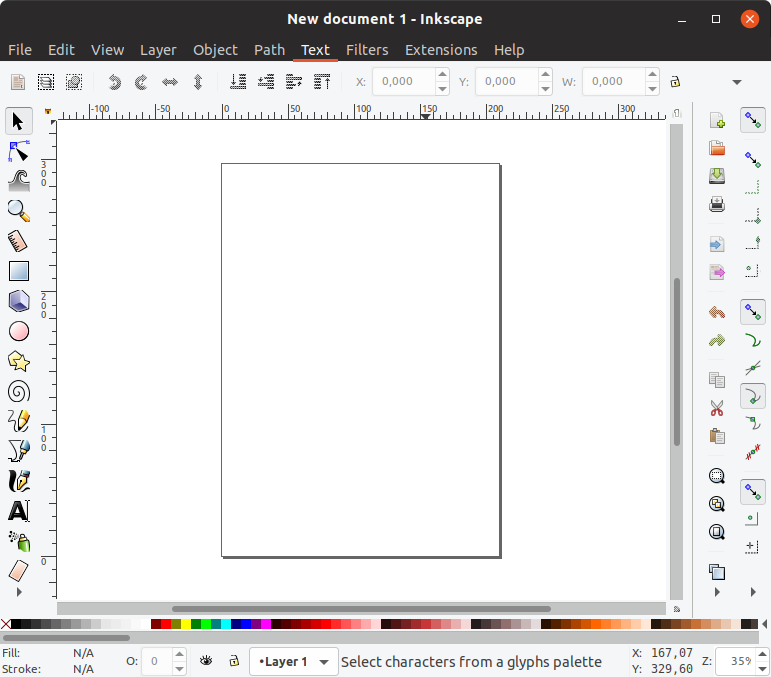
We also have qt apps like virtualbox or vlc which use the gtk2 theming via qt5-style-plugins and QT_QPA_PLATFORMTHEME=gtk2 (https://discourse.ubuntu.com/t/call-for-testing-communitheme-qt/6375) but these apps look a bit different than the native gtk2 apps:
[ ] the menubar has no orange underline

[ ] buttons are a bit "cut" at the edges

[ ] checkboxes and radio buttons are cut at the edges

Then we also have java swing applications who can use the gtk2 styling like intellij IDEs (intellij IDEA, phpstorm... android studio...)
- [ ] The orange underline for menu items is missing
- [ ] the menu has a strange second layer and
- [ ] selected labels are colored black in the backdrop:
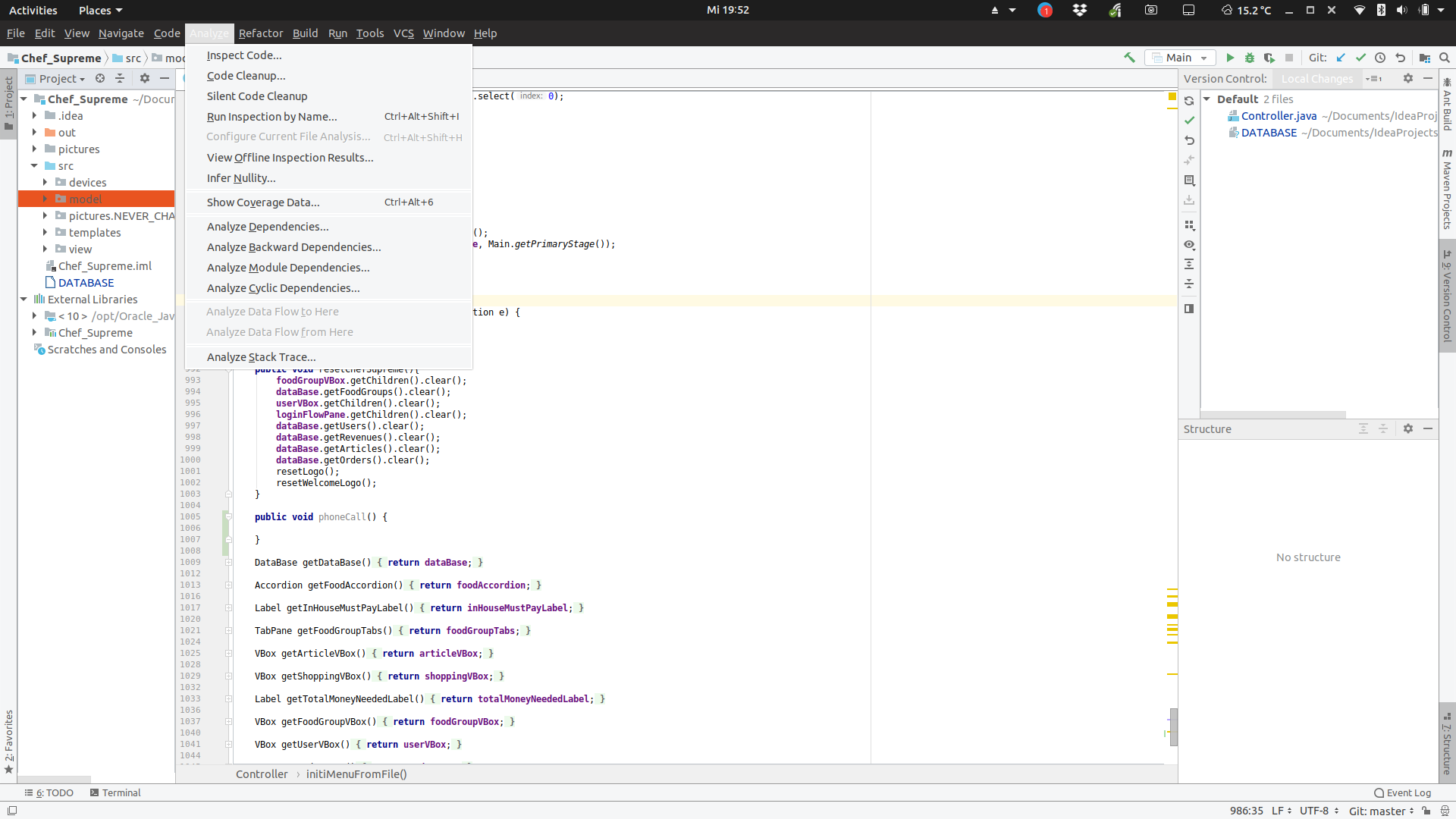
Until we found someone with gtk2 expertise who can fix this, let's keep it in this gathering issue.
@flexiondotorg maybe you could find some time until 19.4 for this
The awkward part is, that native gtk2 apps are pretty much legacy "soon" (gimp + inscape both have gtk3 branches) but Qt and Java swing will probably remain for many years.
 Feichtmeier
All 11 comments
All issues do not happen with ambiance
Would be great if one could study the difference of the gtk2 files:
https://bazaar.launchpad.net/~ubuntu-art-pkg/ubuntu-themes/trunk/view/head:/Ambiance/gtk-2.0/gtkrc
--> Regarding the color of the Java Swing menus, there must be some "second" color used for menus. When trying https://github.com/ubuntu/yaru/tree/gtk_jet_menus it had the "eluding effect" with the center of the menus being still white, but the outer region of the menus being $jet
Feichtmeier
on 1 Oct 2018
@Paz-it @clobrano could you look into the java swing issue while working on the gtk-dark theme? I think there is a second layer on the menus. You can test it when you install intellij IDEA from within gnome-software
Feichtmeier
on 4 Dec 2018
I'll have a look. However, gtk2 dark works only if built from source right
now
On Tue, 4 Dec 2018 at 15:24, Feichtmeier notifications@github.com wrote:
@Paz-it https://github.com/Paz-it @clobrano
https://github.com/clobrano could you look into the java swing issue
while working on the gtk-dark theme? I think there is a second layer on the
menus. You can test it when you install intellij IDEA from within
gnome-software—
You are receiving this because you were mentioned.
Reply to this email directly, view it on GitHub
https://github.com/ubuntu/yaru/issues/822#issuecomment-444116942, or mute
the thread
https://github.com/notifications/unsubscribe-auth/ACwAHn8AQ_yQkwRJijmHkvrjVcO5-b10ks5u1oWHgaJpZM4Wl32_
.
 clobrano
on 4 Dec 2018
clobrano
on 4 Dec 2018
Np, I think it would be a good opportunity to identify this second layer because only the little stripes between the menu"rows" have the correct dark colour, the rest of white. I just wonder why ambiance has it right even with black menus
Feichtmeier
on 4 Dec 2018
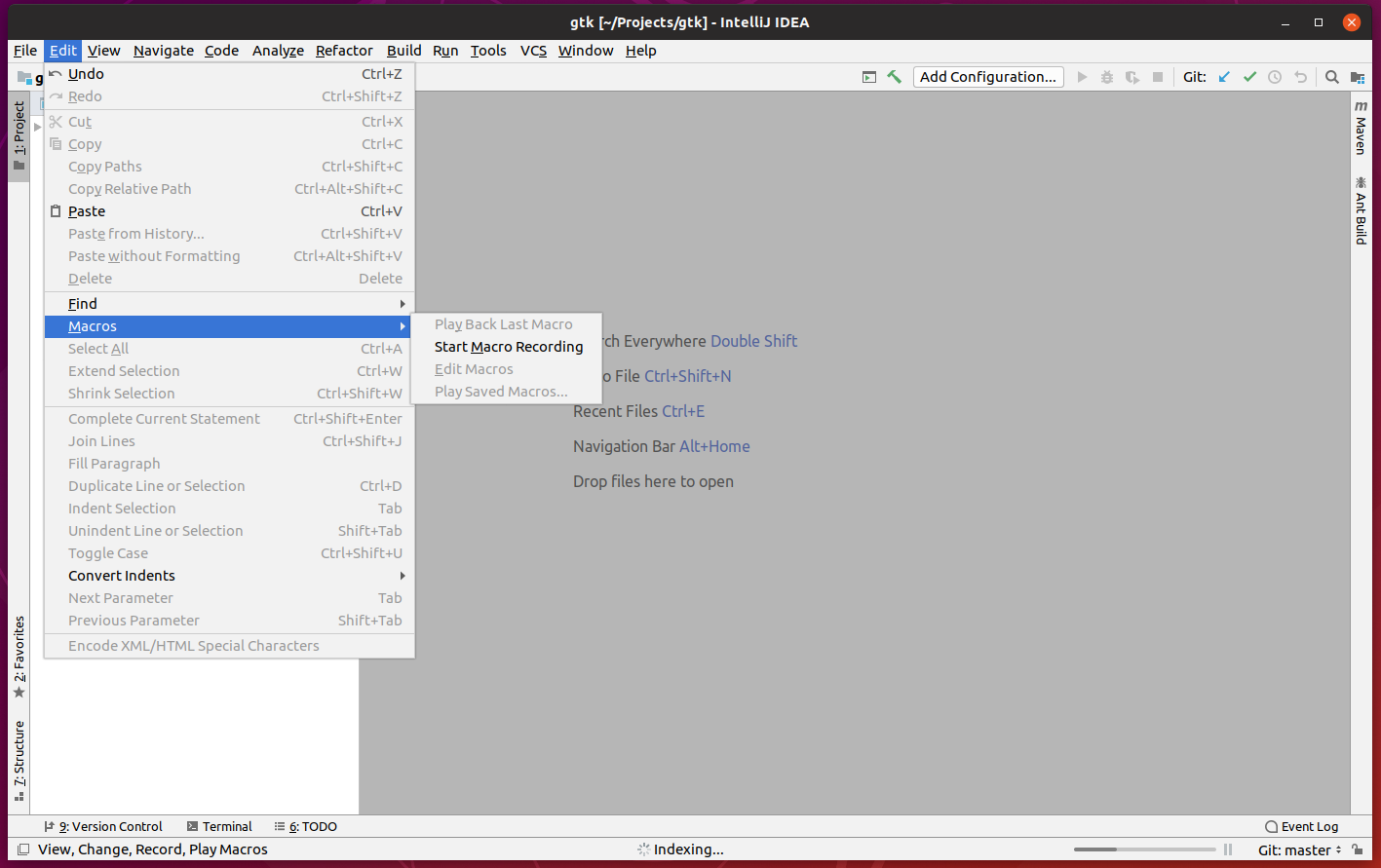
Just installed intellij-idea-community snap and it seems to use a totally custom theme
clobrano
on 5 Dec 2018
Yes set in the options :)
file > settings > appearance
Feichtmeier
on 5 Dec 2018
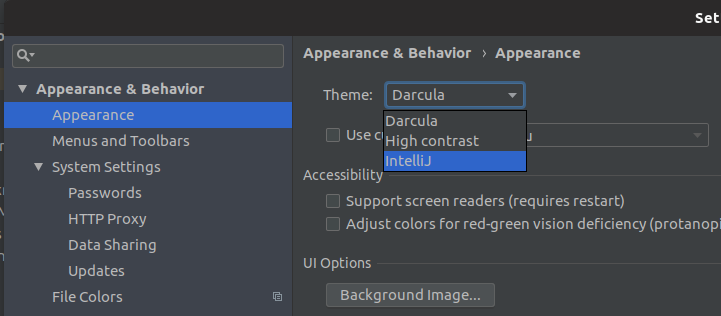
Oh wow! They removed the GTK support out of the options :O
Must be an update from the past 5 days
Feichtmeier
on 5 Dec 2018
Saw it only now, sorry!
The first thing I saw in Ambiance gtkrc is from L125 to L148
style "dark"
{
color["bg_color_dark"] = "#3c3b37"
color["fg_color_dark"] = "#dfdbd2"
color["selected_fg_color_dark"] = "#ffffff"
fg[NORMAL]        = @fg_color_dark
fg[PRELIGHT]      = shade (1.15, @fg_color_dark)
fg[ACTIVE]    = @fg_color_dark
fg[SELECTED]      = @selected_fg_color_dark
fg[INSENSITIVE]   = shade (0.5, @fg_color_dark)

bg[NORMAL]        = @bg_color_dark
bg[ACTIVE]    = shade (0.8, @bg_color_dark)
bg[SELECTED]      = @selected_bg_color
bg[PRELIGHT]      = shade (1.0, "#4D4C48")
bg[INSENSITIVE]   = shade (0.85, @bg_color_dark)

text[NORMAL]      = @fg_color_dark
text[PRELIGHT]    = shade (1.15, @fg_color_dark)
text[SELECTED]    = @selected_fg_color_dark
text[ACTIVE]      = @fg_color_dark
text[INSENSITIVE] = mix (0.5, @bg_color, @bg_color_dark)
}
Might be not the only one. I'll check it some more when I have time latter...
But at least it's a clue to start with.
 Paz-it
on 14 Dec 2018
Paz-it
on 14 Dec 2018
Note that the Ambiance/Radiance GTK+2 themes use the Murrine engine, so its code isn’t directly portable to Yaru, which relies on PNG assets.
 fitojb
on 28 Jan 2019
fitojb
on 28 Jan 2019
Ahhhha! Thank you @fitojb
That's the kind of information I didn't have.
Feichtmeier
on 28 Jan 2019
Android studio and intellij removed the gtk2 support. For me it would be okay to close this, feel free to re-open.
Feichtmeier
on 8 Sep 2019
Related issues
 CDrummond
·
3Comments
Feichtmeier
·
3Comments
CDrummond
·
3Comments
Feichtmeier
·
3Comments
 madsrh
·
3Comments
madsrh
·
3Comments
 snydox
·
3Comments
snydox
·
3Comments
 sicklylife-jp
·
3Comments
sicklylife-jp
·
3Comments