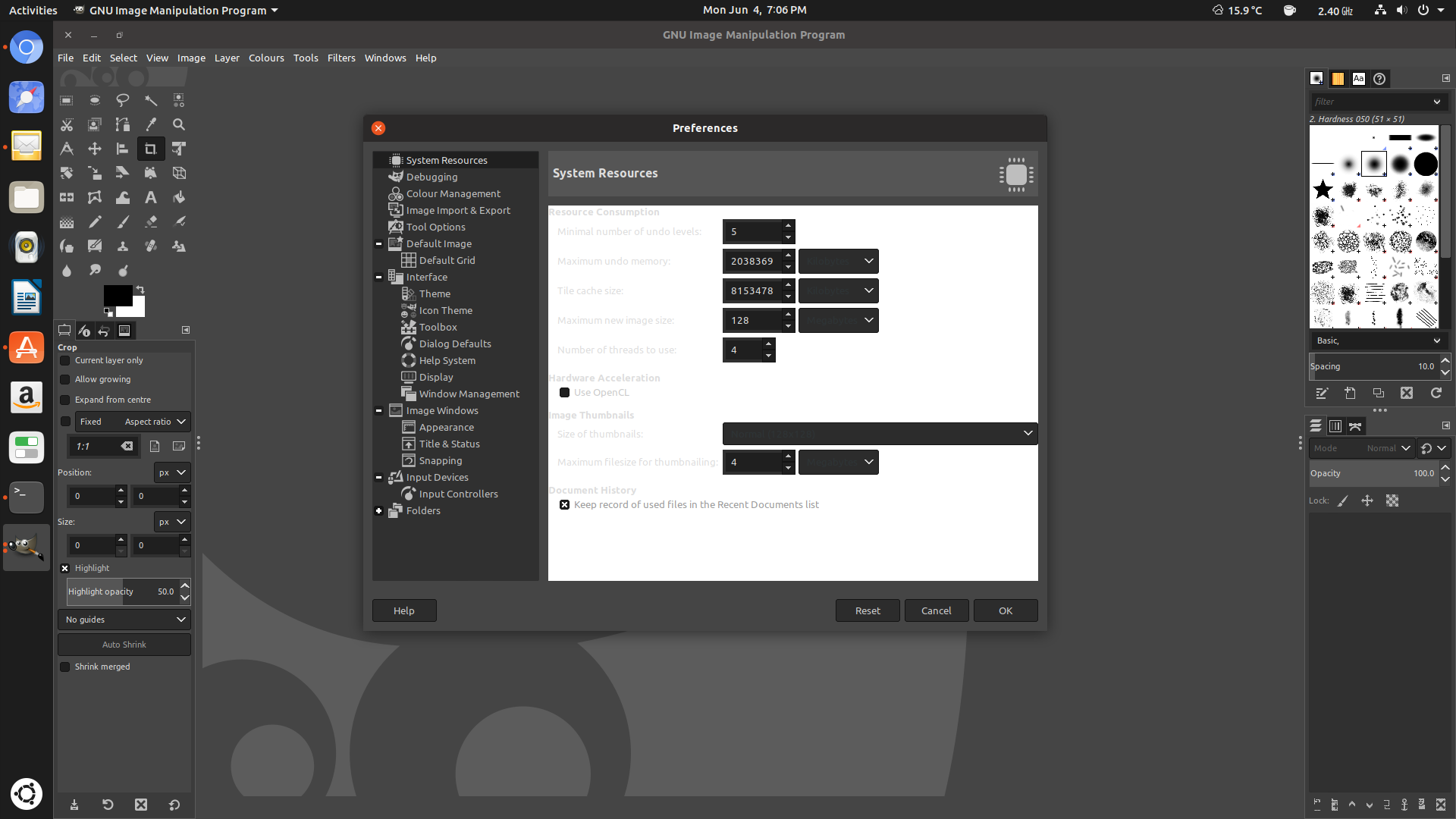
Just installed GIMP 2.10 on Ubuntu 18.10 using the SNAP version of communitheme. There seems to be an issue with any of the themes, something is breaking.
I have gtk2-engines-pixbuf installed.
 giovannicaligaris
All 21 comments
There seems to be an issue with any of the themes, something is breaking.
Do you mean that this is reproducible with Adwaita and Ambiance as well?
 clobrano
on 5 Jun 2018
clobrano
on 5 Jun 2018
@giovannicaligaris did you install the snap app or the.deb?
 Paz-it
on 6 Jun 2018
Paz-it
on 6 Jun 2018
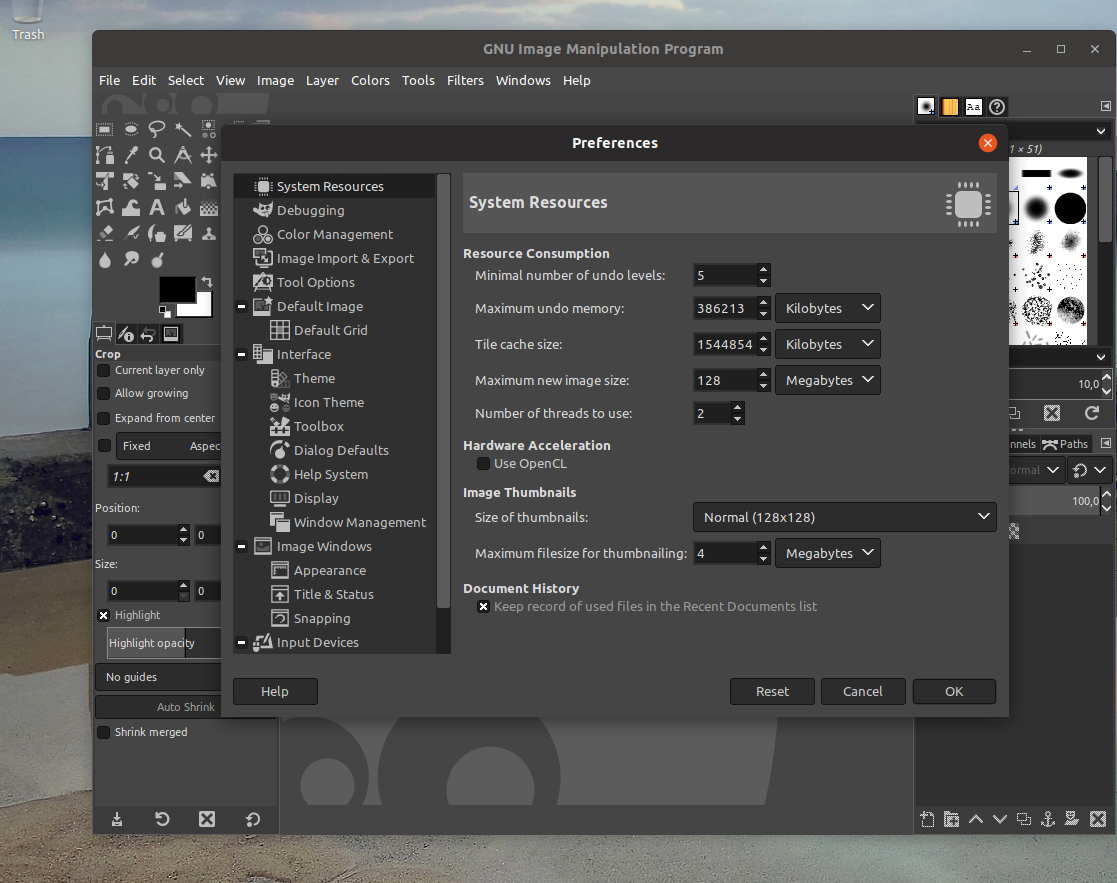
I don't have this issue with both communitheme and gimp installed as a snap in my VM
 Feichtmeier
on 6 Jun 2018
Feichtmeier
on 6 Jun 2018
I installed the deb
giovannicaligaris
on 7 Jun 2018
I cannot reproduce this either. I installed GIMP with both ppa and flatpak and everything seems OK
clobrano
on 7 Jun 2018
Turns out I have the same issue. Installed from flatpak.

 mivoligo
on 8 Jun 2018
mivoligo
on 8 Jun 2018
This is weird
clobrano
on 8 Jun 2018
What's even weirder: I've installed it few weeks ago via GIMP website. Problem is I don't know how to remove it now because it does not appear in the Software Center as installed :-/
mivoligo
on 8 Jun 2018
it should be something like flatpak remove com.org.GIMP
clobrano
on 8 Jun 2018
Okay guys:
- freshly installed ubuntu without touching anything
- freshly installed communitheme -> reboot -> session select
- freshly installed gimp snap
-> this is not reproducible, sorry.
Feichtmeier
on 8 Jun 2018
Did you noticed @giovannicaligaris is talking about Ubuntu 18.10?
Paz-it
on 8 Jun 2018
My VM is 18.10!
Feichtmeier
on 8 Jun 2018
I've removed flatpak version (thanks @clobrano) and installed snap version. The issue is no longer here for me.
mivoligo
on 8 Jun 2018
We still don't know if this only happened with communitheme :man_shrugging:
Feichtmeier
on 9 Jun 2018
For me it is only in Ubuntu snap but not only with communitheme.
When logging in to Ubuntu all is well with Dark Gimp. (Adwaita-Dark).
My Gimp installed as .deb.
Paz-it
on 10 Jun 2018
This might be still the problem to those who install the ,deb.
I just run the workaround command and it also solved my synaptic not being themed but the Gimp still looks half themed.
https://github.com/ubuntu/gtk-communitheme/issues/358
Paz-it
on 10 Jun 2018
Weird, the workaround should already be in master
clobrano
on 10 Jun 2018
Weird indeed! - Maybe @didrocks can help us out in this confusion?
Paz-it
on 10 Jun 2018
I guess ensure you don't have the communitheme deb, but only the snap, and any local version of communitheme installed manually on the system. As this isn't reproducible on a fresh system, it's probably an user configuration due to some of this on the impacted system
 didrocks
on 11 Jun 2018
didrocks
on 11 Jun 2018
Closing this then
clobrano
on 11 Jun 2018
@clobrano ,
I see @didrocks reply only now. In my case there is no deb of communitheme on my system but it is an upgraded 18.04 from 17.10 32 bit so maybe there is something like that but I don't know where to look for the culprit. any suggestions? Thanks!
Paz-it
on 13 Jun 2018
Related issues
Feichtmeier
·
3Comments
Feichtmeier
·
3Comments
 CDrummond
·
3Comments
mivoligo
·
3Comments
mivoligo
·
3Comments
CDrummond
·
3Comments
mivoligo
·
3Comments
mivoligo
·
3Comments
Most helpful comment
I guess ensure you don't have the communitheme deb, but only the snap, and any local version of communitheme installed manually on the system. As this isn't reproducible on a fresh system, it's probably an user configuration due to some of this on the impacted system