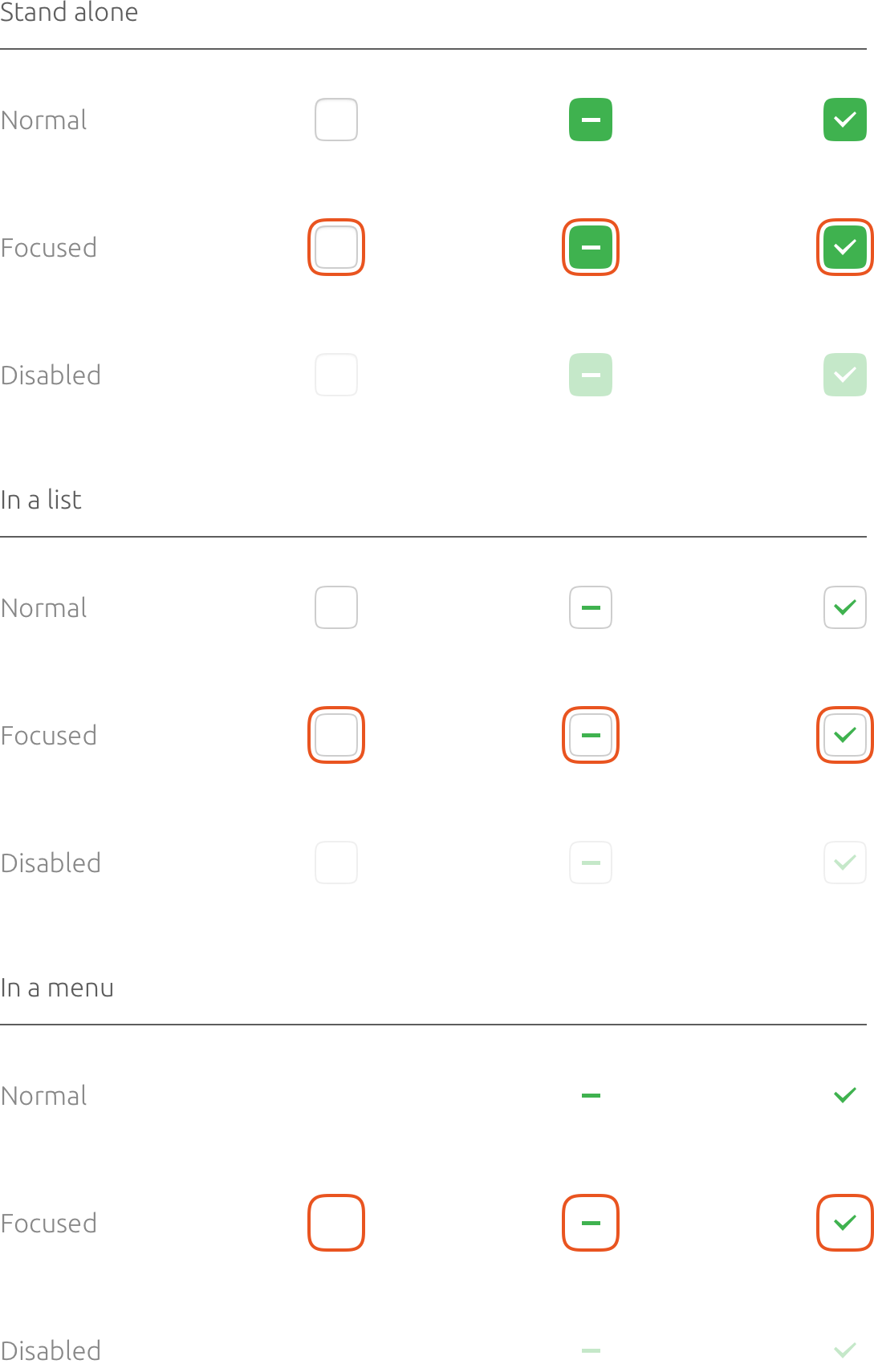
Yaru: Check marks in list box should probably be green
…as they indicate an active selection similar to radio or check buttons. See Tweaks > Windows for example.

 ya-d
ya-d
All 8 comments
I think this comes directly from Adwaita, where check marks are black in check buttons as well, while in Communitheme they are white with green background. I wonder if they would be less visible if green, though, since is a lighter color
 clobrano
on 31 Jan 2018
clobrano
on 31 Jan 2018
Yes, checkmarks should green! Following the guide by Canonical.
 madsrh
on 9 Feb 2018
madsrh
on 9 Feb 2018
Does anybody know from where this check mark comes from? It's not the one under gtk-3.0/assets
clobrano
on 9 Feb 2018
I'm not sure where the icon is from. Maybe a fallback icon from the Adwaita theme? It's present in GNOME Software as well.
Either way, the checkmark in GNOME Tweaks isn't a "real checkbox" like the others that use the green, hence the different icon and black color. I feel bad for saying it since I have no clue how to contribute to GNOME Tweaks, but I don't think it was implemented well. Maybe it should be reported as a bug?
It can be fixed, but I don't know if we should bother:
#ListBoxTweakGroup #Focus box ~ image { color: $success_color }
 godlyranchdressing
on 14 Feb 2018
godlyranchdressing
on 14 Feb 2018
I just summoned Jeremy Bicha, GNOME Tweaks upstream, pointing him to this thread so that you can discuss the issue :)
 didrocks
on 15 Feb 2018
didrocks
on 15 Feb 2018
It is object-select-symbolic. I believe you'll find it's also used in gnome-control-center and several other GNOME apps.
 jbicha
on 15 Feb 2018
jbicha
on 15 Feb 2018
In the GTK-CSS, these check marks are just image, not check, and usually don't have a specific style class. Therefore, we cannot change the color of all check marks exactly. So I think this can be closed as wont fix.
 nana-4
on 31 Mar 2018
nana-4
on 31 Mar 2018
Thank you @nana-4
closing this
clobrano
on 1 Apr 2018
Related issues
 Feichtmeier
·
3Comments
Feichtmeier
·
3Comments
 Muqtxdir
·
3Comments
Muqtxdir
·
3Comments
 matthewpaulthomas
·
3Comments
Feichtmeier
·
3Comments
matthewpaulthomas
·
3Comments
Feichtmeier
·
3Comments
 mivoligo
·
3Comments
mivoligo
·
3Comments
Most helpful comment
I just summoned Jeremy Bicha, GNOME Tweaks upstream, pointing him to this thread so that you can discuss the issue :)