Yalpstore: Updating Google Play services
When using an older stock manufacturer's firmware (e.g. Samsung) but updating some Google apps like YouTube with Yalp, one can encounter the error seen in the second or third screenshot below ("_This app won't run unless you update Google Play services_"):
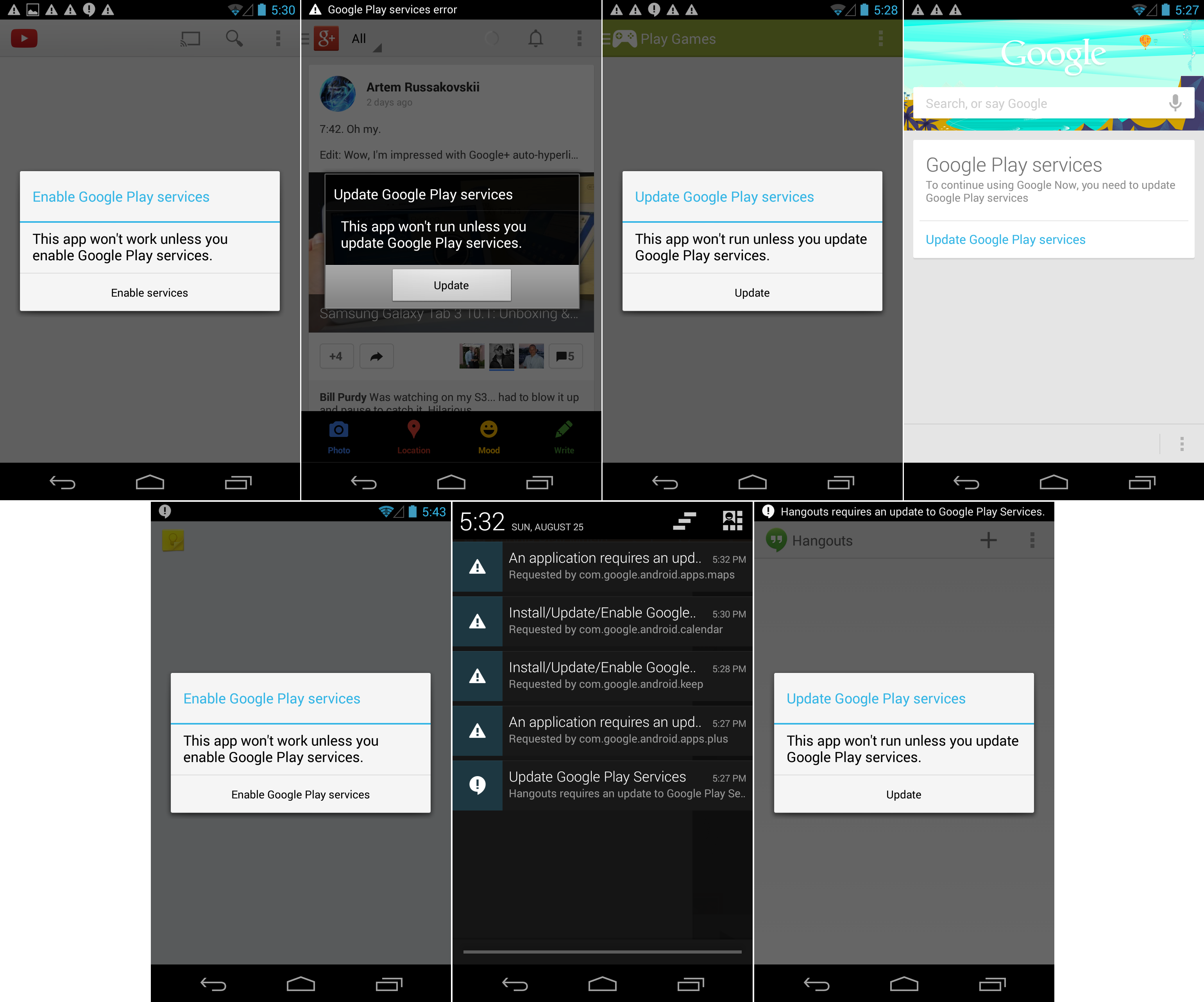
However, Google Play services is not found when searching for it in the Yalp Store.
It would be nice to be able to update the Google Play services with Yalp for those of us who are stuck with outdated firmwares.
 Lesik
Lesik
All 9 comments
Hello Lesik
I think you can considere using microg if play service can't be updated (I don't think you can force an update of play service only with an apk :/)
 Miaourt
on 10 Mar 2017
Miaourt
on 10 Mar 2017
@Lesik There is no point in installing Yalp, if you will install Google Services Framework anyway. Just use Google Play Store. Considering that you do not care about privacy/OSS and the amount of space Google Services Framework takes, Play Store is better than Yalp in every other way.
Also, if there is no new version of Google Services Framework for your device/firmware, there is nothing that can be done. Google phases out old devices sometimes. I think pre-Honeycomb androids no longer receive GSF updates. Installing an incompatible version of GSF will not help you. Sorry.
 yeriomin
on 10 Mar 2017
yeriomin
on 10 Mar 2017
@yeriomin Of course there is a point in using Yalp even with Google Play services – it doesn't require a Google account. Some phones can't be unlocked or have no libre ROM available. Play Store isn't better than Yalp in any way.
And this is not a question of discontinuity. One can update Google Play services just fine in Play Store (if one had a Google account).
Lesik
on 10 Mar 2017
@yeriomin Are you not going to reply? I can explain the use case to you again:
A lot of people rely on Google Play Services because crucial apps require them. However, one should not be required to register at Google just to use a smartphone – this is where Yalp comes into play. Yalp allows the user to install applications without a Google Account.
Lesik
on 30 Jul 2017
Google Play Services are system apps, and can't be upgraded without even more privileges for Yalp Store...
See @yeriomin 's post after
Miaourt
on 30 Jul 2017
@Lesik Sorry for not answering for so long. That was a bit rude, but I simply had nothing to add.
Your issue is quite old now. Yalp Store can work with system apps since v0.14. You can update Google Play Services now. If you can not, please open a new issue and explain what exactly is wrong, because it is probably not an issue with google services specifically.
I still don't see the point in doing it though, since you do need a google account to use them.
yeriomin
on 31 Jul 2017
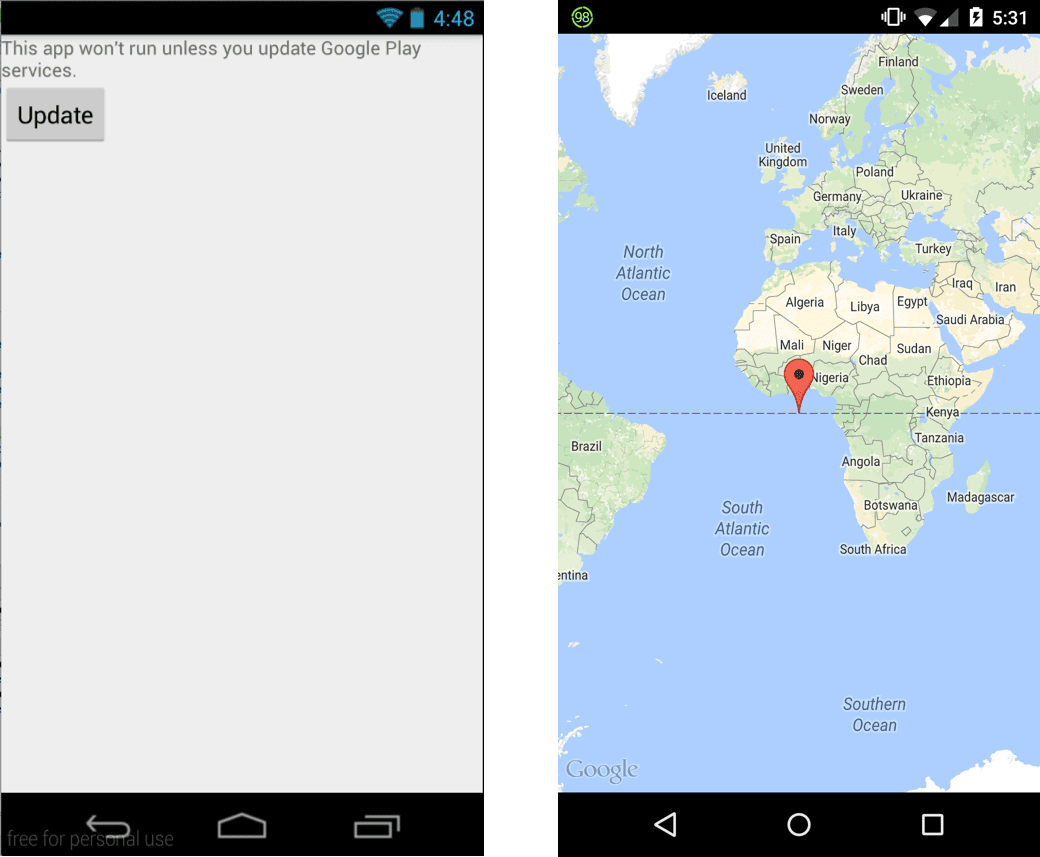
@yeriomin No that is wrong. There is a multitude of uses for Play Services without an account. For example, applications that embed a Map, like Telegram messenger, or bike renting services, don't want to run with outdated Play Services:
Also, why shouldn't system apps be able to be updated? Everything can be done as root.
If you can not, please open a new issue and explain what exactly is wrong
What? That is exactly what I have done in the first post. Why open a new issue? I opened this one about it. The problem is that if you search for "Play Services" in the store, it is not shown in the results.
Lesik
on 1 Aug 2017
@Lesik
Also, why shouldn't system apps be able to be updated?
I never said they shouldn't. They can be updated now.
What? That is exactly what I have done in the first post.
Like I said, Yalp Store can work with system apps for several months now. You can update Play Services through it.
Why open a new issue?
Because the current issue is not true anymore. If you do not get updates, its not because Yalp cannot update system apps or Play Services specifically.
The problem is that if you search for "Play Services" in the store, it is not shown in the results.
This is not a problem. Google does not show it in searches. Play Store app doesn't show it. Neither does the web interface. This does not mean you won't get updates when they are available.
It would be nice to be able to update the Google Play services with Yalp for those of us who are stuck with outdated firmwares.
What do you mean "outdated"? Either there is a version of Play Services for your device or there isn't. If there is no Play Services available for your device in Play Store, Yalp will not be able to magically create an apk which does not exist. And installing an incompatible version will simply fail.
yeriomin
on 1 Aug 2017
I never said they shouldn't.
Well that is exactly the point of this Github issue. It doesn't work for me.
Because the current issue is not true anymore.
My issue was that I can't update Play Services. I still can't. It's the same issue.
This does not mean you won't get updates when they are available.
Well I don't get any. My Play Services are horribly outdated, yet I get no update.
What do you mean "outdated"?
A lot of Android devices do not run the latest Android version and the latest Gapps. Many ROMs and firmwares are outdated.
And installing an incompatible version will simply fail.
There is a compatible update that works on my device. I can sideload the apk from a third-party website without any problems. This is what I did in the end. But it would be nice if Yalp could do that so I didn't have to rely on third-party sources. Hence I created the issue.
Lesik
on 17 Aug 2017
Related issues
 spok9
·
5Comments
spok9
·
5Comments
 ctrl-q
·
4Comments
ctrl-q
·
4Comments
 token0
·
5Comments
token0
·
5Comments
 anarcat
·
4Comments
anarcat
·
4Comments
 artas182x
·
5Comments
artas182x
·
5Comments