Yabai: Is it possible to proportionately shrink windows down like in Expose mode?
I think I've accidentally triggered it a couple years ago (no window management at that time) where one of my windows stayed "shrunken" after exiting Expose. It got me thinking it would be pretty nifty for apps with bloated UI or when using as a reference. That's what I thought the Picture in Picture mode would do at first.
 kerryj89
All 8 comments
In theory, yes. See #148 for related information on how this could be achieved.
 koekeishiya
on 18 Oct 2019
koekeishiya
on 18 Oct 2019
You need to look at it from three angles:
- Visuals: Definitely possible, see #148. I've played around enough with these functions from with the scripting addition to know that this is an easy task.
- yabai: Definitely possible. You'd need to refactor yabai to use the windows transformed size and position instead of their actual size and position.
- Resized applications: Impossible to do consistently. There's no way to know how applications respond to mouse events. Any application that manually maps coordinates from events to anything it renders will behave incorrectly.
 dominiklohmann
on 18 Oct 2019
dominiklohmann
on 18 Oct 2019
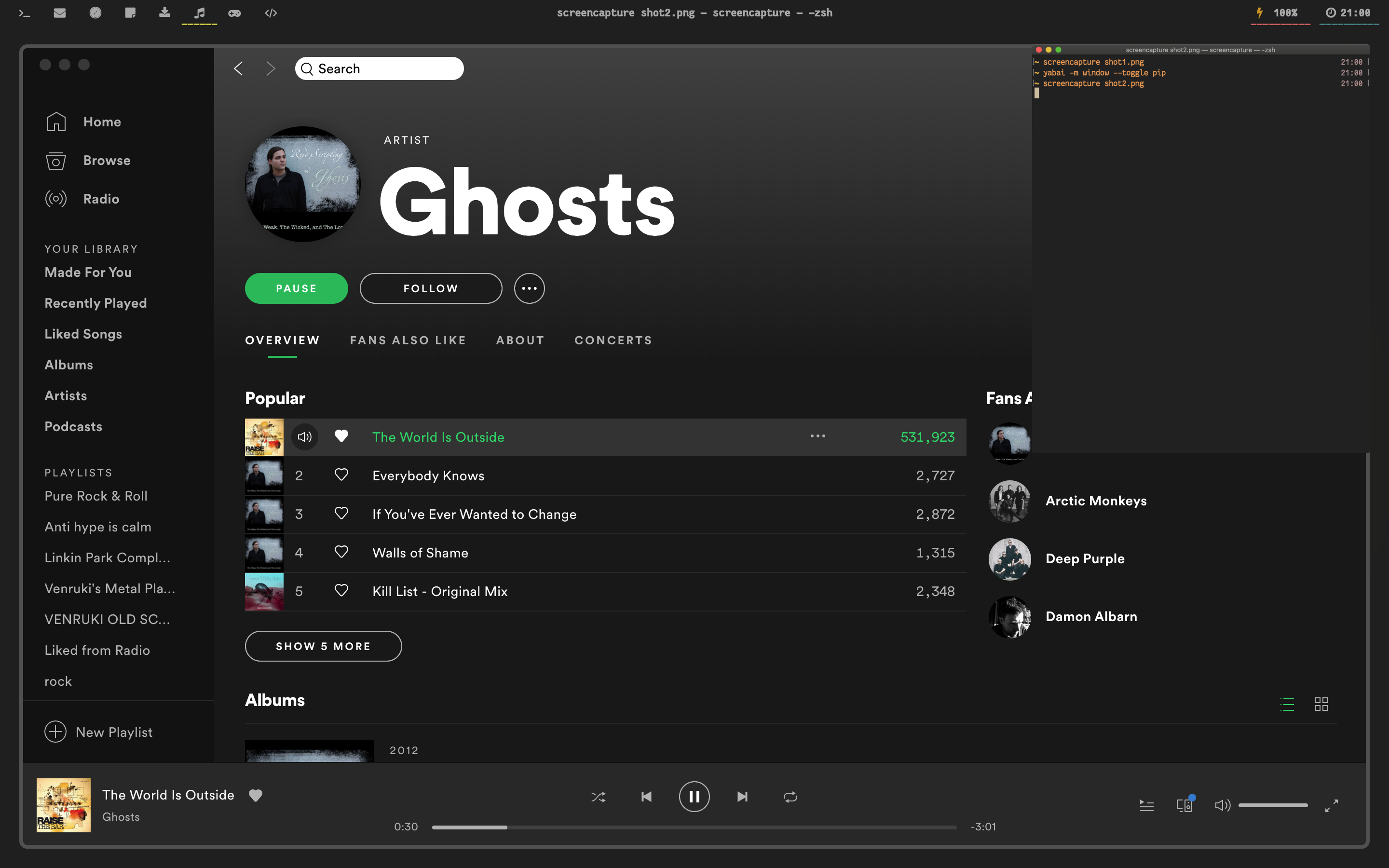
Implemented a basic picture-in-picture mode on master that uses visual scaling instead of actually resizing the window: yabai -m window --toggle pip
I found myself using it in combination with other commands, making the following bind:
# toggle sticky(+float), topmost, border and picture-in-picture
alt - p : yabai -m window --toggle sticky;\
          yabai -m window --toggle topmost;\
          yabai -m window --toggle border;\
          yabai -m window --toggle pip
@koekeishiya @dominiklohmann Sorry for mentioning you in an old ticket and the very basic question: how is PIP supposed to look/work?
yabai -m window --toggle sticky;
yabai -m window --toggle topmost;
yabai -m window --toggle pip
Nothing In the error logs, in the debug ones simply:
EVENT_HANDLER_DAEMON_MESSAGE: window --toggle sticky
EVENT_HANDLER_DAEMON_MESSAGE: window --toggle topmost
EVENT_HANDLER_DAEMON_MESSAGE: window --toggle pip
The functionality I get is the same as a regular sticky + topmost. When the now floating window is resized, its content gets scaled regularly. Am I missing anything?
 lucaorio
on 22 Apr 2020
lucaorio
on 22 Apr 2020
Before:
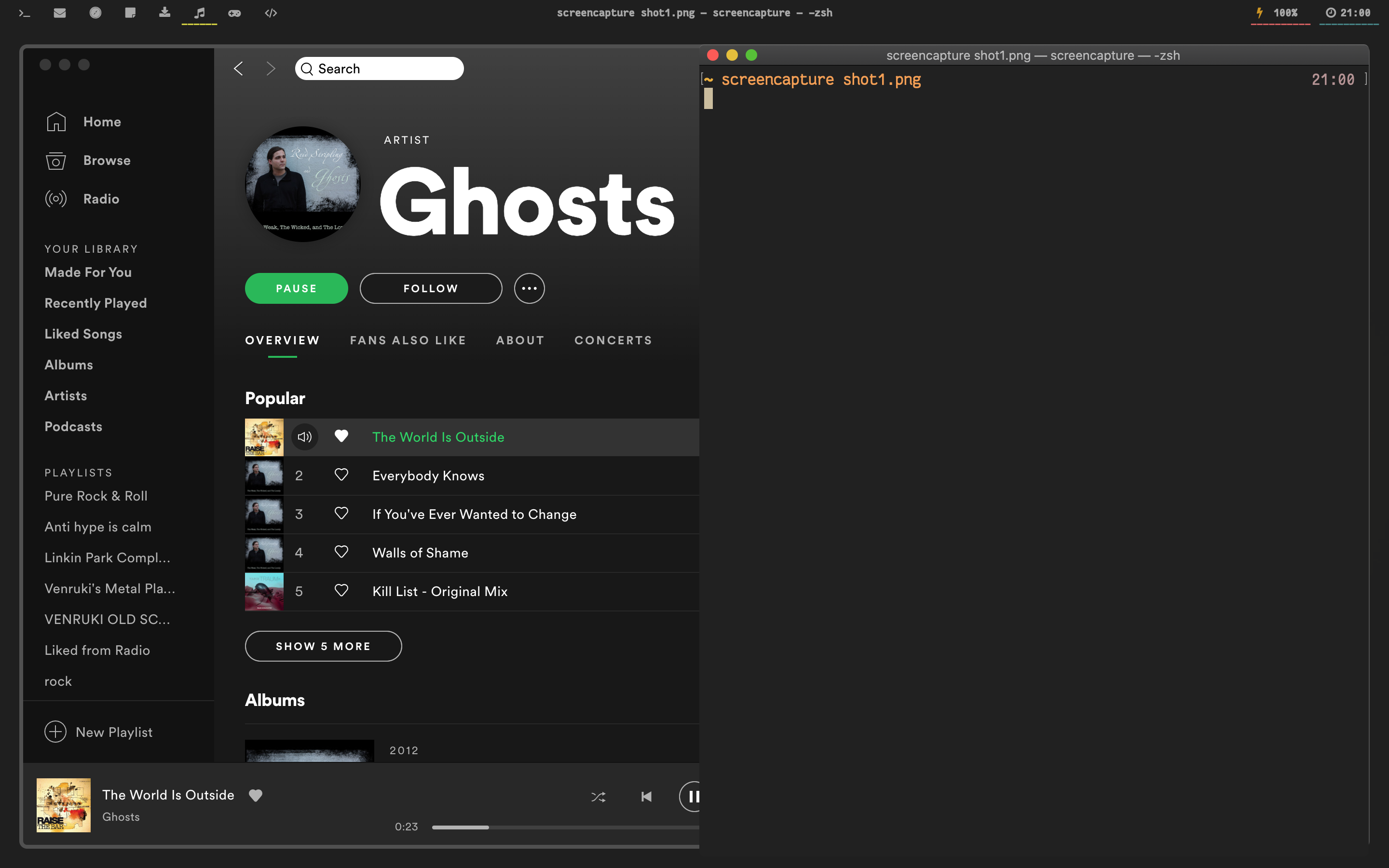
After:
koekeishiya
on 22 Apr 2020
Gotcha, thanks for confirming! 👍Is the PIP window manually resizable?
But yeah, here the window goes in float+sticky+topmost but it doesn't get scaled. I even restarted my MacBook and setup the accessibility permissions again, just in case. Is there any other way to troubleshoot this? Logs look fine here!
lucaorio
on 22 Apr 2020
I don't think resizing a window works properly after the transformation has been applied. You can move it around just fine though.
This functionality relies on the scripting-addition to work, so if this does not work for any window on your machine (e.g Safari works just fine for me), you could try to reinstall the scripting addition and see if that helps.
I've been meaning to add proper exit codes for issues with the scripting addition (#181), but haven't gotten there yet.
koekeishiya
on 25 Apr 2020
@koekeishiya I finally had some time to play with this: I can confirm reinstalling the scripting addition gave me the PIP mode, thanks!
lucaorio
on 4 May 2020
Related issues
 eramdam
·
3Comments
eramdam
·
3Comments
 imjma
·
3Comments
imjma
·
3Comments
 cmacrae
·
4Comments
cmacrae
·
4Comments
 fuckbitchesgitmoney
·
4Comments
fuckbitchesgitmoney
·
4Comments
 eraserhd
·
4Comments
eraserhd
·
4Comments
Most helpful comment
Implemented a basic picture-in-picture mode on master that uses visual scaling instead of actually resizing the window:
yabai -m window --toggle pipI found myself using it in combination with other commands, making the following bind: