Will the monocle space layout be a part of yabai ? It is currently the only thing keeping me on chunckwm
Thanks !
 Wes974
All 21 comments
I haven't decided yet if this is something I want to support.
 koekeishiya
on 30 Jun 2019
koekeishiya
on 30 Jun 2019
@Wes974 It is not the exact same use case but you can use yabai -m window --toggle zoom-fullscreen if you just want to quickly have a window take the whole screen.
I used to use monocle for that but I think zoom-fullscreen will be sufficient for my use.
 Sweenu
on 1 Jul 2019
Sweenu
on 1 Jul 2019
I don't think this is something that I want to support. I don't find it particularly useful, at least not the way it was implemented prior in chunkwm.
koekeishiya
on 3 Jul 2019
Damn that's too bad because I actually used it a lot. But well guess I'll either stay on chunkwm for now or I will look a bit more into yabai and see what I can do to configure it close to what I'm used to
Thanks !
Wes974
on 5 Jul 2019
I’m pretty sure that you can completely emulate the old behaviour using signals and a lot of shell scripts with queries. I wrote a note down trying to get something like this to work over the next few days when I have time.
 dominiklohmann
on 5 Jul 2019
dominiklohmann
on 5 Jul 2019
Actually this is impossible currently. There's no .zoom-fullscreen attribute in yabai -m query --windows --window and caching this is unreliable because signals fire asynchronously.
I'll open a separate issue for this.
dominiklohmann
on 5 Jul 2019
@Wes974 Here are two pieces of code you can use to enter and leave monocle mode for a space:
# Set all windows on active space to zoom-fullscreen
yabai -m query --windows --space \
| jq -re '.[] | select(."zoom-fullscreen" == 0) | .id' \
| xargs -I{} yabai -m window {} --toggle zoom-fullscreen
# Set all windows on active space back to normal
yabai -m query --windows --space \
| jq -re '.[] | select(."zoom-fullscreen" == 1) | .id' \
| xargs -I{} yabai -m window {} --toggle zoom-fullscreen
You can either plug these into signals that trigger depending on the space you're on or just bind these oneliners to hotkeys in skhd to use them manually.
For example, you could write a script that only triggers if yabai -m query --spaces --space | jq -re '.index == 2' is true if you want to run this on space 2 only.
dominiklohmann
on 8 Jul 2019
I came up with a well-working solution just like I mentioned above. ~I split it into two scripts, each taking~ The script toggles monocle mode and takes an optional space arrangement-index as an argument (default: current space). ~The only downside currently is that it creates some temporary files and does not delete them, but these get deleted once you restart your computer.~ Edit: Updated ever so slightly with improvements.
cc/ @pcr910303 @Sweenu @Wes974 @koekeishiya as you seemed interested in this. Will also put this in the wiki with the next batch of edits.
toggle_monocle_mode
#! /usr/bin/env sh

# Get the current space and target space index
current_space="$(yabai -m query --spaces --space | jq -re '.index')"
target_space="${1:-${current_space}}"

# Get the target space id so this still works when the space is moved
target_space_id="$(yabai -m query --spaces \
    | jq -re ".[] | select(.index == ${target_space}) | .id")"

# Temporary script and lock-file per space in mononcle mode
script="${TMPDIR}/yabai_${USER}_monocle_mode_${target_space_id}"

# The lock file does not exit -- enable monocle mode
if ! [ -x "${script}" ]; then
    # Write the lock-file and make it executable
    cat > ${script} <<- EOM
        if yabai -m query --spaces --space \
            | jq -re ".id == ${target_space_id}" > /dev/null
        then
            yabai -m query --windows --space \
                | jq -re '.[] | select(."zoom-fullscreen" == 0) | .id' \
                | xargs -I{} yabai -m window {} --toggle zoom-fullscreen
        fi
    EOM
    chmod +x "${script}"

    # Special case: if we turn our current space into monocle mode, run the
    # script already
    if [ "${current_space}" = "${target_space}" ]
    then
        yabai -m query --windows --space \
            | jq -re '.[] | select(."zoom-fullscreen" == 0) | .id' \
            | xargs -I{} yabai -m window {} --toggle zoom-fullscreen
    fi

    # Listen to space_changed, window_created
    yabai -m signal --add event=space_changed action="${script}" \
        label="monocle_mode_${target_space_id}_space_changed"
    yabai -m signal --add event=window_created action="${script}" \
        label="monocle_mode_${target_space_id}_window_created"

    # If we re-enable monocle mode on a space before entering, but after having
    # disabled monocle mode, we need to avoid toggling zoom-fullscreen twice
    yabai -m signal --remove "monocle_mode_${target_space_id}_delay_disable" \
        > /dev/null

# The lock file does exist -- disable monocle mode
else
    # Write the lock-file
    cat > "${script}" <<- EOM
        if yabai -m query --spaces --space | jq -re ".id == ${target_space_id}"
        then
            yabai -m query --windows --space \
                | jq -re '.[] | select(."zoom-fullscreen" == 1) | .id' \
                | xargs -I{} yabai -m window {} --toggle zoom-fullscreen
            yabai -m signal --remove \
                "monocle_mode_${target_space_id}_delay_disable" > /dev/null
        fi
    EOM

    # Stop listening to space_changed, window_created
    yabai -m signal --remove "monocle_mode_${target_space_id}_space_changed"
    yabai -m signal --remove "monocle_mode_${target_space_id}_window_created"

    # If we disable monocle mode on the active space, run the script already
    if [ "${current_space}" = "${target_space}" ]; then
        yabai -m query --windows --space \
            | jq -re '.[] | select(."zoom-fullscreen" == 1) | .id' \
            | xargs -I{} yabai -m window {} --toggle zoom-fullscreen

    # Otherwise, delay running the script until we are on that space
    else
        yabai -m signal --add event=space_changed action="${script}" \
            label="monocle_mode_${target_space_id}_delay_disable"
    fi

    # Delete the lock-file
    rm -f "${script}"
fi
yabairc
The following code needs to go in your yabairc to make this work across restarts.
# delete monocle mode lock files from previous sessions
find "${TMPDIR}" -type f -perm +111 -name "yabai_${USER}_monocle_mode_*" -delete
Example usage
Remember that ~both scripts~ the script need executable permissions (chmod +x /path/to/script).
# toggle monocle mode for space 2
./toggle_monocle_mode 2

# toggle monocle mode for current space
./toggle_monocle_mode
Known issues
Adding new windows to a space in monocle mode sometimes causes flickering windows. Not yet sure why.
dominiklohmann
on 8 Jul 2019
Wow, I use the _monocle_ layout a lot. I will install yabai and give it a try tonight, but I'm sad to see it gone! :(
 lucaorio
on 12 Aug 2019
lucaorio
on 12 Aug 2019
How do we use yabai on a small laptop screen if monocle is not supported? Interested to know the alternative
 simonsmith
on 9 Sep 2019
simonsmith
on 9 Sep 2019
How do we use yabai on a small laptop screen if monocle is not supported? Interested to know the alternative
You could either adapt my snippet from above or just use a separate space for everything.
dominiklohmann
on 9 Sep 2019
Your script above could simply use a floating space combined with the --grid command as well, instead of dealing with zoom-fullscreen all the time.
koekeishiya
on 9 Sep 2019
Floating spaces don't work well with yabai -m window --focus next, which means you'd have to use a different focussing command (or adapt it based on the layout of the currently focused space).
dominiklohmann
on 9 Sep 2019
Lack of monocle layout is a major bummer for me as it is my primary layout in chunckwm 😢 With chunkwm no longer being maintained and monocle not supported in yabai I'm not sure now what the best thing to do is. Does chunkwm work on Catalina? @dominiklohmann does your script work without SIP being disabled? Have you worked out what is causing this window flickering that you mentioned earlier?
 mwz
on 9 Oct 2019
mwz
on 9 Oct 2019
@dominiklohmann Looks like the monocle mode code isn't in the wiki... Just wanted to inform you 👍
 pcr910303
on 9 Oct 2019
pcr910303
on 9 Oct 2019
The script would need to be adapted for recent versions of yabai @mwz, it can probably also be simplified a lot. I put this on my personal backlog, but that list is only getting longer currently (likewise, the wiki/docs website, which is pretty close to the top of that list @pcr910303).
A proper, more general solution to the monocle mode issue would be to add stacking support #203.
dominiklohmann
on 9 Oct 2019
@mwz The script itself works on recent version of yabai.
The window flickering seems to be this:
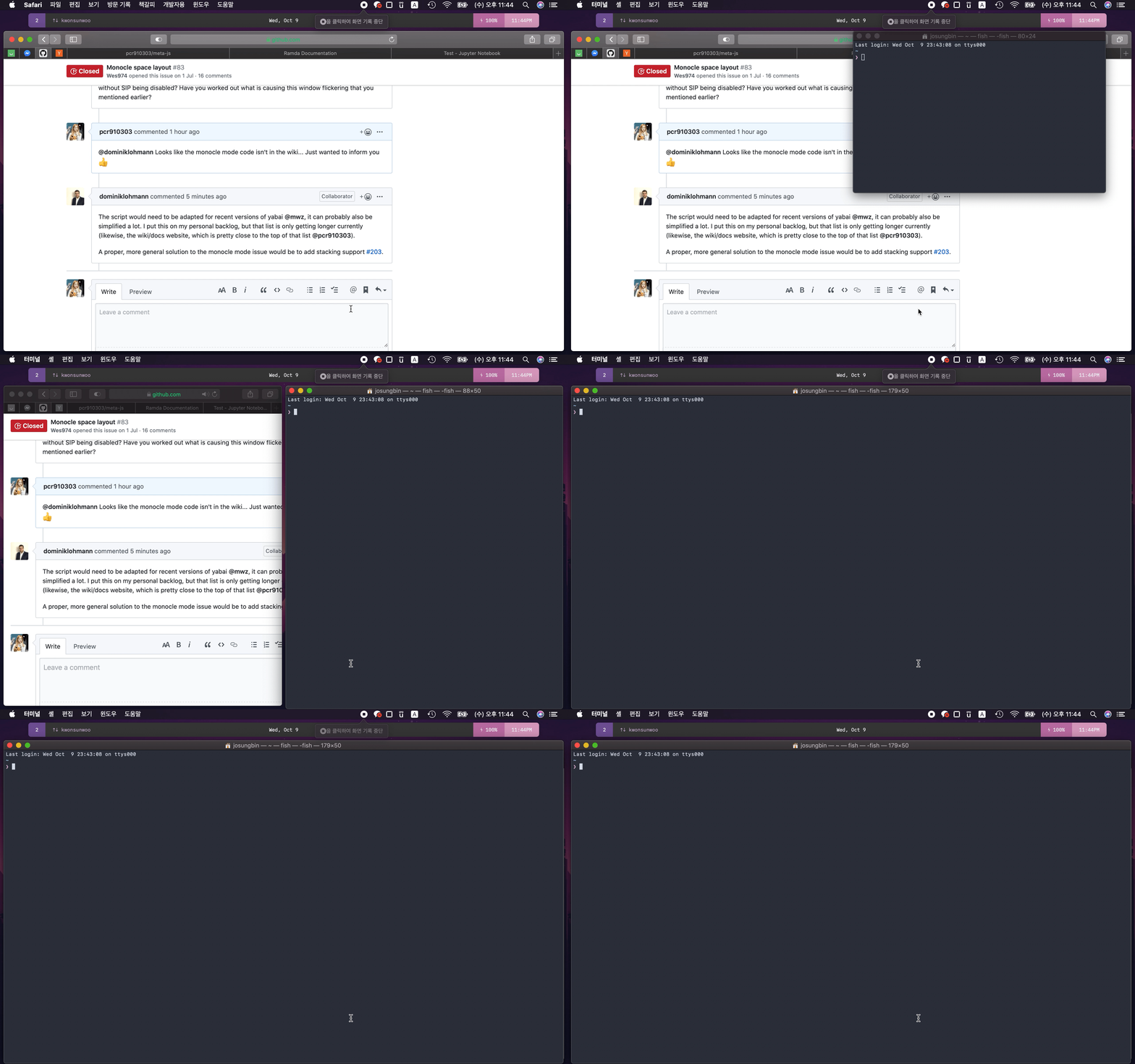
That's opening a new terminal window on a monocle-mode enabled space.
@dominiklohmann I don't think that custom scripts can handle this, (and I agree with you that proper stacking support would be a proper solution) but a glitch of that script I noticed as soon as I used that:
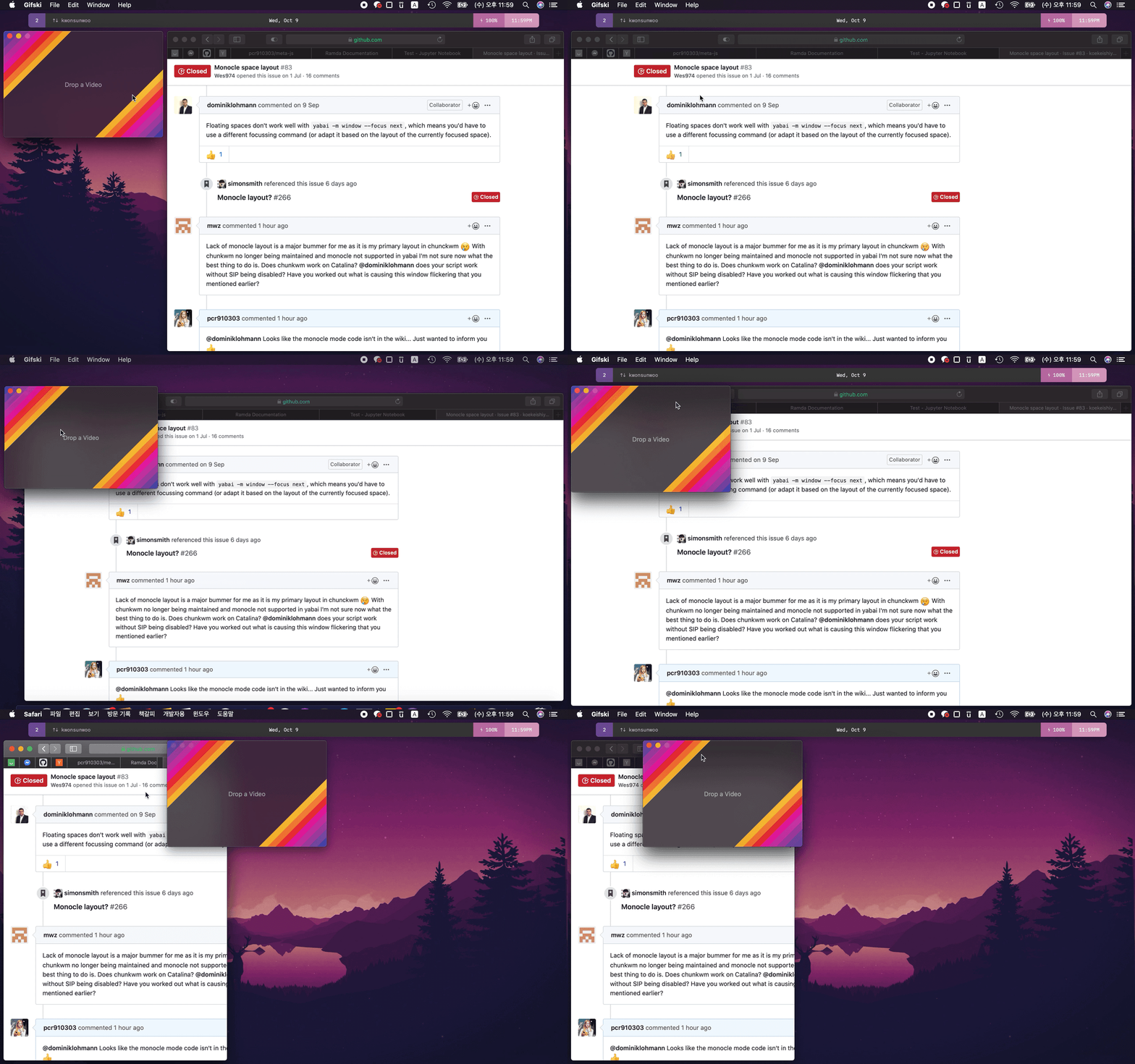
That's enabling monocle-mode and shaking any window.
pcr910303
on 9 Oct 2019
That's enabling monocle-mode and shaking any window.
Yeah, the script is not very robust. It breaks with mouse actions, you're likely swapping window positions by dropping them onto each other here.
dominiklohmann
on 9 Oct 2019
I also used monocle a lot in chunkwm, similar to how I used a lot of Tabbed layout in XMonad. But now I realized it's actually not that bad to do without it. It forces me to think clearly about which app to put on which workspace. In most cases I end up with only one app per workspace, and it's always clear to which one I'm switching.
And if there's some app I temporarily don't need, I can just send it to workspace 9, for example.
 x-ji
on 22 Oct 2019
x-ji
on 22 Oct 2019
The place that I find myself using monocle is for browser windows - I keep all of them on space 2, stacked upon one another.
Thanks @dominiklohmann for the script that you wrote - it's made it practical for me to switch to yabai and continue with my current workflow.
I'm open to better suggestions for managing those windows though, if I'm missing a trick (BSP isn't practical with a dozen browser windows open, nor can I really spread them across spaces).
The best answer might be to have topic-specific windows and to put them in specific places (or whatnot), but keeping my browsers that organized might be difficult for me for now.
Historically I used to use i3's tabbed mode to manage my browser space, which I found worked best of all for me.
 tekacs
on 23 Oct 2019
tekacs
on 23 Oct 2019
@dominiklohmann Thanks for the script. It is a helpful workaround for now. I had to also add
yabai -m window --focus prev
yabai -m window --focus next
as shortcuts into my skhdrc so that I can cycle between all windows properly. The default north/south/west/east cycling doesn't work for windows in such a desktop.
x-ji
on 3 Nov 2019
Related issues
 mattsawyer77
·
4Comments
mattsawyer77
·
4Comments
 brentd
·
4Comments
brentd
·
4Comments
 danijar
·
4Comments
danijar
·
4Comments
 stylerw
·
4Comments
stylerw
·
4Comments
 brorbw
·
4Comments
brorbw
·
4Comments
Most helpful comment
I came up with a well-working solution just like I mentioned above. ~I split it into two scripts, each taking~ The script toggles monocle mode and takes an optional space arrangement-index as an argument (default: current space). ~The only downside currently is that it creates some temporary files and does not delete them, but these get deleted once you restart your computer.~ Edit: Updated ever so slightly with improvements.
cc/ @pcr910303 @Sweenu @Wes974 @koekeishiya as you seemed interested in this. Will also put this in the wiki with the next batch of edits.
toggle_monocle_mode
yabairc
The following code needs to go in your yabairc to make this work across restarts.
Example usage
Remember that ~both scripts~ the script need executable permissions (
chmod +x /path/to/script).Known issues
Adding new windows to a space in monocle mode sometimes causes flickering windows. Not yet sure why.