Xterm.js: Support transparent backgrounds
It looks as though starting with 365661704424f9a33b3a2cb4b85ad144948a86a9 setting the themes background to 'none' does not work. It just sets the background to black. If it helps at all I found changing this line: https://github.com/sourcelair/xterm.js/blob/c4da8325ace6e4bde77822377bf994d389a7c75a/src/renderer/TextRenderLayer.ts#L104 to let bg = this._colors.background fixed the issue but not sure if that is the correct solution to the problem.
 npezza93
All 13 comments
We no longer support a transparent/no backgorund color tor not setting a background color. The reason for this is to support inverting colors correctly.
Is the main reason you want no background color to give an interesting background/partially transparent or something?
 Tyriar
on 25 Sep 2017
Tyriar
on 25 Sep 2017
Hey, @Tyriar, inside an electron app I am setting the vibrancy on Mac so the background is slightly transparent but I see your point. Xterm would have no idea if it is against a light background or dark background to invert correctly. Could we pass what the background is, so the invert works correctly, but opt not to render it?
Electron vibrancy example:

npezza93
on 25 Sep 2017
AFAIK using an rgba color should work, right?(as long as xterm is able to parse rgba colors)
 lucat1
on 25 Sep 2017
lucat1
on 25 Sep 2017
@LucaT1 Yea I tried that and it almost works. You end up with the main background gone but each character still has a background.
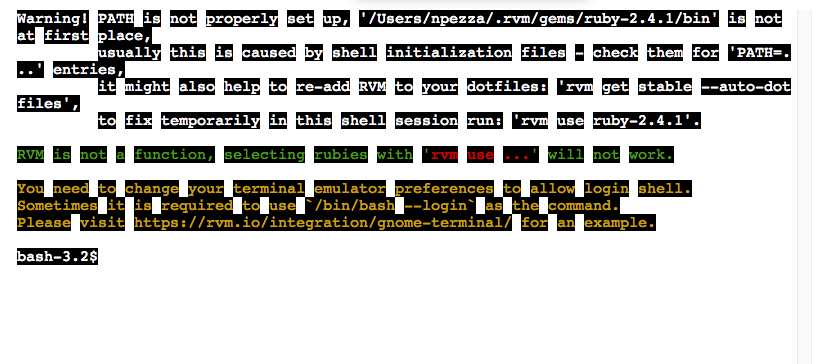
npezza93
on 25 Sep 2017
I am also interested in being able to specify a transparent background. Is there a demo on how to configure colors in general?
 vincentwoo
on 26 Sep 2017
vincentwoo
on 26 Sep 2017
I dont believe there is anything documented but you just pass the options under the theme key. Ex:
    xterm = new Terminal({
      theme: {
        foreground: '#ffffff',
        background: '#000',
        cursor: '#ffffff',
        selection: 'rgba(255, 255, 255, 0.3)',
        black: '#000000',
        red: '#e06c75',
        brightRed: '#e06c75',
        green: '#A4EFA1',
        brightGreen: '#A4EFA1',
        brightYellow: '#EDDC96',
        yellow: '#EDDC96',
        magenta: '#e39ef7',
        brightMagenta: '#e39ef7',
        cyan: '#5fcbd8',
        brightBlue: '#5fcbd8',
        brightCyan: '#5fcbd8',
        blue: '#5fcbd8',
        white: '#d0d0d0',
        brightBlack: '#808080',
        brightWhite: '#ffffff'
      }
    })
@npezza93 the characters are drawn with a background in order to support sub-pixel anti-aliasing. You can no longer do a transparent or partially transparent background. We could support it but that would mean text is less crisp as you cannot support sub-pixel AA on a transparent background.
PRs welcome, you would need to expose a setting to make the text render layer pass true as an alpha layer https://github.com/sourcelair/xterm.js/blob/313d1e6fecd98a4a5e8dddebb832a6c4c16a828d/src/renderer/TextRenderLayer.ts#L28, then make sure cells get cleared and their background redrawn properly.
Tyriar
on 27 Sep 2017
🎉
npezza93
on 28 Jan 2018
@npezza93 @Tyriar
hi, the theme not allow rgba or hsla.
Color: rgba(255, 255, 255, 0.3) is using transparency, but allowTransparency is false. Using fallback #000000.
 gozeon
on 21 Jun 2018
gozeon
on 21 Jun 2018
@gozeon make allowTransparency true: new Terminal({ allowTransparency: true })
Tyriar
on 21 Jun 2018
@Tyriar thinks
gozeon
on 2 Jan 2020
Actually, the following code works:
const term = new Terminal({
    theme: {
        foreground: "#EEEEEE",
        background: "#300a2480",
        cursor: "#CFF5DB"
    },
    allowTransparency: true
});
But when I changed #300a2480 to rgba(48,10,36,0.8), the actual background become rgba(0,0,0,0) . Wait for an explanation. Thanks.
 faymek
on 5 Jan 2020
faymek
on 5 Jan 2020
@faymek that was a regression that's already fixed in master https://github.com/xtermjs/xterm.js/issues/2620
Tyriar
on 6 Jan 2020
Related issues
 mqliang
·
41Comments
mqliang
·
41Comments
 chani
·
27Comments
chani
·
27Comments
 feamsr00
·
39Comments
feamsr00
·
39Comments
 cristynkells
·
26Comments
Tyriar
·
26Comments
cristynkells
·
26Comments
Tyriar
·
26Comments
Most helpful comment
I dont believe there is anything documented but you just pass the options under the theme key. Ex: