Xterm.js: Line and underline terminal cursors show as a block when unfocused
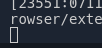
Terminal.app acts like this but gnome-terminal retains the original cursor shape, just stops blinking. I think the latter is what most would expect to happen.
 Tyriar
All 7 comments
On Windows, the cursor disappears altogether in cmd, powershell, notepad, and even in VS Code's Editors. It makes more sense to me because the cursor indicates where you are typing.
What do Editors on Linux and OSX do when you change focus? It might be better to be platform consistent here.
 dragonwolf83
on 11 Jul 2017
dragonwolf83
on 11 Jul 2017
Personally, I always like to see the cursor (preferably with a disabled state), because I can see where I have left off, and I know where to click to refocus (if I cant see the cursor, next time I click on the editor window to focus, the cursor will be put where I've clicked, and not necessarily where I left off)
 mofux
on 12 Jul 2017
mofux
on 12 Jul 2017
I think it's best to look at editors and terminals as different in this respect. On all OS's the cursor goes away when not focused, but I think on all terminals on macOS/Linux it's shown in an unfocused state and on some Windows ones too (eg. cmder).
Tyriar
on 12 Jul 2017
Tyriar
on 12 Jul 2017
What is proposed though is a bad UX for VS Code and potentially other integrated terminals and browsers.
Keeping cursor as-is with no blinking works in a Terminal app because the OS changes UI to highlight a window has focus. This makes it clear that the Terminal is not in focus so the cursor technically doesn't matter. I would still argue though that it's still bad UX in general though because the cursor is supposed to tell you where you will be typing. @mofux's issue with where you click can be fixed by always putting cursor back where it was last left off, not where the user clicks (unless selecting).
In VS Code, you have a few problems.
- Cursor Blinking is a setting and set to False by default for Terminal
- Cursor Blinking is a setting for Editor and set to Blink by default
- There is no other UI that highlights Terminal has focus.
So if a VS Code has both Cursors set to not blink and I have focus in Editor, I have two cursors looking the same. Which has focus?
Now VS Code does remove the Cursor from Editor when Terminal is in focus but paired with the above behavior, it is too subtle and confusing.
The current empty block behavior is ugly but at least is big enough of a change to notice. I think either removing the cursor or coming up with a better visual way to show the integrated terminal does not have focus is needed.
Maybe a color change to the Prompt and Cursor will do the trick. It could be a light/faded grey that gives a similar appearance to being disabled. Even better for the whole visible content, but I understand if that is not good for performance.
dragonwolf83
on 13 Jul 2017
I do not think that the current behavior is a bug, despite it might not be visually elegant.
While this can seem weird for line-shaped cursors, it lets the user know the focus state of the terminal consistently -- even with blinking disabled in line-shaped cursors.
This is important because provides predictable behavior; it lets the user know if they can type into the terminal or if they have to click on it before typing.
Apparently, it would be ideal if we can find a way to indicate the focus state of the terminal consistently and also keep the visual style of the cursor, but I think it's quite hard.
To wrap this up; we should prefer usable, consistent and predictable behavior to styling improvement.
If we can't find a solution as described two sentences above, I think we should keep the current behavior.
 parisk
on 13 Jul 2017
parisk
on 13 Jul 2017
Good points, I'm convinced 😃
Tyriar
on 13 Jul 2017
Related issues
 jerch
·
27Comments
jerch
·
27Comments
 cristynkells
·
26Comments
cristynkells
·
26Comments
 sindresorhus
·
29Comments
Tyriar
·
26Comments
sindresorhus
·
29Comments
Tyriar
·
26Comments
 ixrock
·
34Comments
ixrock
·
34Comments
Most helpful comment
I do not think that the current behavior is a bug, despite it might not be visually elegant.
While this can seem weird for line-shaped cursors, it lets the user know the focus state of the terminal consistently -- even with blinking disabled in line-shaped cursors.
This is important because provides predictable behavior; it lets the user know if they can type into the terminal or if they have to click on it before typing.
Apparently, it would be ideal if we can find a way to indicate the focus state of the terminal consistently and also keep the visual style of the cursor, but I think it's quite hard.
To wrap this up; we should prefer usable, consistent and predictable behavior to styling improvement.
If we can't find a solution as described two sentences above, I think we should keep the current behavior.