Xournalpp: Selection may scroll (instantly) to first page when dragged selection hits top toolbar
Affects versions :
- OS: Manjaro KDE
- (Linux only) Desktop environment: X11
- Which version of libgtk do you use
libgtk: 3.24.23 - Version of Xournal++: fad337b3
- Installation method: AUR
New input methodis activated (I think I used the mouse for dragging, though)
Describe the bug
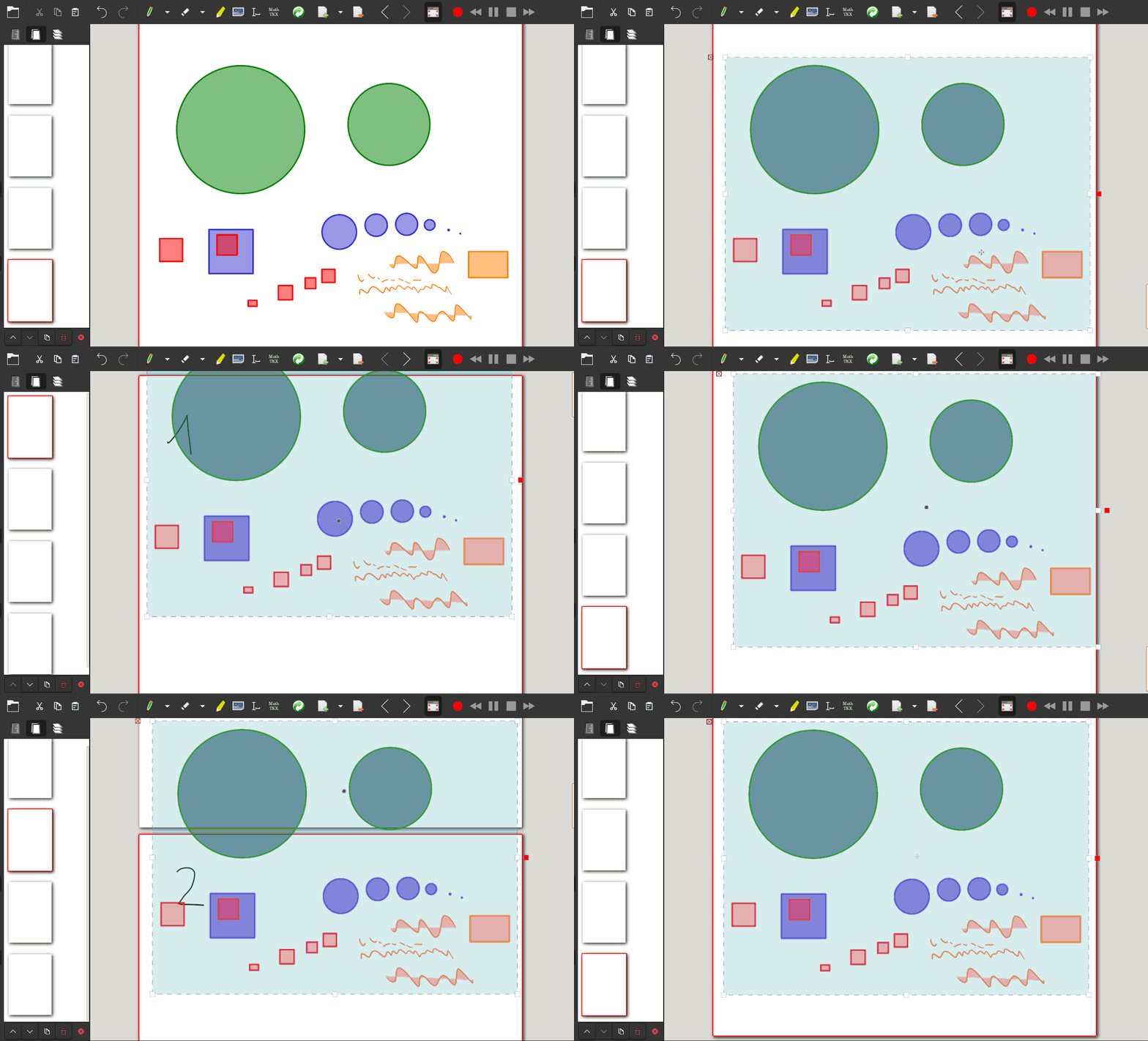
Sometimes it happens that the selected content jumps to the top of the first page when one starts dragging it.
To Reproduce
Steps to reproduce the behavior:
- Add several pages
- Write something on all pages
- On the last page select part of the content
- Start dragging it slowly
Expected behavior
The selection follows the mouse
Screenshots of Problem
I can try to do a screen recording later (gif).
 ericschdt
All 4 comments
Here's an animation showing the issue. If I drag it a little bit to the top, it immediately rushes to the first page, which make it hard to place:
ericschdt
on 8 Dec 2020
I've been also annoyed with this feature. Not jumps but very rapid scrolls, I think.
If you try this on documents over 100 pages, you'll feel like you're on a fighter jet.
 tattsan
on 9 Dec 2020
tattsan
on 9 Dec 2020
Not jumps but very rapid scrolls, I think.
You are right, I wasn't very precise. The title should now reflect the issue better.
ericschdt
on 9 Dec 2020
I always wanted to say this: "This is a feature not a bug"
BUT: In the feature is a bug^^ It should scroll slowly once the selection hits the border of the view. This is to allow for moving selections to parts currently not visible. The speed seems to be a bit fast though...
 LittleHuba
on 9 Dec 2020
LittleHuba
on 9 Dec 2020
Related issues
 luyatshimbalanga
·
5Comments
luyatshimbalanga
·
5Comments
 Krzmbrzl
·
4Comments
Krzmbrzl
·
4Comments
 andrewchenshx
·
5Comments
andrewchenshx
·
5Comments
 VickySteeves
·
3Comments
VickySteeves
·
3Comments
 coldspark29
·
3Comments
coldspark29
·
3Comments
Most helpful comment
I've been also annoyed with this feature. Not jumps but very rapid scrolls, I think.
If you try this on documents over 100 pages, you'll feel like you're on a fighter jet.