Xlpagertabstrip: Blank tabs on iOS 10
I'm using the latest version
pod 'XLPagerTabStrip', '~> 8.0'
On iOS v 11 it shows correct but on version 10 it does not show the strip, via testing I have managed to change the backound colour meaning that the space for the tab is left as supposed to and I can swipe left right to get other tabs but the title and related styles are not visible. I will post a screenshot for
v11

and v10,
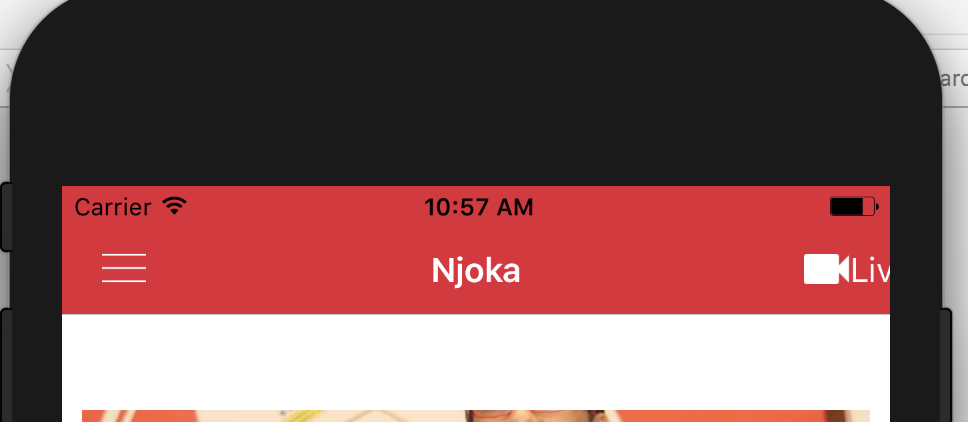
The way I instantiate the classes is via storyboad as follows
let child_1 = self.storyboard!.instantiateViewController(withIdentifier: "storyboardid")
 nasznjoka
All 9 comments
To any one with same issue it seems the navigation bar so had to make a way to move the tab bar
edgesForExtendedLayout = []
//move tab
buttonBarView.frame.origin.y = buttonBarView.frame.origin.y + 30
nasznjoka
on 3 Dec 2017
I ran into the same problem on iOS10, and found a workaround on ButtonBarPagerTabStripViewController's viewDidLoad() (before calling super.viewDidLoad());
        if #available(iOS 11.0, *) {
            // nothing to do.
        } else {
            automaticallyAdjustsScrollViewInsets = false
        }
 hackugyo
on 28 Dec 2017
hackugyo
on 28 Dec 2017
@hackugyo your workaround works good for me, thanks!
 josjevv
on 9 Jan 2018
josjevv
on 9 Jan 2018
@hackugyo Thank's
 Dimitri51
on 24 Jan 2018
Dimitri51
on 24 Jan 2018
seems this issue is not yet solved not even with those workarounds that used to work
nasznjoka
on 1 Feb 2018
I had same Problem. Thank's
 tldhsdl22
on 7 Feb 2018
tldhsdl22
on 7 Feb 2018
I had same problem too. Thank's!!
 DayBySay
on 17 Jul 2018
DayBySay
on 17 Jul 2018
I ran into the same problem on iOS10, and found a workaround on
ButtonBarPagerTabStripViewController'sviewDidLoad()(before callingsuper.viewDidLoad());if #available(iOS 11.0, *) { // nothing to do. } else { automaticallyAdjustsScrollViewInsets = false }
This works good, thank you.
 rookiejj
on 9 Oct 2018
rookiejj
on 9 Oct 2018
Some issue and not solved with the workarounds.
 AlaeddineOuerteni
on 16 Sep 2019
AlaeddineOuerteni
on 16 Sep 2019
Related issues
 luminkhant
·
4Comments
luminkhant
·
4Comments
 Ariavm95
·
4Comments
Ariavm95
·
4Comments
 alexanderkhitev
·
4Comments
alexanderkhitev
·
4Comments
 fenixsolorzano
·
4Comments
fenixsolorzano
·
4Comments
 Emasoft
·
5Comments
Emasoft
·
5Comments
Most helpful comment
I ran into the same problem on iOS10, and found a workaround on
ButtonBarPagerTabStripViewController'sviewDidLoad()(before callingsuper.viewDidLoad());