Xlpagertabstrip: Storyboard's view is not loaded!
I created UIViewControllers in storyboard and I connect the aside class like FirstViewController. I created childs in main controller but when call the controllers, all lifecycle is working but the settings that I change in the storyboard (view background colors as you can see) there is nothing happen. I have three UIViewController and they both all have different colors. But when I run, every UIViewControllers is same.
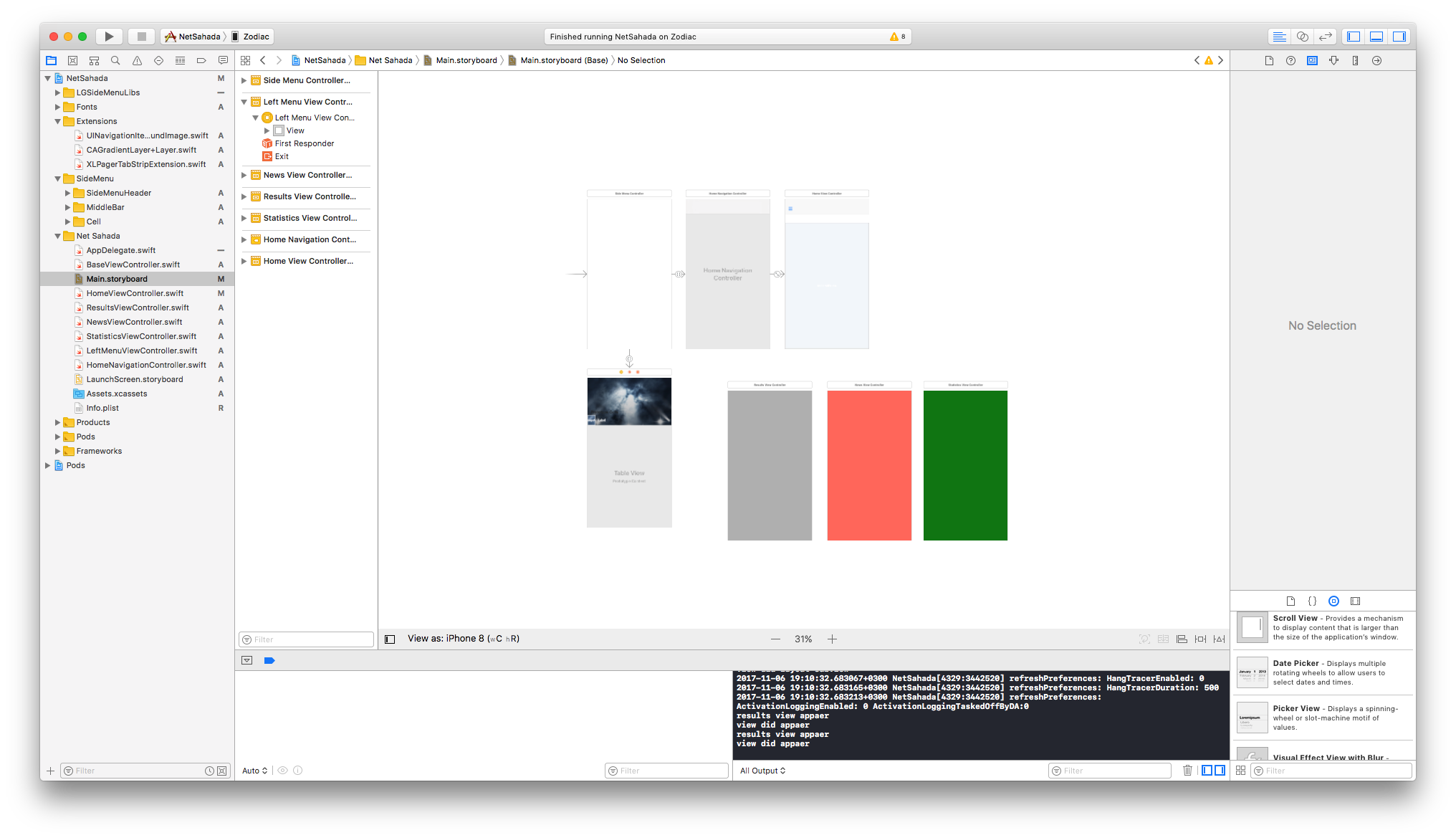
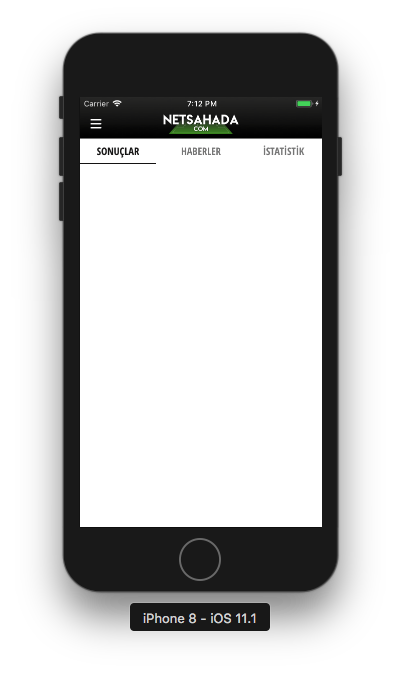
The view controllers are connected to the class and these class are working but there is nothing change. How can I fix this ?
 emrecanozturk
All 5 comments
I am having the same issue. Please help.
 uditb
on 7 Nov 2017
uditb
on 7 Nov 2017
Hi all!
you need to instantiate your viewcontrollers via storyboard:
override func viewControllers(for pagerTabStripController: PagerTabStripViewController) -> [UIViewController] {
        let storyboard = UIStoryboard(name: "Main", bundle: nil)
        let childOneVC = storyboard.instantiateViewController(withIdentifier: "StudentInfo")
        let childTwoVC = storyboard.instantiateViewController(withIdentifier: "SiblingInfo")
        return [childOneVC, childTwoVC]
}
and in your view controller add the following:
required init?(coder aDecoder: NSCoder) {
   super.init(coder: aDecoder)
}
 rauluranga
on 8 Nov 2017
rauluranga
on 8 Nov 2017
@rauluranga
Thanks, It worked.
uditb
on 8 Nov 2017
@rauluranga Thanks
can i know how to set title.
 Inderpal610
on 6 Dec 2017
Inderpal610
on 6 Dec 2017
please add this to Read me file. I was searching for one day...
 babakhsl
on 5 May 2018
babakhsl
on 5 May 2018
Related issues
 bishalg
·
5Comments
bishalg
·
5Comments
 rkittinger
·
3Comments
rkittinger
·
3Comments
 unittesting0
·
3Comments
unittesting0
·
3Comments
 NikhilGangurde
·
4Comments
NikhilGangurde
·
4Comments
 fenixsolorzano
·
4Comments
fenixsolorzano
·
4Comments
Most helpful comment
Hi all!
you need to instantiate your viewcontrollers via storyboard:
and in your view controller add the following: