Xenia: AMD Does not support D24 depth format
Hello! Thank you very much for your work! With every build I test my collection of games, the initial screens with video are emulated perfectly in the main cases. Progress is immediately visible. Unfortunately on my video card, like on the whole series of video cards, Polaris can not be played due to a Vulcan driver error. How so? After all, the volcano is the strong place of this series of video cards. My video card is RX480 gaming 8 gb. The mistake is always the same: !> 00000004 Vulkan check: vkCreateImage returned VK_ERROR_INITIALIZATION_FAILED
The big request to write anything, can I hope for anything in the near future? Thanks again to all those who are doing this great job. Regards, Yuri.
 zerocold1981
All 19 comments
578 ?
 Margen67
on 21 Jul 2017
Margen67
on 21 Jul 2017
Yes
zerocold1981
on 21 Jul 2017
I know why this happens and have it fixed locally.
I haven't pushed this workaround yet because AMD only supports D16_UNORM or D32_SFLOAT, and I haven't figured out a viable solution yet.
 DrChat
on 21 Jul 2017
DrChat
on 21 Jul 2017
DrChat, can you push that fix to another branch?
Also, AMD stated this issue in GPUopen:
_"Keep in mind that on GCN, there’s no such thing as a real 24-bit depth target. Under the hood, those are handled as 32-bit, just with 8 bit of precision thrown away – so there’s no cost in switching from D24 to D32 targets."_ -http://gpuopen.com/dcc-overview/
Perhaps you can switch D24 to D32 targets for AMD cards specifically.
 0x8080
on 21 Jul 2017
0x8080
on 21 Jul 2017
I believe that a solution will be found. I'm far from programming, so I'll wait with faith in you.
zerocold1981
on 22 Jul 2017
https://github.com/shadowbrony33/Xenia/releases/tag/Xenia
I made a temporary fix but it causes some graphical issues.
I was only able to test Sonic 06 and CoD: AW Multiplayer, the former having issues with invisible textures and the later seems to be working normally when compared to this commit on a 1050Ti
Note that the .diff appears to be broken for the files I pushed in this commit in my repo.
0x8080
on 22 Jul 2017
Not really helped .. The game is loaded! Previously, this was not, but more time after time, the same thing in the log:
!> 0000159C Vulkan check: vkQueueSubmit returned VK_ERROR_INITIALIZATION_FAILED
!> 0000159C Failed to queue present: VK_ERROR_DEVICE_LOST
!> 0000159C Vulkan check: vkQueueSubmit returned VK_ERROR_INITIALIZATION_FAILED
!> 0000159C Failed to queue present: VK_ERROR_DEVICE_LOST
Try Enchanted Arms, Resonance Of Fate, Star Ocean The Last Hope-NTSC
zerocold1981
on 22 Jul 2017
As I said I could only test a couple of games and it was just a temporary fix that will cause issues.
There is a reason why I didn't make a pull request.
But try it on Minecraft, Sonic 06, and Super Meat Boy.
EDIT: Just tested Banjo Kazooie and it plays fine except for the low framerate.
0x8080
on 22 Jul 2017
The main thing is that there is a way to solve the problem, it is necessary to refine it and everything will go well, I hope)
Tomorrow I'll download a couple of these games and try!
Many thanks for the work!
zerocold1981
on 22 Jul 2017
I downloaded Sonic, yes, it works, of course there are graphic bugs, but it's still a breakthrough, because before AMD just did not start anything on the volcan
zerocold1981
on 22 Jul 2017
I just tested Minecraft and it works perfectly, super meatboy works, I've gone in-game with CoD Ghosts and MW3.
0x8080
on 22 Jul 2017
I ask DrChat to pay attention to this and allocate time for researching the possibility of developing a patch, or solving the problem for users' amd. We hope for you!
zerocold1981
on 22 Jul 2017
I am sure will be a solution in the next month or so fingers crossed. I have a NVIDIA card though.
 drillsar
on 23 Jul 2017
drillsar
on 23 Jul 2017
Builds for those who have AMD GPUs: https://ci.appveyor.com/project/shadowbrony33/xenia/history
Notes:
- Changed 24-Bit render targets to 32-Bit
- Unlocked XBLA content (Thanks to Gibbed)
- Pause and Resume (Thanks to NuclearC)
Issues:
Sonic 06 either crashes or almost all 3D object are invisible,
Crashes on Nvidia GPUs.
0x8080
on 4 Aug 2017
Many thanks! I'll check it in 6 hours, after work
zerocold1981
on 4 Aug 2017
Ok, I came home and tested a few games.
- Resonance.Of.Fate.
The screensaver goes perfectly, after the inscription: press start - crashes, without notification
Resonance.Of.Fate.zip - Blue Dragon. Freezed, during the first minute of the initial video. Skip the screensaver unfortunately did not work.
Blue Dragon.zip - Infinite Undiscovery.
The first attempt is an immediate crash of the emulator.
The second attempt is a black screen with music.
Infinite Undiscovery1_.zip
Infinite Undiscovery2.zip - Tales of Vesperia.
Tales of Vesperia.zip
The initial video hangs, the music continues to play. - Sonic the Hedgehog.
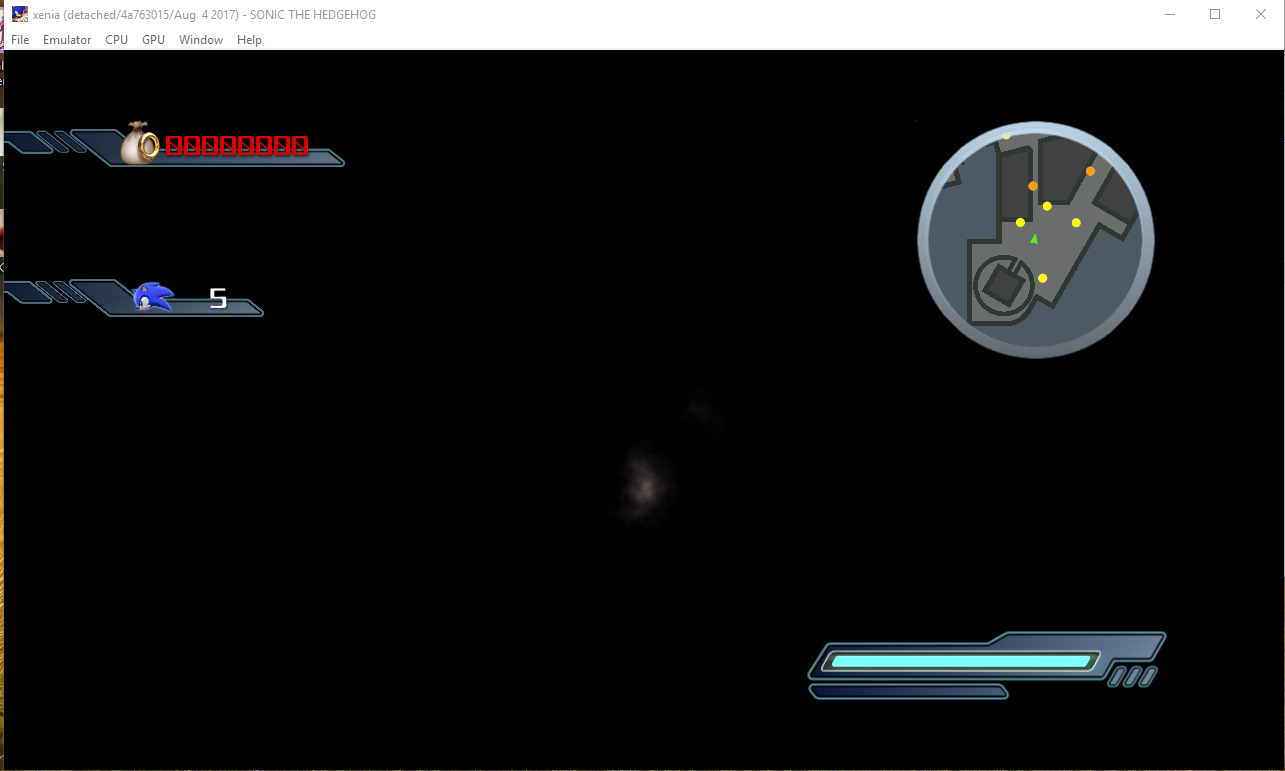
Sonic the Hedgehog.zip
The game works, but the black screen. Screenshot attached - Star Ocean The Last Hope
Comes to the point: press the start button, but there is no reaction to it.
Star Ocean The Last Hope.zip
Thanks for your work. I hope the logs are useful.
zerocold1981
on 4 Aug 2017
Firstly thanks for your work at all.
Secondly just an idea so correct me if I'm wrong or I missunderstand something.
as I understand need to modify the 24 to 32 like in this build https://github.com/shadowbrony33/xenia/commit/1bbe8cf91eac9b2af829d9c677a7d4c1ede336c4
but could it be automatized by adding conditions.
https://www.khronos.org/registry/vulkan/specs/1.0/man/html/VkPhysicalDeviceProperties.html
I've just done a little search about getting gpu type in Vulkan and my question is the following:
Could it be possible to make a condition for deciding which gpu has the current pc.
If Not AMD run the 24bit renderer else use the 32bit renderer..
By the way I also have Nvidia and Amd cars so still I can test the new builds of Xenia :)
Thanks.
 Sleepy93
on 21 Dec 2017
Sleepy93
on 21 Dec 2017
I've looked into this a bit before - and it looks like using D32F instead of D24 causes regressions.
I'm not entirely sure how we can effectively emulate 24-bit normalized depth using a 32-bit float depth buffer - if anyone has experience with this, please do hop into this discussion.
DrChat
on 3 Feb 2018
@DrChat Main issue I've had with using D32F is that Sonic 06 doesn't render correctly with most textures being rendered invisible HOWEVER this also still occurs on my RX 580 with D24 so I'm not sure what exactly is causing that issue.
0x8080
on 3 Feb 2018
Related issues
 kobyaustin1
·
4Comments
kobyaustin1
·
4Comments
 niko1point0
·
3Comments
drillsar
·
4Comments
Margen67
·
3Comments
niko1point0
·
3Comments
drillsar
·
4Comments
Margen67
·
3Comments
 mkMoSs
·
3Comments
mkMoSs
·
3Comments
Most helpful comment
I know why this happens and have it fixed locally.
I haven't pushed this workaround yet because AMD only supports D16_UNORM or D32_SFLOAT, and I haven't figured out a viable solution yet.