Xdrip: TicWatch pro collector with libre + MM - worked perfectly - after wear OS update March 19 not anymore
As stated in headline - ticwatch pro was working perfectly as standalone collector with MM and libre for 6 month. Worked e.g. on stable Jan 2019 and all nightly xdrip+ updates till March.
After Wear OS update around 20th March everything has stopped and watch can't be used as standalone collector - even factory reset, reset of MM, phone app etc. doesn't help.
It seems that one reading could be achieved from watch when overall searching for new bluetooth devices in overall watch connectivity settings -> bluetooth -> available devices and pressing on mm bluetooth device found.
 Funfly39
All 122 comments
Hello, I have also problems with the stand alone feature of the Ticwatch Pro. It happens during the nights so maybe it's some standby mode but I'm not sure at all and trying some options on phone and on watch...
 Hyuril
on 29 Mar 2019
Hyuril
on 29 Mar 2019
Funfly39 I experienced the same issue around the same time with my ticwatch Pro. It has been working flawlessly for 6 months.
My daughter has a Fossil Gen4 and it was also working flawlessly for 2-3 months. She received a replacement miaomiao the 3 rd week in January and it would not work as a collector. The phone always had to be nearby and force collector off. I thought it was the miaomiao until it happens with my Ticwatch Pro I’m March.
I have switched both to Glimp and both are working fine. I would love to switch back to Xdrip
 dwpotter
on 31 Mar 2019
dwpotter
on 31 Mar 2019
Same issue with my Fossil/Misfit watch, I think this is a problem with the upgraded Wear Os. Has anyone found another thread (I'm sure this must have been reported already) and can link it here or merge tickets?
 kubatom
on 2 Apr 2019
kubatom
on 2 Apr 2019
As a new observation - I am currently able to run Ticwatch Pro again as standalone collector on 28.3. nightly. It is not as perfectly running as before mid March update (stopped suddenly 2 times within a week and hard to get watch connected again as standalone collector). Also making this run again as standalone was a lot of trial and error - before it was smooth and straight foreward. I did a lot of installation, de-installation, different settings, cache cleaning etc. It could be that collector ramdomly stops and it's luck to get it running again with exactly the same setup. As stated before - till mid March it was running smoothly for 6 month without any problems.
Funfly39
on 2 Apr 2019
Thanks for sharing @Funfly39 , has anyone tried the 1.04 release?
I will try to give it a go later this week
kubatom
on 2 Apr 2019
Same problem here. After newest update, my TicWatch C2 doesn't work as standalone collector. I restored watch to fabric settings, but it doesn't solve the problem.
 busken
on 3 Apr 2019
busken
on 3 Apr 2019
I'm using a LG G Watch as standalone receiver with the nightly from March 3rd. Was running fine for two weeks straight and then started to fail. Restart and reconnecting did not help. Collecting with the phone is no problem at all. After using the phone as the collector for one day and then switching back to the watch, it's running fine again.
 nsghub
on 3 Apr 2019
nsghub
on 3 Apr 2019
Can you try to install January 31st build on your phone and smartwach and check if it works? This is the latest version that works flawless with my Ticwatch E as collector for MiaoMiao.
https://github.com/NightscoutFoundation/xDrip/releases/tag/2019.01.31
 parapenT1sta
on 11 Apr 2019
parapenT1sta
on 11 Apr 2019
With TicWatch pro and t28.3. version it's running stable since 14 days as standalone collector.
Funfly39
on 11 Apr 2019
That’s great news. What’s the t28.3.
Thanks
Sent from my iPhone
On Apr 11, 2019, at 10:13 AM, Funfly39 notifications@github.com wrote:
With TicWatch pro and t28.3. version it's running stable since 14 days as standalone collector.
—
You are receiving this because you commented.
Reply to this email directly, view it on GitHub, or mute the thread.
dwpotter
on 11 Apr 2019
Sorry - typo - nightly version from 28.3.
Funfly39
on 11 Apr 2019
Thanks for advice! Version 31 January works!!!
czw., 11.04.2019, 20:37 użytkownik Funfly39 notifications@github.com
napisał:
Sorry - typo - nightly version from 28.3.
—
You are receiving this because you commented.
Reply to this email directly, view it on GitHub
https://github.com/NightscoutFoundation/xDrip/issues/840#issuecomment-482246264,
or mute the thread
https://github.com/notifications/unsubscribe-auth/Au8ld4185FjRLBRpQxBH3HB2kkj1BYX6ks5vf4DygaJpZM4cPx7E
.
busken
on 11 Apr 2019
@busken You're welcome. I had advice @jamorham that some changes after this made some devices not working with WearOS. He recommended to not use the option "Use Scanning" but I still have some issues. With Jan. 31st works like a champ! 💯
parapenT1sta
on 11 Apr 2019
Is there any fix for this problem? I have tried both build 31.01 and 28.3. None of them solved the problem that the collector don't start on mye Ticwatch Pro with wearos 2.2. I have tried Glimp CGM and it works as a collector on the same watch, so there must be something in the xdrip code that is not right...
 haralha
on 13 Apr 2019
haralha
on 13 Apr 2019
I tried both versions and it worked fine for 1 day... ;(
sob., 13.04.2019, 12:23 użytkownik Harald Haugerud notifications@github.com
napisał:
Is there any fix for this problem? I have tried both build 31.01 and 28.3.
None of them solved the problem that the collector don't start on mye
Ticwatch Pro with wearos 2.2. I have tried Glimp CGM and it works as a
collector on the same watch, so there must be something in the xdrip code
that is not right...—
You are receiving this because you were mentioned.
Reply to this email directly, view it on GitHub
https://github.com/NightscoutFoundation/xDrip/issues/840#issuecomment-482796800,
or mute the thread
https://github.com/notifications/unsubscribe-auth/Au8ldxlmrAZMOXJQ_D6VyMLq5fcb79j5ks5vgbAQgaJpZM4cPx7E
.
busken
on 13 Apr 2019
I switched to 31-01 yesterday after seeing reports of it working. It has been less than 24 hours but so far it is working.
I’m hesitant to try it on my daughter’s Fossil Gen4. I will give it another day on my ticwatch Pro first.
Sent from my iPhone
On Apr 13, 2019, at 8:06 AM, busken notifications@github.com wrote:
I tried both versions and it worked fine for 1 day... ;(
sob., 13.04.2019, 12:23 użytkownik Harald Haugerud notifications@github.com
napisał:Is there any fix for this problem? I have tried both build 31.01 and 28.3.
None of them solved the problem that the collector don't start on mye
Ticwatch Pro with wearos 2.2. I have tried Glimp CGM and it works as a
collector on the same watch, so there must be something in the xdrip code
that is not right...—
You are receiving this because you were mentioned.
Reply to this email directly, view it on GitHub
https://github.com/NightscoutFoundation/xDrip/issues/840#issuecomment-482796800,
or mute the thread
https://github.com/notifications/unsubscribe-auth/Au8ldxlmrAZMOXJQ_D6VyMLq5fcb79j5ks5vgbAQgaJpZM4cPx7E
.—
You are receiving this because you commented.
Reply to this email directly, view it on GitHub, or mute the thread.
dwpotter
on 13 Apr 2019
28.3. stable without any problems - Ticwatch pro with latest Wear update.
Only thing I can tell that in the beginning it was not stable - I switch between phone, clear cache, restarted etc. (didn't change any setting, it was 6 month running before problems came - but once it was running after a bumpy start up) - it's running now...
Nevertheless - something in the code is not 100%, maybe some data leftover or a problem from wear OS to keep the connection.
Only thing additional thing what I did - in developers option - keep awake during charging - but I think it doesn't matter....
Funfly39
on 13 Apr 2019
Here’s my WearOS version
31-01 is working but less than 24 hours
Sent from my iPhone
On Apr 13, 2019, at 9:32 AM, Funfly39 notifications@github.com wrote:
28.3. stable without any problems - Ticwatch pro with latest Wear update.
Only thing I can tell that in the beginning it was not stable - I switch between phone, clear cache, restarted etc. (didn't change any setting, it was 6 month running before problems came - but once it was running after a bumpy start up) - it's running now...
Nevertheless - something in the code is not 100%, maybe some data leftover or a problem from wear OS to keep the connection.
Only thing additional thing what I did - in developers option - keep awake during charging - but I think it doesn't matter....—
You are receiving this because you commented.
Reply to this email directly, view it on GitHub, or mute the thread.
dwpotter
on 13 Apr 2019
You can check that were some changes made from Feb. 4th version on Wear: https://github.com/NightscoutFoundation/xDrip/commits/2019.02.04
Wear: Add bt Helper
Wear: Sync ScanMeister with latest
parapenT1sta
on 13 Apr 2019
I tried 1.04 and 31.01 releases, no luck on my Misfit Vapour 2 watch. Not sure if this one can be a stand alone collector (it should be)
kubatom
on 14 Apr 2019
@busken You're welcome. I had advice @jamorham that some changes after this made some devices not working with WearOS. He recommended to not use the option "Use Scanning" but I still have some issues. With Jan. 31st works like a champ! 💯
31-01 is working great. I don't understand what you mean by "Use Scanning". Thank you and I do realize its Do Not "Use Scanning"
dwpotter
on 14 Apr 2019
31-01 lasted 1.8 days. Just lost signal and unchecking Force Collector brought readings back
dwpotter
on 14 Apr 2019
Solved Hopefully
With the help of Kirsten Verity Firefly's post in the miaomiao facebook group, I may have solved my issue. Hopefully this will help others.
I think the whole problem is competing Bluetooth.
I don't need Bluetooth on my Android for anything.
Here's what I did and again, Thanks are to Kirsten
1) Check Force Collector on the phone
2) Turn Bluetooth off on the phone
3) wait and see what happens
4) if you lose signal tap the three vertical dots on the watch
5) Restart the Collector from the watch
6) I have both my phone and watch connected to my work and home wifi.
When I got to work the value on the phone had a line through it, as expected and the watch was working fine. Once the watch and phone reconnected to my work wifi everything was back to normal. Same readings on both and phone is uploading to Nightscout :-)
Tip: On the watch under accessibility there is a magnifcation option. When you tap the screen 3x it enlarges that area. It also brings the area to the centre of the watchface. Tap the 3 dots 3 times and they will enlarge in the centre of the watchface. Tap once more and the menu will open up where you can restart the collector.
dwpotter
on 17 Apr 2019
Well it works on my ticwatch pro, but not the fossil Gen4 . I may have to go back to Glimp
dwpotter
on 19 Apr 2019
Okay so another update which hopefully will help some. Thank you to Andrew Cruikshank
My Ticwatch died and I was back to square one. After following the steps below I have both my Ticwatch Pro and my daughter’s Fossil Gen4 back up and running. The Fossil Gen4 had not worked since January.
1) get Xdrip running on both the watch and phone with Force Collector unchecked
2) check Force Collector only on the watch. The phone should vibrate or sound with a notification
3) on the watch press the 3 vertical dots and select restart Collector
4) I went into Bluetooth on the watch and miaomiao was showing as available. I tapped it and it came up with “pairing” but then showed as available again.
After this watch was working standalone
Steps 3/4 can be reversed. I'm not 100% certain they are both necessary, but I do know that both watches are working again standalone with Xdrip. Very happy 😃 and thanks to Andrew.
dwpotter
on 20 Apr 2019
@haralha
I think the reason that Glimp works is because you have to choose phone or watch and it is not trying to manage two bluetooth connections at the same time. I think I have figured this out and will post.
Is there any fix for this problem? I have tried both build 31.01 and 28.3. None of them solved the problem that the collector don't start on mye Ticwatch Pro with wearos 2.2. I have tried Glimp CGM and it works as a collector on the same watch, so there must be something in the xdrip code that is not right...
dwpotter
on 20 Apr 2019
- I went into Bluetooth on the watch and miaomiao was showing as available. I tapped it and it came up with “pairing” but then showed as available again.
I'm on the SW3 (aw 1.5) at the moment. It works as collector but looses connection now and then (after 2-3 days). I did find the miaomiao in the bluetooth menu and tapped it, and then it worked again. I also on time tried to turn off my bluetooth on my iPhone (!?!) and that also got the readings back on the SW3. I think there must be a bug somewhere regarding bluetooth and the order the devices are connected.
EDIT:
I can also confirm that the instructions from @dwpotter works on the TicWatch Pro. I had to do the "pairing". It seems like "forget" the miaomiao some times?
haralha
on 23 Apr 2019
I am really sorry for writing the next tutorial in Portuguese but it's the same I Shared on my Facebook Group Diabet1cos.pt and this is how I got MiaoMiao back to work on my Ticwatch and basically, I kept Jan 31st version on my watch and updated my smartphone.
Este foi o processo que fiz para conseguir ter o relógio como “collector” do MiaoMiao sem precisar do telemóvel, sigam à risca este tutorial, demora algum tempo… é preciso ter paciência, mas vale a pena o esforço! Para começar é necessário que desactivem a função Android Wear no xDrip do telemóvel e desinstalem o xDrip no relógio. Confirmem também que tem a app WearOS actualizada no telemóvel.
1º - Instalar a versão de 31 de Janeiro de 2019 do xDrip+ no telemóvel, basta correr o ficheiro de instalação que sobrepõe a versão que estão a usar, mesmo que seja mais recente.
Download da versão 31.01: https://github.com/NightscoutFoundation/xDrip/releases/download/2019.01.31/xDrip-plus-20190131-8c42120.apk
2º - No xDrip: Menu – Definições – Definições Menos Comuns – Definições do Bluetooth.
Activar as seguintes opções:
- Ligar Bluetooth
- Vigilante Bluetooth
- Usar Procura
- Confiar Auto-Connect (Caso tenham um telemóvel Samsung não activem esta opção)
- Modo de Procura do xBrigde+
- Permitir desagregação do Blucon
Ter desactivadas as seguintes opções:
- Viligante Bluetooth G5
- Fechar GATT
- Wakelocks Bluetooth
- Reiniciar constamente o Bluetooth
- Suporte para Transmiter
- Suporte para RFDUINO
3º - Confirmar se o MiaoMiao continua ligado ao telemóvel, ir a Menu – Estado de Sistema, confirmar em estado de ligação, caso não esteja ligado, deslizar o dedo da direita para a esquerda e ver no separador “BT Device” se aparece algum erro marcado a castanho, no caso de aparecer, pressionem em cima do erro que ele desaparece. Se continua sem ligação, ir a Menu – Pesquisa Bluetooth e se MiaoMiao aparecer na lista a azul, pressionem em cima do MiaoMiao para fazer ligação. Só deverão seguir para o próximo passo quando houver ligação ao MiaoMiao e nova leitura da glicemia.
4º - Instalar xDrip+ no relógio. Ir à Play Store no relógio e a app deverá aparecer na lista do ecrã principal da loja para ser instalada. No fim da instalação podem definir como watchface e de seguida deslizem o dedo do topo do relógio para baixo, pressionem na roda dentada – Apps e Notificações – Permissões App – xDrip Prefs. – E activem as duas opções (Localização e Sensores).
5º - No xDrip+ no telemóvel, ir a Menu – Definições – Funções Smart Watch – Integração Android Wear – Activar “Integração Android Wear”, não activem mais opção nenhuma! Caso “Ligar Wear ou Forçar Wear Collection” estejam activas, desactivem logo de seguida.
No menu anterior, Sensores Smartwatch, podem activar os sensores caso não estejam activos.
Só avancem para o próximo passo quando aparecer a leitura no relógio, recomendo esperar para uma nova leitura. Em caso de falha, voltar a repetir o 3º passo, é importante confirmar se o MiaoMiao aparece ou não no menu de Pesquisa de Bluetooth, se não aparecer estamos no bom caminho.
6º - No relógio ir a xDrip Prefs. e activar a opção “Force Collector”, nesse mesmo momento deverá aparecer uma notificação do xDrip com o nome do vosso relógio, se sim, é bom sinal.
Esperem mais uma vez por uma leitura e confirmem se há ligação ao MiaoMiao, por vezes, é necessário esperar para que ele restabeleça ligação ao Bluetooth. Não sejam apressados 😊
Ir para o próximo passo quando houver leituras actualizadas tanto no telemóvel como no relógio.
7º - No xDrip+ no telemóvel, ir a Menu – Definições – Funções Smart Watch – Integração Android Wear – Activar “Ligar Wear Collection”. E mais uma vez… confirmar ligação do MiaoMiao e se as leituras estão a ser actualizadas, no meio deste processo todo por vezes convém esperar mesmo os 5 minutos para nova leitura. Só depois da leitura… avançar para o passo seguinte.
8º - No xDrip+ no telemóvel, ir a Menu – Definições – Funções Smart Watch – Integração Android Wear – Activar “Forçar Wear Collection Service”. Confirmar ligação… e leituras…
9º - Continuando no telemóvel: Menu – Definições – Funções Smart Watch – Integração Android Wear – Activar “Utilizar apenas Wear”. Confirmar ligação… e leituras…
10º - Se chegaram a este ponto sempre com leituras, o vosso relógio já consegue ler do MiaoMiao sem ser preciso o telemóvel por perto! Parabéns 😊
11º - O grande truque agora, é NUNCA actualizar a versão do xDrip no relógio, terá sempre que ficar com a de 31 de Janeiro, podem sim, actualizar a versão no telemóvel para a mais recente. Caso actualizem a versão no relógio, arriscam-se a que deixe de funcionar novamente.
parapenT1sta
on 29 Apr 2019
Obrigada! It works on my Ticwatch C2!!
 Treedate
on 3 May 2019
Treedate
on 3 May 2019
You're very welcome.
parapenT1sta
on 3 May 2019
@parapenT1sta How does one disable the Android Wear function on the phone's xDrip please?
 Koala107
on 5 May 2019
Koala107
on 5 May 2019
@Koala107 Are you asking where to disable Wear Function on xDrip?
Xdrip's Menu - Settings - Smart watch Features - Android Wear -Android Wear Integration.
parapenT1sta
on 6 May 2019
Oh I see, thankyou very much :)
Koala107
on 6 May 2019
Hi, the comment above by Treedate has given me hope. I have a Ticwatch C2, and have followed all the steps outlined by parapenT1sta but have trouble at the last hurdle.
My phone says the collection device is the Ticwatch, and all settings are as per the above by papapenT1sta, but the watch does not register a reading after 5 minutes and will not when Force Collector is enabled.
Upon checking the phone, it is saying attempting connection in the status, so it appears that the phone and watch are fighting each other to take a reading. The only way to get a reading after this is to turn off the watch collector completely (all wear settings) and let the phone get a reading, which then is shown on the watch. This is not ideal as I want to use the watch as a standalone collector all the time.
The phone is a Samsung S7 edge, and I am running the 2019.01.31 xdrip build. Treedate, can you post your settings that are working?
I will note I have tried most of the other configurations users have been posting to the issues section with no luck :-( very hopeful to get this resolved.
 Ewan-O
on 6 May 2019
Ewan-O
on 6 May 2019
Did you try the steps that I posted. It has been working flawlessly in my daughter’s Fossil Gen4 which had been out of commission standalone for two months.
Also on my Ticwatch Pro.
Sent from my iPhone
On May 6, 2019, at 6:19 AM, Ewan-O notifications@github.com wrote:
Hi, the comment above by Treedate has given me hope. I have a Ticwatch C2, and have followed all the steps outlined by parapenT1sta but have trouble at the last hurdle.
My phone says the collection device is the Ticwatch, and all settings are as per the above by papapenT1sta, but the watch does not register a reading after 5 minutes and will not when Force Collector is enabled.
Upon checking the phone, it is saying attempting connection in the status, so it appears that the phone and watch are fighting each other to take a reading. The only way to get a reading after this is to turn off the watch collector completely (all wear settings) and let the phone get a reading, which then is shown on the watch. This is not ideal as I want to use the watch as a standalone collector all the time.
The phone is a Samsung S7 edge, and I am running the 2019.01.31 xdrip build. Treedate, can you post your settings that are working?
—
You are receiving this because you were mentioned.
Reply to this email directly, view it on GitHub, or mute the thread.
dwpotter
on 6 May 2019
Hi! I don't know how to post pictures or videos here so you can check the link below. I've uploaded some videos which, I hope, could help you.
The version you are using is correct, so just try 😊
https://drive.google.com/folderview?id=1wWUpmg2cETwV7fZqLqyJbi8obB6WMSiT
Treedate
on 6 May 2019
Interesting that you leave Trust Autoconnect checked. From what I have read that’s the big one to uncheck
Sent from my iPhone
On May 6, 2019, at 7:44 AM, Treedate notifications@github.com wrote:
Hi! I don't know how to post pictures or videos here so you can check the link below. I've uploaded some videos which, I hope, could help you.
The version you are using is correct, so just try 😊https://drive.google.com/folderview?id=1wWUpmg2cETwV7fZqLqyJbi8obB6WMSiT
—
You are receiving this because you were mentioned.
Reply to this email directly, view it on GitHub, or mute the thread.
dwpotter
on 6 May 2019
@dwpotter Uncheck Trust Auto-Connect only on Samsung phones, at least is what is recommended.
parapenT1sta
on 6 May 2019
Followed everything to the letter- worked well for 24 hours approx - now back to needing phone in range to pick up readings.
Tried to do it all again, 5 times now. At #6 seems to be a problem:
6. On the watch go to xDrip Prefs. and activate the option "Force Collector", at that same time should appear a notification of xDrip with the name of your watch
It wont let me tick force collector, without first ticking Enable Wear Collector (on watch).
So when I tick both on watch, the phone system status says BT: MiaoMiao, and Status: Full Stop.
It does send the notification to the phone, saying Force wear on watch enabled.
Hope this makes sense!
Am tearing my fur out here!!!
Koala107
on 7 May 2019
Did you lost battery on your watch?
parapenT1sta
on 7 May 2019
Lost battery? It ran down while I kept resetting, reinstalling and rebooting, but it never got below 30% - is fully charged now and still need phone to receive numbers :(
Koala107
on 7 May 2019
Ticwatch C2 up and running as a stand-alone collector, special thank-you Treedate for the great vidoes. :-)
dwpotter, thanks for your suggestions and instructions to date. All I was missing was one of the check boxes Treedate had shown in the video. Your instructions worked after that. :-)
Ewan-O
on 7 May 2019
Fantastic that you have it working. Can you state which box made the difference.
Sent from my iPhone
On May 7, 2019, at 6:08 AM, Ewan-O notifications@github.com wrote:
Ticwatch C2 up and running as a stand-alone collector, special thank-you Treedate for the great vidoes. :-)
dwpotter, thanks for your suggestions and instructions to date. All I was missing was one of the check boxes Treedate had shown in the video Your instructions worked after that. :-)
—
You are receiving this because you were mentioned.
Reply to this email directly, view it on GitHub, or mute the thread.
dwpotter
on 7 May 2019
You need to Enable WearCollector to be able to Force Collector so that makes sense. What phone do you have. With my daughter’s Fossil Gen4 we sometimes have to repeat everything if the battery goes dead.
Sent from my iPhone
On May 7, 2019, at 1:50 AM, Koala107 notifications@github.com wrote:
Followed everything to the letter- worked well for 24 hours approx - now back to needing phone in range to pick up readings.
Tried to do it all again, 5 times now. At #6 seems to be a problem:
On the watch go to xDrip Prefs. and activate the option "Force Collector", at that same time should appear a notification of xDrip with the name of your watch
It wont let me tick force collector, without first ticking Enable Wear Collector (on watch).
So when I tick both on watch, the phone system status says BT: MiaoMiao, and Status: Full Stop.
It does send the notification to the phone, saying Force wear on watch enabled.Am tearing my fur out here!!!
—
You are receiving this because you were mentioned.
Reply to this email directly, view it on GitHub, or mute the thread.
dwpotter
on 7 May 2019
@dwpotter OPPO phone. Phone and watch battery good.
I also followed the vids from Treedate, didnt make any difference.
As soon as I enable Wear Collection, it loses the Bluetooth connection- and says either Full Stop, or Attempting connection. But it never connects.... until I untick Wear Collection Service. And then watch only works with phone nearby.
Koala107
on 7 May 2019
Do you have an older phone you can try it on. My phone is an old Samsung S3 , no sim. I leave it at home on wifi only and at work I have my watch connected to wifi. They stay in touch and the phone uploads to Nightscout. I can follow on my iPhone.
It might be worth a try.
Sent from my iPhone
On May 7, 2019, at 7:34 AM, Koala107 notifications@github.com wrote:
@dwpotter OPPO phone. Phone and watch battery good.
I also followed the vids from Treedate, didnt make any difference.
As soon as I enable Wear Collection, it loses the Bluetooth connection- and says either Full Stop, or Attempting connection. But it never connects.... until I untick Wear Collection Service. And then watch only works with phone nearby.—
You are receiving this because you were mentioned.
Reply to this email directly, view it on GitHub, or mute the thread.
dwpotter
on 7 May 2019
Samsung S7 Edge + Ticwatch C2 + MiaoMiao :-)
These are the settings that I think helped @dwpotter
Bluetooth menu...
G5 Watchdog OFF
Use Scanning OFF
xBridge Polling+ OFF
Wear Menu...
Disable Force on Low Battery OFF
Disable Force on Missed Reading OFF
After all settings are done, when pressing the Restart Collector button on the watch, a dialogue was shown that I haven't seen from other fix workflows. It said something like "Collector Restarting".
Has been working now for nearly 24 hours, in and out of range of phone.
Ewan-O
on 8 May 2019
That gives me some hope that I'll be able to do the same with my zeblaze
thor 4 plus then lol. I tried everything I could think of to get it to work
consistently as a collector until I gave up and just went back to my SW3
again. I know that my comment is completely off topic lol, just needed to
share my sense of relief that my $160 investment in the thor 4 plus might,
eventually, pay off. Feel free to ignore me haha. 😉
On Fri, May 3, 2019, 1:08 AM Sérgio Da Silva notifications@github.com
wrote:
You're very welcome.
—
You are receiving this because you are subscribed to this thread.
Reply to this email directly, view it on GitHub
https://github.com/NightscoutFoundation/xDrip/issues/840#issuecomment-488997958,
or mute the thread
https://github.com/notifications/unsubscribe-auth/AIU7LKSDH247Y2KPRF5MU3TPTPXJHANCNFSM4HB7D3CA
.
 nicoleloop
on 24 May 2019
nicoleloop
on 24 May 2019
@nicoleloop hahaha I think we all understand you! How are you doing? Are you finally using your new watch as a collector?
Treedate
on 27 May 2019
Not quite yet, unfortunately! I have not been able to figure out how to get AndroidAPS set up on a full Android 2.0 watch. Especially since the Zeblaze thor 4 plus is not technically a wearos smartwatch. Doesn't mean that it isn't possible to do, just that I'm not sure how to do it... yet.
nicoleloop
on 28 May 2019
Looks like I know where the problem is. Stay tuned.
 tzachi-dar
on 20 Sep 2019
tzachi-dar
on 20 Sep 2019
Looks like I know where the problem is. Stay tuned.
You're the man! Thanks for all you hard work!
parapenT1sta
on 20 Sep 2019
I am using a version compiled by @tzachi-dar and it's working fine with MiaoMiao 1 and 2 + Ticwatch E (Android 8.0.0) + Xiaomi Redmi 4X (LineageOS 15.1).
I would like to ask you to test it and give your feedback, with the Brand and watch model and Android version of it.
- Download: https://drive.google.com/file/d/1TGm7ec5jCBJINOKRNNqSYTDTFsDAuCDz/view?usp=sharing
- Extract xDrip.zip
- Backup xDrip settings and database on your phone (3 dots on the top right corner (graph view).
- Uninstall xDrip on your phone and watch.
- Install new xDrip version on your phone from the xDrip.zip file you just extracted, restore database and settings.
- Put your watch as Developer, go to Settings - About - and press about 10 times on "Build Number" until you get info that you are a developer.
- On your watch, go to Settings - Developer Options - and activate ADB Debugging
- Open adb folder on your PC and doubleclick on top of _install_wearos.bat_, pay attention on your watch because it might show a information to accept the computer. Just accept it.
- After installation, make the configuration to have the watch as collector.
In my case, only after a second try, second configuration I was able to get it as collector. Just have this in mind if doesn't work at the first shot. Also take a look on your BT device menu if is shown as connected.
parapenT1sta
on 28 Sep 2019
Feedback received so far:
2 Ticwatch E (Android 8.0.0) OK.
1 Ticwatch PRO (Android H) was needed a restart device once but since then no issues.
1 Ticwatch C2 (Android H) OK
parapenT1sta
on 28 Sep 2019
I'm using a Fossil Gen 4, MiaoMiao v1. Xdrip+ 2019.07.28 Using the Fossil as a primary collector works perfectly.
- Enable Wear collection service is checked on the phone;
- Force Wear collection service is checked on the phone;
- Only Use wear is unchecked on the phone;
- Enable collector is checked on the watch;
- Force collector is checked on the watch;
Requirements for setup have been to get the collection running on my phone first. Then switching to the watch with the above settings. You will need to enter connection settings on the watch, bluetooth and select the miaomiao. To make sure the transfer of pairing is made, I restart both devices and restart the collector on both the watch and phone. The status of the connection on the phone stratus screen is then updated to connected.
 SimonPhilpott
on 30 Sep 2019
SimonPhilpott
on 30 Sep 2019
@SimonPhilpott Does your watch receive data if the phone is off?
What Android version is on your watch?
parapenT1sta
on 30 Sep 2019
After installing the last xDrip update (Sep30), Ticwatch Pro works fine as a standalone!
 tiagofvale
on 1 Oct 2019
tiagofvale
on 1 Oct 2019
After installing the last xDrip update (Sep30), Ticwatch Pro works fine as a standalone!
And about before? because the changes done were only for Ticwatch E or S.
parapenT1sta
on 1 Oct 2019
After installing the last xDrip update (Sep30), Ticwatch Pro works fine as a standalone!
And about before? because the changes done were only for Ticwatch E or S.
I'm not sure what version I was using before, but last time I updated was about 3 weeks ago.
The only thing that's not working right now is the feature to enable the watch to receive data only when phone is out of range.
Everything else seems to be working fine.
tiagofvale
on 1 Oct 2019
How can it be a standalone when isn't working when the phone is off? Because right now it seems you need the phone.
This version fix the issue get data when the phone is off on Ticwatch E or S.
parapenT1sta
on 1 Oct 2019
Your comments contradict each other. Comment below says it’s not working standalone.
The only thing that's not working right now is the feature to enable the watch to receive data only when phone is out of range.
Also, the original issue has Ticwatch Pro in title but it seems like the main problem is with other Ticwatch. My Ticwatch Pro works fine with 2019.05.18.
Thanks to all still working on this.
Sent from my iPhone
On Oct 1, 2019, at 10:20 AM, Tiago Vale notifications@github.com wrote:
After installing the last xDrip update (Sep30), Ticwatch Pro works fine as a standalone!
And about before? because the changes done were only for Ticwatch E or S.
I'm not sure what version I was using before, but last time I updated was about 3 weeks ago.
The only thing that's not working right now is the feature to enable the watch to receive data only when phone is out of range.Everything else seems to be working fine.
—
You are receiving this because you were mentioned.
Reply to this email directly, view it on GitHub, or mute the thread.
dwpotter
on 1 Oct 2019
Yeah, it does. My watch is running: OWM1.181005.036.H3
On Mon, 30 Sep 2019, 11:03 parapenT1sta, notifications@github.com wrote:
@SimonPhilpott https://github.com/SimonPhilpott Does your watch receive
data if the phone is off?What Android version is on your watch?
—
You are receiving this because you were mentioned.
Reply to this email directly, view it on GitHub
https://github.com/NightscoutFoundation/xDrip/issues/840?email_source=notifications&email_token=ABUEHILXOP5JFNSSV2XSE3TQMHFFZA5CNFSM4HB7D3CKYY3PNVWWK3TUL52HS4DFVREXG43VMVBW63LNMVXHJKTDN5WW2ZLOORPWSZGOD75D6UY#issuecomment-536493907,
or mute the thread
https://github.com/notifications/unsubscribe-auth/ABUEHINYB3ESB6QA3NRSZ4DQMHFFZANCNFSM4HB7D3CA
.
SimonPhilpott
on 1 Oct 2019
Hi @all, does I read it right? I can use the Ticwatch Pro as a standalone Collector? Also if I am using both? Phone and watch? And if the phone loose connection the watch keeps it on?
I thought it only work for the Sony SmartWatch 3. I am asking because tomorrow my Ticwatch Pro will be delivered 😅😊 I am using Dexcom G6
 FreDiabetics
on 14 Oct 2019
FreDiabetics
on 14 Oct 2019
anybody managed to install ticwach pro with miaomiao2 as standalone?
 isuran
on 14 Oct 2019
isuran
on 14 Oct 2019
@nicoleloop,hi!
About your zeblaze thor 4 plus, although that has wiiwatch 2 OS and is incompatible with Xdrip ,since that can download and "run" the Xdrip app (standalone), have you tried to make your own watchface with Watchmaker Live wallpaper (Google play app)?
I have the same problem with my new Kospet Optimus pro. Amazing smartwatch but I didn't knew that wiiwatch 2 os is incompatible with Xdrip+
 greekostas
on 20 Oct 2019
greekostas
on 20 Oct 2019
I was able to use my Zeblaze thor 4 plus as an xdrip collector, but the battery life was just so short that it wasn't worth all the trouble, unfortunately! I went back to using my SW3 in the meantime, and hope that it will continue to work...until I can save up more money for a more reliable smartwatch, lol. 😉
On Sun, Oct 20, 2019, 12:48 PM greekostas <[email protected]notifications@github.com> wrote:
@nicoleloophttps://github.com/nicoleloop,hi!
About your zeblaze thor 4 plus, although that has wiiwatch 2 OS and is incompatible with Xdrip ,since that can download and "run" the Xdrip app (standalone), have you tried to make your own watchface with Watchmaker Live wallpaper (Google play app)?
I have the same problem with my new Kospet Optimus pro. Amazing smartwatch but I didn't knew that wiiwatch 2 os is incompatible with Xdrip+
—
You are receiving this because you were mentioned.
Reply to this email directly, view it on GitHubhttps://github.com/NightscoutFoundation/xDrip/issues/840?email_source=notifications&email_token=AIU7LKR5EG6UR5QHKXSARGDQPSYXRA5CNFSM4HB7D3CKYY3PNVWWK3TUL52HS4DFVREXG43VMVBW63LNMVXHJKTDN5WW2ZLOORPWSZGOEBYSHSI#issuecomment-544285641, or unsubscribehttps://github.com/notifications/unsubscribe-auth/AIU7LKWJPMJBYWD5QN674D3QPSYXRANCNFSM4HB7D3CA.
nicoleloop
on 31 Oct 2019
I'm looking for a new watch,so I wanted to ask how many hours ticwatch pro is working fully charged.
Thanks to everyone..
greekostas
on 8 Nov 2019
We get a full day (7-10pm) but it is charged overnight.
Sent from my iPhone
On 8 Nov 2019, at 07:05, greekostas notifications@github.com wrote:
I'm looking for a new watch,so I wanted to ask how many hours ticwatch pro is working fully charged.
Thanks to everyone..
—
You are receiving this because you are subscribed to this thread.
Reply to this email directly, view it on GitHubhttps://nam02.safelinks.protection.outlook.com/?url=https%3A%2F%2Fgithub.com%2FNightscoutFoundation%2FxDrip%2Fissues%2F840%3Femail_source%3Dnotifications%26email_token%3DAKWYZJZWLBU43VGBTNSAMZ3QSUFUXA5CNFSM4HB7D3CKYY3PNVWWK3TUL52HS4DFVREXG43VMVBW63LNMVXHJKTDN5WW2ZLOORPWSZGOEDO6AEA%23issuecomment-551411728&data=02%7C01%7C%7Ccee0702acc0e422877f208d7641a153a%7C84df9e7fe9f640afb435aaaaaaaaaaaa%7C1%7C0%7C637087935491829883&sdata=H2WeSYgi1kdlTPbE4RMbvjpTvnnwfonUYiCzeznPAQ0%3D&reserved=0, or unsubscribehttps://nam02.safelinks.protection.outlook.com/?url=https%3A%2F%2Fgithub.com%2Fnotifications%2Funsubscribe-auth%2FAKWYZJ5QQGDVJ6OS5X6TAZDQSUFUXANCNFSM4HB7D3CA&data=02%7C01%7C%7Ccee0702acc0e422877f208d7641a153a%7C84df9e7fe9f640afb435aaaaaaaaaaaa%7C1%7C0%7C637087935491849899&sdata=WuSScho8dH7f%2BwpFCbAL43cL2U%2BlV0n7l8lXmetrWJY%3D&reserved=0.
 gibbandrew
on 8 Nov 2019
gibbandrew
on 8 Nov 2019
@gibbandrew thanks, 👍
greekostas
on 8 Nov 2019
Is that the Pro. Doesn’t seem right. I get 2 solid days with wifi on. I’ve had it for over 1 year.
Sent from my iPhone
On Nov 8, 2019, at 2:09 AM, gibbandrew notifications@github.com wrote:
We get a full day (7-10pm) but it is charged overnight.
Sent from my iPhone
On 8 Nov 2019, at 07:05, greekostas notifications@github.com wrote:
I'm looking for a new watch,so I wanted to ask how many hours ticwatch pro is working fully charged.
Thanks to everyone..—
You are receiving this because you are subscribed to this thread.
Reply to this email directly, view it on GitHubhttps://nam02.safelinks.protection.outlook.com/?url=https%3A%2F%2Fgithub.com%2FNightscoutFoundation%2FxDrip%2Fissues%2F840%3Femail_source%3Dnotifications%26email_token%3DAKWYZJZWLBU43VGBTNSAMZ3QSUFUXA5CNFSM4HB7D3CKYY3PNVWWK3TUL52HS4DFVREXG43VMVBW63LNMVXHJKTDN5WW2ZLOORPWSZGOEDO6AEA%23issuecomment-551411728&data=02%7C01%7C%7Ccee0702acc0e422877f208d7641a153a%7C84df9e7fe9f640afb435aaaaaaaaaaaa%7C1%7C0%7C637087935491829883&sdata=H2WeSYgi1kdlTPbE4RMbvjpTvnnwfonUYiCzeznPAQ0%3D&reserved=0, or unsubscribehttps://nam02.safelinks.protection.outlook.com/?url=https%3A%2F%2Fgithub.com%2Fnotifications%2Funsubscribe-auth%2FAKWYZJ5QQGDVJ6OS5X6TAZDQSUFUXANCNFSM4HB7D3CA&data=02%7C01%7C%7Ccee0702acc0e422877f208d7641a153a%7C84df9e7fe9f640afb435aaaaaaaaaaaa%7C1%7C0%7C637087935491849899&sdata=WuSScho8dH7f%2BwpFCbAL43cL2U%2BlV0n7l8lXmetrWJY%3D&reserved=0.
—
You are receiving this because you were mentioned.
Reply to this email directly, view it on GitHub, or unsubscribe.
dwpotter
on 8 Nov 2019
That’s just the way we operate it.
We don’t run it till battery dies.
I’d expect most folk would charge overnight.
Sent from my iPhone
On 8 Nov 2019, at 10:16, dwpotter notifications@github.com wrote:
Is that the Pro. Doesn’t seem right. I get 2 solid days with wifi on. I’ve had it for over 1 year.
Sent from my iPhone
On Nov 8, 2019, at 2:09 AM, gibbandrew notifications@github.com wrote:
We get a full day (7-10pm) but it is charged overnight.
Sent from my iPhone
On 8 Nov 2019, at 07:05, greekostas notifications@github.com wrote:
I'm looking for a new watch,so I wanted to ask how many hours ticwatch pro is working fully charged.
Thanks to everyone..—
You are receiving this because you are subscribed to this thread.
Reply to this email directly, view it on GitHubhttps://nam02.safelinks.protection.outlook.com/?url=https%3A%2F%2Fgithub.com%2FNightscoutFoundation%2FxDrip%2Fissues%2F840%3Femail_source%3Dnotifications%26email_token%3DAKWYZJZWLBU43VGBTNSAMZ3QSUFUXA5CNFSM4HB7D3CKYY3PNVWWK3TUL52HS4DFVREXG43VMVBW63LNMVXHJKTDN5WW2ZLOORPWSZGOEDO6AEA%23issuecomment-551411728&data=02%7C01%7C%7Ccee0702acc0e422877f208d7641a153a%7C84df9e7fe9f640afb435aaaaaaaaaaaa%7C1%7C0%7C637087935491829883&sdata=H2WeSYgi1kdlTPbE4RMbvjpTvnnwfonUYiCzeznPAQ0%3D&reserved=0, or unsubscribehttps://nam02.safelinks.protection.outlook.com/?url=https%3A%2F%2Fgithub.com%2Fnotifications%2Funsubscribe-auth%2FAKWYZJ5QQGDVJ6OS5X6TAZDQSUFUXANCNFSM4HB7D3CA&data=02%7C01%7C%7Ccee0702acc0e422877f208d7641a153a%7C84df9e7fe9f640afb435aaaaaaaaaaaa%7C1%7C0%7C637087935491849899&sdata=WuSScho8dH7f%2BwpFCbAL43cL2U%2BlV0n7l8lXmetrWJY%3D&reserved=0.
—
You are receiving this because you were mentioned.
Reply to this email directly, view it on GitHub, or unsubscribe.
—
You are receiving this because you were mentioned.
Reply to this email directly, view it on GitHubhttps://eur02.safelinks.protection.outlook.com/?url=https%3A%2F%2Fgithub.com%2FNightscoutFoundation%2FxDrip%2Fissues%2F840%3Femail_source%3Dnotifications%26email_token%3DAKWYZJ6SSDQBRT6RRIABC2DQSU4BPA5CNFSM4HB7D3CKYY3PNVWWK3TUL52HS4DFVREXG43VMVBW63LNMVXHJKTDN5WW2ZLOORPWSZGOEDPYHEY%23issuecomment-551519123&data=02%7C01%7C%7C4cf5f991c4a44848c59908d76434c8aa%7C84df9e7fe9f640afb435aaaaaaaaaaaa%7C1%7C0%7C637088050169184047&sdata=IV1sTyaYsJZWrrc7dV0Ebt6bY%2B3OOWnHp4YlTXYFoEo%3D&reserved=0, or unsubscribehttps://eur02.safelinks.protection.outlook.com/?url=https%3A%2F%2Fgithub.com%2Fnotifications%2Funsubscribe-auth%2FAKWYZJ5C7CMY3HW2BAIOTSDQSU4BPANCNFSM4HB7D3CA&data=02%7C01%7C%7C4cf5f991c4a44848c59908d76434c8aa%7C84df9e7fe9f640afb435aaaaaaaaaaaa%7C1%7C0%7C637088050169194058&sdata=QZ41uSnONhtWozr3bb0Ccp7can8WhT95ZFpCjU8z2wk%3D&reserved=0.
gibbandrew
on 8 Nov 2019
@dwpotter you mean 2 days running only Xdrip?
greekostas
on 8 Nov 2019
Correct
I don’t use it for anything else. It’s linked to a google account that nobody but me knows about so no phone calls nor emails nor text messages
Sent from my iPhone
On Nov 8, 2019, at 11:38 AM, greekostas notifications@github.com wrote:
@dwpotter you mean 2 days running only Xdrip?
—
You are receiving this because you were mentioned.
Reply to this email directly, view it on GitHub, or unsubscribe.
dwpotter
on 8 Nov 2019
I should also mention this was standalone with Libre 1 and mm1. I currently use Dexcom G5 and have Xdrip on my Ticwatch pro but I don’t use standalone much.
I haven’t noticed much difference with the battery life when running standalone verses using the phone.
Sent from my iPhone
On Nov 8, 2019, at 12:24 PM, Dave Potter dwpotter@rogers.com wrote:
Correct
I don’t use it for anything else. It’s linked to a google account that nobody but me knows about so no phone calls nor emails nor text messagesSent from my iPhone
On Nov 8, 2019, at 11:38 AM, greekostas notifications@github.com wrote:
@dwpotter you mean 2 days running only Xdrip?
—
You are receiving this because you were mentioned.
Reply to this email directly, view it on GitHub, or unsubscribe.
dwpotter
on 8 Nov 2019
Thats really good!
When trying to use Kospet Optimus pro ,standalone, which has a 800 mAh battery maximum was 15-18 hours.
Ticwatch pro battery is 415 mAh.
Anyway, don't anyone try this smartwatch, too many problems with it.
greekostas
on 9 Nov 2019
Hello,
I've just received 3 watches (!!!) bought during the Black Friday to make a try as a standalone collector with MM2 Libre1 EU with OOPAlgo:
=> Misfit Vapor 2 (75€).
=> Ticwatch C2 (139,99€)
=> Fossil Sport (143,20€).
My aim is to find the best one and send back the 2 others and be refunded. ;-)
It's for my 10 years old daughter that's why I'm looking for a "small" one.
For the moment I'm trying with the Misfit Vapor 2 because of its price! :-)
I tried 1.04 and 31.01 releases, no luck on my Misfit Vapour 2 watch. Not sure if this one can be a stand alone collector (it should be)
@kubatom did you succeed with your Misfit Vapour 2 Watch work as a collector. If yes what sensor do you use?
For the moment I've installed OOPAlgo through adb over Wifi and xDrip+ (2019.11.22) through the watch.
I've been able to see the miaomiao (bluetooth) on the watch but couldn't succeed in connecting it...
Any idea?
Thanks.
 lhplab
on 7 Dec 2019
lhplab
on 7 Dec 2019
By the way, how could I know if OOP is realy running on the Watch?
On my phone I remember thar I had to give OOP some permissions. On the Watch I couldn't do that beacause I can't find OOP in the app list…
Thanks.
lhplab
on 7 Dec 2019
OK… I wasn't really smart when trying to install OOP on the Watch!… In fact the apk I was trying to install was my own build of xDrip instead of OOP! :-)
Now the OOP is installed but as it is not a native wear apk I can't set the parameters in OOP as they are outside of the screen…
I've tried @dwpotter and @SimonPhilpott tips but I couldn't get the watch to perform any collection... :-(
I'll have a try with the Fossil now...
lhplab
on 8 Dec 2019
Didn't succeed either with the Fossil…. :-(
By the way the Misfit Watch has exactly the same build number as @SimonPhilpott Fossil
Yeah, it does. My watch is running: OWM1.181005.036.H3
@SimonPhilpott do you use OOPAlgo with your Freestyle? Does it work with the latest version of xDrip+ (20191205) and LibreOOPAlgorithm_L2.apk (20191122).
Thanks
lhplab
on 8 Dec 2019
Sorry, I’m a bit out of the loop with mm2. I have switched to Dexcom G5. I’m still using the same Xdrip 2019.05.18 and it works great on my Ticwatch Pro. It will also work standalone but readings only every 10 minutes and sometimes dropped.
Sent from my iPhone
On Dec 8, 2019, at 3:35 AM, lhplab notifications@github.com wrote:
Didn't succeed either with the Fossil…. :-(
It's exactly the same build number as @SimonPhilpott.Yeah, it does. My watch is running: OWM1.181005.036.H3
@SimonPhilpott do you use OOPAlgo with your Freestyle? Does it work with the latest version of xDrip+ (20191205) and LibreOOPAlgorithm_L2.apk (20191122).
Thanks
—
You are receiving this because you were mentioned.
Reply to this email directly, view it on GitHub, or unsubscribe.
dwpotter
on 8 Dec 2019
Sorry, I’m a bit out of the loop with mm2. I have switched to Dexcom G5. I’m still using the same Xdrip 2019.05.18 and it works great on my Ticwatch Pro. It will also work standalone but readings only every 10 minutes and sometimes dropped.
…
Thank You for the reply @dwpotter!
Did You use the OOPAlogrithm when using MM1 on your Watch?
Thanks.
lhplab
on 8 Dec 2019
Sorry, I’m a bit out of the loop with mm2. I have switched to Dexcom G5. I’m still using the same Xdrip 2019.05.18 and it works great on my Ticwatch Pro. It will also work standalone but readings only every 10 minutes and sometimes dropped.
…Thank You for the reply @dwpotter!
Did You use the OOPAlogrithm when using MM1 on your Watch?Thanks.
Thats a normal behavior of the standalone function on the ticwatch. I am using the Dexcom G6 and there it is the same. you get every 10 times 2 readings. you miss no reading ifyou look at the graph it looks like every 5 minutes but it updates only every 10 minutes
FreDiabetics
on 9 Dec 2019
Hello,
I've tried instructions from @dwpotter, @SimonPhilpott and @parapenT1sta but it didn't work for any of the 3 watches I've tried (Misfit Vapour 2, Fossil Sport and Ticwatch C2).
I think this could be due to the Miaomiao v2 not to be supported with xDrip legacy versions recommanded in their posts. Has anybody using a miaomiao V2 succeded in using a Watch as a collector?
Thanks.
lhplab
on 15 Dec 2019
Hello,
I've tried instructions from @dwpotter, @SimonPhilpott and @parapenT1sta but it didn't work for any of the 3 watches I've tried (Misfit Vapour 2, Fossil Sport and Ticwatch C2).
I think this could be due to the Miaomiao v2 not to be supported with xDrip legacy versions recommanded in their posts. Has anybody using a miaomiao V2 succeded in using a Watch as a collector?
Thanks.
You need to have the latest xDrip+ to get it work with MiaoMiao 2, my tutorial was only for MM 1.
Latest xDrip: https://github.com/NightscoutFoundation/xDrip/releases/tag/2019.12.05
parapenT1sta
on 15 Dec 2019
Thank you @parapenT1sta but xDrip+ 2019.12.05 is still my nominal configuration… :-(
I've just tested legacy configurations to see if it was better. It seems that there's an issue with the Bluetooth from my Misfit not being fast enough for MM2…
I'll have a new try with Ticwatch C2 and Fossil to get the logs and see if this is the same issue…
Thanks!
lhplab
on 15 Dec 2019
Maybe try the new Xdrip release.
Sent from my iPhone
On Dec 15, 2019, at 9:17 AM, lhplab notifications@github.com wrote:
Hello,
I've tried instructions from @dwpotter, @SimonPhilpott and @parapenT1sta but it didn't work for any of the 3 watches I've tried (Misfit Vapour 2, Fossil Sport and Ticwatch C2).
I think this could be due to the Miaomiao v2 not to be supported with xDrip legacy versions recommanded in their posts. Has anybody using a miaomiao V2 succeded in using a Watch as a collector?
Thanks.—
You are receiving this because you were mentioned.
Reply to this email directly, view it on GitHub, or unsubscribe.
dwpotter
on 15 Dec 2019
There is a new Beta version that I just received notification for a day or two ago.
Sorry I don’t have the link at the moment, but I would try that
Sent from my iPhone
On Dec 15, 2019, at 1:16 PM, lhplab notifications@github.com wrote:
Thank you @parapenT1sta but xDrip+ 2019.12.05 is still my nominal configuration… :-(
I've just tested legacy configurations to see if it was better. It seems that there's an issue with the Bluetooth from my Misfit not being fast enough for MM2…
I'll have a new try with Ticwatch C2 and Fossil to get the logs and see if this is the same issue…
Thanks!—
You are receiving this because you were mentioned.
Reply to this email directly, view it on GitHub, or unsubscribe.
dwpotter
on 15 Dec 2019
Thank you for your help.
I'will try the next beta, but I'm not quite confident.
Based on the logs interpreted by tzachi-dar it seems to be an issue with the Bluetooth not being fast enough on the Misfit Vapour 2.
I think that this issue is relative to MM2 because I had the same problem (and the same logs) with a Ticwatch C2 and a Fossil Sport...
lhplab
on 15 Dec 2019
Hello,
I've find that there were some missing modifications in the "wear" code relative to the management of newer models of Freestyle Libre. I've had a try with a modified version of the code on my side and it worked with my Misfit Vapour 2! :-)
I'll let you now later (maybe this evening) what it's about.
lhplab
on 18 Dec 2019
Hello,
I've made the modification in a fork and made a pull request : https://github.com/NightscoutFoundation/xDrip/pull/1142
lhplab
on 20 Dec 2019
@lhplab Any news on the merge? Is there any way to test this? I'm hoping to find a solution to Dexcom G5 collector issues, would this possibly fix the problem (Misfit Vapour 2, TicWatch S2)?
kubatom
on 28 Dec 2019
Hello @kubatom I don't think that the modifications that I made could solve your issue with G5 but you can try it if you want. The binary is available here : https://github.com/lhplab/xDrip/releases/tag/xDrip_wear_collector_20191218
lhplab
on 28 Dec 2019
@lhplab thank you for this, I saw it in the previous comment. I was trying to install it as a normal .apk but got the below error:
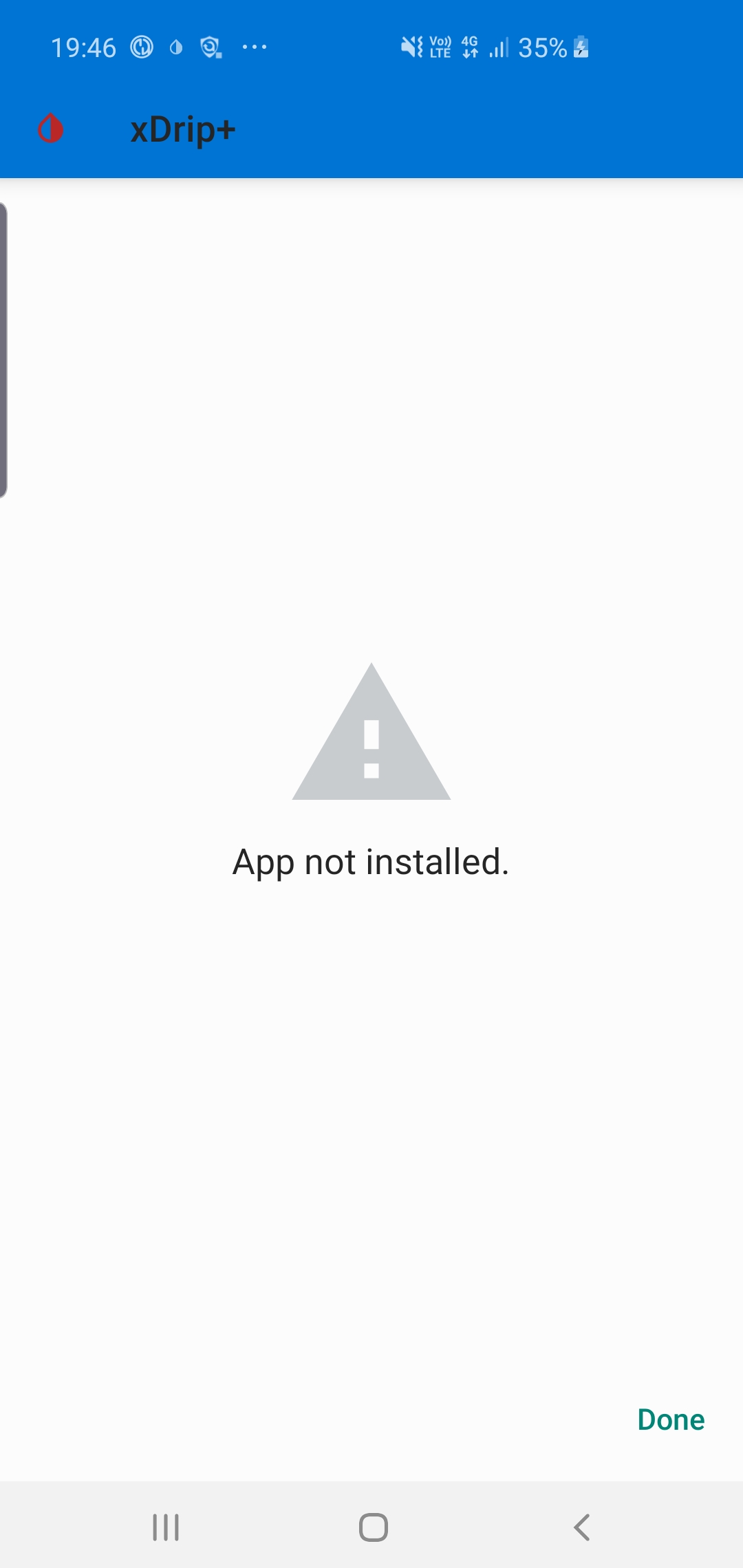
I'm thinking that I must be doing something wrong, but coluldn't find a way...Do I need to get down to the Android logs or there is a simple answer that I need let's say Android 7 or 8 to test this?
I'm currently using Samsung s10 with Android 9
kubatom
on 30 Dec 2019
Hello @kubatom.
I'm currently using Android 8.
I believe that there's an issue with android 9 or 10 that has been corrected by @jamorham on the main branch recently but which was not yet integreted when I've done my branch.
I won't be able to update my branch with the latest commit from the main until the end of the week.
By the way I've had the same issue you're facing with an apk when the free space was low on my phone (~< 1 Go)
lhplab
on 30 Dec 2019
@kubatom Did you backup the database and settings from your installed xDrip, uninstall it and try to install this version? You cannot install @lhplab over the official release. They have different APK signatures.
parapenT1sta
on 30 Dec 2019
@parapenT1sta that was it, thank you. I was able to install it fresh
@lhplab I tested it for Dexcom and unfortunately it still doesn't work. There is a progress though as on the phone I can see 'watch got data 8 minutes ago' (System Status), but no update as readings.
When I swapped to to the phone as a collector, I got similar results phone - 'got data', sensor status stopped. I had to power off the phone and reboot the phone multiple times for it to start reading.
I sent out logs, but can anyone advise on how to start t-shooting this properly? Should I enable some extra logs? Should I get Android logs? What is the right way to get to the bottom of this issue?
kubatom
on 30 Dec 2019
Hello @kubatom I don't think that the modifications that I made could solve your issue with G5 but you can try it if you want. The binary is available here : https://github.com/lhplab/xDrip/releases/tag/xDrip_wear_collector_20191218
Wow! I've been waiting for a long time for the patch. You're a genius!
Working like a charm on my Fossil Gen 5 (as collector), and also paired with my Google Pixel 2 XL.
Thank you so much for your work and for sharing it!
 DavidAG2000
on 1 Jan 2020
DavidAG2000
on 1 Jan 2020
Hello @DavidAG2000 and Happy New Year!
It's cool if it's working for you!😊
The genius are @jamorham and @tzachi-dar that have made the whole code. I've just compared the code from the wear app versus the code from the phone app and seen differences. I've merged the differences but don't really understand how it works (my software skills are quite limited and I've no knowledge in Java nor Android...)
lhplab
on 1 Jan 2020
@lhplab I have to say that yesterday, when I installed it, it worked totally fine. But today, it seems that it is not working 🤔
I am using a MM2 and a Fossil Gen 5, paired with a Google Pixel 2 XL with the latest Android, Android 10.
I will keep updating.
DavidAG2000
on 1 Jan 2020
Hello @DavidAG2000
It's working fine on my Misfit Vapour 2 paired with my Samsung Galaxy A3 2017 but it's running Android 8 (not 10).... Maybe that's the point?
lhplab
on 2 Jan 2020
@lhplab I do not think so. The other day worked perfectly...
DavidAG2000
on 2 Jan 2020
Did you try to reconnect the miaomiao in the bluetooth parameters on the watch?
Did you try to restart the collector on the watch?
lhplab
on 2 Jan 2020
Are you sure that the watch did'nt switched to low power management or somethink like that?
It could lead the bluetooth to enter power down.
I've configured the power management options manually on the watch.
lhplab
on 2 Jan 2020
@lhplab
UPDATE: By clicking many times to connect again to MM on Bluetooth settings on the watch, finally the watch started to get lectures again :D
DavidAG2000
on 2 Jan 2020
@lhplab Hi there,
These days have been fine using your modified app, but today @jamorham has released a new version in which Wear sync modifications have been made. Do you know if with today's version the watch is working as collector?
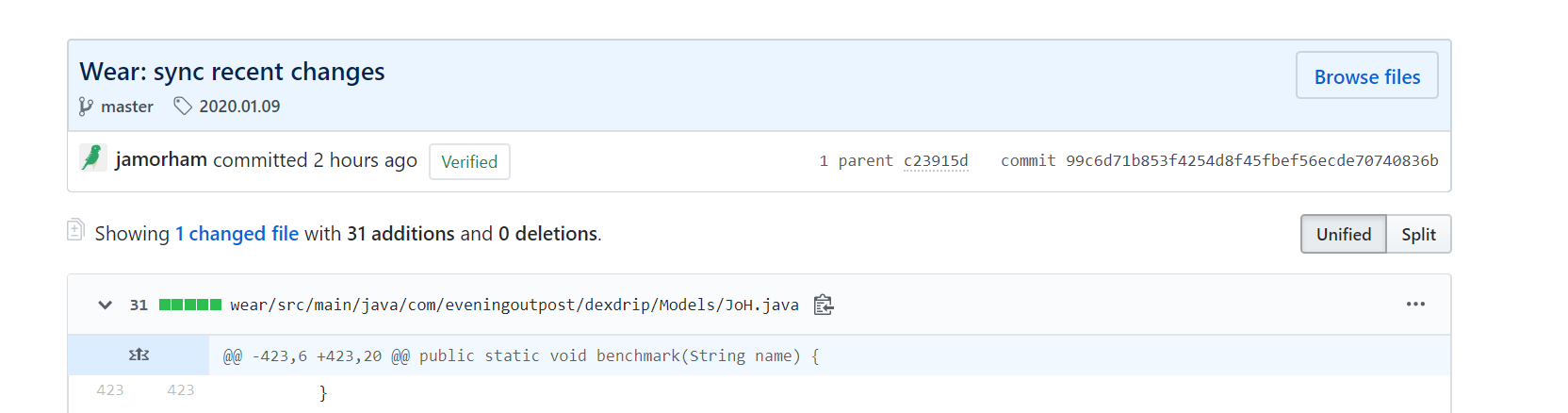
https://github.com/NightscoutFoundation/xDrip/commit/99c6d71b853f4254d8f45fbef56ecde70740836b
DavidAG2000
on 9 Jan 2020
Hello @DavidAG2000
I didn't tried yet but I will as soon as possible (maybe in a few days). I'll let you know how it works for me.
lhplab
on 9 Jan 2020
Just tried to install on my Samsung S4 and it won’t.
Sent from my iPhone
On Jan 9, 2020, at 6:11 AM, DavidAG2000 notifications@github.com wrote:
@lhplab Hi there,
These days have been fine using your modified app, but today @jamorham has released a new version in which Wear sync modifications have been made. Do you know if with today's version the watch is working as collector?
99c6d71
—
You are receiving this because you were mentioned.
Reply to this email directly, view it on GitHub, or unsubscribe.
dwpotter
on 9 Jan 2020
Just tried to install on my Samsung S4 and it won’t.
…
Sent from my iPhone
On Jan 9, 2020, at 6:11 AM, DavidAG2000 @.*> wrote: @lhplab Hi there, These days have been fine using your modified app, but today @jamorham has released a new version in which Wear sync modifications have been made. Do you know if with today's version the watch is working as collector? 99c6d71 — You are receiving this because you were mentioned. Reply to this email directly, view it on GitHub, or unsubscribe.
Yeah, I thought it wouldn't work because @lhplab changed many files, and @jamorham has only changed 1 😢
DavidAG2000
on 9 Jan 2020
@lhplab I am running fossil gen 5, libre EU 1 and MM2 with OOP alogorithim. I am going to have a go at installing your APK to get my watch as a standalone collector. Quick question in regards to OOP on your watch. Did you simply install it from you "My apps" section an then run it once? what was the setup for this? is OOP working on watches as standalone collector? thanks in advance. Ed
 edwardowen78
on 22 Jan 2020
edwardowen78
on 22 Jan 2020
@iphlab I am running Fossil Gen 5, Dexcom G6, and Android 9 on Galaxy S8. Your patch finally got standalone readings work for me directly from the phone - thank you, thank you! The only problem is that xdrip on the phone doesn't seem to be receiving values when Force Wear Collection Service on the watch is enabled (which otherwise works), and is not passing values back to Nightscout. Everything works when that feature is disabled.
 kjayma
on 4 Apr 2020
kjayma
on 4 Apr 2020
Hi Kevin,
You likely already know this but just making sure.
1) The phone can only upload if the watch is in range or on wifi. I keep my Ticwatch Pro on wifi always. It has a minimal affect on battery life.
2) Under the Android Wear Integration make sure you have Only use Wear unchecked. At least that’s how I run.
Dave
Sent from my iPhone
On Apr 4, 2020, at 9:09 AM, Kevin Jay notifications@github.com wrote:
@iphlab I am running Fossil Gen 5, Dexcom G6, and Android 9 on Galaxy S8. Your patch finally got standalone readings work for me directly from the phone - thank you, thank you! The only problem is that xdrip on the phone doesn't seem to be receiving values when Force Wear Collection Service on the watch is enabled (which otherwise works), and is not passing values back to Nightscout. Everything works when that feature is disabled.—
You are receiving this because you were mentioned.
Reply to this email directly, view it on GitHub, or unsubscribe.
dwpotter
on 4 Apr 2020
Thanks Dave - wifi may have been the problem - I'll try that.
kjayma
on 5 Apr 2020
I am really sorry for writing the next tutorial in Portuguese but it's the same I Shared on my Facebook Group Diabet1cos.pt and this is how I got MiaoMiao back to work on my Ticwatch and basically, I kept Jan 31st version on my watch and updated my smartphone.
Este foi o processo que fiz para conseguir ter o relógio como “collector” do MiaoMiao sem precisar do telemóvel, sigam à risca este tutorial, demora algum tempo… é preciso ter paciência, mas vale a pena o esforço! Para começar é necessário que desactivem a função Android Wear no xDrip do telemóvel e desinstalem o xDrip no relógio. Confirmem também que tem a app WearOS actualizada no telemóvel.
1º - Instalar a versão de 31 de Janeiro de 2019 do xDrip+ no telemóvel, basta correr o ficheiro de instalação que sobrepõe a versão que estão a usar, mesmo que seja mais recente.
Download da versão 31.01: https://github.com/NightscoutFoundation/xDrip/releases/download/2019.01.31/xDrip-plus-20190131-8c42120.apk2º - No xDrip: Menu – Definições – Definições Menos Comuns – Definições do Bluetooth.
Activar as seguintes opções:
- Ligar Bluetooth
- Vigilante Bluetooth
- Usar Procura
- Confiar Auto-Connect (Caso tenham um telemóvel Samsung não activem esta opção)
- Modo de Procura do xBrigde+
- Permitir desagregação do Blucon
Ter desactivadas as seguintes opções:
- Viligante Bluetooth G5
- Fechar GATT
- Wakelocks Bluetooth
- Reiniciar constamente o Bluetooth
- Suporte para Transmiter
- Suporte para RFDUINO
3º - Confirmar se o MiaoMiao continua ligado ao telemóvel, ir a Menu – Estado de Sistema, confirmar em estado de ligação, caso não esteja ligado, deslizar o dedo da direita para a esquerda e ver no separador “BT Device” se aparece algum erro marcado a castanho, no caso de aparecer, pressionem em cima do erro que ele desaparece. Se continua sem ligação, ir a Menu – Pesquisa Bluetooth e se MiaoMiao aparecer na lista a azul, pressionem em cima do MiaoMiao para fazer ligação. Só deverão seguir para o próximo passo quando houver ligação ao MiaoMiao e nova leitura da glicemia.
4º - Instalar xDrip+ no relógio. Ir à Play Store no relógio e a app deverá aparecer na lista do ecrã principal da loja para ser instalada. No fim da instalação podem definir como watchface e de seguida deslizem o dedo do topo do relógio para baixo, pressionem na roda dentada – Apps e Notificações – Permissões App – xDrip Prefs. – E activem as duas opções (Localização e Sensores).
5º - No xDrip+ no telemóvel, ir a Menu – Definições – Funções Smart Watch – Integração Android Wear – Activar “Integração Android Wear”, não activem mais opção nenhuma! Caso “Ligar Wear ou Forçar Wear Collection” estejam activas, desactivem logo de seguida.
No menu anterior, Sensores Smartwatch, podem activar os sensores caso não estejam activos.
Só avancem para o próximo passo quando aparecer a leitura no relógio, recomendo esperar para uma nova leitura. Em caso de falha, voltar a repetir o 3º passo, é importante confirmar se o MiaoMiao aparece ou não no menu de Pesquisa de Bluetooth, se não aparecer estamos no bom caminho.6º - No relógio ir a xDrip Prefs. e activar a opção “Force Collector”, nesse mesmo momento deverá aparecer uma notificação do xDrip com o nome do vosso relógio, se sim, é bom sinal.
Esperem mais uma vez por uma leitura e confirmem se há ligação ao MiaoMiao, por vezes, é necessário esperar para que ele restabeleça ligação ao Bluetooth. Não sejam apressados 😊
Ir para o próximo passo quando houver leituras actualizadas tanto no telemóvel como no relógio.7º - No xDrip+ no telemóvel, ir a Menu – Definições – Funções Smart Watch – Integração Android Wear – Activar “Ligar Wear Collection”. E mais uma vez… confirmar ligação do MiaoMiao e se as leituras estão a ser actualizadas, no meio deste processo todo por vezes convém esperar mesmo os 5 minutos para nova leitura. Só depois da leitura… avançar para o passo seguinte.
8º - No xDrip+ no telemóvel, ir a Menu – Definições – Funções Smart Watch – Integração Android Wear – Activar “Forçar Wear Collection Service”. Confirmar ligação… e leituras…
9º - Continuando no telemóvel: Menu – Definições – Funções Smart Watch – Integração Android Wear – Activar “Utilizar apenas Wear”. Confirmar ligação… e leituras…
10º - Se chegaram a este ponto sempre com leituras, o vosso relógio já consegue ler do MiaoMiao sem ser preciso o telemóvel por perto! Parabéns 😊
11º - O grande truque agora, é NUNCA actualizar a versão do xDrip no relógio, terá sempre que ficar com a de 31 de Janeiro, podem sim, actualizar a versão no telemóvel para a mais recente. Caso actualizem a versão no relógio, arriscam-se a que deixe de funcionar novamente.
Obrigado pelas dicas, fiz o procedimentos e funcionou certinho aqui (Samsung A70 + miaomiao1 + libre). Uma dúvida: tem como fazer o celular coletar quando o relógio estiver desligado?
Obrigado
Maurício
 dinizmauricio
on 19 Apr 2020
dinizmauricio
on 19 Apr 2020
@dinizmauricio Já não é preciso seguir este tutorial com as novas versões do xDrip pelo menos comigo tem funcionado bem as novas versões. Quando o relógio está sem bateria, vá ao xDrip no telemóvel e desligue a função Integração Android Wear, e depois é só voltar a activar quando o relógio tiver bateria.
parapenT1sta
on 19 Apr 2020
@dinizmauricio Já não é preciso seguir este tutorial com as novas versões do xDrip pelo menos comigo tem funcionado bem as novas versões. Quando o relógio está sem bateria, vá ao xDrip no telemóvel e desligue a função Integração Android Wear, e depois é só voltar a activar quando o relógio tiver bateria.
Certo, vou usar a opção de desativar o Android Wear. Você pode me passar a configuração que está usando para fazer funcionar?
Grato
dinizmauricio
on 19 Apr 2020
É igual à que partilhei, só que desta vez já não é preciso usar versão antiga do xDrip no relógio.
parapenT1sta
on 19 Apr 2020
Entendi,
Obrigado!
Em dom, 19 de abr de 2020 10:27, parapenT1sta notifications@github.com
escreveu:
É igual à que partilhei, só que desta vez já não é preciso usar versão
antiga do xDrip no relógio.—
You are receiving this because you were mentioned.
Reply to this email directly, view it on GitHub
https://github.com/NightscoutFoundation/xDrip/issues/840#issuecomment-616134553,
or unsubscribe
https://github.com/notifications/unsubscribe-auth/AEGJLCJP3XDW7AU5KPXOLADRNL33FANCNFSM4HB7D3CA
.
dinizmauricio
on 19 Apr 2020
Is this issue solved, meanwhile?
 tolot27
on 15 Nov 2020
tolot27
on 15 Nov 2020
Yes, I would close it
Sent from my iPhone
On Nov 15, 2020, at 12:31 PM, Mathias Walter notifications@github.com wrote:
Is this issue solved, meanwhile?—
You are receiving this because you were mentioned.
Reply to this email directly, view it on GitHub, or unsubscribe.
dwpotter
on 15 Nov 2020
Hello,Yes it can be closed.Thanks
lhplab
on 15 Nov 2020
Fixed already with c23915d and merged into Nightly build 9th Jan 2020.
tolot27
on 15 Nov 2020
Hello.
I've been struggling making TicWatch Pro 2020 working as standalone collector (MM2 + Libre1), however after a simple steps, everything worked fine.
1) Make evertything work OK on Phone and Watch (non-standalone mode)
2) Enable Wear Collection Service & Force Collector on watch, you must receive a message on phone confirming watch is now the collector
3) Enter the watch bluetooth settings and look for MM2, click to connect
4) It won't connect to MM2 from the watch Bluetooth settings, however, after that, watch started to collect readings from MM2
Hope that helps.
Regards,
Gabriel
 gapolv
on 11 Dec 2020
gapolv
on 11 Dec 2020
Related issues
 exceter
·
4Comments
exceter
·
4Comments
 adenis76
·
10Comments
adenis76
·
10Comments
 jo1st
·
19Comments
jo1st
·
19Comments
 m1st0
·
10Comments
m1st0
·
10Comments
 malloy139
·
6Comments
malloy139
·
6Comments